Repository navigation

The launch menu now has two pages: Game (picture, frame rate, VSync, FPS counter) and Extras and Debug (bonus items, saves, debug tools). Switch with LB / RB, Tab or PageUp / PageDown. New Debug mode shows a live performance panel and turns on extra logging; Export debug report writes one file you can attach to a bug report. The menu now opens in a window, and rows that can't be used are greyed out.
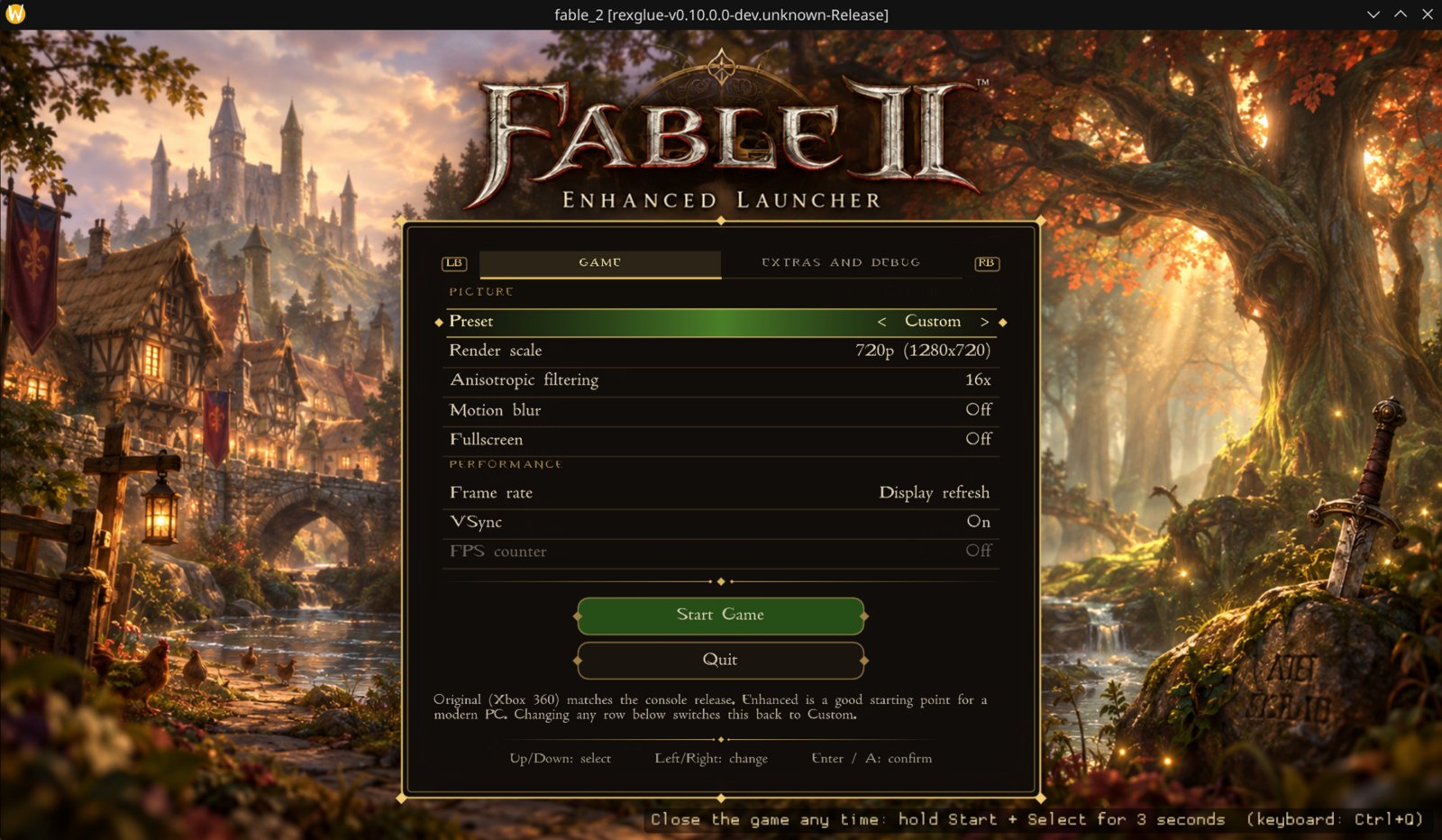
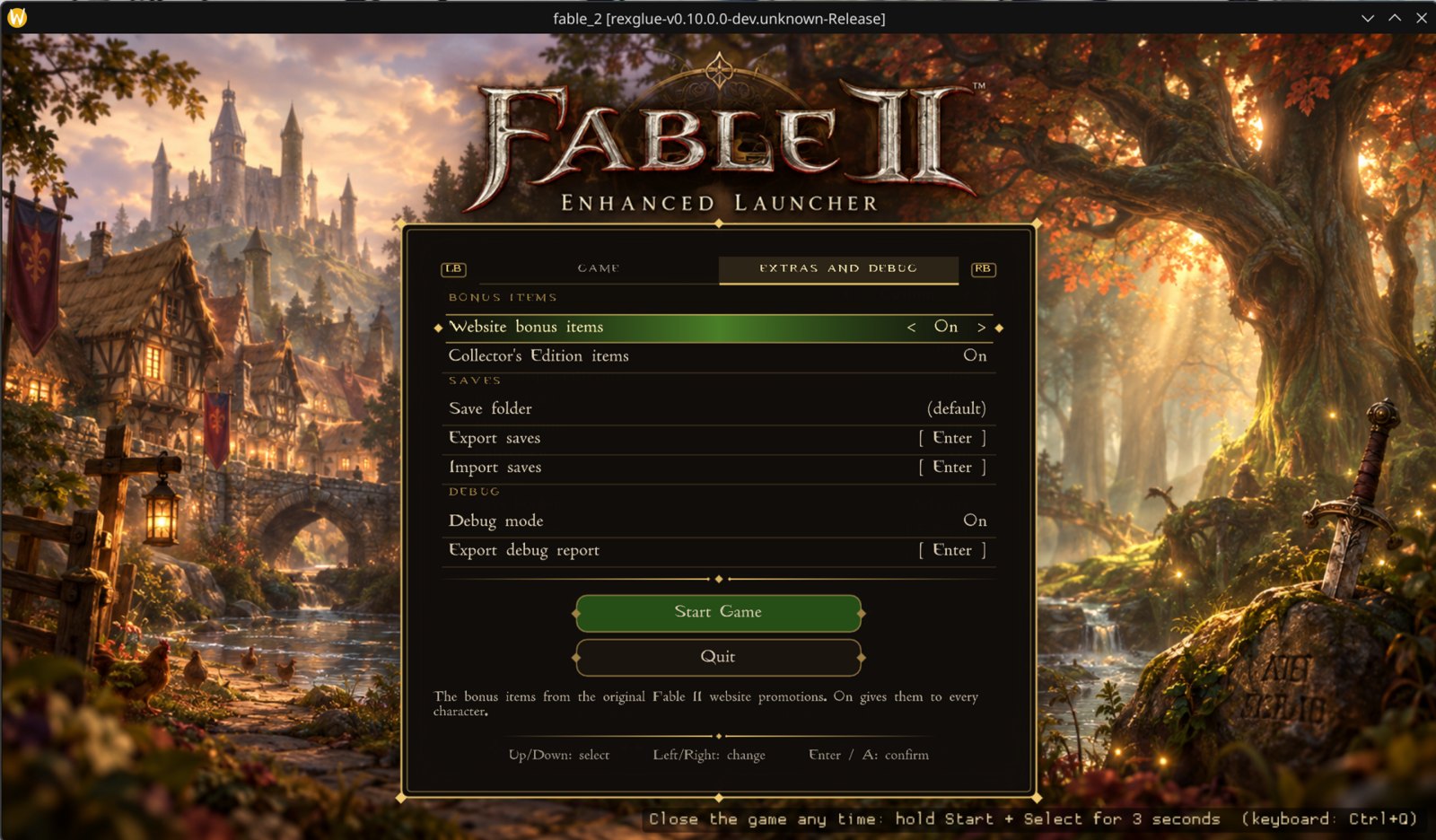
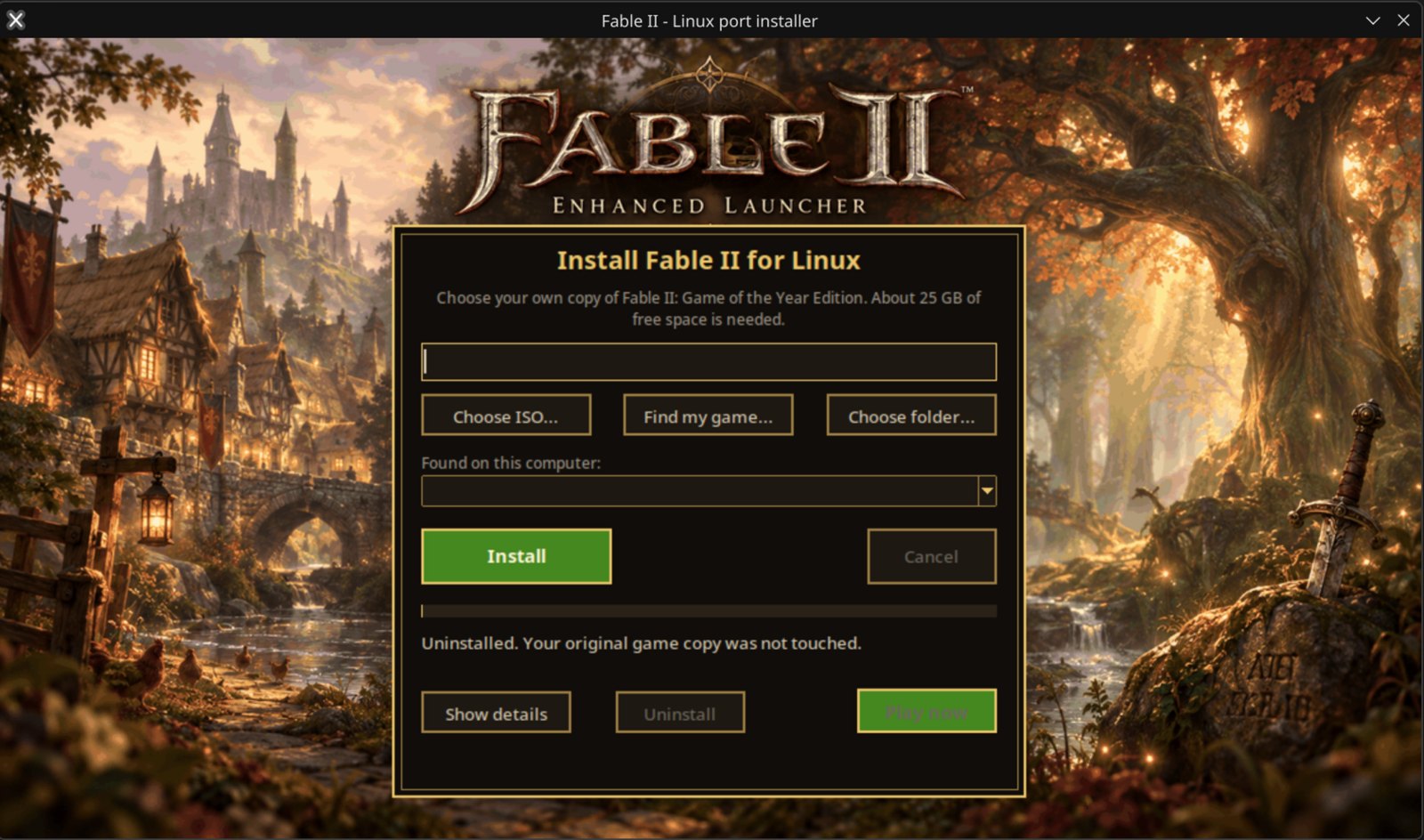
About the font in the screenshots: they use the Fable II font, which is not included in this download. You can add it yourself: save a TrueType font as launcher_font.ttf next to the game program (installed copies: ~/.local/share/fable2-port/app/) and the menu uses it. Without it the menu uses its built-in font, and everything works the same.
Install: download Fable2-Linux-Installer.tar.gz, unpack it and double-click Install Fable II. Already installed? Open the installer and press Update; your saves and settings are kept. You need your own copy of Fable II: Game of the Year Edition; nothing from the game is included.