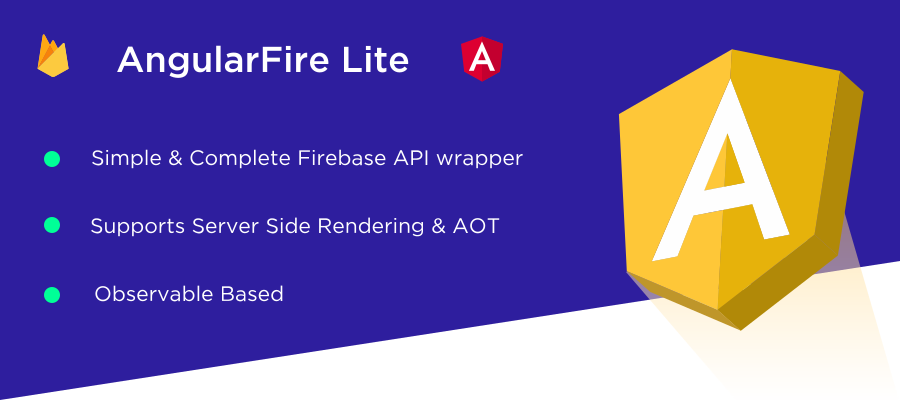
lightweight wrapper to use Firebase API with Angular.







| Features | AngularFire Lite | AngularFire2 |
|---|---|---|
| Authentication | ✔️ | ✔️ |
| Firestore | ✔️ | ✔️ |
| Storage | ✔️ | ❌ |
| Realtime Database | ✔️ | ✔️ |
| Cloud Messaging | ✔️ | ❌ |
| Server Side Rendering | ✔️ | ❌ |
| Transactions and Batched Writes | ✔️ Observable Based |
❌ |
| Package Size | 76 KB ⚡ | 115 KB 🐢 |

Angularfire Lite is the very first angular library to support server side rendering with firebase.
-
📁 Supports Both Firebase Databases: Firestore & Realtime Database
-
🎉 No Flickering whatsoever when the app bootstraps
-
⚡ Better performance
-
🔍 Search engine optimization
-
☺️ Easy implementation

Reminder: don't forget to install nodejs first.
npm install --save angularfire-lite firebase@4.8.0

How?:
-
Create a firebase account and login to your dashboard
-
Click on 'Add Firebase to your web app' icon and copy the config object
-
Add it to
environment.ts&environment.prod.tslocated under/src/environments/
export const environment = {
  production: false, // production: true => in `enviroment.prod.ts`
  config: {
    apiKey: '<your-key>',
    authDomain: '<your-project-authdomain>',
    databaseURL: '<your-database-URL>',
    projectId: '<your-project-id>',
    storageBucket: '<your-storage-bucket>',
    messagingSenderId: '<your-messaging-sender-id>'
  }
};
How?:
-
Import the config object we created from
enviroment.ts -
Import
AngularFireLiteand pass it the config object
import { AngularFireLite } from 'angularfire-lite';
import {environment} from '../environments/environment';

@NgModule({
  declarations: [
    AppComponent
  ],
  imports: [
    BrowserModule,
    AngularFireLite.forRoot(environment.config)
  ],
  providers: [],
  bootstrap: [AppComponent]
})
export class AppModule { }
-
Observable based: Every function returns an Observable that you should subscribe to it to get back the data.
-
Simple API: AngularFire Lite has a simple straight forward syntax similar to the native Firebase API plus some simple additions.
For now please use the Demo App as guide to get you started as I finish designing the new docs so check it out:

- Will be there any breaking changes to AngularFire Lite?
AngularFire Lite is still in beta so some changes may happen however we will try to avoid that as much as possible and keep the API consistent across all the firebase services provided.
- How can I contribute?
We want to keep AngularFire Lite in sync with the Firebase API so if any new feature comes out don't hesitate to send a PR.
- Why AngularFire Lite is so simple?
Why add unnecessary complexity in simplicity draws a straight line to productivity.
- Why there are no tests?
currenty the demo is our primary test but there will be proper tests in the future.

Doors are open! I will personally design for you a maintainer card just like the one above too 😉