Repository navigation
Kast 1.0.0

First release of Kast – a lean, portable video player for Windows that casts to Chromecast, DLNA and AirPlay devices.
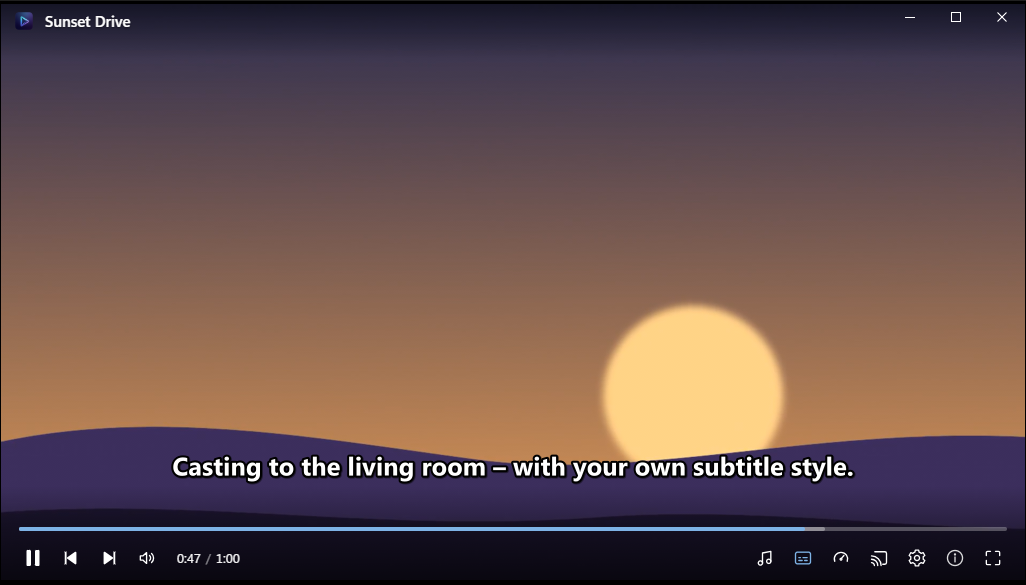
Highlights
- Plays MP4, M4V, MKV, AVI, MOV, WebM, WMV, TS and more – powered by mpv with hardware decoding
- Cast button in the player: Chromecast / Google TV, DLNA smart TVs and AirPlay receivers; formats the device can't play are repacked or re-encoded on the fly (GPU encoder where available)
- Audio track and subtitle selection (embedded or external
.srt/.ass/.vtt), on the PC and on the TV - Subtitle style editor (font, size, color, border, shadow, background, position) – applied live, also on the Chromecast
- Folder playlist, recent files, resume, subtitle/audio delay, playback speed, screenshots, URLs
- Changeable keyboard shortcuts
- Portable: no installation, settings in
settings.jsonnext to the EXE; optional "Open with" and shortcuts - English and German UI, light and dark theme, Windows accent color
- Self-update from GitHub releases with signature check
Download
| File | Use |
|---|---|
Kast-1.0.0-win-x64.7z |
Download this. Unpack into a folder of your choice and run Kast.exe (includes libmpv-2.dll and ffmpeg.exe). |
Kast.exe + Kast.exe.sig |
Used by the built-in updater. |
Requires Windows 10/11 (x64) with the WebView2 runtime (part of Windows 11).
Notes: PC and TV must be on the same network – allow Kast in the Windows firewall for private networks if nothing appears. AirPlay devices that require PIN pairing are not supported yet.