Repository navigation
Northshell 1.4.0 — command library and HTTP environments

Two new ways to stop retyping the same things: a command library and HTTP environments for curl.
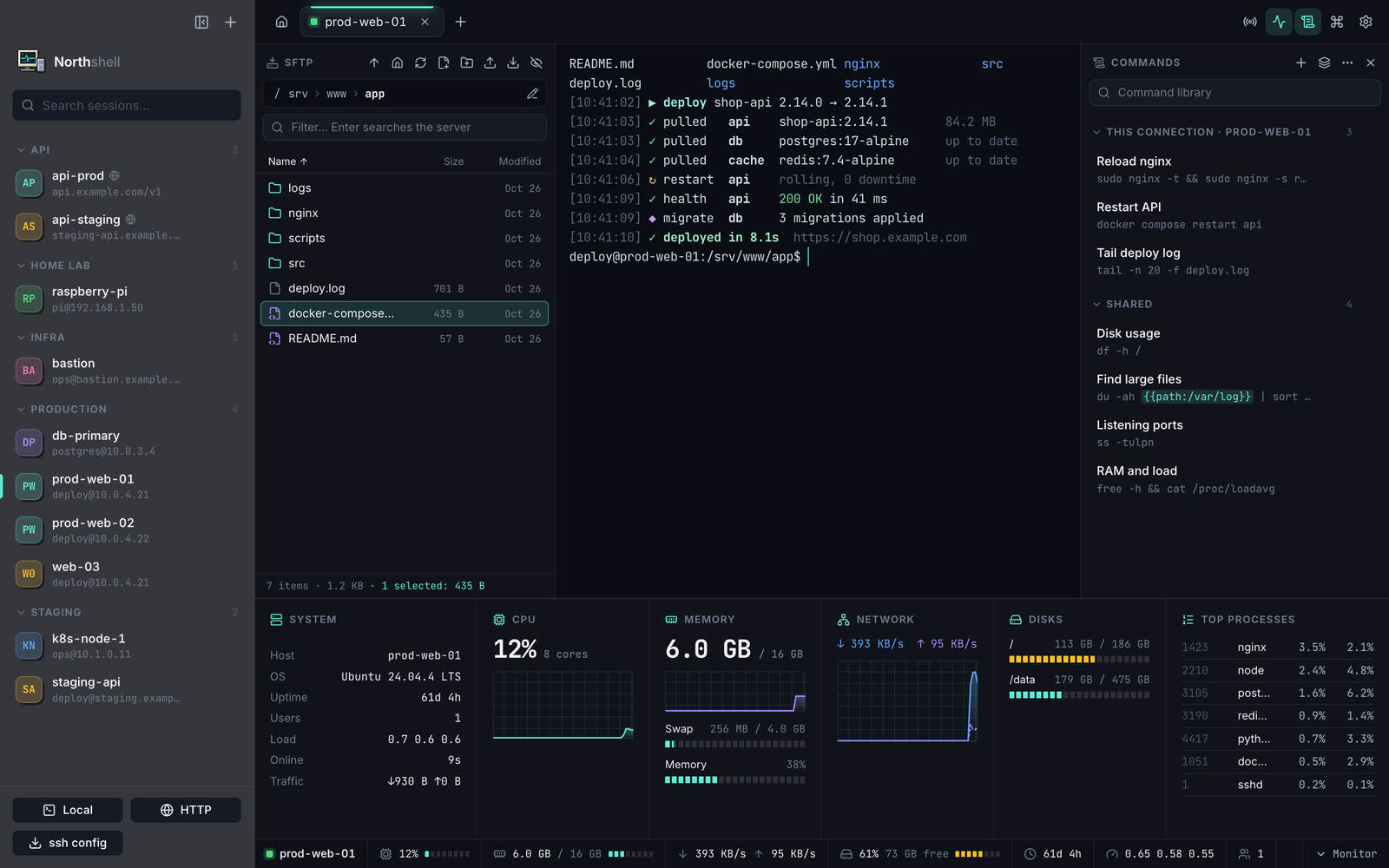
Command library (⇧⌘L)
- A side panel with your frequent commands. Each one is either shared (every connection) or private to one connection.
- Double-click or ▶ runs a command; ↵ inserts it without pressing Enter. Commands are also in the command palette (
⌘P). - Placeholders:
{{id}}or{{limit:20}}ask for a value before the command runs (with a preview).\{{keeps literal braces, e.g. for Go templates. - Everything is stored in a plain
commands.jsonin~/Library/Application Support/Northshell/. Edit it by hand and the app picks up the changes immediately; refer to a connection by name with"session": "prod-web". Import and export move a library between Macs or to your team.
HTTP environments (curl, no SSH)
- A new connection type for APIs: HTTP at the bottom of the sidebar or
⌥⌘N. - Opens a local terminal with
$BASE_URLand$TOKEN(the token is kept in the Keychain), and your default headers — e.g.Authorization: Bearer $TOKEN— are added to everycurlautomatically: just runcurl $BASE_URL/health. - Optional
curl -kfor self-signed certificates. The headers apply to everycurlin that tab, so use another tab for other hosts. - The generated curl config lives in a private temporary folder and is deleted when the tab closes (and cleaned up after a crash).
Install
Download Northshell-1.4.0-arm64.dmg below (macOS 13+, Apple Silicon), open it and drag Northshell into Applications, replacing the old version — sessions and settings are kept. On first launch allow the app in System Settings → Privacy & Security → Open Anyway, or run xattr -dr com.apple.quarantine /Applications/Northshell.app.
SHA-256: 37772b2dec8904fa0075496c5e89739914cd7aab26b32d01da42d6845a547018