Repository navigation
Zaps and Wallets

Note
Zaps are optional. You can use Nostr for years without touching bitcoin. Skip this page if it's not for you.
A zap is a small tip in bitcoin that you send to a post or a person. It arrives in seconds, works worldwide, and is usually tiny: 21 sats (a couple of cents) is the classic "nice post". Zaps are how many writers, artists and developers on Nostr get paid directly, with no ads and no platform taking a cut.
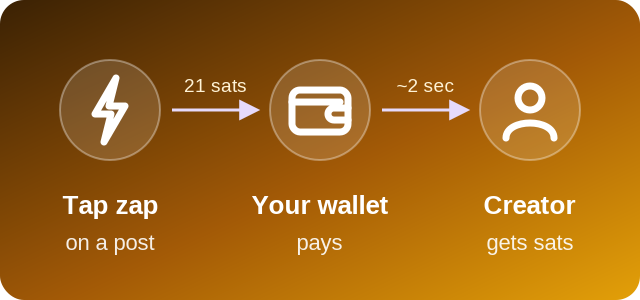
- Easiest: if you use the Primal phone app, its wallet is built in. Tap Wallet, follow the prompts, and you're zapping. It has its own recovery phrase (12–24 words), separate from your nsec. Saving your nsec does not save your sats, so write those words down too.
- One wallet for every app: get a wallet that supports Nostr Wallet Connect (NWC) and link it to each app, as shown below.
- Only receive: get any wallet with a Lightning address and paste it into your profile.
-
Alby Hub + Alby Go Web · iPhone · Android
self-custody. The reference wallet for connecting to Nostr apps. Run it yourself, or let Alby host it for a monthly fee. -
Primal wallet iPhone · Android
self-custody (built on Spark). Zero setup if you already use Primal. Back up its recovery phrase. -
Coinos Web
custodial. Free and web-based. Gives you a Lightning address and NWC in a minute. It disclosed a credential leak in August 2026, so pocket money only. -
Zeus iPhone · Android
self-custody. More control, with a bit more to learn. -
Minibits Android · iPhone · Cashu.me Web
ecash. Private, lightweight wallets using Cashu tokens. Pocket money only.
What those labels mean:
- Self-custody: only you control the money. Lose your recovery words and it's gone, just like your nsec.
- Custodial: a company holds it for you. Easy, but they can freeze it, block your country or shut down.
- Ecash: tokens issued by a "mint" you choose. Private and simple, but the mint holds the actual bitcoin, so it's custodial too.
Warning
Keep only pocket money in custodial or ecash wallets. Wallet services change often, so if an older guide names a wallet that isn't listed here, it may have closed or changed how it works.
- In your wallet, find Connections, Apps or Nostr Wallet Connect and create a new connection. Set a spending budget, for example 10,000 sats a month, so a hacked app can't drain you.
- Copy the connection link (it starts with
nostr+walletconnect://) or show its QR code. - In your Nostr app, open Settings → Wallet (or Zaps) → Connect wallet, then paste the link or scan the code.
- Zap a post to test it. In most apps you can long-press ⚡ to choose a custom amount.
Damus, Amethyst, Primal, Nostur, noStrudel, YakiHonne, Snort and zap.stream all support NWC. See the full list at nwc.dev.
Your wallet gives you an address that looks like an email, such as you@coinos.io. Paste it into your Nostr profile under Lightning address (sometimes labelled LN address). A ⚡ button then appears on your posts, and anyone can zap you.
- 21 sats means "nice". 100–1,000 means "this made my day". There's no wrong amount.
- Add a comment. It shows up publicly and creators love it.
- Zaps are public. Everyone can see who zapped what, and how much.
- Never send sats to "double your money" offers or giveaway DMs. They're always scams.
← Tips & Tricks · Next: FAQ →