Repository navigation
Mini Whiteboard V1.1 — Windows release + macOS preview

Mini Whiteboard V1.1
Stable Windows release with a Mac preview. Place a small whiteboard anywhere
with two presses, then draw, type or annotate a screenshot.
Downloads
| Download | Platform | Status |
|---|---|---|
| WinMiniWhiteboardV1.1.zip | Windows 10/11, 64-bit | Stable Windows release |
| MacMiniWhiteboardV1.1-Preview.zip | macOS 14+ | Mac preview; interactive acceptance outstanding |
Both packages include Python and the libraries they need. Launching the app
shows a tray/menu-bar icon; it opens no board until you place one.
Windows: extract the ZIP, open the Mini Whiteboard folder and run
Mini Whiteboard.exe. Keep the executable and _internal folder together.
The Windows package is unsigned.
Mac preview: extract the ZIP on macOS and move Mini Whiteboard.app to
Applications. The app is ad-hoc signed. If macOS blocks a trusted copy, follow
Apple's Open Anyway instructions.
Screen capture may request Screen Recording permission.
Two presses to place a board
- Point at one corner and press Ctrl+Alt+W on Windows or
Control+Option+W on Mac. Release the keys. - Move to the opposite corner; the dotted outline shows the proposed board.
- Press the same shortcut again to create it. Escape cancels placement.
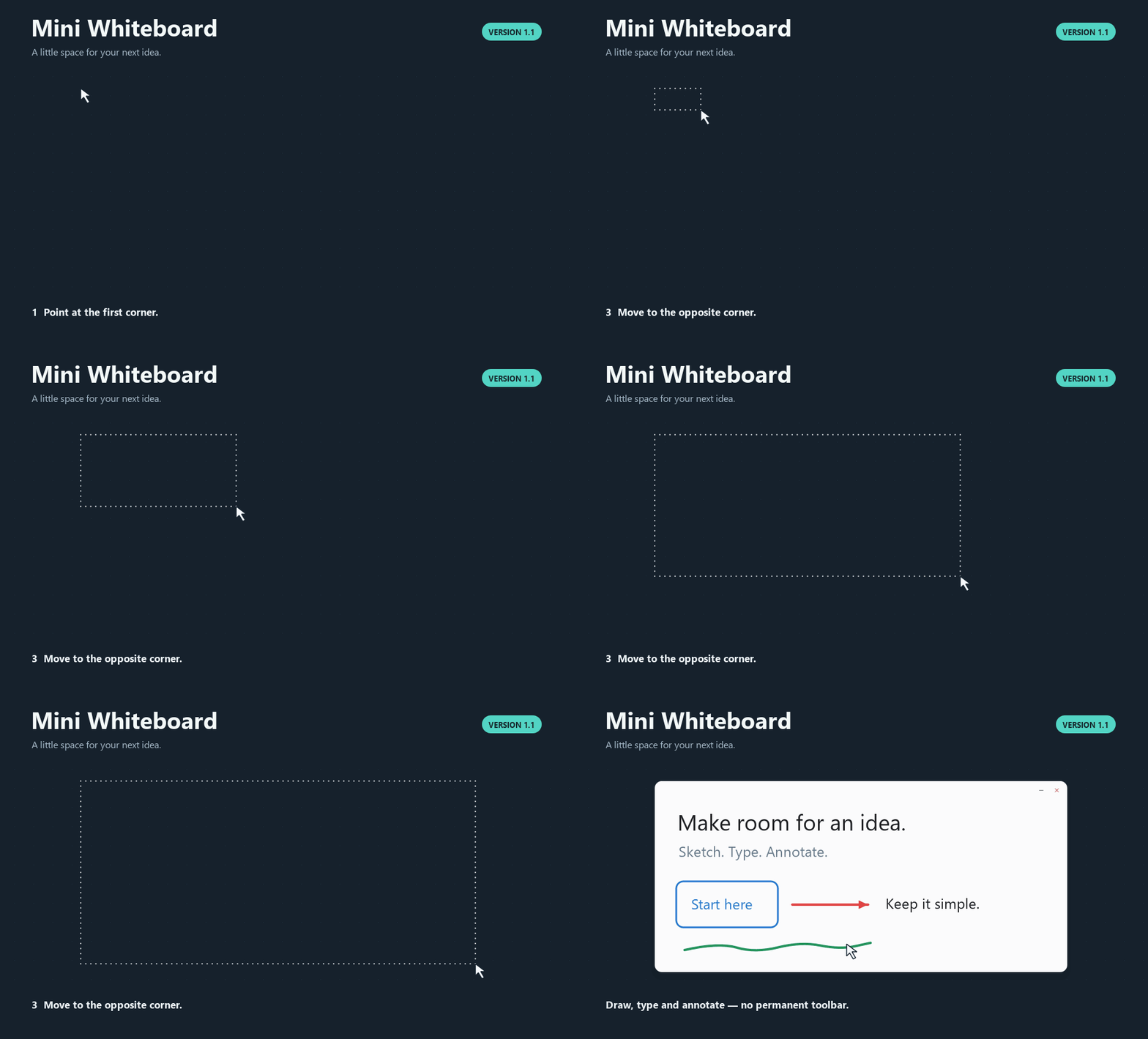
The demo uses the actual app controller and renderer on a controlled desktop.
Included in V1.1
- Freehand drawing, seven shapes, multiline text and a temporary colour palette.
- Multiple selection with shared movement, scaling and rotation.
- Circular partial erasing and whole-stroke erasing.
- Smart Guides, optional Grid Snap, object locking and front/back ordering.
- Editable copy/cut/paste/duplicate, image paste and local image drops.
- A global screenshot shortcut: Ctrl+Alt+S on Windows or
Control+Option+S on Mac, then drag a region to annotate. - Independent boards and undo/redo. Text editors keep typing and editor undo
separate from tool shortcuts.
Press F1 in a board for all shortcuts. Boards last for the current session;
only preferences are saved. The application has no account, service or telemetry.
Verification
| Check | Actual result |
|---|---|
| Windows automated suite | 160 tests passed; 2 Mac-only tests skipped (162 discovered) |
| Windows native GUI regressions | 110 checks passed |
| Real Windows keyboard/mouse workflow | 31 checks passed |
| Packaged Windows executable | 17 checks passed |
| Windows ZIP | 174 files; CRC and every file SHA-256 verified |
| Windows dependency notices | 17 files; all hashes verified |
| Mac automated suite | 162 tests passed |
| Mac bundle | Universal2; 769 checks passed |
| Mac packaged startup | 8-second check passed; normal exit |
| Mac ZIP and dependency notices | ditto extraction/metadata verified; 15 notice hashes verified |
Windows CI
and Mac build/verification
passed for the release source. The Mac runner was macOS 14.8.9 on arm64 with
Python 3.13.15; checking both architectures does not establish Intel execution.
Windows download SHA-256:
99c5d6e8e7737dd0ef7c2d701004b30b69f66ff428c41524243a06e81c83ae69.
Mac preview SHA-256:
6e624db8d1214ae9229e600ecc1bf0b1cc605fab3fcfb867a39015cc4e28ec92.
Interactive Mac hotkeys, external focus, menus, permissions, capture, Spaces and
physical display checks remain NOT RUN. Intel execution remains NOT RUN.
Physical mixed-DPI Windows arrangements and clean-machine deployment also remain
NOT RUN. See the Mac checklist
and complete test report.
Checksums and dependency sources
SHA256SUMS.txt accompanies the downloadable packages and dependency source
archives. The packages contain license texts, exact dependency versions and
notice hashes. The Qt/PySide 6.11.2 source archives attached to this release are
for developers rebuilding or replacing those libraries; they are not required
to run the app. The Mac bridge's PyObjC core source archive is included too.
See the dependency source guide.
Mini Whiteboard's own code and assets are MIT licensed. Dependencies retain
their original licenses. Feedback and bug reports
are welcome; include your operating system and steps to reproduce a problem.