Repository navigation
Mini Whiteboard V1.2.1 — Windows release + macOS preview

Mini Whiteboard V1.2.1
Windows bug-fix release with a clearly labelled macOS 14+ preview.
What changed
- Blank textbox dismissal: an outside press previously finished the editor
and then reached the active Text tool, creating another blank editor. Empty
and whitespace-only drafts now dismiss without starting a canvas action,
adding history or clearing redo. A separate next click immediately creates text. - Clearing existing text removes it in one undoable operation, restoring its exact
content, width, transforms, masks, colour and stacking on undo. - Old editor callbacks cannot close a replacement session. Single/double-click
dismissal follows one input owner. Meaningful Text-mode continuation still
commits and starts/edits the next textbox with one click, including a panned view;
that press cannot activate an old transform handle. - Editor context menus remain usable while embedded in the transformed view.
Closing their menu with an outside click restores editor focus. Palette dismissal
no longer replays a click into text creation or another canvas tool. - Escape detection resets for a fresh global hold after idle. V1.2 hold → move →
release creation, repeat protection, wrapped text and screenshot caching remain. - Documentation is consolidated into usage, contribution, release, testing and
dependency/source guides.
Downloads
| Package | Installation |
|---|---|
| WinMiniWhiteboardV1.2.1.zip | Windows 10/11 x64: extract, open Mini Whiteboard, run Mini Whiteboard.exe. Keep the entire folder, including _internal. |
| MacMiniWhiteboardV1.2.1-Preview.zip | macOS 14+ preview: extract on a Mac, move Mini Whiteboard.app to Applications and open it. |
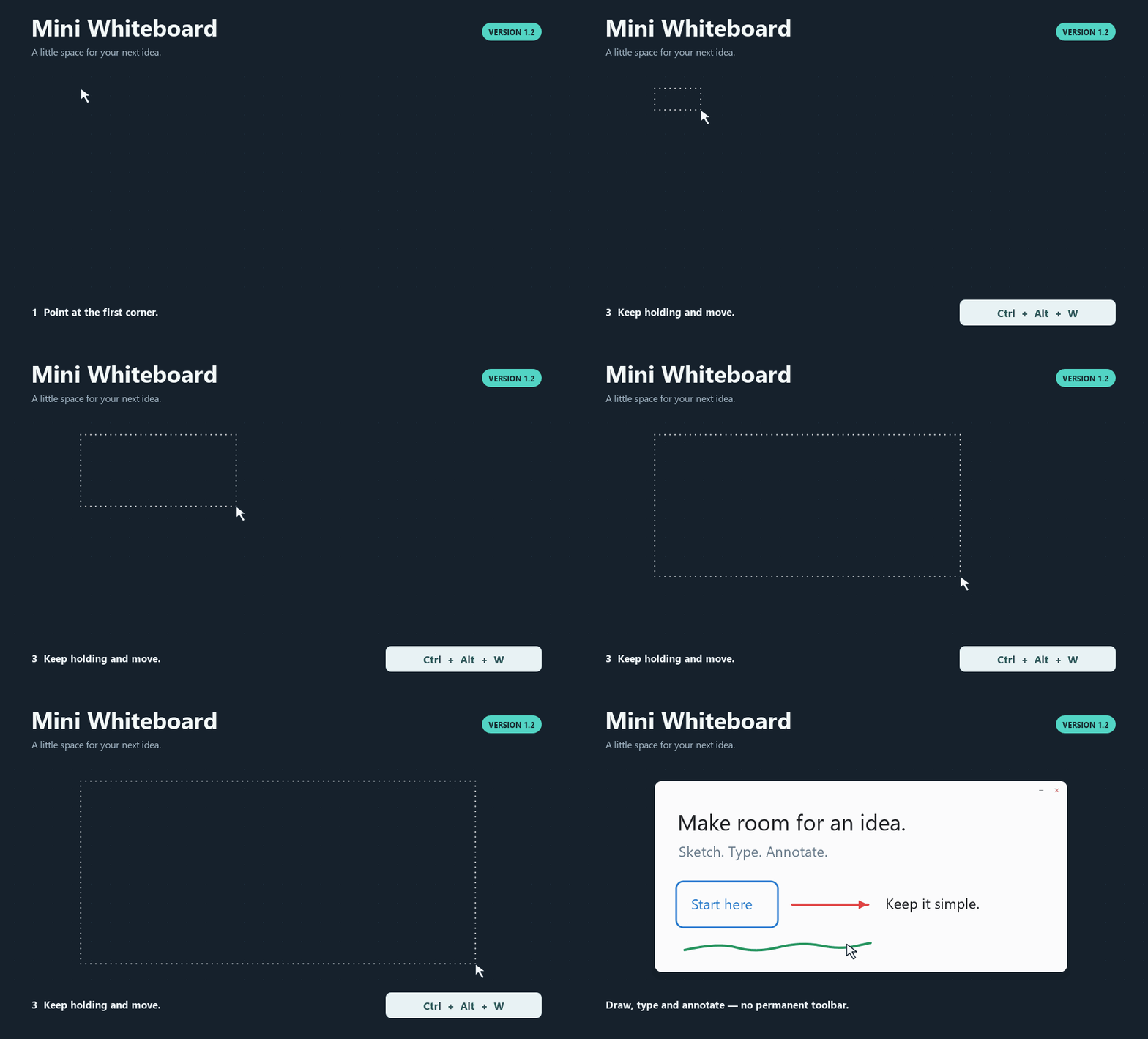
Python and Qt are included. Launch opens a tray/menu-bar icon. Hold Ctrl+Alt+W
on Windows or Control+Option+W on Mac, move the pointer and release to place a
board. Use S for a screenshot board. Press F1 for tools and shortcuts.
Windows is unsigned; the Mac preview is ad-hoc signed and not notarized.
For a trusted blocked Mac download, use Apple's Open Anyway instructions.
Verification
Release source: e1d976c5c2ea389fe6b339f15d88442bd34815fe.
| Check | Actual result |
|---|---|
| Windows 11 build 26200, Python 3.12.14 x64 | 213 discovered: 211 passed, two Mac-only skips; build gate 6.343 s |
| Windows native GUI/controller regressions | 111 checks passed; one 1920×1080 display at 100% |
| External-focus W/S hold/release | 49 native-input checks passed, including creation from an editor and cancellation with a popup |
| Native textbox audit | 18 checks passed; reported loop reproduced before the fix; whitespace, rapid cycles, menus/focus, palette and deletion/undo checked |
| Other application clicks | Eight supplementary native assertions passed with an owned separate process; blank/nonempty edits finish and the clicked button acts once |
| Final Windows executable | 34 packaged checks passed, including native blank dismissal, next-click typing, deletion/undo/redo and palette dismissal |
| Windows ZIP/notices | 174 files; every CRC and file SHA-256 matches the verified build; 17 notice hashes verified; strings 1.2.1, numeric/manifest 1.2.1.0 |
| Hosted Windows CI | 213 discovered, 211 passed, two skips in 6.771 s; Windows Server 2025, Python 3.12.10 x64 |
| Mac CI | All 213 passed in 13.697 s; repeated before build in 8.579 s |
| Mac actual builder | macOS 15.7.9 arm64; Universal2 Python 3.13.15; Qt/PySide6 6.11.2, PyInstaller 6.22.3, PyObjC 12.2.2 |
| Mac bundle and startup | Universal2, 769 checks; eight-second Cocoa startup, normal termination, exit 0; minimum target/runtime/plist 14.0 |
| Mac archive/notices | 375 entries, ditto extraction plus full file/mode/symlink and bundle revalidation; 15 notice hashes verified |
| Mac transfer | Both Actions artifact digests verified; inner Mac-created ZIP transferred unchanged through Windows |
| Other checks | 28 screenshot performance cases; screenshot cases retained one cache build and zero source paint/decode/geometry work; workflow lint, compilation, dependencies and documentation/source-archive links passed |
The focused automated audit covers blank/whitespace drafts, existing deletion,
press/move/release, rapid/double clicks, stale callbacks, menus, other targets,
panned/transformed editing, lifecycle and history. Scripted checks use owned
windows/processes. They do not establish a full hand-operated acceptance pass.
NOT RUN: interactive Mac global shortcuts/Escape, focus/menu/Spaces,
Screen Recording permission/capture and Retina/multi-monitor acceptance;
execution on macOS 14 or Intel; physical mixed-DPI Windows arrangements,
Windows 10/clean-machine deployment, hand-operated IME/RTL/emoji and prolonged use.
Universal2 validation does not prove Intel execution. Mac remains a preview.
SHA-256
| Package | Bytes | SHA-256 |
|---|---|---|
| WinMiniWhiteboardV1.2.1.zip | 37,783,789 | 7e876fe8786596fe9d95072ce2111bb88a4f96330e9750541ac4316ebbce5f55 |
| MacMiniWhiteboardV1.2.1-Preview.zip | 56,427,689 | 54b8fe6f2db52bfc1938679fbdc26539a454888f7963d5d43d165c63ab9bc1cb |
SHA256SUMS.txt
also covers the separate dependency-notice ZIP and the five exact Qt/PySide/PyObjC
source archives. Both apps include original license texts, version/hash manifests
and source/rebuild information.
The app's own source/assets are MIT licensed; dependencies retain their terms.
Testing and troubleshooting
· Placement demo
V1.1 and V1.2 releases and assets remain intact. Repository visibility is unchanged.