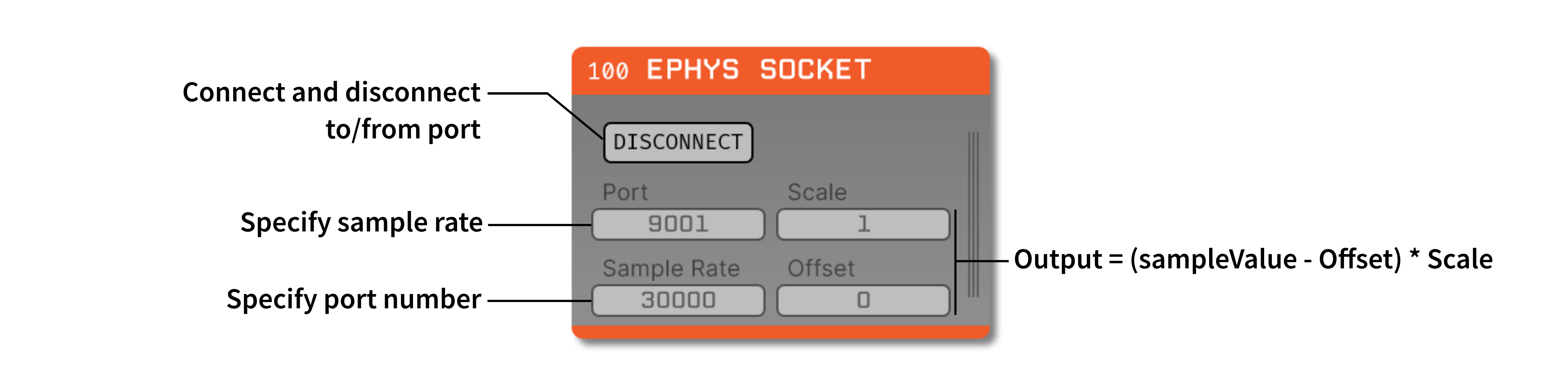
A simple TCP client for receiving raw matrix data. It can be used to receive data from a SendMatOverSocket node in Bonsai. More information about the Bonsai node can be found here.
This plugin can be added via the Open Ephys GUI Plugin Installer. To access the Plugin Installer, press ctrl-P or ⌘P from inside the GUI. Once the installer is loaded, browse to the "Ephys Socket" plugin and click "Install."
Instructions for using the Ephys Socket plugin are available here.
Each packet of data must contain a header with information about the data. Each header must contain six variables in the order listed below, 5 of which use 4 bytes and 1 that uses 2 bytes, for a total of 22 bytes. More detailed information can be found here.
| Offset | Number of Bytes | Bit Depth | Element Size | Number of Channels | Number of Bytes |
First, follow the instructions on this page to build the Open Ephys GUI.
Important: This plugin is intended for use with the latest version of the GUI (0.6.0 and higher). The GUI should be compiled from the main branch, rather than the former master branch.
Then, clone this repository into a directory at the same level as the plugin-GUI, e.g.:
Code
├── plugin-GUI
│   ├── Build
│   ├── Source
│   └── ...
├── OEPlugins
│   └── ephys-socket
│       ├── Build
│       ├── Source
│       └── ...
Requirements: Visual Studio and CMake
From the Build directory, enter:
cmake -G "Visual Studio 17 2022" -A x64 ..Next, launch Visual Studio and open the OE_PLUGIN_ephys-socket.sln file that was just created. Select the appropriate configuration (Debug/Release) and build the solution.
Selecting the INSTALL project and manually building it will copy the .dll and any other required files into the GUI's plugins directory. The next time you launch the GUI from Visual Studio, the Ephys Socket plugin should be available.
Requirements: CMake
From the Build directory, enter:
cmake -G "Unix Makefiles" ..
cd Debug
make -j
make install
This will build the plugin and copy the .so file into the GUI's plugins directory. The next time you launch the GUI compiled version of the GUI, the Ephys Socket plugin should be available.
From the Build directory, enter:
cmake -G "Xcode" ..Next, launch Xcode and open the ephys-socket.xcodeproj file that now lives in the “Build” directory.
Running the ALL_BUILD scheme will compile the plugin; running the INSTALL scheme will install the .bundle file to /Users/<username>/Library/Application Support/open-ephys/plugins-api. The Ephys Socket plugin should be available the next time you launch the GUI from Xcode.
Developed by Jonathan Newman (@jonnew).