 Firefly III
CSV Importing transactions in wrong direction #5354

Replies: 6 comments 12 replies

-
|
Could you share your config file? |
Beta Was this translation helpful? Give feedback.

-
|
Here we go |
Beta Was this translation helpful? Give feedback.
-
|
Nice find. It's a bug. I pushed a fix to the develop branch and to the develop Docker image. Would you be able to test this? |
Beta Was this translation helpful? Give feedback.

-
|
Thanks JC5, it changed a bit. Now they have changed from transaction to deposit/withdraw and the accounts were created instead of using the existing assets, but the direction is correct now :) |

Beta Was this translation helpful? Give feedback.

-
|
Mmmm. A quick check. In my test environment I matched them on the iban only. Is that the case in your installation too? |
Beta Was this translation helpful? Give feedback.
-
|
Currently no, I disabled any mapping to avoid possible side effects. I tried it now again with mappings, which results unfortunately in the initial problem again. |
Beta Was this translation helpful? Give feedback.
-
|
My apologies, I misconfigured the build. Could you pull the latest develop image and try again? Look for: |
Beta Was this translation helpful? Give feedback.
-
|
Thanks JC5, But unfortunately this didn't changed the Importer issue.
|
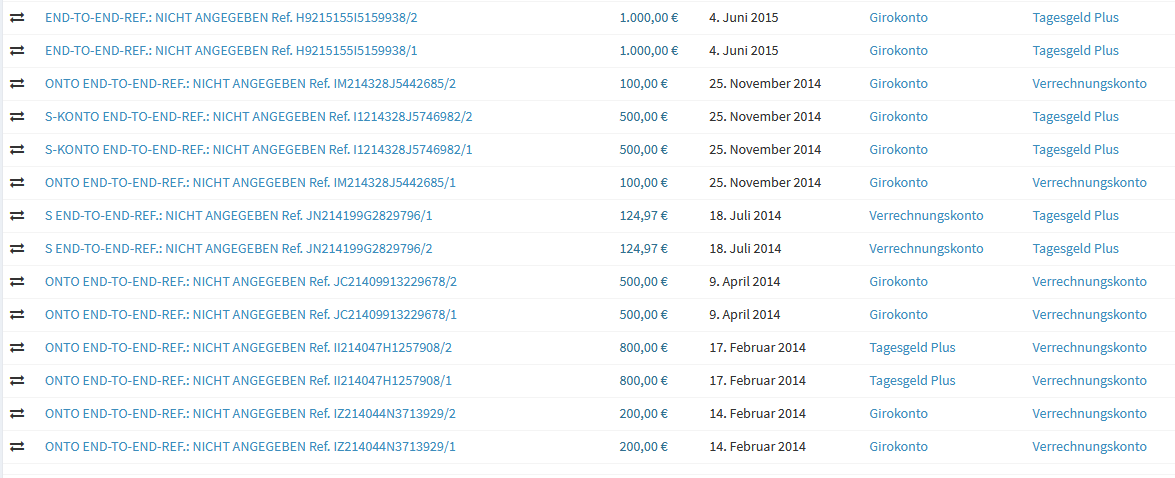
Beta Was this translation helpful? Give feedback.
-
|
After replacing your anonimised with fake IBAN's (present in my dev account, and linked to asset accounts), I get the correct result. In your log files, please be on the lookout for this line, which is an indication my change was successful. In my case, it happened like so: |
Beta Was this translation helpful? Give feedback.
-
|
I don't have these lines: I now redeployed Firefly completely (removed the Container with its Volumes and dropped the DB). The only thing I did then was creating the Asset Accounts: Then I imported following csv: What can I possible do wrong? :( |
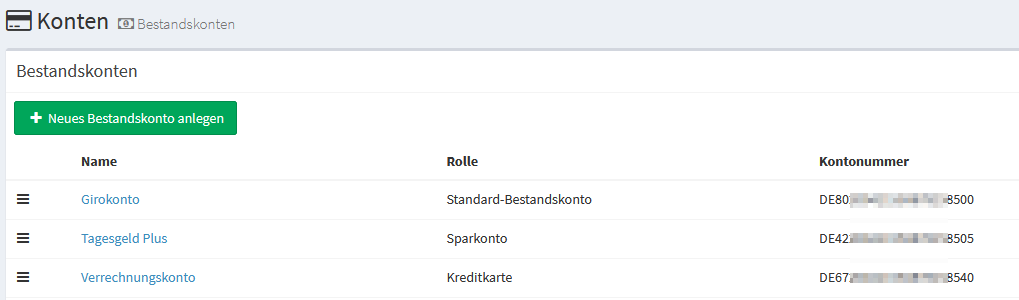
Beta Was this translation helpful? Give feedback.
-
|
It looks like you're not running the very latest data importer. The fix is included in the OLD version: NEW version: Run |
Beta Was this translation helpful? Give feedback.
-
|
Sorry I didn't know that I had to pull again. Now everything is like expected. I imported 2 Years now and its on the cent correct. Thanks (also for #5344), great Job |
Beta Was this translation helpful? Give feedback.

-
|
(Posting this here because it looks like it might be related, but I can make it a separate issue if you want me to) Here's a minimal example to reproduce this:
Expected result: Both accounts should be back at 0 (1000 in, 1000 out for both accounts). relevant parts from the log: full log of that import: |
Beta Was this translation helpful? Give feedback.
-
|
Use "amount (negated)" instead of "amount". |
Beta Was this translation helpful? Give feedback.

-
|
Same result. One account is at -2000, the other at +2000. |
Beta Was this translation helpful? Give feedback.
-
|
I see it, nice find. Probably caused by my previous fix, so reported in the right place. Stay tuned. |
Beta Was this translation helpful? Give feedback.
-
|
Not sure if you use Docker but updated code is in the develop branch and develop image |
Beta Was this translation helpful? Give feedback.
-
|
I do use docker. Build 38 works both with that test case and with my real data. Thanks for the quick fix. |
Beta Was this translation helpful? Give feedback.


Uh oh!
There was an error while loading. Please reload this page.
-
Hi all,
I don't know if this is a bug or if I'm missing something. On my CSV transactions are split into 2 rows. First Row is transfering from Account A to B, and second row SHOULD do the other direction (B to A). This is exactly what the CSV says, but in one Row the source and destination account gets switched.
This is my CSV:
This is what I get:

I've checked the logs from the data importer (no mappings active) and here I see the wrong mapping was done allready by the importer:
Non transactions getting correctly placed in the right Account. Do I miss something?
Thank you
Beta Was this translation helpful? Give feedback.
All reactions