 Supabase
 Project Healthy but API URL Returns NXDOMAIN #51752

Replies: 4 comments

|
Here is why this occurs and the fastest way to resolve it without waiting on support: Root CauseIn Supabase's infrastructure, the database compute container and the public edge routing (
Recommended Self-Serve Fix: Trigger Control-Plane ReconciliationYou can usually force Supabase to re-publish the missing DNS record through the dashboard:
Why this works: The pause/resume lifecycle triggers the full provisioning reconciliation pipeline. When the project transitions from VerificationOnce resumed, test the hostname from your terminal: nslookup sqfytwcxfmnqueyfmvyz.supabase.co 8.8.8.8Or using curl -I https://sqfytwcxfmnqueyfmvyz.supabase.co/rest/v1/You should receive an HTTP If Pause/Resume Does Not Resolve ItSince you already have support ticket SU-507495 open, if the pause/resume cycle does not bind the DNS record within 10–15 minutes:
|

|
Since Google Public DNS also returns Supabase's own NXDOMAIN troubleshooting guide narrows the usual causes down to:
From the information you provided, those appear to be largely ruled out: the project reference matches the Dashboard, the project is shown as healthy/active, and public DNS fails from multiple networks. At this point I would treat this as a project-hostname provisioning/DNS issue on the Supabase side rather than an application configuration issue. I would not pause the project just to try to repair DNS unless Supabase Support specifically recommends it. A paused project itself intentionally stops serving the hostname, so pause/resume is not documented as the normal repair procedure for this case. Since you already opened ticket It would also help to attach the output of: nslookup sqfytwcxfmnqueyfmvyz.supabase.co 8.8.8.8and, if available: dig +trace sqfytwcxfmnqueyfmvyz.supabase.coThat gives Support evidence that the failure is at DNS resolution rather than at the API gateway or application layer. Given that the project itself remains accessible in the Dashboard while the canonical |

|
You've already ruled out the usual app-side causes, which is the hard part. Because the browser fails at name lookup, nothing in Google's OAuth client, your Vercel settings or the Redirect URLs list can fix it until the project hostname resolves. I'd leave those alone so you don't create a second problem. Supabase's NXDOMAIN guide lists the causes in order: a mistyped project ref, a paused project, a deleted project, a resolver-specific problem, and custom-domain DNS: https://supabase.com/docs/guides/troubleshooting/nxdomain-error-connecting-to-a-supabase-project. You've covered most of them. The guide's last step, if none apply, is a ticket with the exact hostname, the error and the networks you tested. On the pause-and-resume advice above: the docs say a paused project stops serving its hostname, so I would not pause a live project unless Supabase support tells you to. Put your test matrix in the ticket (which resolvers, which networks, UTC time), and link the other open NXDOMAIN threads so they see it is not only your project. Meanwhile, if your sign-in button just fails, a visible message beats a dead click. Prompt for your AI builder: "When the Google sign-in request fails with a network error, show 'Sign-in is temporarily unavailable. Please try again in a few minutes.' on the page instead of failing silently. Do not change any auth settings, keys or redirect URLs." |

|
Hello Supabase Support Team,
I am following up on ticket SU-507495 regarding a DNS resolution issue
affecting my Supabase project.
Project reference: sqfytwcxfmnqueyfmvyz
Affected hostname: sqfytwcxfmnqueyfmvyz.supabase.co
The project appears Healthy / Active in the Supabase dashboard, but the
public hostname returns NXDOMAIN when queried through Google Public DNS
(8.8.8.8).
The issue has also been reproduced across different networks (Wi-Fi and
LTE) and devices (Windows and iPhone).
Based on these findings, could you please investigate whether there is an
issue with the project’s public hostname provisioning or DNS records?
I have not paused or restarted the project because I would like to avoid
unnecessary disruption.
Please let me know if you need additional diagnostic information or if the
DNS records can be checked and restored on your side.
Thank you.
2026년 10월 20일 (화) 15:25, yos88da ***@***.***>님이 작성:
… You've already ruled out the usual app-side causes, which is the hard
part. Because the browser fails at name lookup, nothing in Google's OAuth
client, your Vercel settings or the Redirect URLs list can fix it until the
project hostname resolves. I'd leave those alone so you don't create a
second problem.
Supabase's NXDOMAIN guide lists the causes in order: a mistyped project
ref, a paused project, a deleted project, a resolver-specific problem, and
custom-domain DNS:
https://supabase.com/docs/guides/troubleshooting/nxdomain-error-connecting-to-a-supabase-project.
You've covered most of them. The guide's last step, if none apply, is a
ticket with the exact hostname, the error and the networks you tested.
On the pause-and-resume advice above: the docs say a paused project stops
serving its hostname, so I would not pause a live project unless Supabase
support tells you to. Put your test matrix in the ticket (which resolvers,
which networks, UTC time), and link the other open NXDOMAIN threads so they
see it is not only your project.
Meanwhile, if your sign-in button just fails, a visible message beats a
dead click. Prompt for your AI builder: "When the Google sign-in request
fails with a network error, show 'Sign-in is temporarily unavailable.
Please try again in a few minutes.' on the page instead of failing
silently. Do not change any auth settings, keys or redirect URLs."
—
Reply to this email directly, view it on GitHub
<#51752?email_source=notifications&email_token=CRFBFZFXVE564RZHDBPPF5D5U4ANRA5CNFSNUABIM5UWIORPF5TWS5BNNB2WEL2ENFZWG5LTONUW63SDN5WW2ZLOOQXTCOJQGYZDCNZXUZZGKYLTN5XKMYLVORUG64VFMV3GK3TUVRTG633UMVZF6Y3MNFRWW#discussioncomment-19062177>,
or unsubscribe
<https://github.com/notifications/unsubscribe-auth/CRFBFZCRBURUV6CGHFWPFI35U4ANRAVCNFSNUABIKJSXA33TNF2G64TZHMZDCNBVHA3TCOJTHNCGS43DOVZXG2LPNY5TCMJQGE4TAMJSUF3AE>
.
You are receiving this because you authored the thread.Message ID:
***@***.***>
|


Uh oh!
There was an error while loading. Please reload this page.
Hello Supabase Community,
I’m experiencing a DNS resolution issue with my Supabase project.
Project Information
Problem
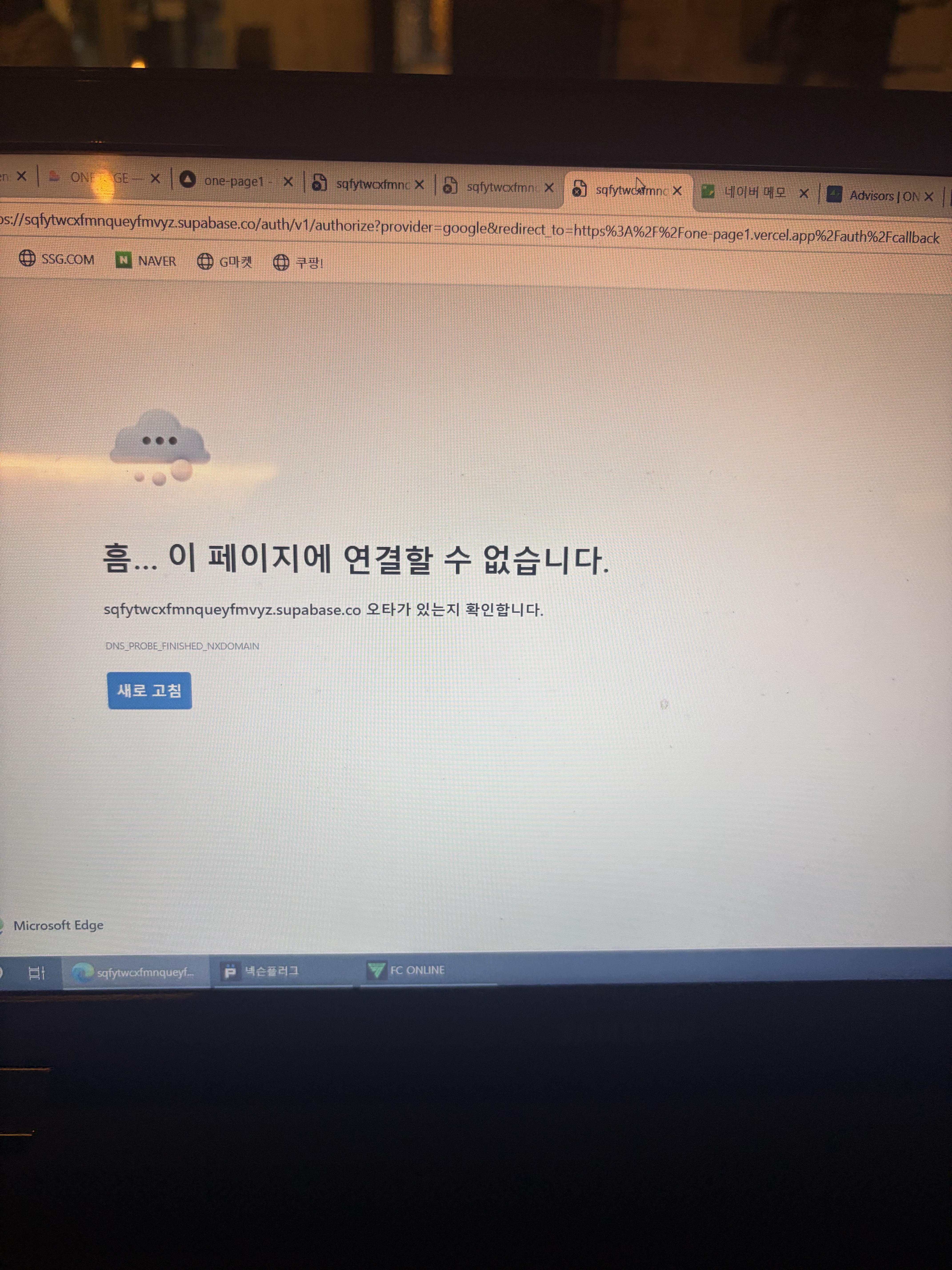
My project appears healthy in the Supabase Dashboard, but its public API hostname cannot be resolved.
When attempting Google OAuth authentication from my Vercel-hosted application, the browser displays:
DNS_PROBE_FINISHED_NXDOMAIN
Troubleshooting Already Completed
The problem persists.
Support Ticket
I have already submitted a support request: SU-507495.
Request
Could someone help determine why this project’s public hostname is not resolving?
Is there a problem with DNS provisioning or the API hostname for this project?
If this requires an internal DNS repair or reprovisioning, could the Supabase team advise on the appropriate next steps?
Thank you for your help.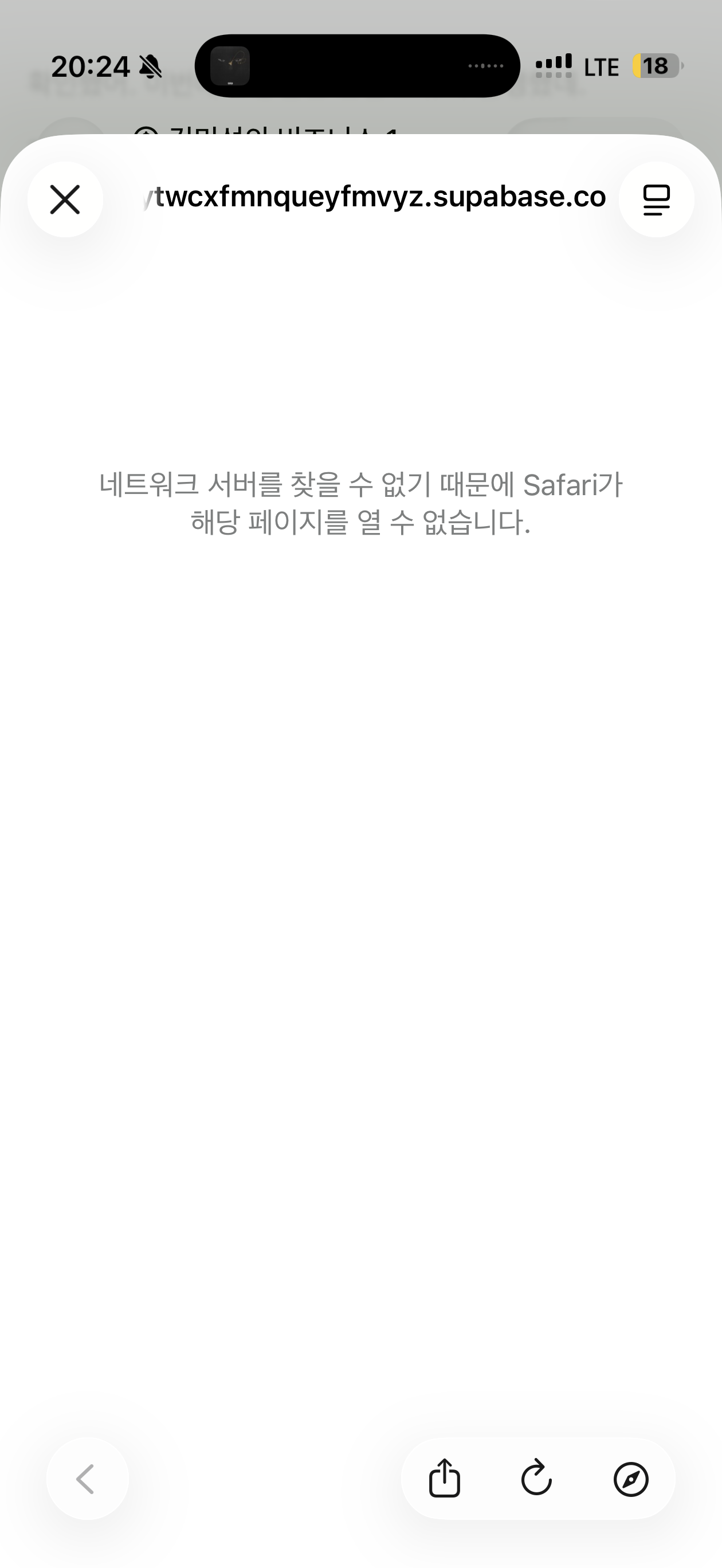
All reactions