Features
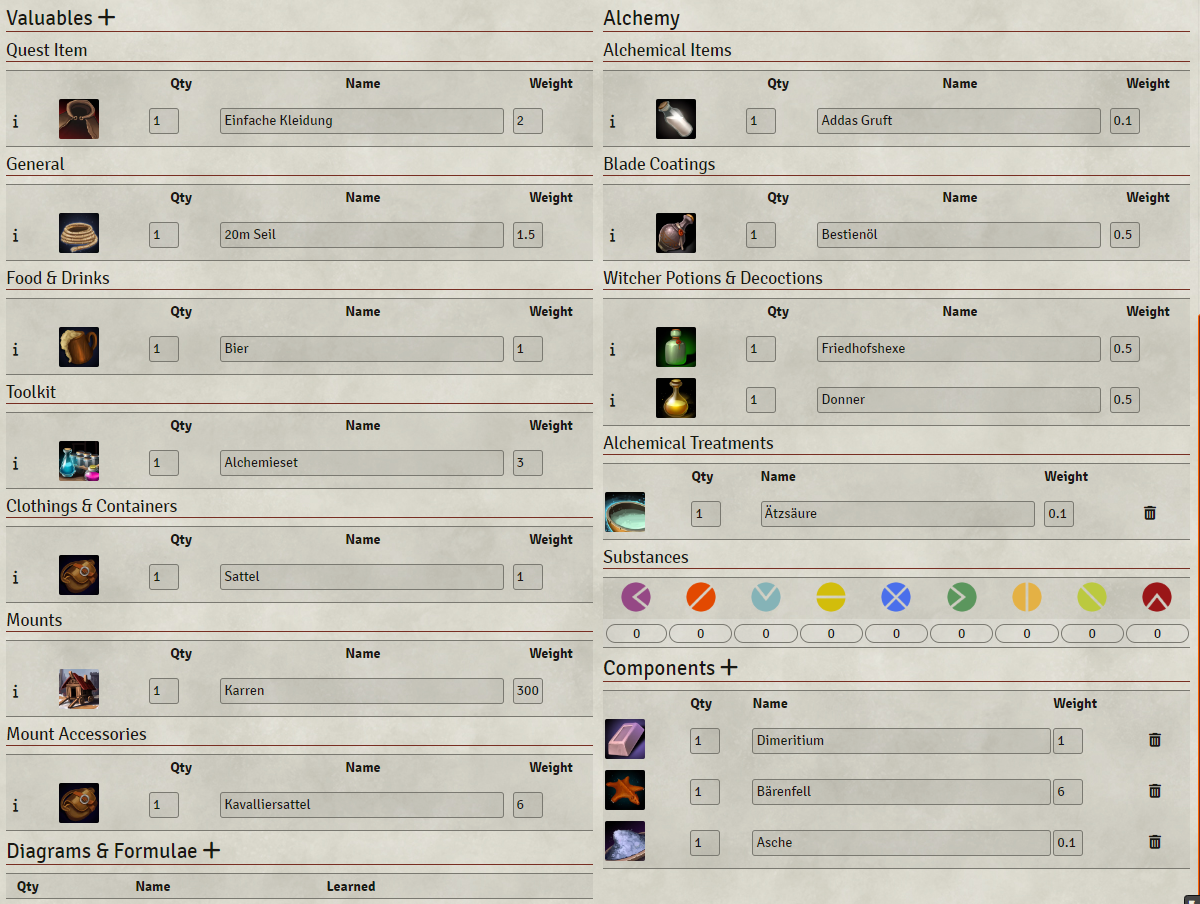
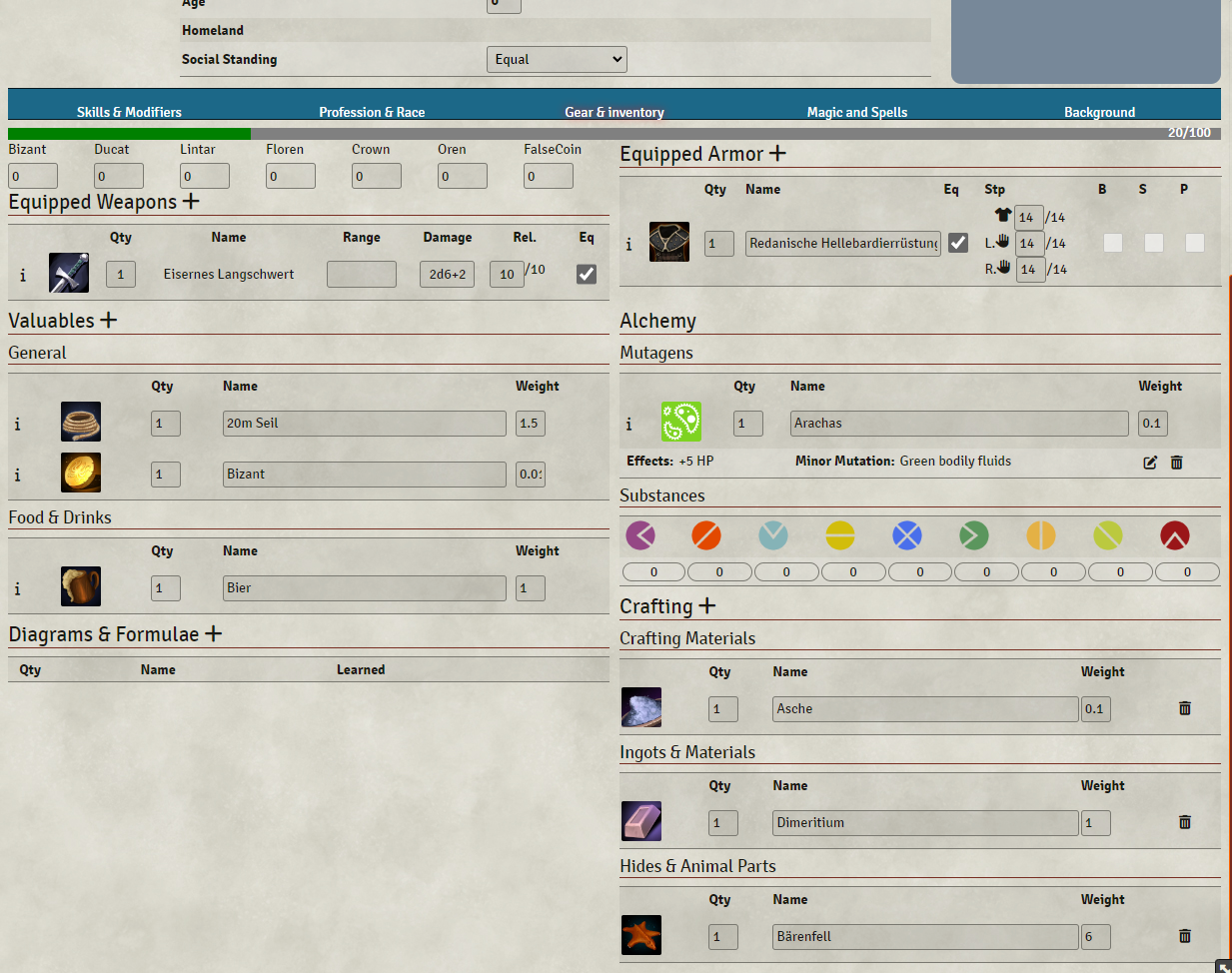
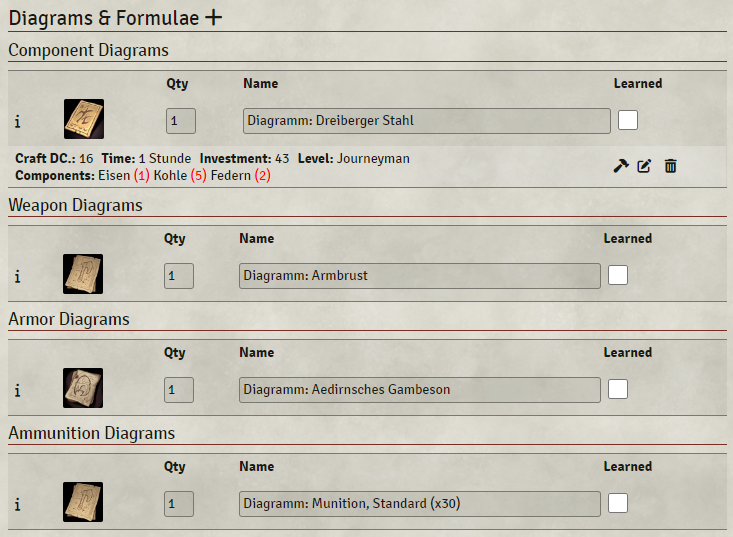
- fixed columns of Valuables in inventory (no longer misaligned) (see screenshot)
- reorganized inventory (see screenshot)
- introduced new sub types for valuables: quest-item and alchemical-item
- disabled sub types of valuables: service and lodging (In my opinion they shouldn't be visible in the inventory, therefore I don't need them)
- valuables are now organized into several sections: quest items, general, food and drinks, toolkits, clothing & containers, mounts, mount accessories
- added new section "Alchemy" to the right column" with following sub sections: Alchemical Items, Oils, Witcher Potions & Mixtures, Mutagens, Alchemical Treatments, Substances (see screenshot)
- Alchemical Treatmenst are no longer shown at the Components section
- improved details panels for items (see screenshot)
- descriptions and effects are no longer centered but left-aligned
- added toxicity to potions and decoctions
- fixed "Time" of potions, decoctions and oils, it is acutually the duration and not the crafting time
- Added subsections to "Components" (see Screenshot)
- Mutagens now show "Effects" and "Minor Mutations" instead of "Type" (Color) and "Source".
- If a sub section does not contain an item, the section won't appear.
- Added subsections for formulae: Alchemical Item Formulae, Witcher-Potion Formulae, Witcher-Decoction Formulae, Oil Formulae
- showing description, if it has one
- aligned icons (craft, edit, delete) at the top
- showing level
- Added subsections for diagrams: Component Diagrams, Weapon Diagrams, Armor Diagrams, Elderfolk Weapon Diagrams, Elderfolk Armor Diagrams, Ammunition Diagrams, Bomb Diagrams and Trap Diagrams
- showing level
- All "+"-icons work again
- also when migrating "old" character sheets, some valuables and diagrams could have an empty subtype. There are now also shown
- fixed critical issue where some character sheets would not open
It comes with english and german translation.


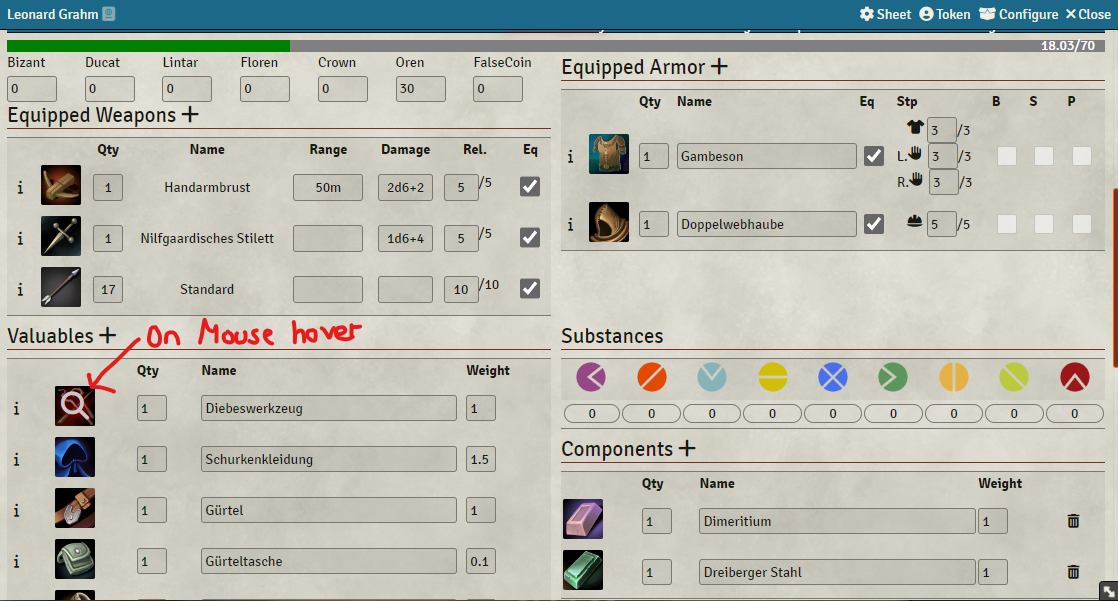
Problem:
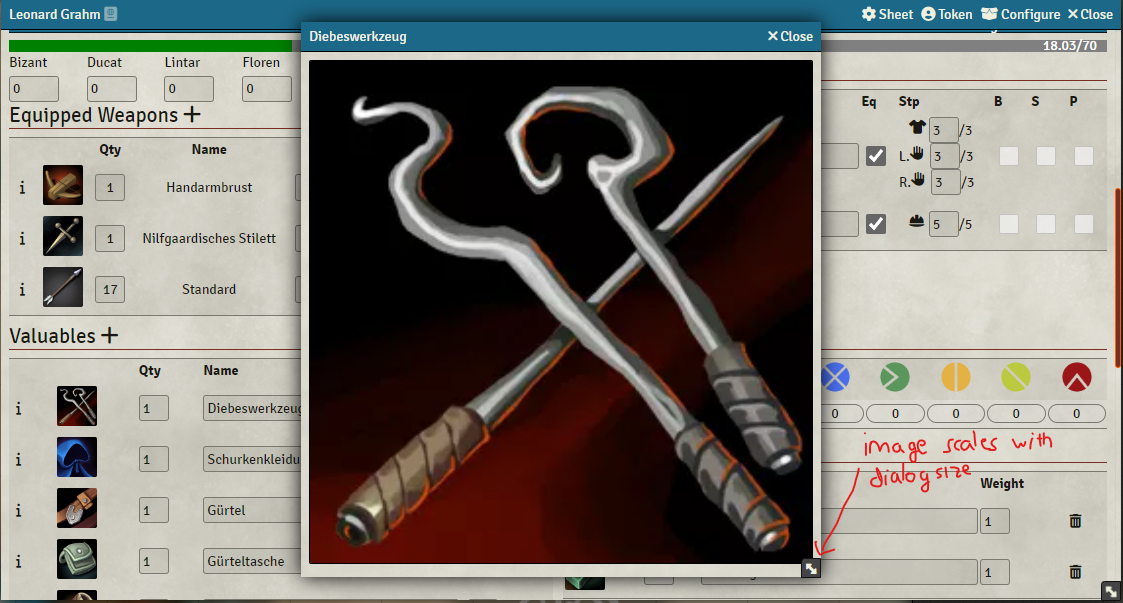
Some of my players have quest items in their inventory with an relevant image. Unfortunately, there is no option for them to make it bigger.
Changes:
- On some item sheets there is a new "Zoomable"-checkbox. If checked, the players can click on the item image in their inventory to open it in a larger dialog.
- The dialog is resizeable and the image scales with the dialog width.
- On which item sheets the checkbox appears can be configured in the game settings. There is also the option, that only the GM can see it. (Players can still "zoom in".)
- You can also completely disable this by leaving the settings value empty
- By default it applies to "Valuable"-items and only the GM can decide, if an image is zoomable or not.
- Showing a visual indication that an item image is clickable/zoomable.
- Supports english and german