Repository navigation
Home
EasyPDM in SolidCraft: Upload, Download, Log in and Log out under Plugins → EasyPDM and as buttons on the ribbon, to send the design you work on to an EasyPDM server and fetch designs from it.
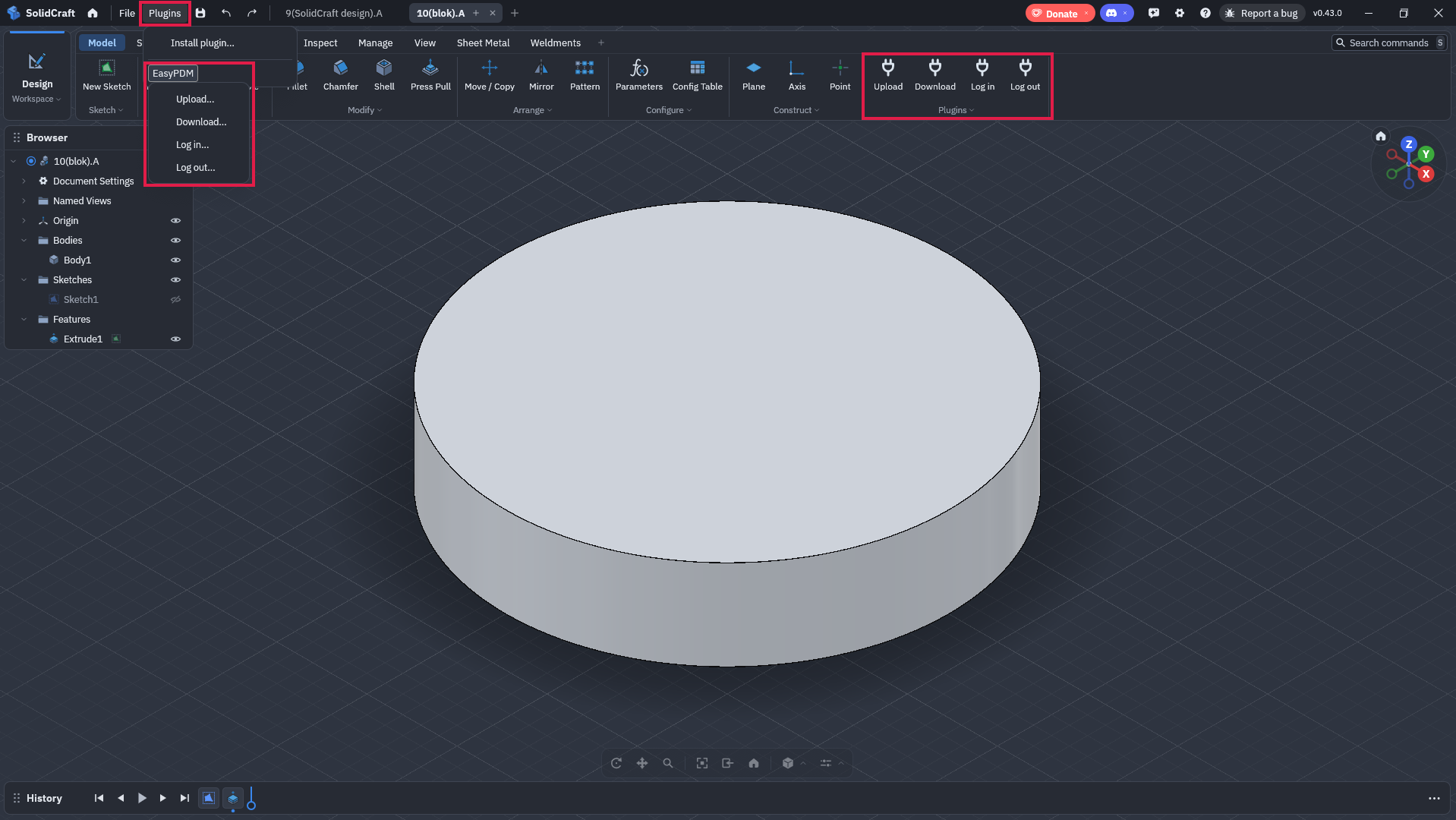
SolidCraft plugins have no network access, so it takes two pieces. The EasyPDM plugin inside
SolidCraft only leaves each action as a small request in a folder, Documents/EasyPDM/outbox.
The EasyPDM SolidCraft companion, a small program running beside SolidCraft, picks the
requests up and does the talking to your EasyPDM server — upload, download, the browser for
picking items. Without the companion running, the menu entries do nothing visible.
- Installation: unpack the companion, sign it in, install the plugin, autostart
- Upload and Download: the first upload, assemblies, new revisions, downloads
- Troubleshooting: when a menu entry seems to do nothing
Needs SolidCraft 0.43 or later and an EasyPDM 0.9 server or later. How EasyPDM itself works (projects, statuses, revisions, the BOM) is on the EasyPDM wiki.