Repository navigation
Installation
- SolidCraft 0.43 or later (0.42 cannot give a plugin the file access Upload needs).
- An EasyPDM 0.9 server, and your login to it in the browser.
- From the latest EasyPDM for SolidCraft release:
EasyPDM_SolidCraft_Companion_win-x64_vX.zip(Windows) orEasyPDM_SolidCraft_Companion_linux-x64_vX.zip(Linux). It holds the companion program and the plugin. Nothing else to install: no .NET, no Python.
Unpack the zip into a folder it can stay in — autostart (step 5 below) remembers the program's place:
-
Windows: e.g.
C:\Users\<you>\EasyPDM— the program iseasypdm-companion.exe. -
Linux: e.g.
~/.local/opt/easypdm-companion— the program iseasypdm-companion.
Open a terminal in that folder (Windows: PowerShell, Open in Terminal on the folder). The
commands below are written for Linux; on Windows type .\easypdm-companion.exe instead of
./easypdm-companion.
./easypdm-companion login --server http://192.168.1.10:5000
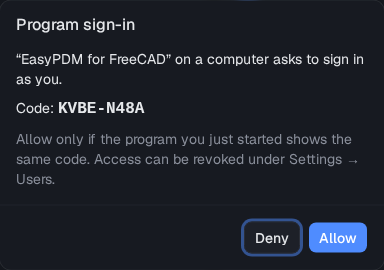
with your server's address. Your browser opens EasyPDM and asks whether to let the companion sign in, showing a code — the same one the terminal shows. Click Allow.
./easypdm-companion setup-solidcraft
It writes Documents/EasyPDM/easypdm-solidcraft.zip: the plugin with this computer's outbox
folder filled in, and creates that folder.
In SolidCraft: Plugins → Install plugin…, pick Documents/EasyPDM/easypdm-solidcraft.zip.
The install dialog lists what the plugin asks for:
- tick Reading and writing files,
- for “outbox”, choose the folder
Documents/EasyPDM/outbox, - Install.
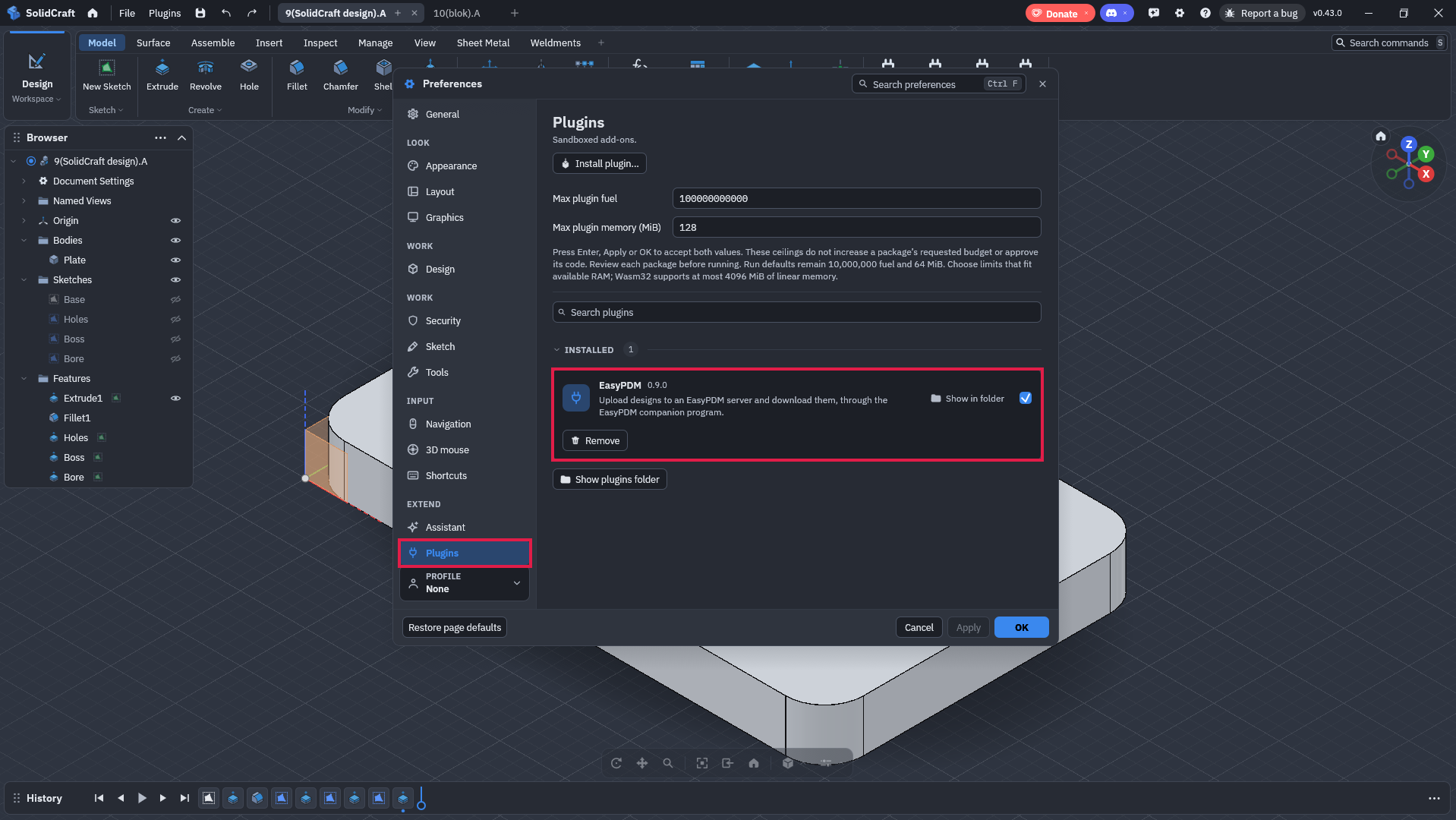
Without both, Upload's Run button stays off with "permissions that have not been granted: file" — remove the plugin (Preferences → Plugins → Remove) and install it again. Installed, it shows under Preferences → Plugins:
./easypdm-companion autostart
From now on it starts in the background whenever you log in to your computer, and tells you how each upload or download went in a desktop notification. Start it now without logging out:
./easypdm-companion watch
(watch in a terminal shows what it does, line by line — handy the first time. With autostart it
runs as watch --background and writes to companion.log: %LOCALAPPDATA%\EasyPDM on Windows,
~/.local/state/EasyPDM on Linux. autostart --off removes it.)
SolidCraft: Preferences → Assistant, section Agents through MCP, tick Let AI agents connect. The companion opens a downloaded design through this local channel; it listens only on this computer. Without it, downloads are saved but not opened.

Next: the first upload.