Repository navigation
Releases
Forest 0.5.0

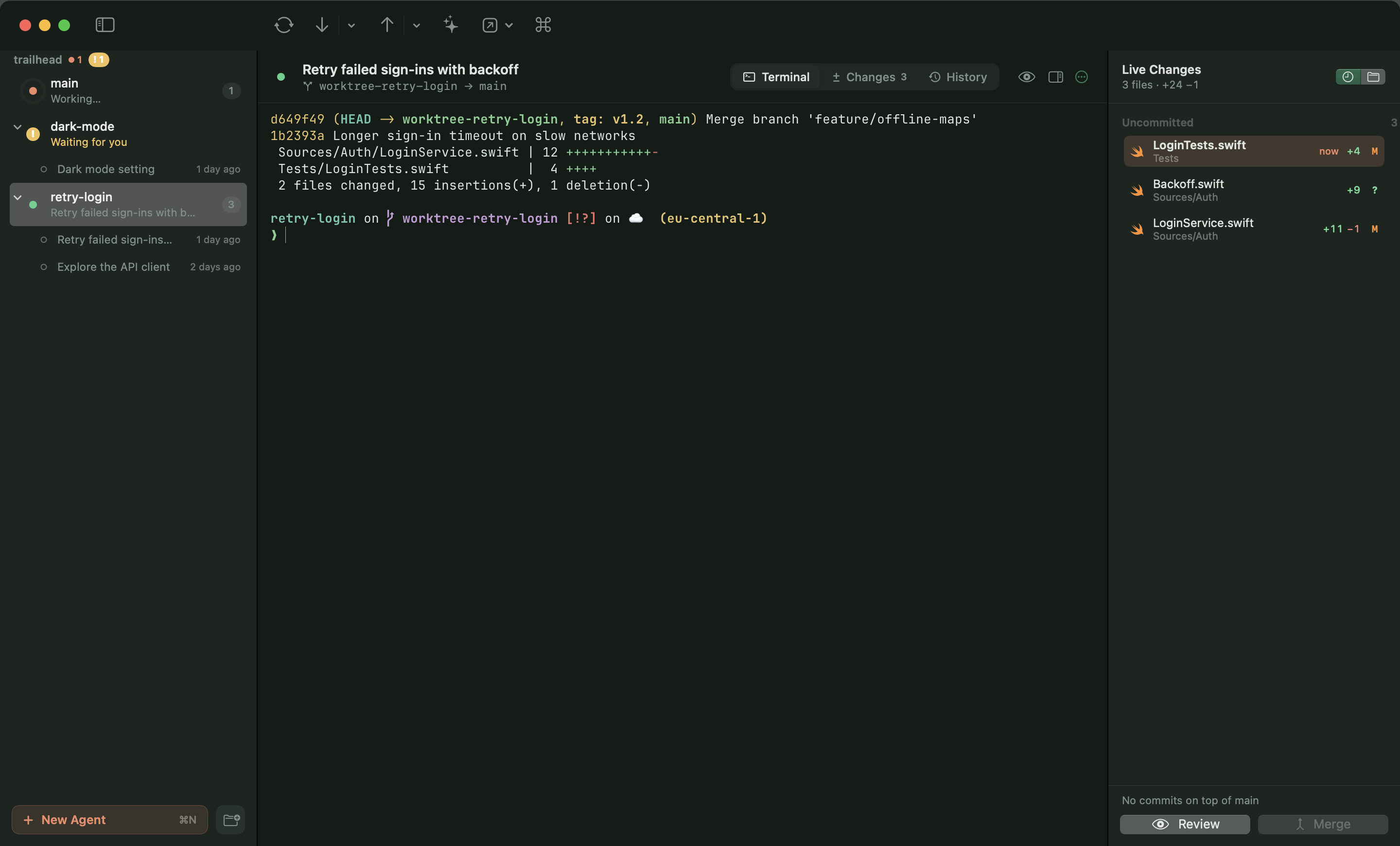
Sidebar accordion
- Projects fold and unfold; each worktree unfolds into its sessions, and clicking a session resumes it.
- A folded project still tells you how many agents are working and how many are waiting for you.
Know what every agent is doing
- Pulsing dot: working. Orange !: waiting for your input. Solid dot: session open, agent idle. Ring: not running.
Hear it when an agent needs you
- Choose a sound for "needs your input" and one for "finished" (Settings › Agents), only in the background if you like, plus optional notifications. The Dock badge counts agents waiting for you.
Automatic updates
- New versions download in the background, are checked for Forest's Developer ID signature and Apple notarization, and install when you quit. A note in the sidebar offers to restart right away. Forest › Check for Updates… still works.
Six more themes
- Everforest Dark and Light, Kanagawa, Night Owl, Ayu Light and Rosé Pine Dawn — 22 in all, each with a tuned terminal palette.
Also
- Help menu (Forest Help ⌘?, shortcuts, troubleshooting, report an issue) and a new About panel.
- Fixed a crash at launch when restoring saved projects.
Forest 0.4.0
Forest is now one window for your coding agents: their terminals, their changes, and a native Git client.
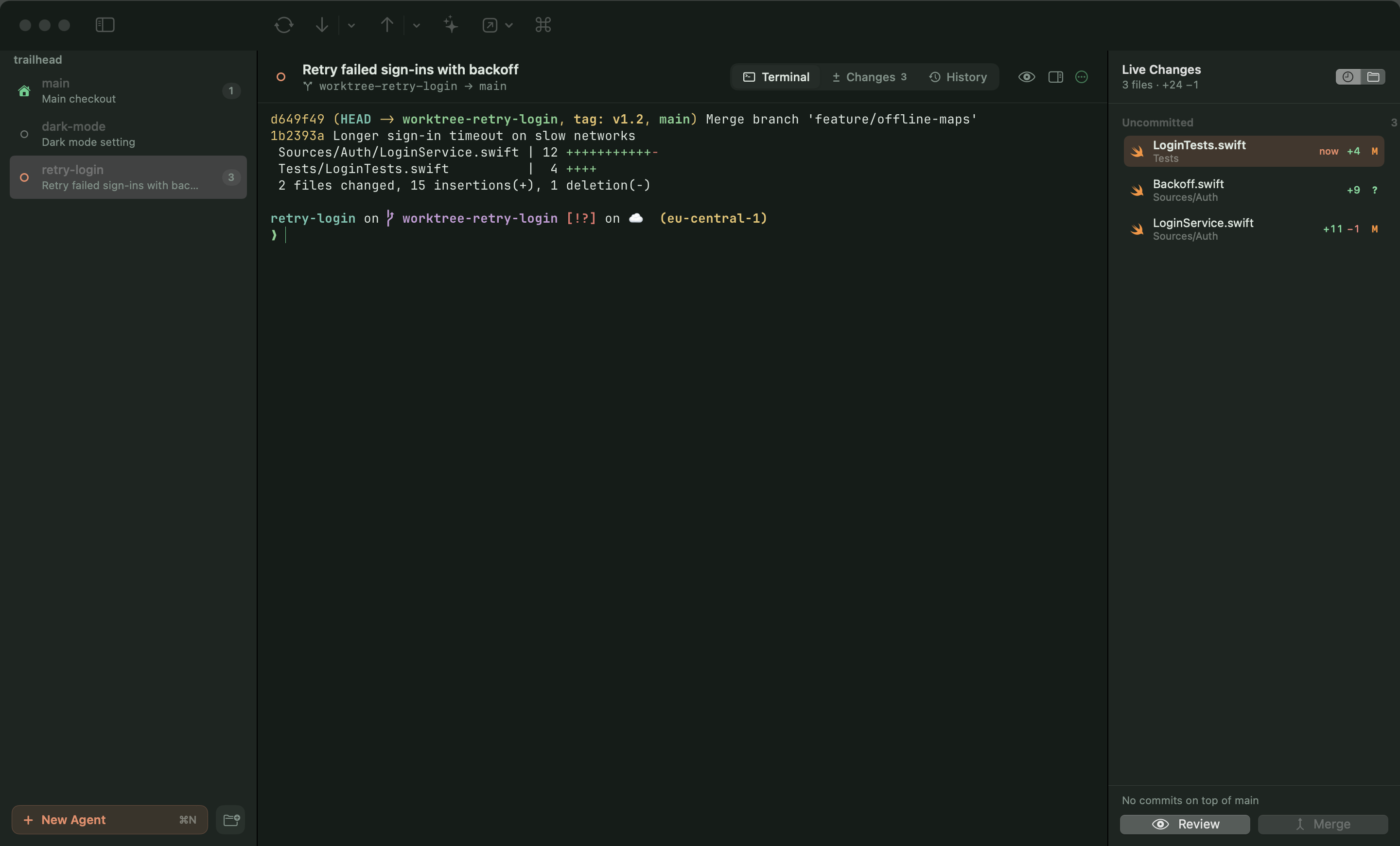
One window, every project
- The sidebar lists each project's main checkout and its agent worktrees (
.claude/worktrees/<name>), with what the agent is doing (working, waiting for you, open, not running), the conversation title and the number of changed files. ⌘1…⌘9 and ⌃Tab jump between them like terminal tabs. - Native git worktrees are no longer shown; agents are the unit of work.
Embedded Ghostty terminal
- Every worktree gets a real Ghostty terminal (libghostty, Metal), using your Ghostty config for fonts and keys and Forest's theme for colours. ⌘D adds a shell underneath.
Continue sessions easily
- A worktree without a running terminal offers to continue its last Claude conversation (
claude --resume <id>), pick an earlier one, or start a new one with a task — also after relaunching Forest. - Agents can be Claude Code, Codex, Gemini CLI or any command. Codex and Gemini continue with their own resume command in the worktree.
Live changes and Compare
- A right-hand panel lists files the moment they're written, freshest first, plus what the branch already committed on top of main, with Review and Merge at hand.
- Compare (⌥⌘C) two branches, two agents, or any two files.
Themes
- One theme for the whole window, diffs and terminal: Forest Night and Day (Automatic follows the system), Catppuccin Latte, Rosé Pine and the existing schemes, each with a tuned terminal palette. Selections stay readable in every theme.
Fixes
- Removing a locked worktree no longer fails (#1).
Forest 0.3.0
Download Forest-0.3.0.dmg, open it and drag Forest to Applications. Signed with Developer ID and notarized by Apple. Requires macOS 14 or later.
Themes
- Diffs now use iTerm's Solarized Dark by default
- Pick another in Settings › Themes: Solarized Light, Dracula, One Dark, Monokai, Nord, Gruvbox Dark, Tokyo Night, Catppuccin Mocha, GitHub Dark, GitHub Light, or Forest (follows the system)
Automatic updates
- Forest checks for new releases once a day, or from Forest › Check for Updates…
- Updates install in one click and Forest relaunches; only builds signed by the same developer and notarized by Apple are installed
- Coming from 0.2.0? Download this release once by hand; from now on Forest updates itself
Forest 0.2.0
A happy, native Git client for macOS, built for worktrees and Claude Code agents.
Download Forest-0.2.0.dmg, open it and drag Forest to Applications. Signed with Developer ID and notarized by Apple. Requires macOS 14 or later.
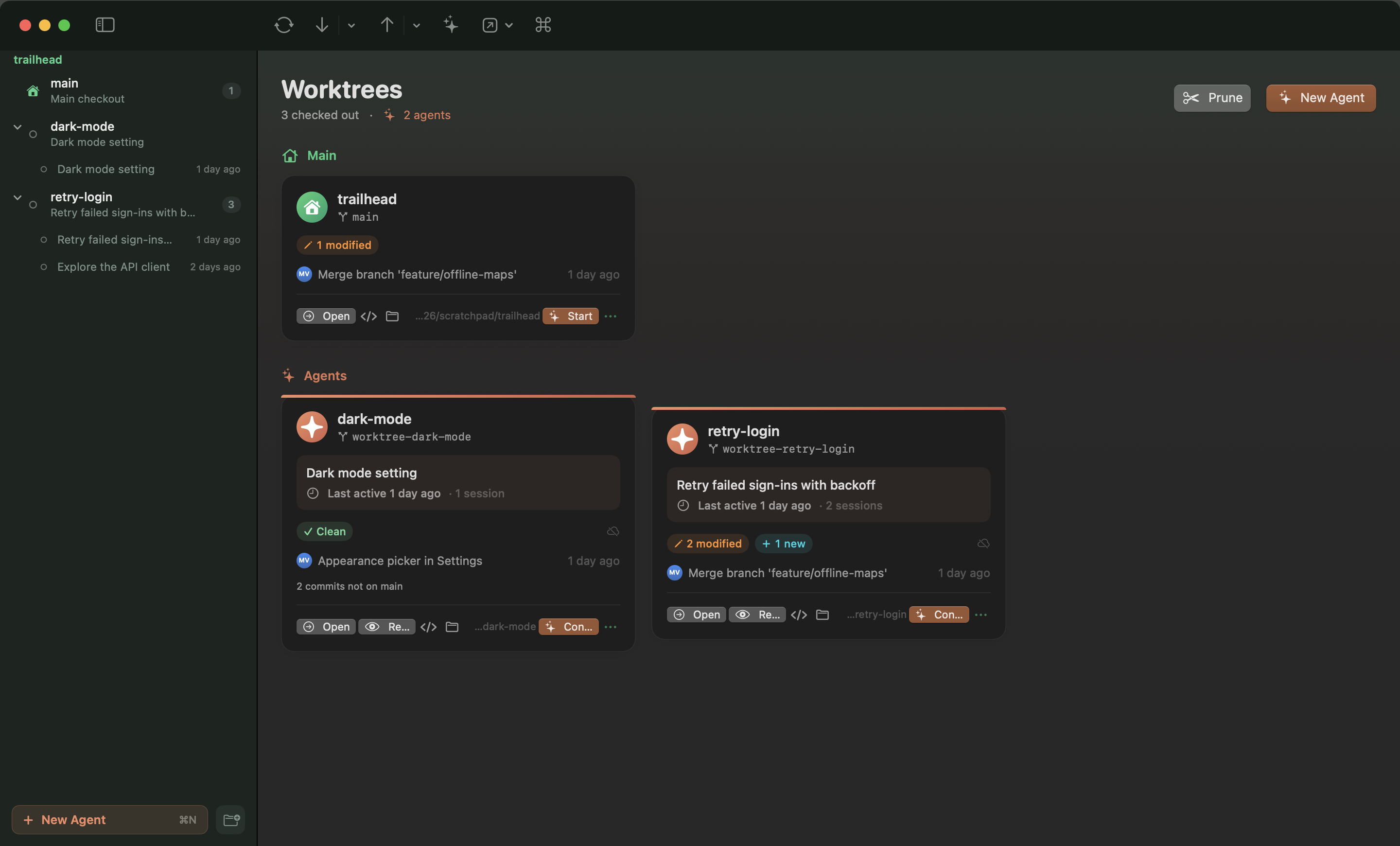
Worktrees & Claude agents
- Worktrees dashboard with live status, commits not yet on main, and PR/CI status (via
gh) - Start a Claude agent in its own worktree (⌥⌘N); cards show its task, title and whether it's working right now
- Review an agent's work against main, ask Claude for a review, and send feedback back into its session
- Claude helpers: write commit messages (⌥⌘M), explain commits, hand conflicts to Claude
Diffs that stay fast
- Custom renderer that draws only what's on screen: 100 000-line files scroll smoothly
- Unified or side-by-side, word-level highlights, syntax colours, overview ruler, next/previous change
project.pbxprojchanges summarised in plain words; lockfiles collapsed; image before/after with a swipe- Stage, unstage or discard hunks or individual lines
Everything Git
- Commit graph, branches, remotes, tags, stashes, merge, rebase, cherry-pick, revert, reset
- Undo (⌥⌘Z) for commits, discards, checkouts, branch deletes, merges, rebases, pulls and more
- Drag a branch onto the current one to merge; ⌘K command palette
Forest uses your own git, so hooks, credentials, LFS and signing behave exactly as in the terminal.