Repository navigation
Forest 0.4.0

Forest is now one window for your coding agents: their terminals, their changes, and a native Git client.
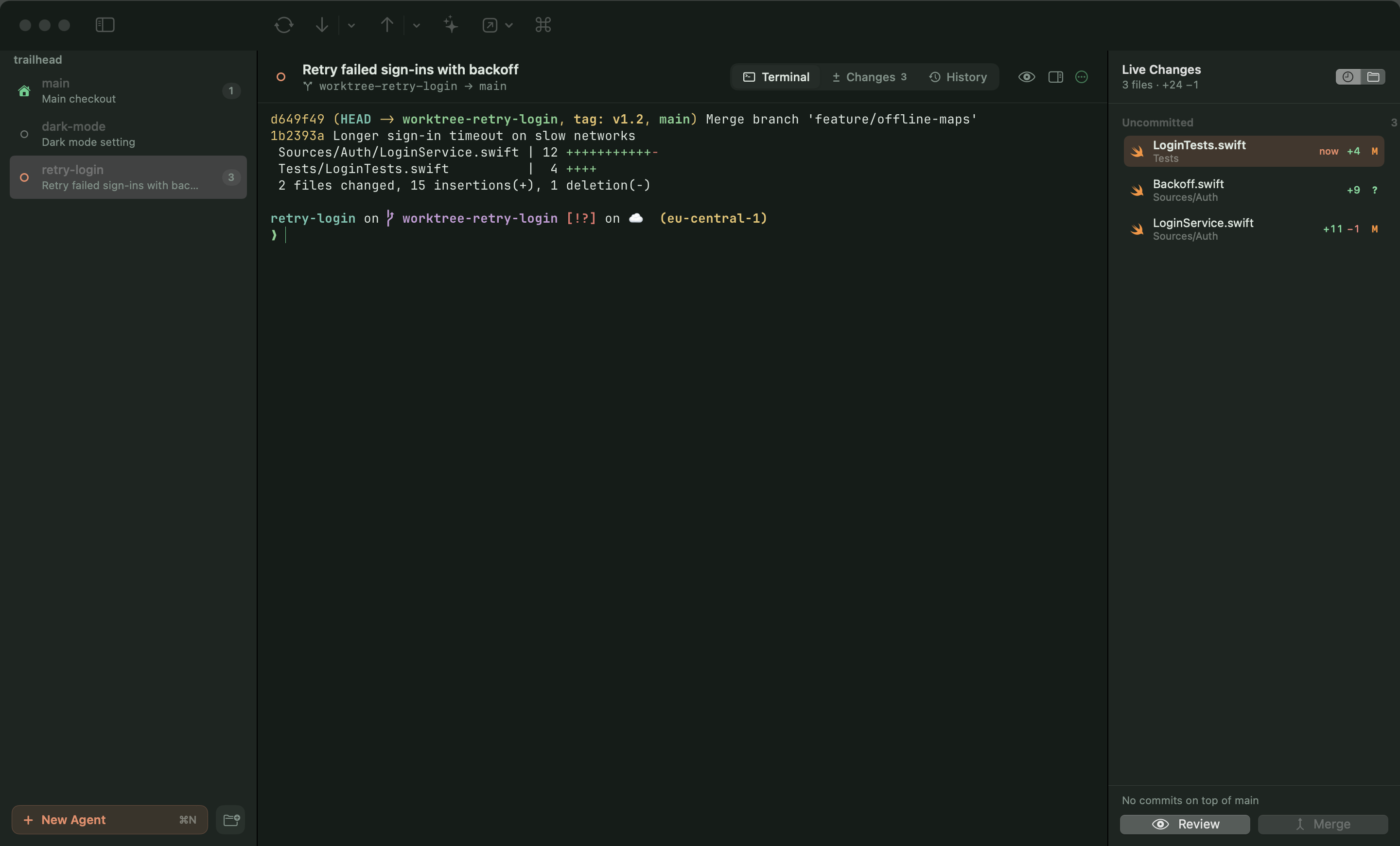
One window, every project
- The sidebar lists each project's main checkout and its agent worktrees (
.claude/worktrees/<name>), with what the agent is doing (working, waiting for you, open, not running), the conversation title and the number of changed files. ⌘1…⌘9 and ⌃Tab jump between them like terminal tabs. - Native git worktrees are no longer shown; agents are the unit of work.
Embedded Ghostty terminal
- Every worktree gets a real Ghostty terminal (libghostty, Metal), using your Ghostty config for fonts and keys and Forest's theme for colours. ⌘D adds a shell underneath.
Continue sessions easily
- A worktree without a running terminal offers to continue its last Claude conversation (
claude --resume <id>), pick an earlier one, or start a new one with a task — also after relaunching Forest. - Agents can be Claude Code, Codex, Gemini CLI or any command. Codex and Gemini continue with their own resume command in the worktree.
Live changes and Compare
- A right-hand panel lists files the moment they're written, freshest first, plus what the branch already committed on top of main, with Review and Merge at hand.
- Compare (⌥⌘C) two branches, two agents, or any two files.
Themes
- One theme for the whole window, diffs and terminal: Forest Night and Day (Automatic follows the system), Catppuccin Latte, Rosé Pine and the existing schemes, each with a tuned terminal palette. Selections stay readable in every theme.
Fixes
- Removing a locked worktree no longer fails (#1).