Repository navigation
Releases
Releases · puretechteam/childlock
ChildLock v0.3.0

New look:
- Settings is rebuilt in the Windows 11 style: a header, one rounded card per group, on/off switches, and a Save button in the accent color. It follows light and dark, fits small laptop screens (the cards scroll), and the mouse wheel scrolls the page instead of changing a number box you happen to point at.
- New icon: a white padlock on a rounded tile, blue when ready, red when locked and grey when paused, with an open shackle when unlocked. It is drawn for each size, so it stays clear in the tray, where the old glyph washed out at 16 px.
- The badge has smooth corners, a thin light edge that keeps it readable on dark video, and a soft shadow. It fades in, and fades out when you unlock.
- Cleaning mode shows a padlock inside a ring that empties as the time runs out.
- The unlock word prompt matches the new look.
Fixed:
- Keys still held when ChildLock unlocks no longer reach the app that has focus. After holding the hotkey to unlock, or while the last letter of the word was still down, 0.2.0 let those keys through as soon as it unlocked; now they are swallowed until you let go. In the test that holds the hotkey, 4 key events leaked before and 0 do now.
- Cancel and Esc now close Settings. In 0.2.0 only Save or the X did.
- The first keys of a lock no longer stall for a millisecond or more. The slowest input callback went from 0.6 to 1.6 ms down to 0.26 to 0.38 ms, and the average from about 25 to about 10 microseconds.
- A copy started with
--settingskeeps its toast icon beside that settings file instead of in your real ChildLock folder.
Numbers (0.2.0 to 0.3.0, same PC, measured back to back): exe 392,681 to 421,353 bytes (+7%), start unchanged (276 to 300 ms against 271 to 286 ms), private memory 11.3 to 12.1 MB, still no measurable CPU when idle. All 152 tests pass, 9 of them against the real exe with 0 key or mouse events leaking while locked.
ChildLock v0.2.0
New:
- Lock only the keyboard or only the mouse, from the tray (Lock only) or as the default for the hotkey and auto-lock. A mouse-only lock ends when you press the hotkey again.
- Hold the lock hotkey for 3 seconds (2 to 10, or off) to unlock without typing. A hotkey still held from locking never counts, and any other key starts the hold over.
- Cleaning mode: every screen goes black with a note that fades away, the keyboard and mouse are locked, and it ends by itself after 60 seconds (0 to 600, or never) by fading the screens back in.
- The badge shows on every monitor and follows monitor changes. It can be hidden (the countdown always shows), and can show a dot for each correct character of the unlock word.
- The unlock word can be a phrase: any length up to 64, letters, digits and spaces. Settings warns about short, common or sequential words instead of refusing them.
- Optional: ask for the unlock word before Settings, pausing the hotkey or exiting.
- Optional: hide the unlock word from the tray tooltip.
- The tray icon, menu and notifications now use PureTech.Tray: native menus that follow Windows dark mode, toasts with buttons such as Open Settings, and an icon that comes back after Explorer restarts or starts late at sign-in. ChildLock adds a Start menu shortcut so its toasts show under its own name.
- Declining the admin prompt no longer stops ChildLock: it runs without admin rights, stops asking, and explains what that means. Run as administrator in Settings turns it back on and restarts ChildLock elevated.
- Start at sign-in works without admin rights too (per-user startup entry), and switches to the elevated task once ChildLock runs as admin.
--uninstallremoves the sign-in entry, the Start menu shortcut and toast registration, and optionally your settings.--no-elevateskips the admin prompt once.- Settings are grouped into Locking, Unlocking, Badge and sound, Cleaning mode and Startup.
- GitHub Actions builds and unit-tests every push on Windows, and publishes
ChildLock.exeto a release for each version tag.
Fixed:
- Keys still held down when ChildLock unlocks (the last letter of the word, or the hotkey) no longer auto-repeat into the app that has focus.
- Auto-repeat of a key held down when the lock started (such as the
Lof Ctrl+Alt+L with no countdown) no longer counts as typing the unlock word. - Exiting during a countdown no longer runs leftover work against the closed badge and tray icon.
- The badge moves to the right place after a resolution or monitor change.
- Starting a lock closes an open Settings window instead of leaving it clickable during a keyboard-only lock.
- A failed input hook is reported as such in the diagnostics log instead of as an exit.
- Small resource leaks in the badge and the Settings window, and the diagnostics log can no longer throw when its file is locked.
ChildLock 0.1.0

First release. Download ChildLock.exe below, run it, click Yes at the admin prompt, and press Ctrl+Alt+L to lock. Type unlock to unlock.
Needs Windows 10 or 11 (64-bit) and the .NET 10 Desktop Runtime.
What's in it
- Lock the keyboard and mouse with a hotkey (default Ctrl+Alt+L), the tray menu, or automatically after a set idle time.
- Blocks every key (including Win, Alt+Tab, Alt+F4, media and volume keys) and all mouse and touchpad movement, clicks and scrolling. In testing, 0 of 166 synthesized key and mouse events got through while locked.
- Unlock by typing a secret word (default
unlock, not case-sensitive). 1,000,000 random key presses never unlocked it. - Countdown before locking (default 3 seconds, 0 to 10), cancelled with Esc or the hotkey.
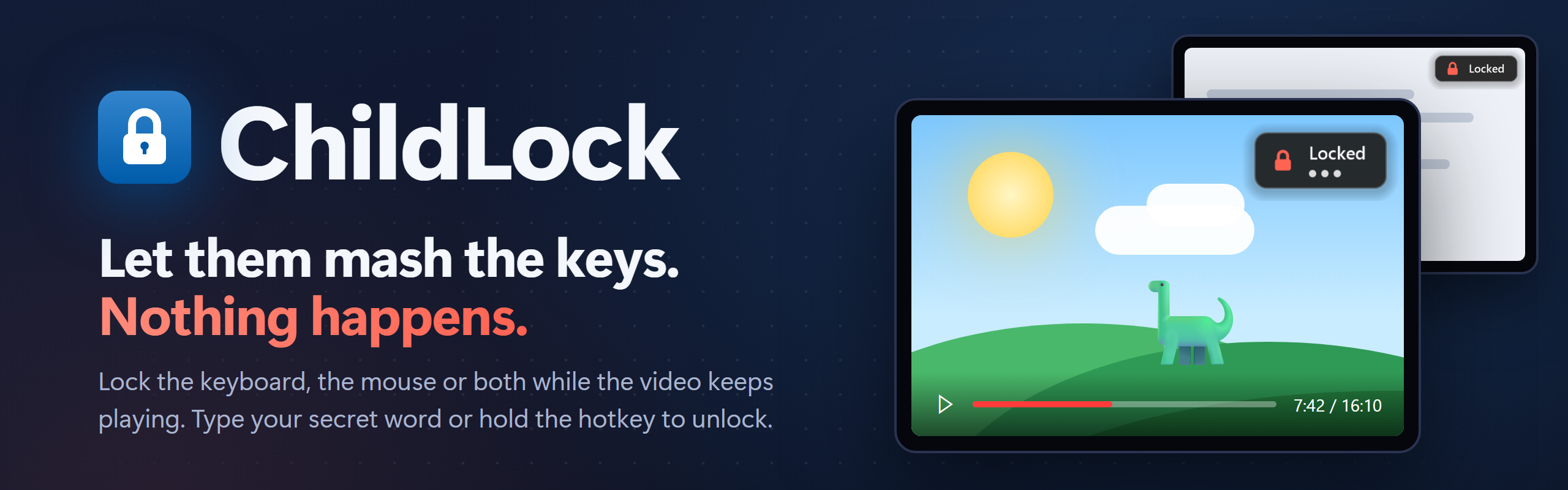
- Small click-through "Locked" badge in the top-right corner; the screen otherwise stays as it is and the PC stays awake while locked.
- Ctrl+Alt+Del or Windows locking always unlocks ChildLock, so you can never get stuck.
- Optional start at sign-in through Task Scheduler with no admin prompt.
- Settings window that follows the Windows light or dark theme.
- One 254 KB exe, about 11 MB of private memory, no measurable CPU when idle, and about 6 microseconds per input event while locked.
SHA-256 of ChildLock.exe: B520430AEEF614E4CE5E57C3D29F3FF277B5F6EC580CDDDA7F767B89710BC7E7