Repository navigation
FrameKeep 3.1.0

FrameKeep 3.1: your screen and your cameras, in tiny files
The biggest FrameKeep update yet. FrameKeep now records your webcams and network cameras next to your screen, has its own player, can record desktop audio, and the app itself got much lighter. Every number below was measured, and the full tables are in docs/perf.
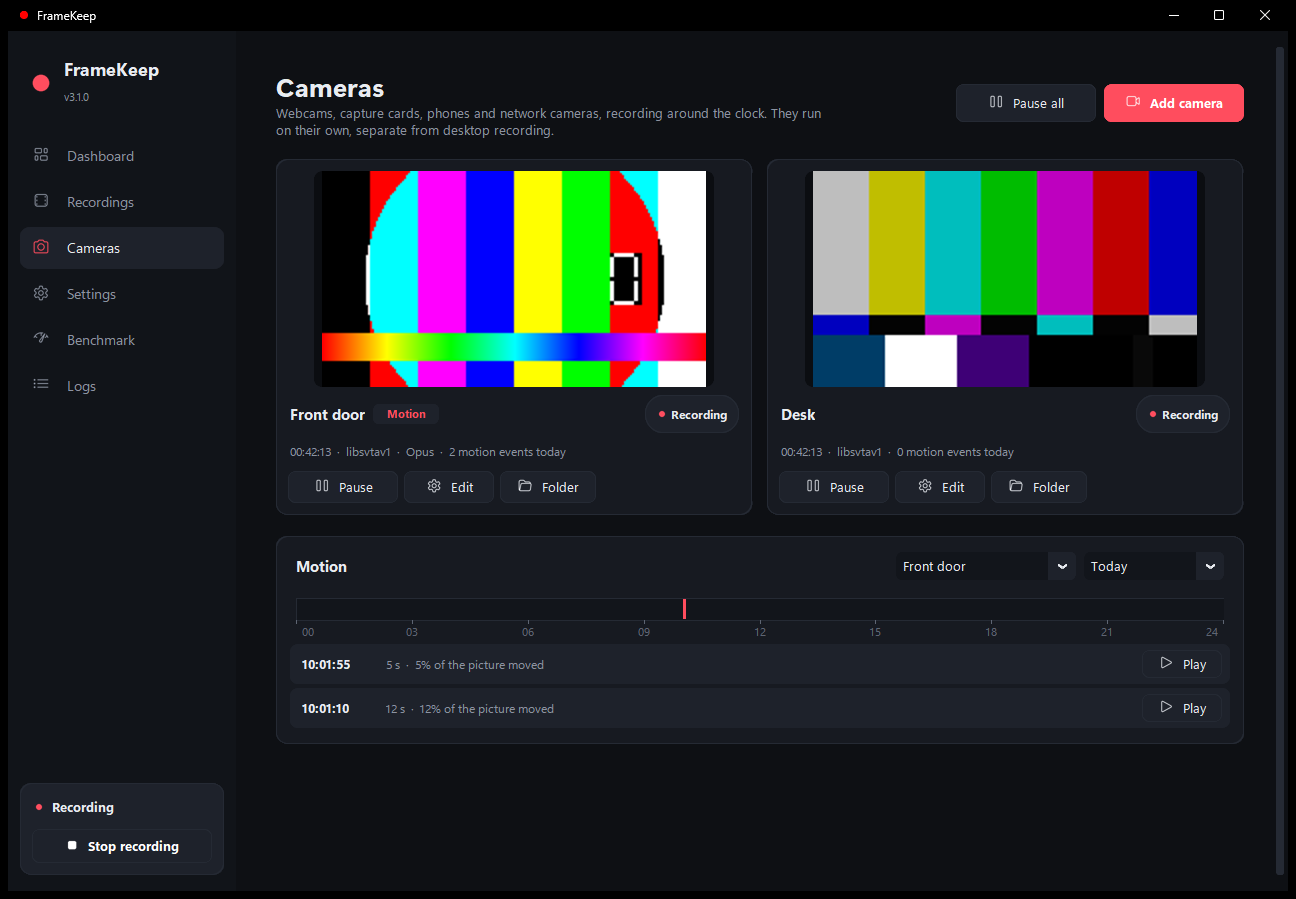
Cameras
Turn webcams, capture cards, phones (Iriun, DroidCam) and network cameras (RTSP or HTTP) into a recording station inside FrameKeep.
- Records around the clock with no gap between files, and marks motion on a timeline you can jump straight to.
- Optional per camera: sound, date and time in the picture, motion notifications, "save space when nothing moves".
- Runs separately from screen recording. Pause your own webcam for a call from the tray, a hotkey, or automatically while apps like Zoom are open.
- 86 MB per hour for a 720p webcam in AV1 (still scene), 2 to 3% of the PC's CPU. At the same quality AV1 was 2.8x smaller than H.265 and 10x smaller than H.264.
- Network cameras can keep their own stream for almost no CPU (0.05%), or be made smaller.
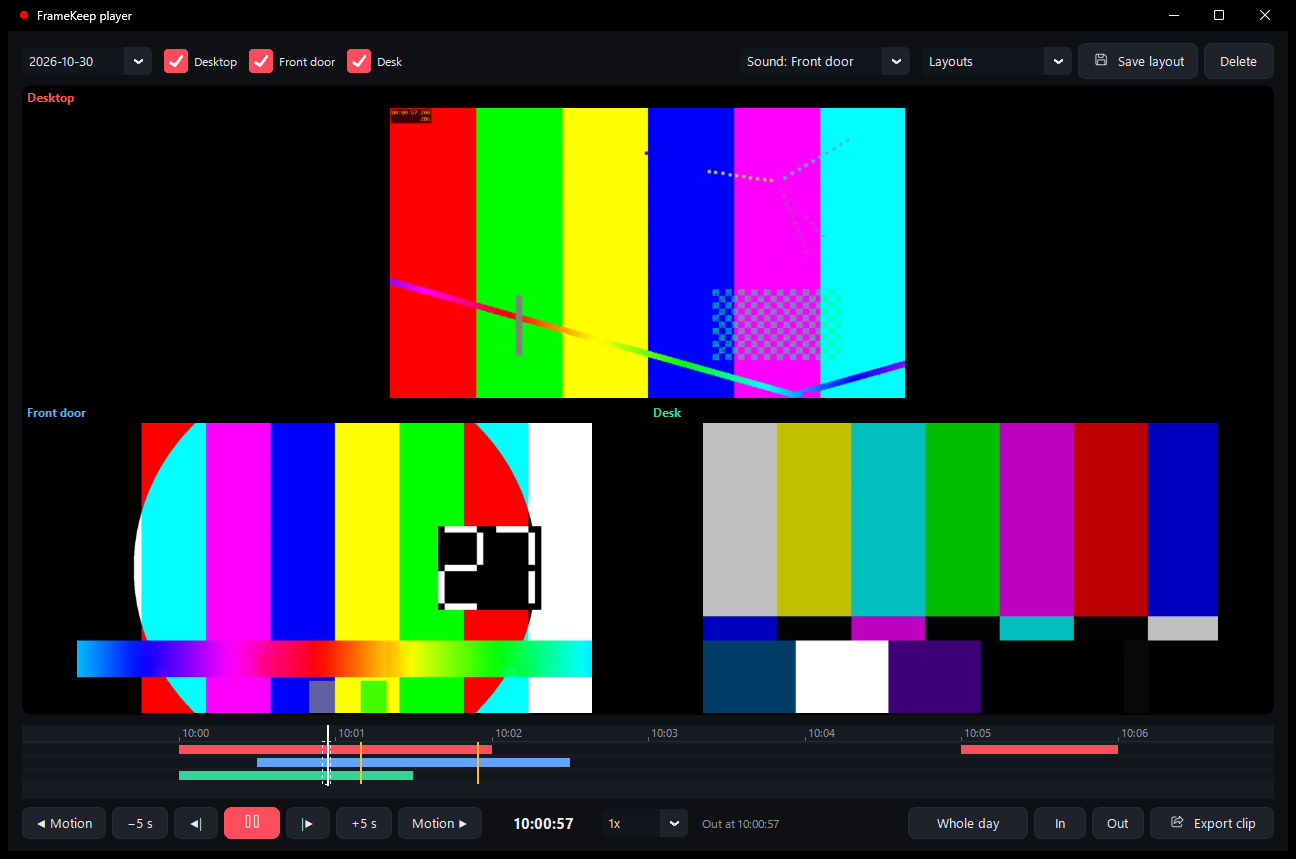
The FrameKeep player
Play now opens FrameKeep's own player instead of ffplay.
- A whole day plays as one timeline across files, in every format FrameKeep records, H.266 included.
- Up to four sources side by side (desktop and cameras) in sync, with saved layouts and the sound from the one you pick.
- Time bar with a lane per source and motion marks, 0.25x to 16x, frame stepping, next/previous motion.
- Lossless clip export: set In and Out and save a full-quality copy in a moment.
- Against ffplay on 8 test files: less or equal CPU on all 8 (H.266 at 1080p: 52% of a core instead of 108%), less memory on 7, faster seeks on 6. Built on puretech-player.
Desktop audio (optional, off by default)
- Records what your PC plays into the same file: Opus (smallest) or AAC (plays everywhere). Silence costs about 1 kbps.
- Follows headphone and speaker switches, and can leave apps out (for example Discord).
- Adds about 21 MB of memory and 0.1% of the PC's CPU.
Lighter and smarter
- A native tray (puretech-tray): the icon shows motion and problems, notifications have buttons (Play on a motion alert), and the menu follows dark mode. FrameKeep uses 16% less memory in the tray with it.
- Compared with 3.0: the app commits 21 MB instead of 520 MB in the tray, wakes up 3 times a second instead of 90, and encoders use up to 24% less memory.
- Disk space: a warning once recordings pass 100 GB (you choose), and optional cleanup of old camera footage. Desktop recordings are never deleted.
- H.266 (Ultra) recordings now play back with correct timing.
Download
Get FrameKeep.exe below. It's one portable file with everything inside, FFmpeg included: no Python, no installer.
Upgrading from 3.0: your settings carry over. The Player setting becomes "FrameKeep player". The first time FrameKeep shows a notification it adds a Start menu shortcut for your account, because Windows only shows notifications with buttons for apps that have one.
Good to know: H.265 on cameras can fall behind on busy scenes, so cameras default to AV1. On a 2-core PC, three cameras watching constant movement fall behind; use fewer or a lower frame rate.
Full notes: CHANGELOG · README · Full Changelog: v3.0.0...v3.1.0