

MonGone is an open-source CLI tool designed to streamline your MongoDB Atlas environment by automatically scaling down unused resources and converting fixed configurations into auto-scaling ones. Its focus is on reducing costs and improving the efficiency of your database management.
Visit the MonGone Home Page for more information.
MonGone is currently in an experimental phase. The report generation features are safe to use, but please exercise caution with optimization actions, especially those involving deletion or resource scaling. Make sure you understand the tool thoroughly and verify your MongoDB setup carefully before executing any optimization commands.
- 🚒 Effortless Installation: Get MonGone up and running in seconds with
pipx. - 🚀 Zero to Optimal: Detect and manage unused MongoDB clusters and databases, scaling them to zero or removing them entirely.
- 📝 Generate and Execute Plans: Create an optimization plan and let MonGone execute it, making your database resource management simple and effective.
- 💸 Cost Analysis: Track and identify costly resources to make informed decisions, optimizing cloud database expenses.
Install MonGone directly from GitHub using pipx:
pipx install git+https://github.com/raestrada/MonGone.git@v0.4.2MonGone offers a clean, straightforward CLI to help you optimize your MongoDB Atlas environment. Here are some of the most important commands:
Start by initializing a configuration file with your MongoDB Atlas organization details:
mongone init --atlas-org-id YOUR_ATLAS_ORG_ID --report-period-days 30--atlas-org-id: Your MongoDB Atlas organization ID.--report-period-days: The number of days to consider resources as unused. Default is 30 days.
This will create a configuration file named mongone.yaml with the provided details.
With the configuration set, generate a detailed report of your MongoDB Atlas resources to identify which clusters or databases are unused:
mongone generate-report --period 30--period: Specifies the number of days to consider databases as unused (default is 30).--force: Forcefully generates a report using the latest available data, overriding existing cached information.--test: Uses test data instead of fetching live data from MongoDB Atlas, useful for development and testing purposes.
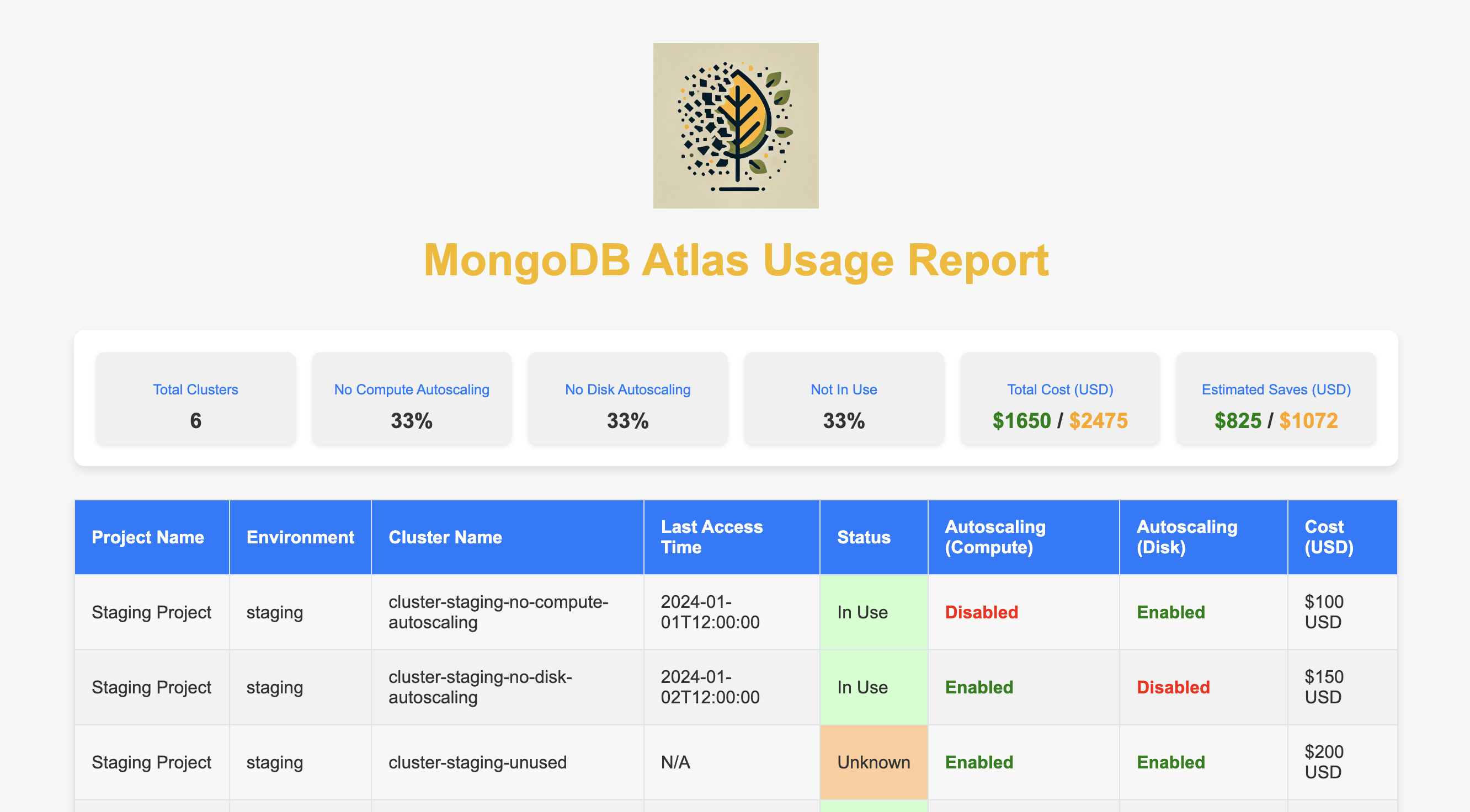
The report is generated in HTML format, presenting the current state of all projects, clusters, and databases within your organization.
Make sure you have your Atlas API keys available as environment variables to authenticate with MongoDB Atlas:
export ATLAS_PUBLIC_KEY=your_public_key
export ATLAS_PRIVATE_KEY=your_private_key
These keys are needed for MonGone to interact with MongoDB Atlas and collect necessary information.
MonGone allows you to generate optimization plans to efficiently manage your resources. The plans are generated automatically when you generate a report.
Once an optimization plan is generated, you can execute it using the following command:
mongone executeThis command will execute the actions defined in the optimization plan, such as scaling down unused resources or enabling auto-scaling for clusters. The process is straightforward and automated, allowing you to quickly optimize your MongoDB environment with minimal manual intervention.
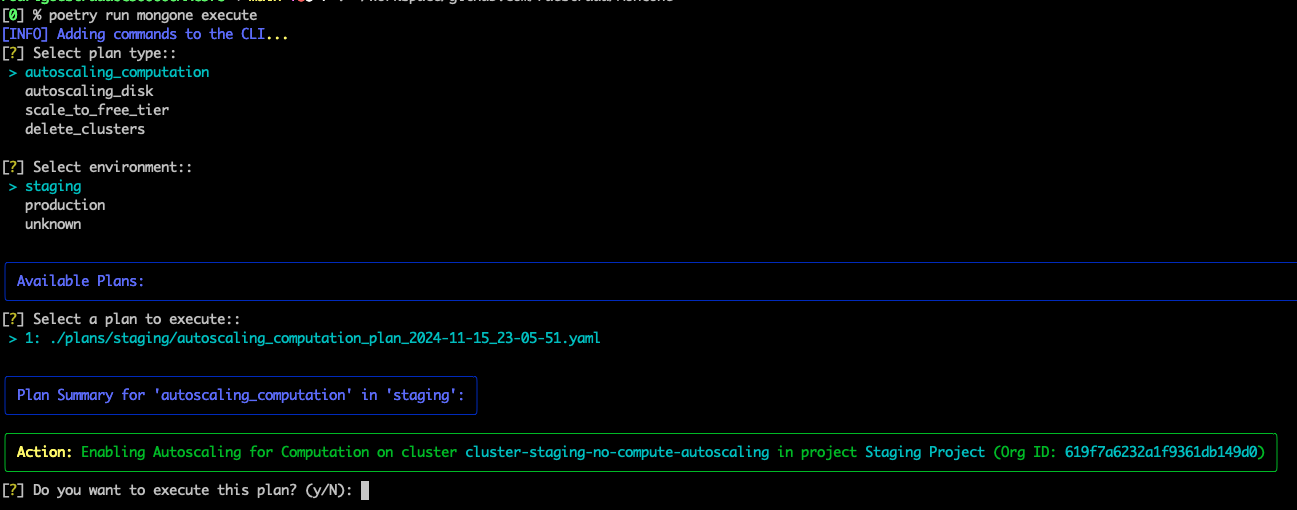
The screenshot above shows an example of executing an optimization plan, highlighting the actions taken by MonGone to improve resource utilization and reduce costs.
To override data checks and force an action, you can use the --force option with the generate-report command:
mongone generate-report --period 30 --forceThis forces the tool to regenerate all data, ignoring any cached information.
To use test data, add the --test option:
mongone generate-report --period 30 --testThis is helpful for development and testing purposes without making changes to actual MongoDB instances.
For detailed guidance and more examples, check out the MonGone Documentation.
Below is a preview of the MonGone resource report:
MonGone is open-source, and contributions are always welcome! Here’s how you can contribute:
- Report issues.
- Suggest new features.
- Create pull requests to improve the project.
Find the repository here: MonGone on GitHub.
MonGone is licensed under the MIT License.
For more information, visit our GitHub Page.