Opensource firmware for NRF52840 Pro Micro that copycats the Steam Controller 2 Puck and adds an Xbox and Switch mode.
Warning
Every part of this project HEAVILY used LLMs. Everything from discovery of the protocol to writing the arduino sketch and running various automated benchmarks invovled Claude and Codex. This readme is the only organic, single origin, ethically sourced and humanely slaughtered assemblage of words in this project. I have done my best to review the code and I invite anyone concerned about the stability or security of this project to do the same.
Released in 2026, the Steam Controller 2 represents the peak (IMO) of controller design. Trackpads, gyro, 4 back buttons, all with the flexibility of Steam Input brings the amazing flexiblity of the Steam Deck's controls to gaming PCs in general.
The "puck" is what the controller uses for wireless communication with the host device. It can handle 4 controllers paired to it at the same time and can run at a very low latency with all 4 connected. While the controller has a bluetooth mode too it has over twice the latency so the puck is truly where it's at.
There are two fundamental problems with the controller:
-
The puck is not (yet) available for purchase separately from the controller so if you want a replacement or a second one (a single controller can pair to two) you're out of luck.
-
Steam Input isn't just a nicety, it's a requirement. This means that the controller is basically useless unless you have Steam running (outside of certain contexts that I personally consider niche). If, for example, you have gamepass and want to play FH6 through Gamepass you're gonna be in for a bad time and you'll probalby need specialized software running on your computer in order to make the controller work with it.
Video Intro
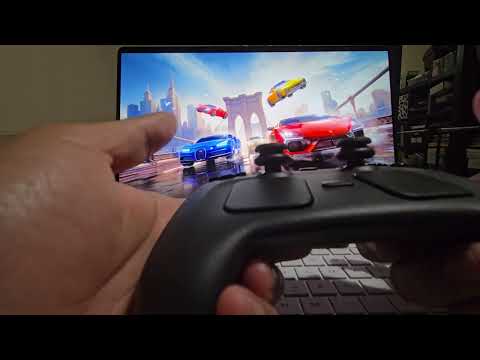
OpenPuck uses a Pro Micro NRF52840 ($8 on Amazon, possibly cheaper elsewhere) which uses a radio similar to the one being used by the controller and the puck. Once the arduino sketch is uploaded it emulates the puck over USB to Steam by default and allows pairing the controller normally (almost, the lizard mode for when Steam is off might not be 1:1).
At any point you can hold all 4 back buttons and press X to switch over to *Xbox mode which maps all canonical inputs to their expected counterparts (plus L4 -> LB, L5 -> L3, etc which are configurable). In this mode the right trackpad acts as a mouse but at present this only works in Android and SteamOS.
Similarly you can hold all 4 back buttons and press Y to switch (teehee) over to a Switch mode. This emulates a Pokken controller and is very limited (no gyro, no haptics, etc) but it's functional enough for my kids to play Animal Crossing :D. There's other modes as well:
| Button combo (configurable) | Mode | Comment |
|---|---|---|
| back-4 + A | Steam | Steam Controller Mode |
| back-4 + B | Lizard | Lizard mode, even if Steam is open |
| back-4 + X | Xbox | Xbox 360 Controller |
| back-4 + Y | HORI | Switch Controller (works on the consoles) |
| WebUSB panel → mode 4 | Switch Pro + Gyro | PC only |
| WebUSB panel → mode 5 | DualSense + Gyro + Trackpad | PC only |
| WebUSB panel → mode 6 | DS4/HIDGYRO + Gyro + Trackpad | PC only |
The Lizard mode behaves similarly to how the controller behaves when Steam is closed, but this will work even when Steam is open. This has a few advantages the biggest one being that you can use inputs when a high privilege application is in the foreground (like the Task Manager, when using Steam if you wanna be able to do that Steam must be run as admin).
Additionally it has some shortcuts that might be useful: Steam + L5/R5 will do volume control, RB is Alt so you can RB + Select to move through windows, LB is Ctrl and Steam + L4 ls Ctrl + Alt + Delete.
You will need to flash OpenPuck.ino onto a compatible microcontroller. See build instructions document for more details.
A webusb based configuration UI is available here. It allows Switching the mode manually and changing the back button mapping for other modes among other things. This will likely only work in Chrome and Edge and needs the pro micro to be connected via USB to the same computer for it to function.
- Find a way to make Xinput mode and mouse work together on all platforms
- Ensure multiple controllers can function correctly (if I can ever buy one)
- Tune haptics in Xinput mode
- Design the charging portion (and make it short proof)
- Design a 3D printable housing
- Allow bluetooth controllers to pair with and connect to the puck
The firmware is split into small, single-responsibility modules under OpenPuck/ (one file per emulated controller, plus the RF, config, and host-interface layers). Start with ARCHITECTURE.md for the map of how it all fits together and how to add a new USB personality.
I have tested this software fairly extensively but I have limited resources. I only have one controller so I actually don't know if multiple controllers even work correctly (in fact I'm almost sure they will not). Please submit issues with any issues you find. PRs also welcome of course.
- Valve for putting out the amazing controller
- Whoever wrote the drivers for SDL / Linux
- Alan for not scalping and selling me this controller for $120