Repository navigation
Releases
Releases · sahinkaa/CCFlex
CCFlex 1.0.1

What changed since v1.0.0
- Added Increase Contrast for Control Center. It enables iOS’s native high-contrast appearance in Control Center only. When the switch is off, Control Center follows the system setting.
- Settings previews now update when you toggle Increase Contrast, including previews with solid fills.
- Fixed custom icon colors for Amber Switch and other supported switches that draw their icons from images. Their Settings previews now follow the same fill and background rules as built-in switches.
Downloads
Install the build for your jailbreak on iOS 26 and respring. Configure it in Settings → CCFlex.
Screenshots
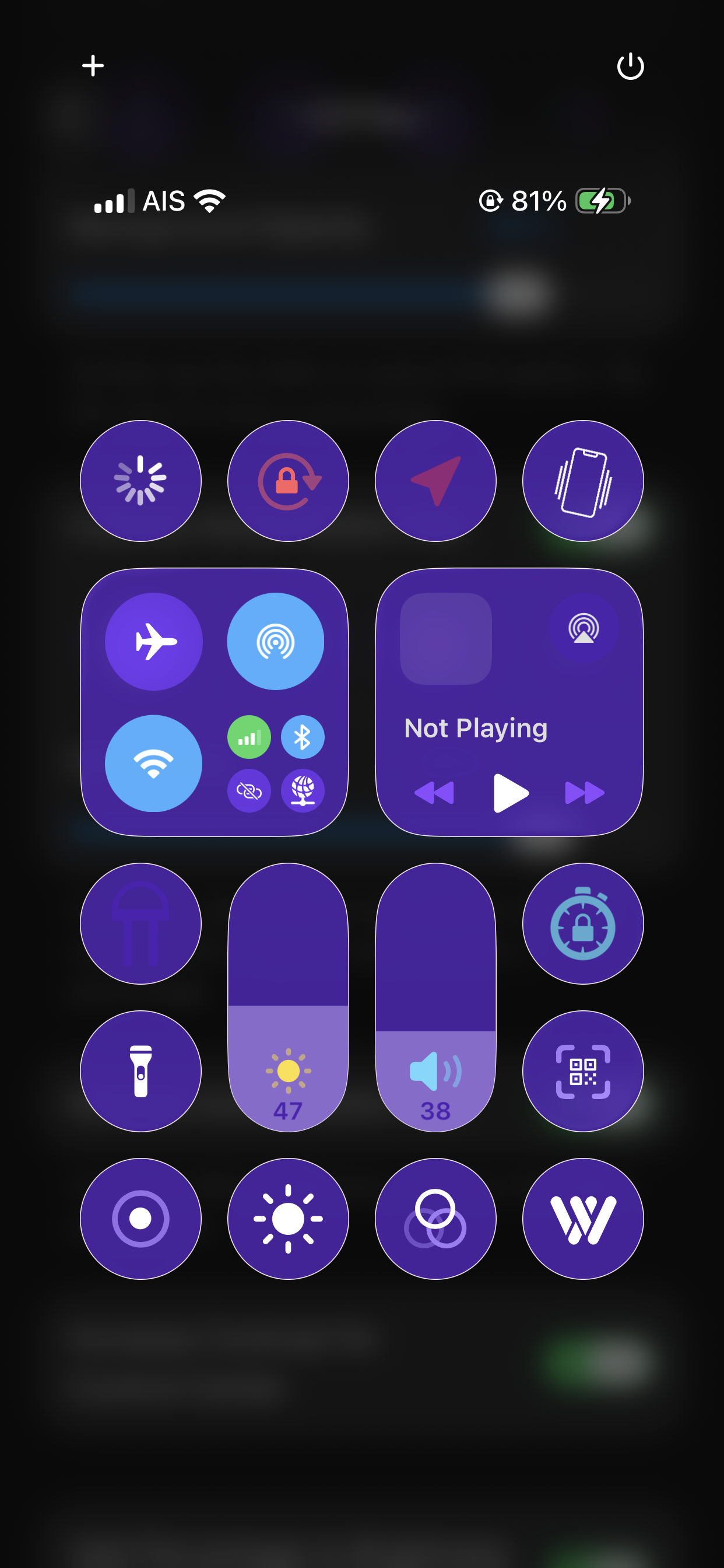
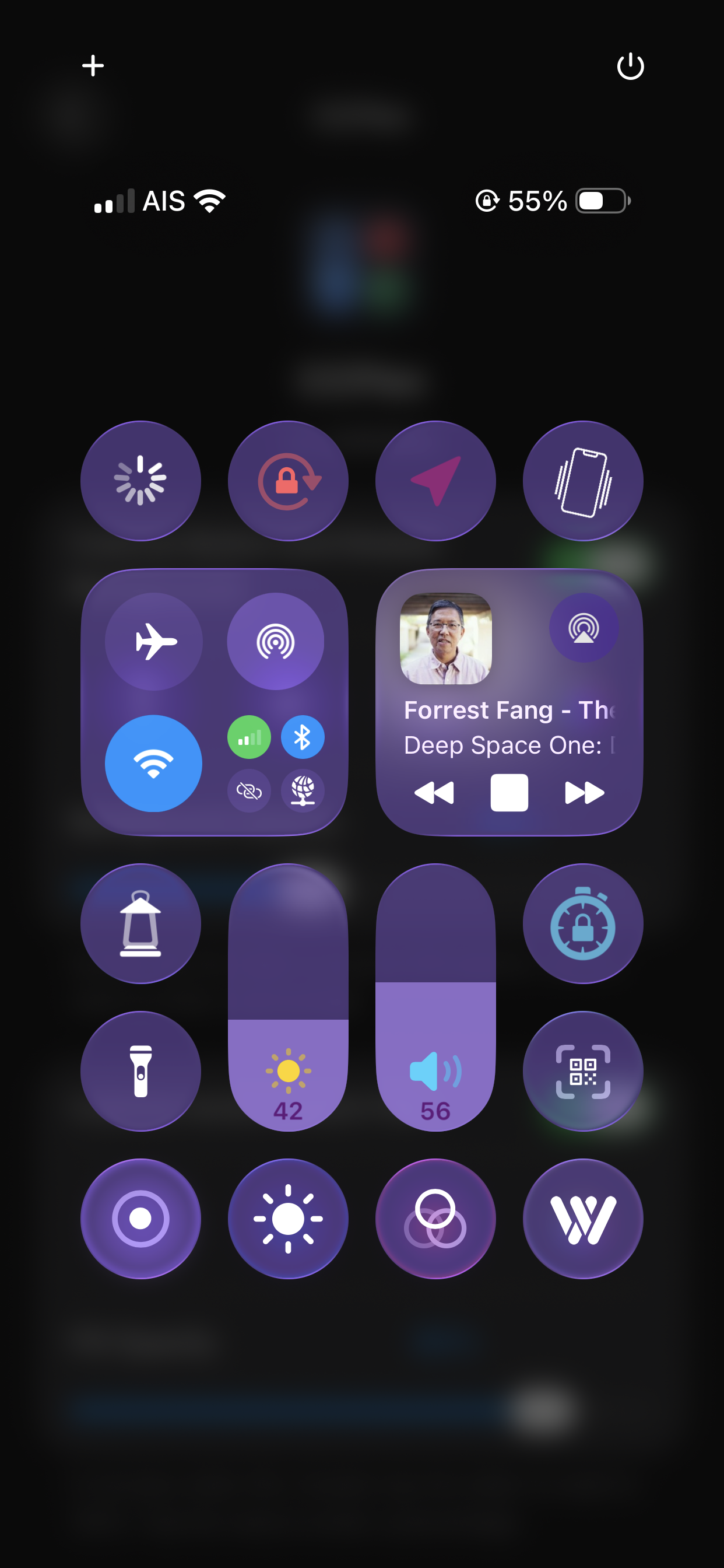
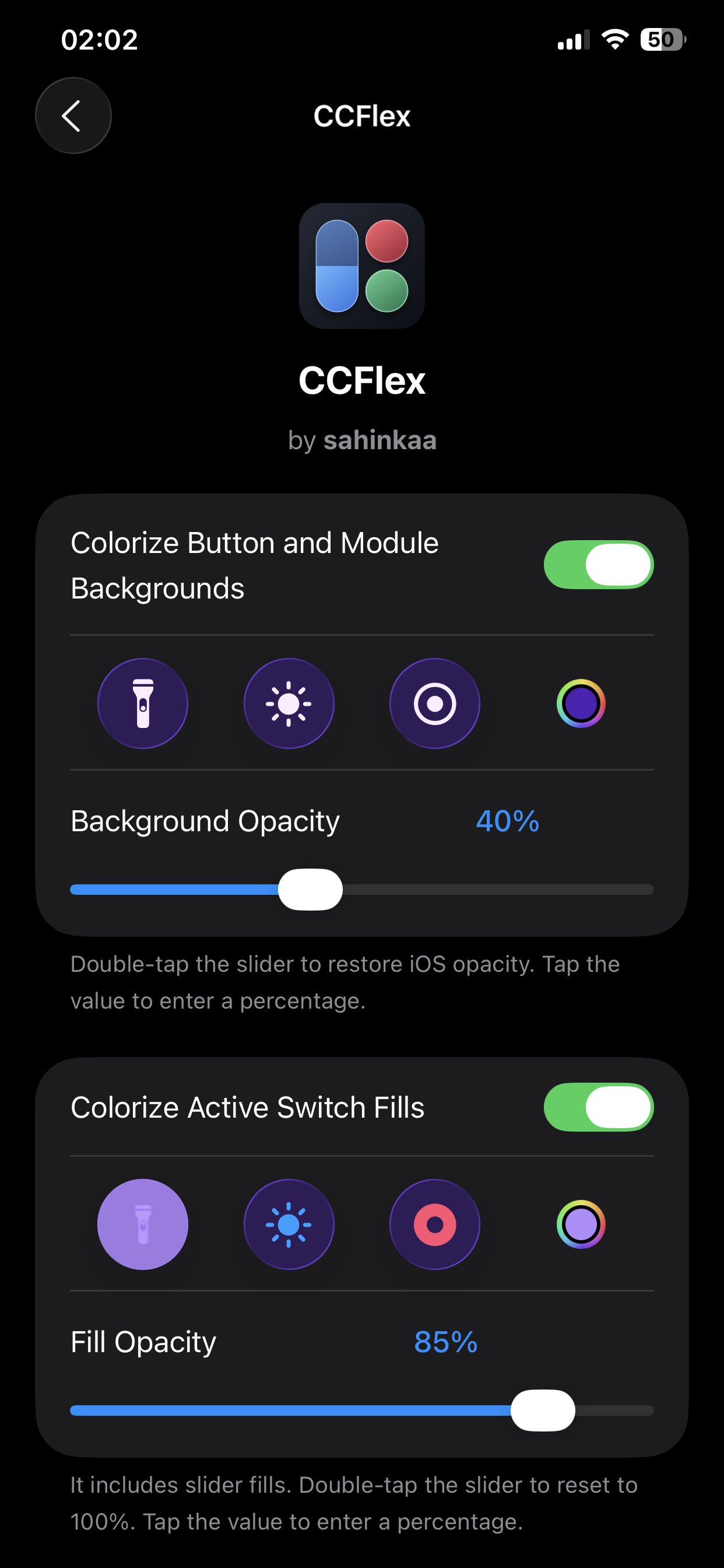
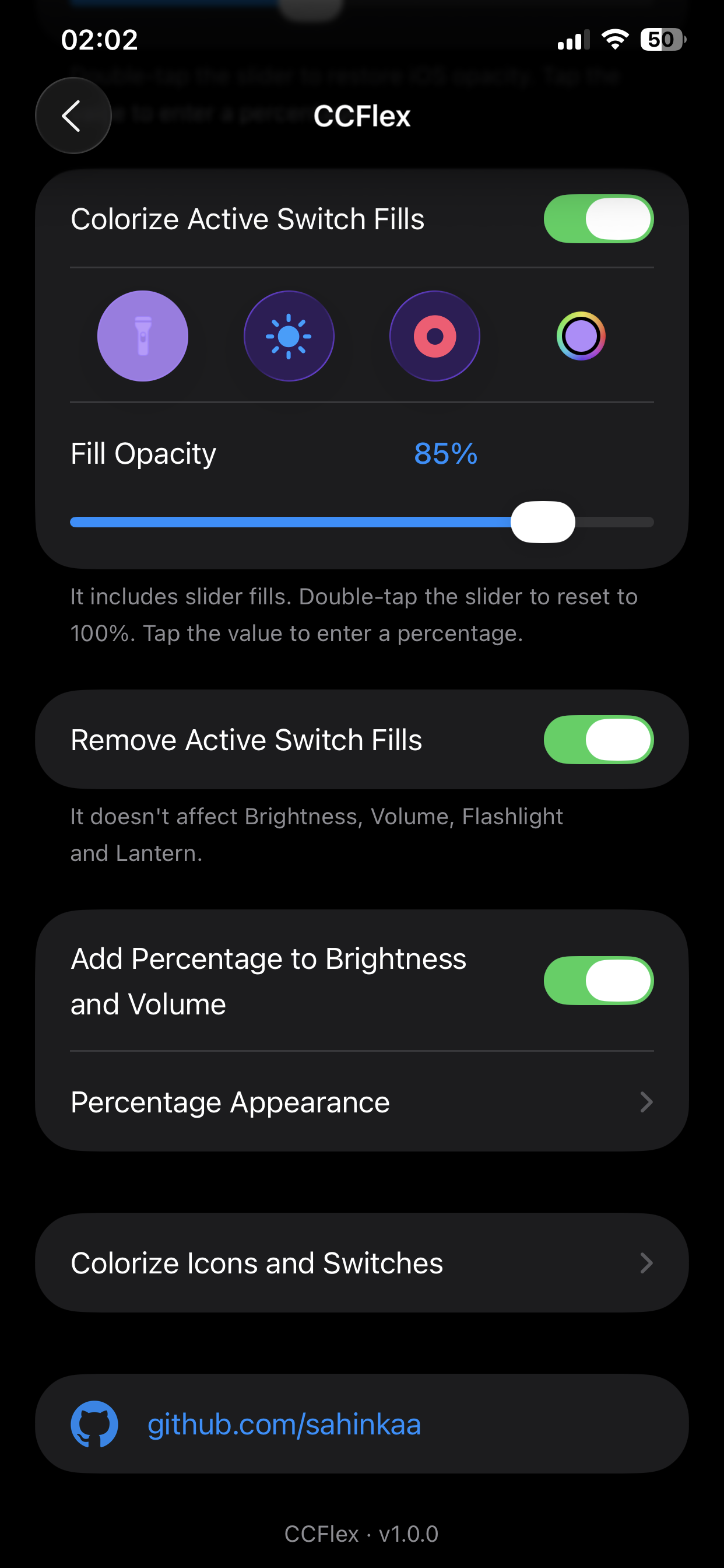
CCFlex 1.0.0
Customize Control Center on jailbroken iOS 26.
- Tint Liquid Glass buttons, modules and supported long-press menus with adjustable opacity.
- Recolor active switch and slider fills, adjust their opacity or remove supported white switch fills.
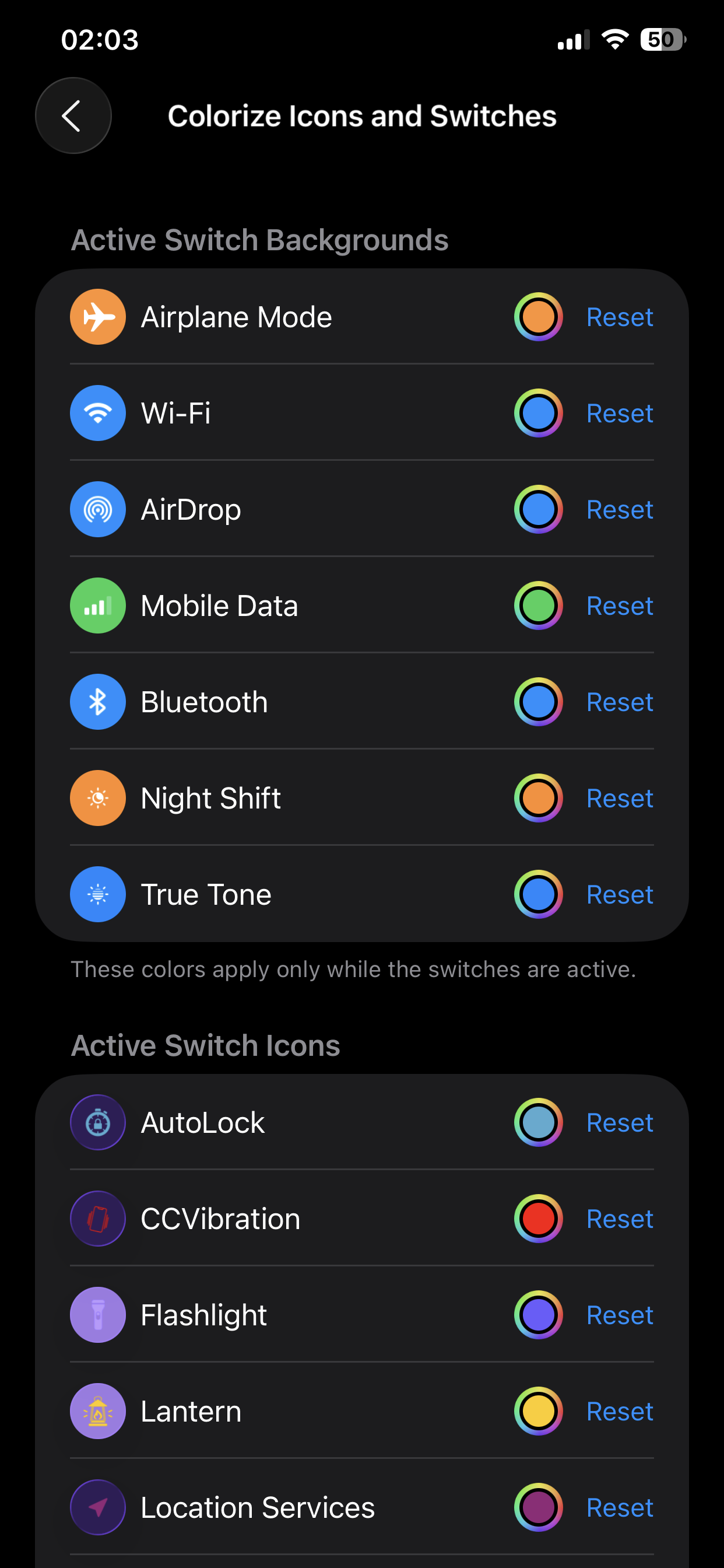
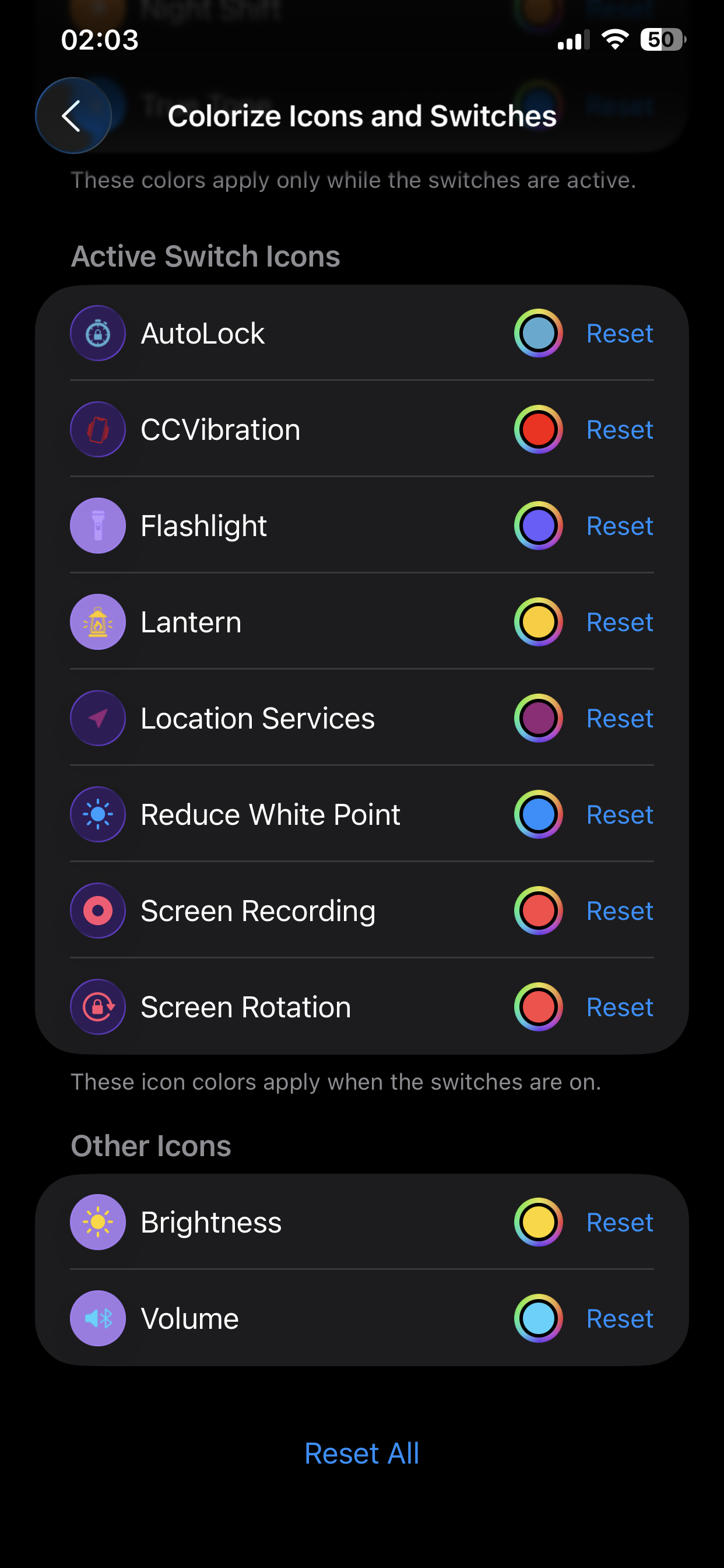
- Pick individual colors for supported switch backgrounds and icons, including brightness and volume.
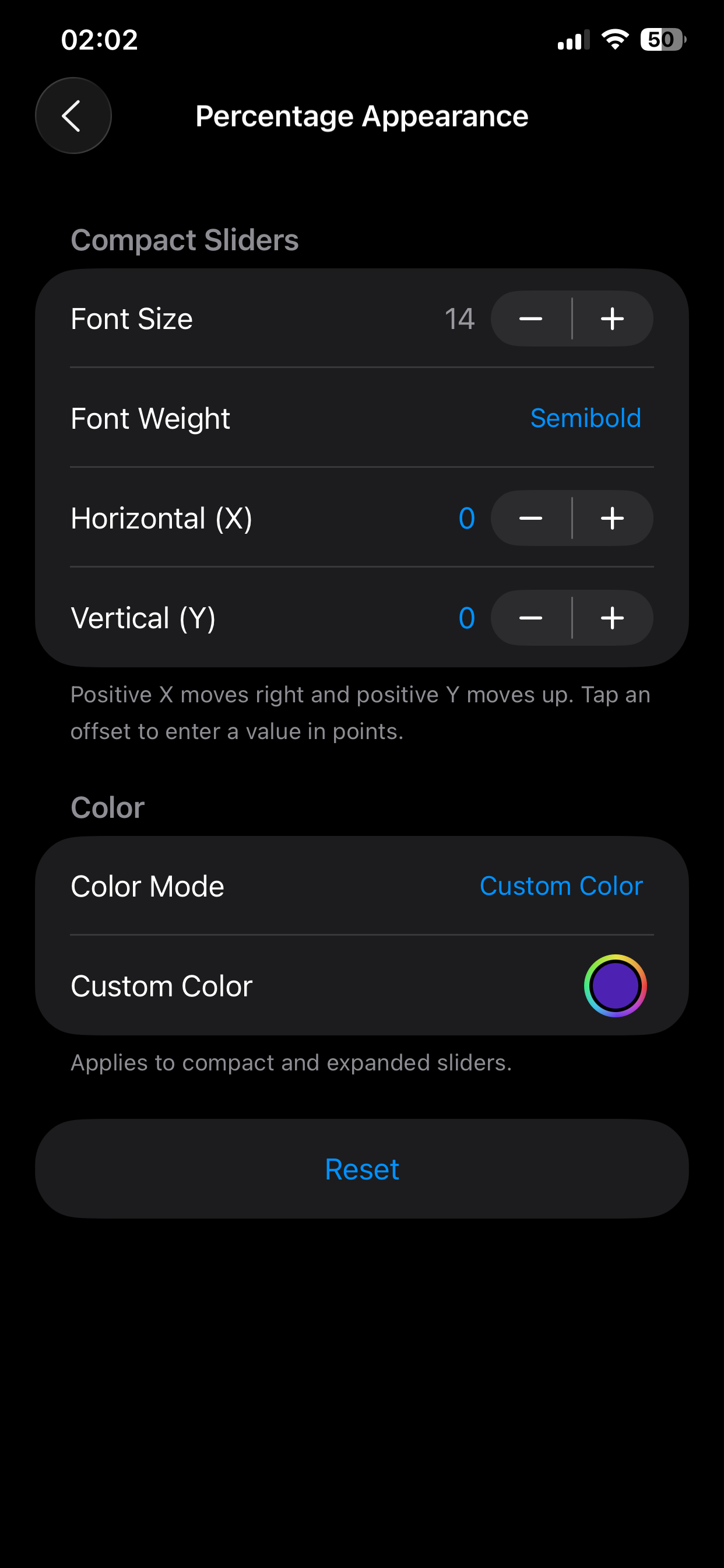
- Show brightness and volume percentages in compact and expanded sliders. Adjust compact size, weight and position, and choose adaptive contrast or a custom color for both views.
Downloads
Remove any older Clean Control Center 26 package, install the build for your jailbreak and respring. Configure the tweak in Settings → CCFlex.
Compatibility: This release runs on jailbroken iOS 26. iOS 27 support may be possible once a compatible jailbreak is available and CCFlex can be tested on it.
Screenshots