Repository navigation

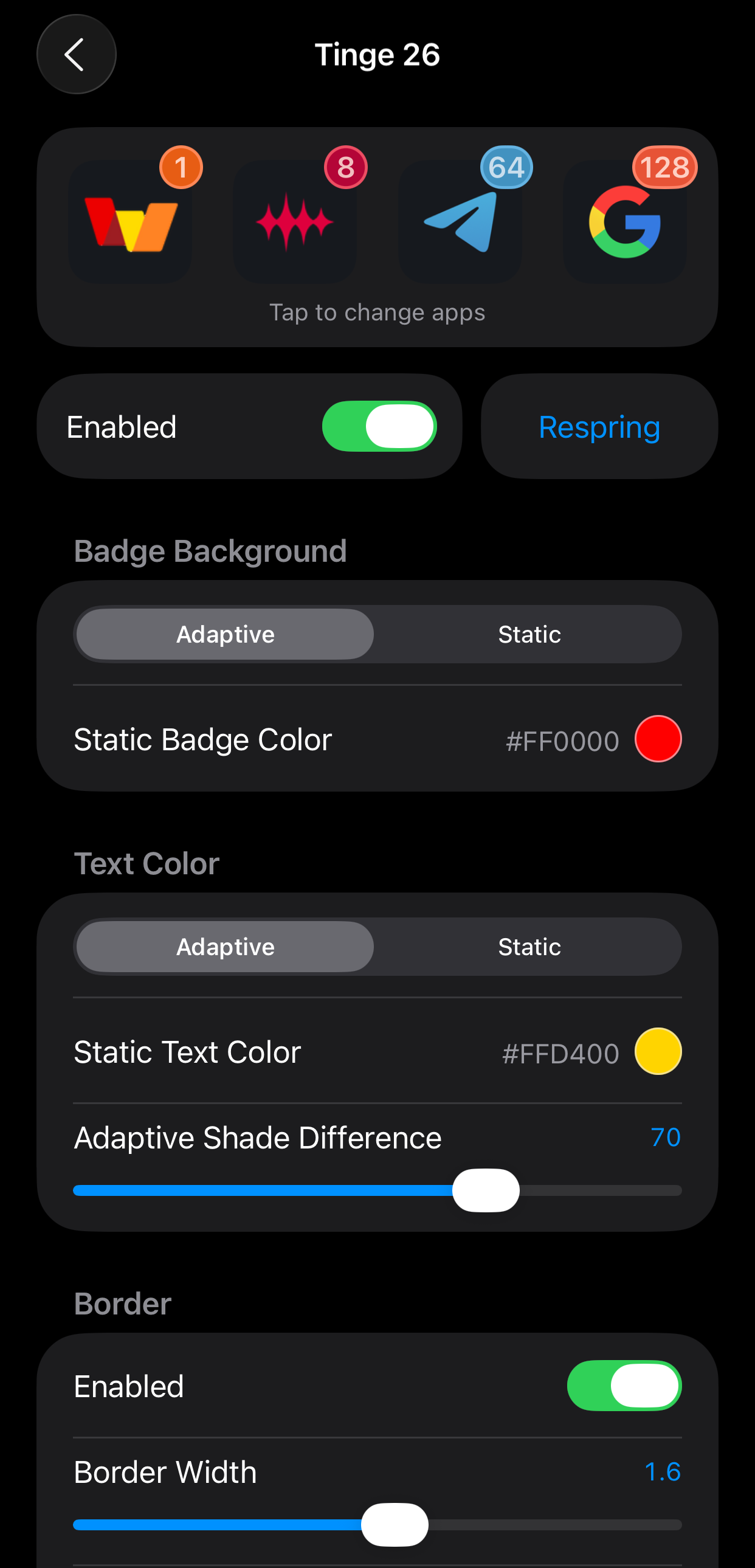
Tinge 26 customizes Home Screen notification badges on iOS 26. Match badge colors to each app icon or choose your own, then fine-tune the text contrast and border with a live preview.
What’s new
- Added a live preview with four installed apps and badge counts of 1, 8, 64 and 128. Tap an icon to swap the app.
- Added separate Adaptive Shade Difference sliders for badge text and borders. Both range from 0 to 100.
- Improved adaptive borders so they lighten or darken in the same direction as adaptive text.
- Set the border width range to 0–3 points in 0.1-point increments.
- Refined slider haptics so each endpoint gives a single tick per drag.
- Moved Respring beside Enabled and tightened the credits layout.
- Added a new four-badge icon.
Install
- RootHide: Install the
iphoneos-arm64epackage directly, without Patcher. - Standard rootless: Install the
iphoneos-arm64package.
Respring and open Settings → Tinge 26. Changing the main Enabled switch requires a respring.
Original Tinge by P2KDev (@p2kdev). Tinge 26 by sahinkaa.
Contributors

p2kdev