Repository navigation
3D Asset Generation, PBR Materials & Scene Queue

StableGen v0.3.0: Full 3D Asset Generation, PBR Materials & Scene Queue
Generate complete 3D assets from text or image prompts, decompose textures into PBR material stacks, and batch-process many assets overnight - all inside Blender. This release transforms StableGen from a texturing tool into an end-to-end 3D asset creation pipeline built on Microsoft's TRELLIS.2, SDXL and Qwen-Image-Edit.
Blender Compatibility: StableGen v0.3.0 supports Blender 4.2 - 4.5 (using OSL shaders) and Blender 5.1+ (using native Raycast nodes with GPU acceleration). Blender 5.0 is not supported.
✨ What's New in v0.3.0:
- TRELLIS.2: Image & Text to 3D
- PBR Material Decomposition
- Scene Queue
- FLUX.2 Klein Architecture (Experimental)
- Improvements & Fixes
🧊 TRELLIS.2: Image & Text to 3D
Generate fully textured 3D meshes from a single reference image or text prompt using Microsoft's TRELLIS.2 (4B-parameter model). Powered by ComfyUI-TRELLIS2.
- Two input modes:
- Image - provide a reference image directly.
- Prompt - StableGen first generates a reference image using any supported architecture (SDXL, FLUX.1, Qwen, Klein), then feeds it to TRELLIS.2.
- Multiple resolution modes: 512, 1024, 1024 Cascade (recommended), and 1536 Cascade for maximum geometric detail.
- Flexible texture pipeline: Use TRELLIS.2's native PBR textures, or automatically re-texture the generated mesh with SDXL, FLUX.1, Qwen Image Edit, or FLUX.2 Klein for higher-quality diffusion textures.
- Preview Gallery: Generate multiple candidate images with different seeds and pick the best before committing to 3D generation. GPU-rendered overlay with hover selection and seed labels.
- Separate texture prompt: Provide a dedicated prompt for the texturing cameras, independent of the image generation prompt - useful when the texturing needs different emphasis than the concept image.
- Source image as reference: Feed the TRELLIS.2 input image as an IPAdapter style reference or Qwen style reference during texturing, keeping the final texture faithful to the original concept.
- Mesh post-processing: Configurable decimation (up to 5M polys), optional remeshing, import scale, and shading modes (Flat, Smooth, Auto Smooth). Post-processing master toggle to import raw meshes for manual retopology.
- Automatic camera placement: 6 strategies (Orbit Ring, Sphere Coverage, Normal-Weighted K-means, PCA Axes, Greedy Coverage, Fan from Camera) with auto aspect ratio, occlusion handling, elevation clamping, and bottom-face exclusion.
- Auto view-direction prompts for hands-free camera-specific prompting.
- 3-tier progress tracking: Overall progress, phase progress, and per-step detail - all shown in the UI. Cancel via the Escape key at any point.
- 30+ built-in presets organized across 4 architecture groups, including TRELLIS.2 pipeline presets (DEFAULT / CHARACTERS / ARCHITECTURE / Mesh Only / Qwen variants). Preset diff preview shows which parameters a preset will change before applying it.
- Export-ready pipeline: Generate → Bake → Export. The built-in bake operator (now defaulting to Smart UV Project) flattens the multi-projection material into a single UV-mapped texture, ready for any game engine or DCC tool.
Installer: Option 8 - TRELLIS.2 (~0.1 GB, models auto-download on first use). The installer applies 10 post-clone patches to ComfyUI-TRELLIS2 including a DinoV3 VRAM leak fix (5-9 GB savings) and comfy-env model registry cleanup (~7 GB savings).
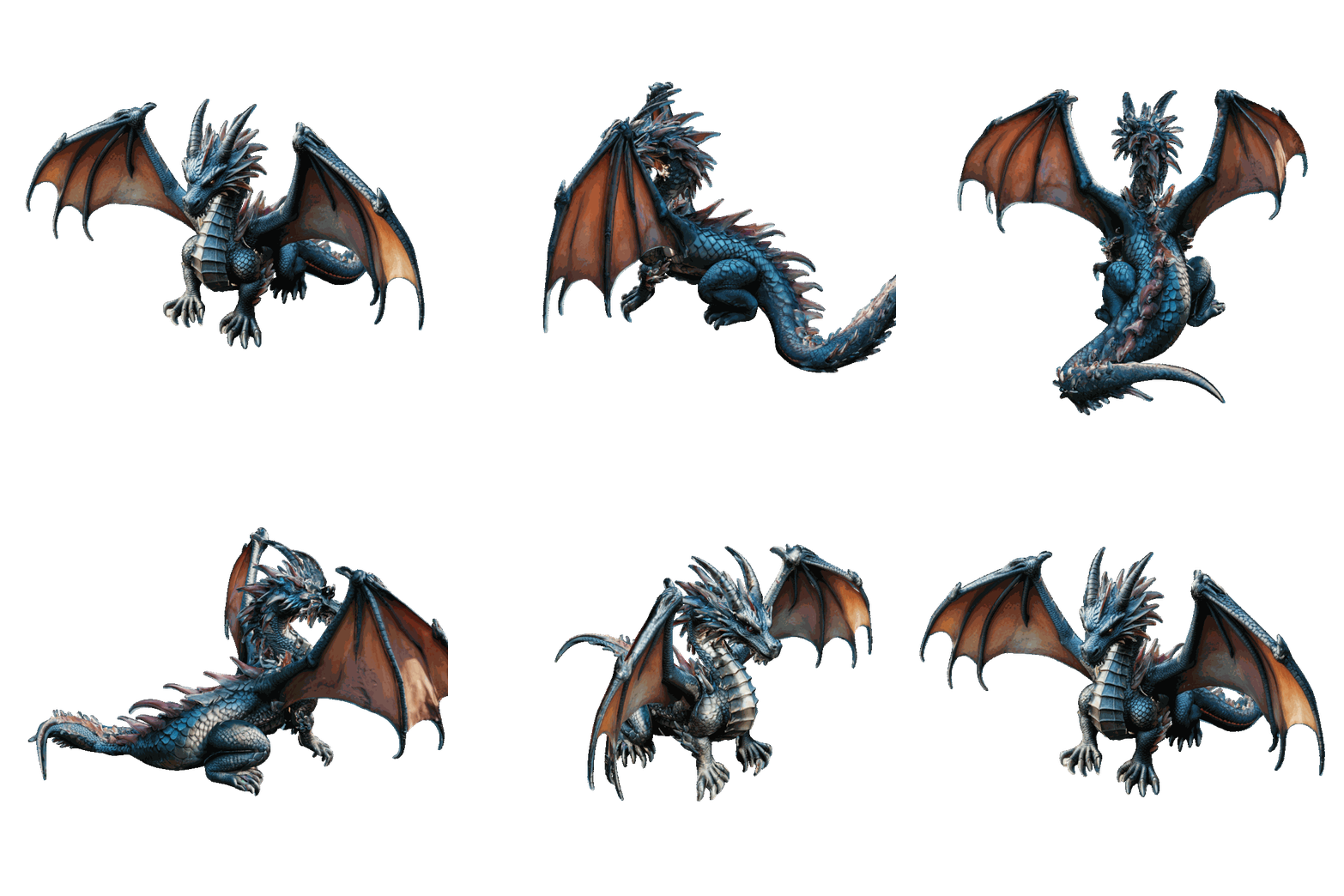
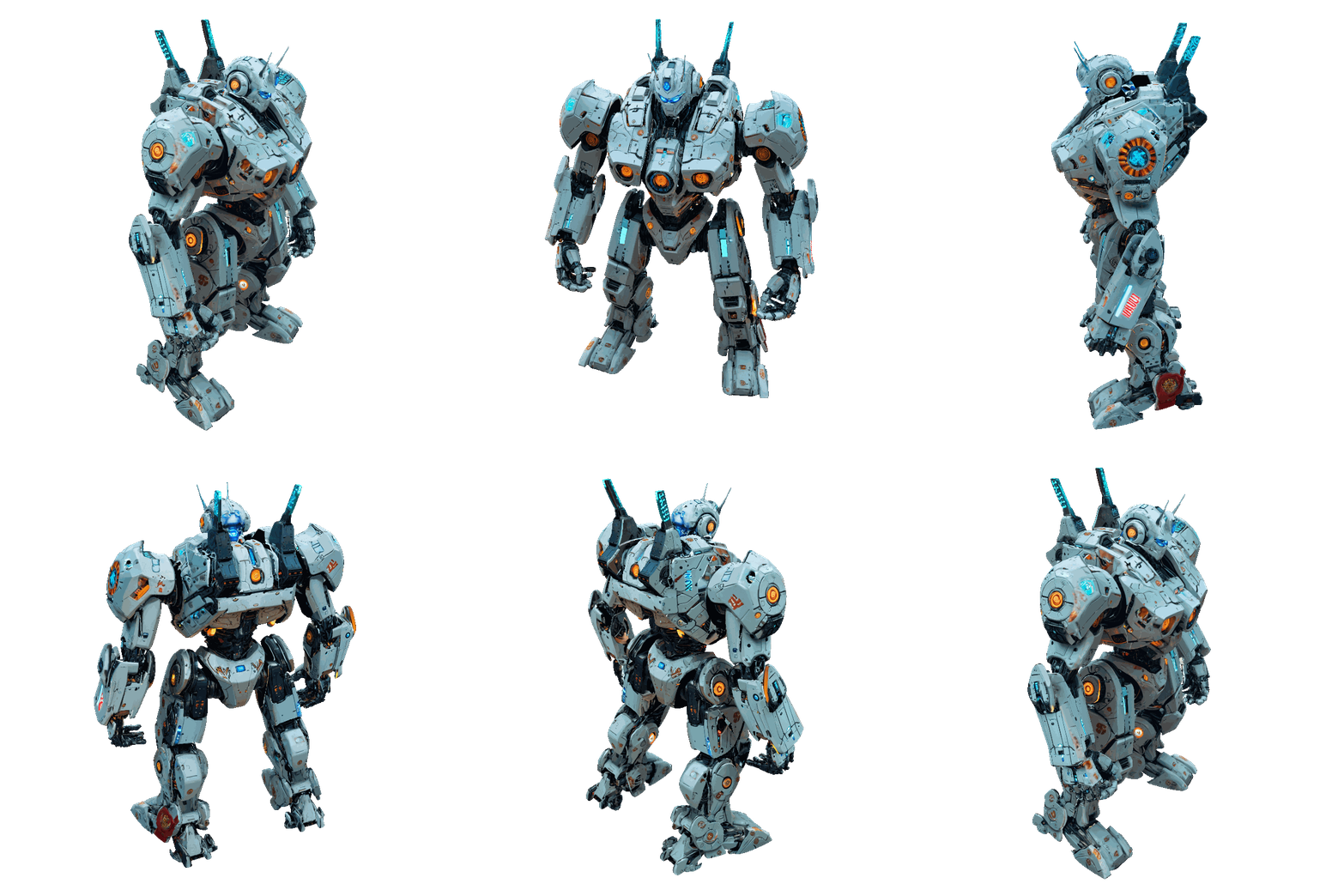
Examples (SDXL texturing):
| Dragon | Robot | Wizard |
|---|---|---|
 |
 |
 |
Prompts used
- Dragon: "fantasy dragon"
- Robot: "giant robot, mecha, cyberpunk style, sci-fi, white body, intricate details, neon accents"
- Wizard: "wizard character, intricate embroidered purple and gold robes, pointed hat, wooden staff with glowing crystal, leather belt with pouches, fantasy character concept art, 4k"
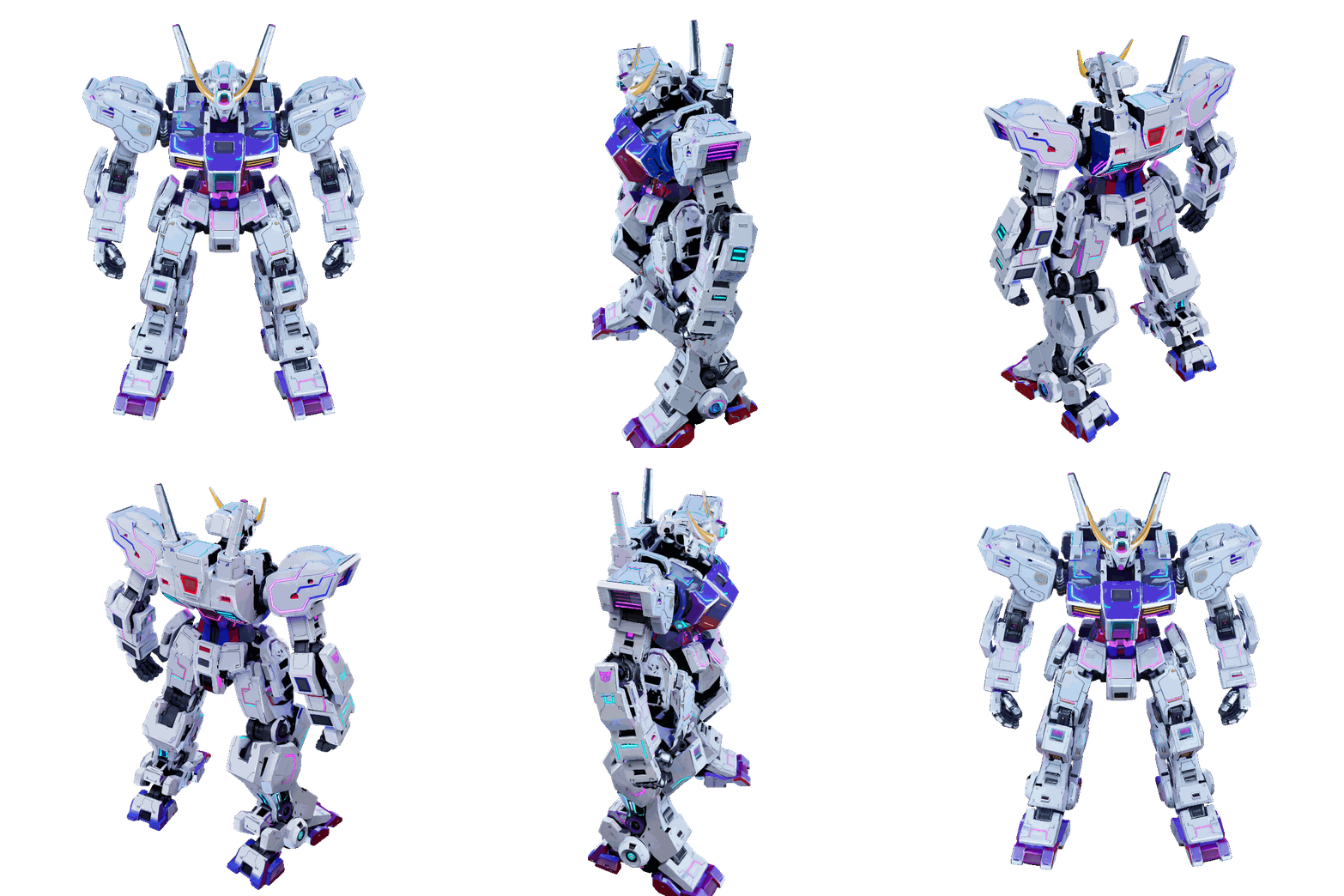
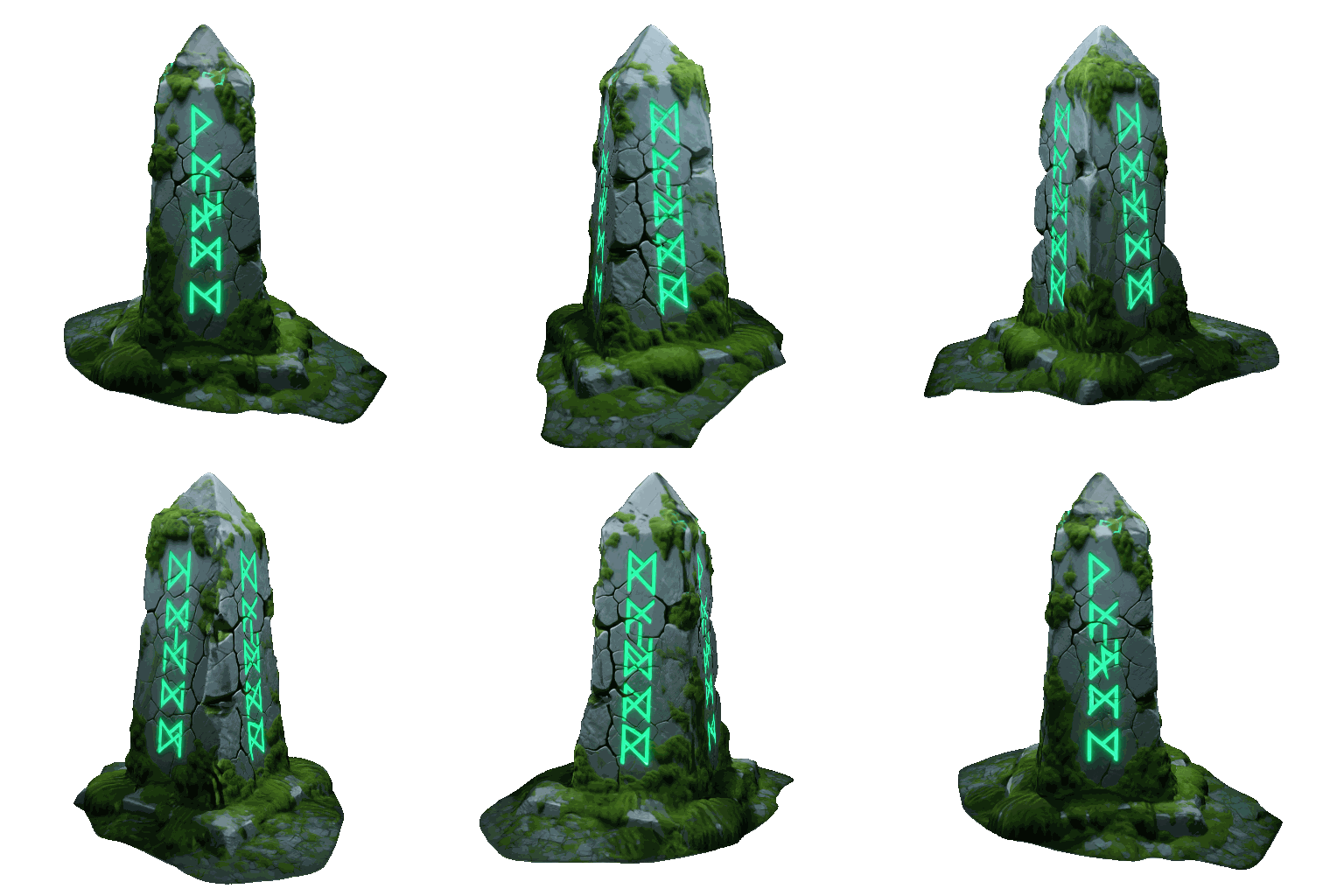
Examples (Qwen texturing):
| Chest | Robot | Obelisk |
|---|---|---|
 |
 |
 |
Prompts used
- Chest: "A highly detailed wooden treasure chest bound in heavy, dark iron. The chest is slightly open, revealing a pile of glowing gold coins inside. The wood is old and splintered, and the iron has patches of orange rust."
- Robot: "giant robot, mecha, cyberpunk style, sci-fi, white body, intricate details, neon accents"
- Obelisk: "An ancient, monolithic stone obelisk covered in glowing green runic carvings. The grey stone is deeply cracked from age and covered in patches of thick, fuzzy green moss."
🎨 PBR Material Decomposition
Decompose your generated textures into full PBR material stacks using Marigold IID and StableDelight - no external tools needed.
- 7 map types, each independently toggleable:
- Albedo with 3 source options: Marigold IID (flat), StableDelight (specular-free, configurable strength), Marigold IID-Lighting (vibrant).
- Roughness and Metallic from Marigold IID-Appearance.
- Normal with configurable strength.
- Height via Marigold depth estimation with configurable displacement scale.
- AO - Blender's built-in bake (configurable samples and distance, no ML model needed).
- Emission - two methods: IID-Lighting Residual (model-based) or HSV Threshold (fast, zero model cost).
- Selective regeneration: Per-map settings hashing via MD5. StableGen tracks each map's parameters in a sidecar JSON file and only regenerates maps whose settings have changed - no wasted compute when tweaking a single channel.
- Auto-detection: PBR UI sections are only shown when the required ComfyUI nodes (
MarigoldModelLoader,LoadStableDelightModel) are available on the server. - Tiled super-resolution: 4 tiling modes (Off, Selective, All, Custom) with cosine-fade blending masks for seamless tile boundaries.
- PBR projection clones the color blending node tree for each channel and wires into Principled BSDF inputs with correct colorspace handling.
- Replace Color with Albedo option for a clean, lighting-independent base.
- Bake-ready: The bake operator has been updated to handle PBR maps - all channels are baked alongside the color texture, producing a complete material ready for export.
Installer: Option 9 - Marigold IID (~0.01 GB). Option 10 - StableDelight (~3.3 GB).
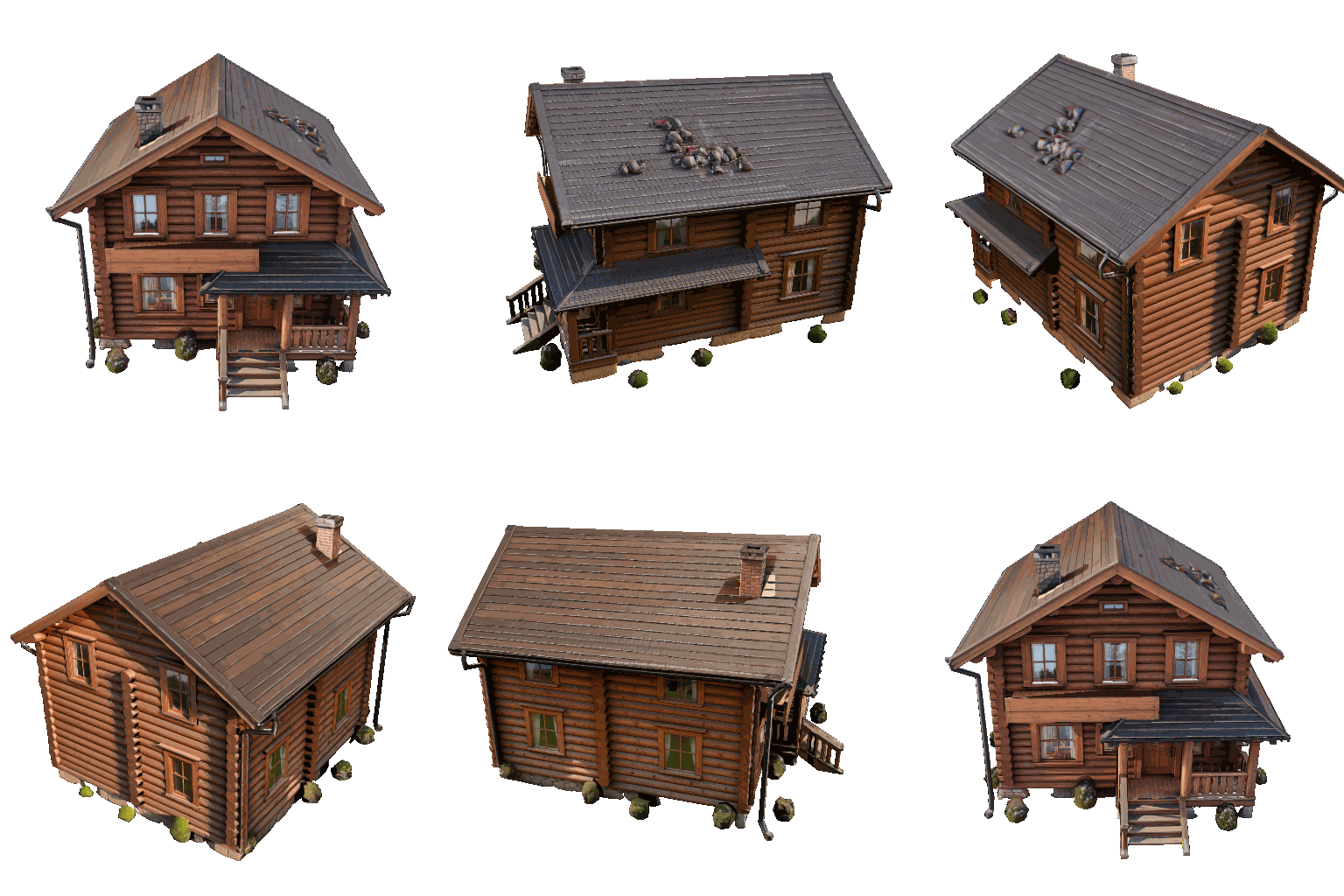
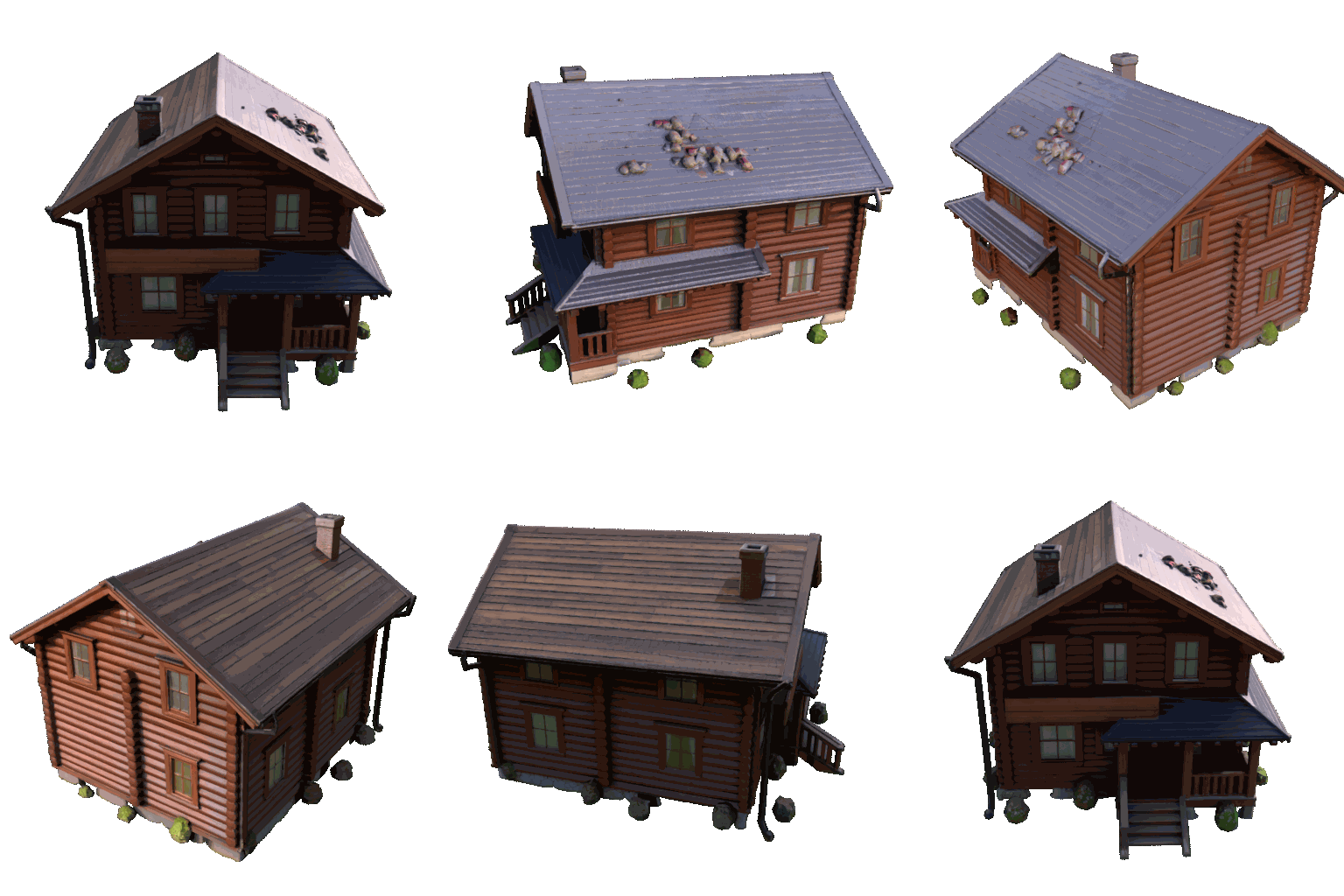
Before / After PBR:
| Non-PBR | PBR | Non-PBR | PBR |
|---|---|---|---|
 |
 |
|
 |
📋 Scene Queue
Queue multiple assets for unattended processing - perfect for overnight batch runs.
- Add to queue: Snapshots the current .blend file into a
queue_jobs/directory with a user label and prompt. - Queue operations: Add, remove, clear, reorder (move up/down), open result .blend, and invalidate (reset done/error items to pending).
- Automatic processing: Timer-based queue driver handles .blend file switching, operator invocation, and completion polling. Supports both standard texturing and TRELLIS.2 pipelines.
- Auto-retry on failure with configurable retry counter.
- Persistent state: Queue is saved to JSON and survives .blend reload.
- Queue UI list with status icons (checkmark/error/spinner), retry counts, and error reasons.
⚡ FLUX.2 Klein Architecture (Experimental)
⚠️ Experimental Feature: Klein is not yet fully stable. There are known issues with geometry guidance that can produce inconsistent results. Use with caution and expect improvements in future updates.
New texturing architecture from Black Forest Labs using multi-reference image editing.
- How it works: Reference images are encoded via
ReferenceLatentchains (positive + negative) and wired into aCFGGuider, producing edits that respect the spatial layout of the references. - Text-only CLIP: Uses Qwen 3 4B text encoder - no vision encoder needed, reducing VRAM overhead compared to Qwen Image Edit.
- 4B and 9B variants: The 9B model is auto-detected based on the selected CLIP model name.
- "Reskin" default prompts: Auto-generated prompts following BFL's Klein prompting guide, with
{main_prompt}and{camera_suffix}placeholders for multi-view consistency. - 4 presets: KLEIN PRECISE, KLEIN SAFE, KLEIN ALT, KLEIN VORONOI - all using depth guidance maps with 4-step/CFG 1.0 fast generation.
- Voronoi projection mode support, matching the existing Qwen Voronoi workflow.
Installer: Option 11 - FLUX.2 Klein (~12.4 GB including Klein 4B FP8, Qwen 3 4B text encoder, and FLUX.2 VAE). Requires ~13 GB VRAM. Apache 2.0 license.
🛠 Improvements & Fixes
- Mirror Reproject: New operator that mirrors the last projection camera and image across X/Y/Z axes, then reprojects - useful for symmetric objects where one side can inform the other.
- Preset diff preview: When hovering or selecting a preset, StableGen shows which parameters differ from your current settings and what they will change to - no more guessing what a preset does.
- Poll messages: Operators now show contextual error messages when they can't run (e.g., "Generation already in progress" or "No active mesh object"), instead of being silently grayed out.
- Centralized modal blocking: All StableGen modal operators prevent conflicting operations from starting simultaneously.
- Configurable timeouts for API requests.
Full Changelog: v0.2.0...v0.3.0