Home
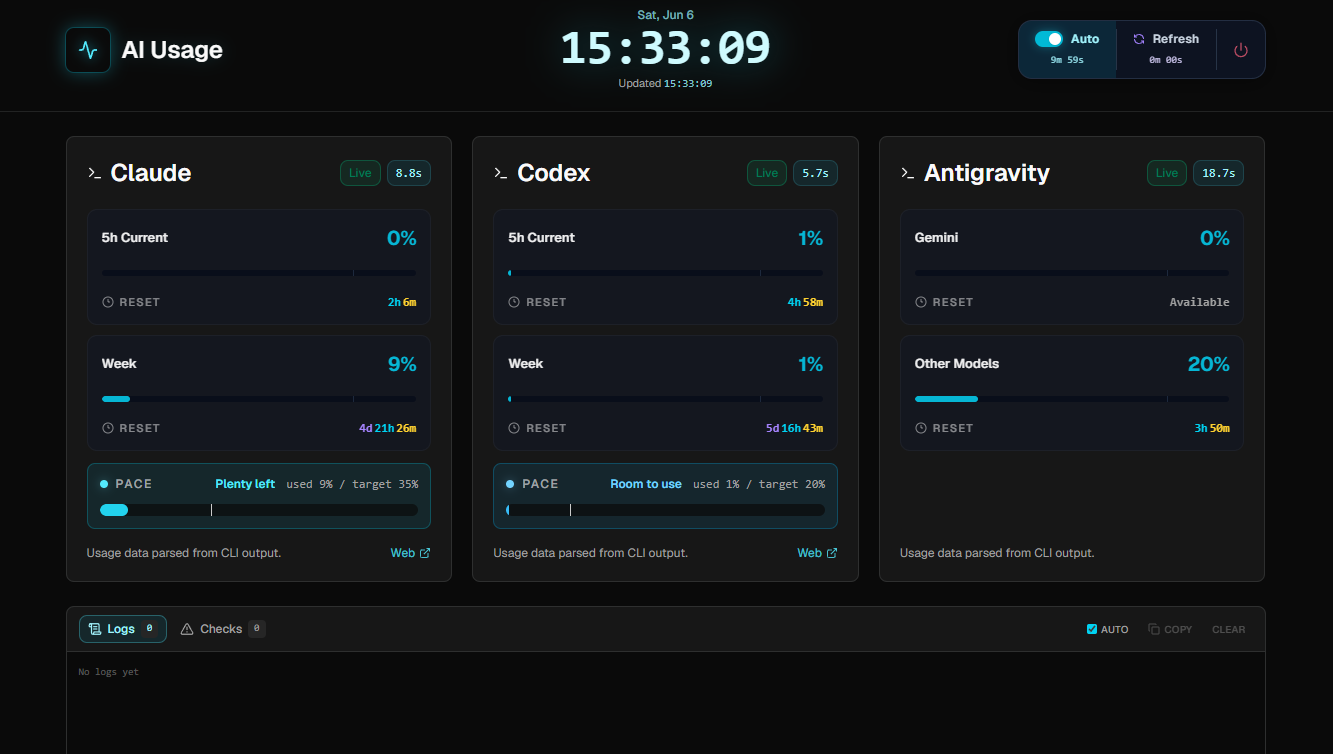
Monitor Claude, Codex, and Gemini CLI usage in one local dashboard.




Quick Start · Architecture · Fix Checklist · API Reference
The browser never runs CLIs directly. A SvelteKit server API spawns each CLI in a virtual terminal via node-pty, parses the output, and writes results to data/usage-history.json. The UI renders from cached JSON on first paint, then refreshes in the background.
| Feature | Description | |
|---|---|---|
| ⚡ | Multi-provider | Claude /usage · Codex /status · Gemini CLI /model via virtual terminals |
| ↻ | Smart retry | Up to 5 attempts per provider with phase diagnostics and slash-command recovery |
| 📊 | Weekly Pace card | Actual usage bar vs. 20% minimum threshold marker |
| ⏱ | Reset countdown | Live per-provider countdown to next usage reset |
| 📡 | Live server logs | SSE-based real-time panel — streams directly to the browser |
| 💾 | Dual cache | Server-side JSON history (10-min buckets) + browser localStorage fallback |
| Provider | Command | Slash | Display |
|---|---|---|---|
| Claude | claude |
/usage |
Current session + weekly usage |
| Codex | codex |
/status |
5h limit + weekly limit |
| Gemini CLI | gemini --skip-trust |
/model |
Per-model usage rates + resets |
irm https://raw.githubusercontent.com/savvy773/ai_usage/main/scripts/install.ps1 | iex| Page | Description |
|---|---|
| Quick Start | Install and run in under 2 minutes |
| Architecture | Server, collector, parser, and storage design |
| Fix Checklist | Step-by-step diagnostics for collection errors |
| API Reference | REST endpoints and payload shapes |
MIT License · Local. Private. Yours.