A modern SSH terminal for network engineers
PyQt6 terminal widget with encrypted credential vault, jump host chaining, YubiKey/FIDO2 support, and legacy device compatibility.
Built for managing hundreds of devices through bastion hosts with hardware security keys.
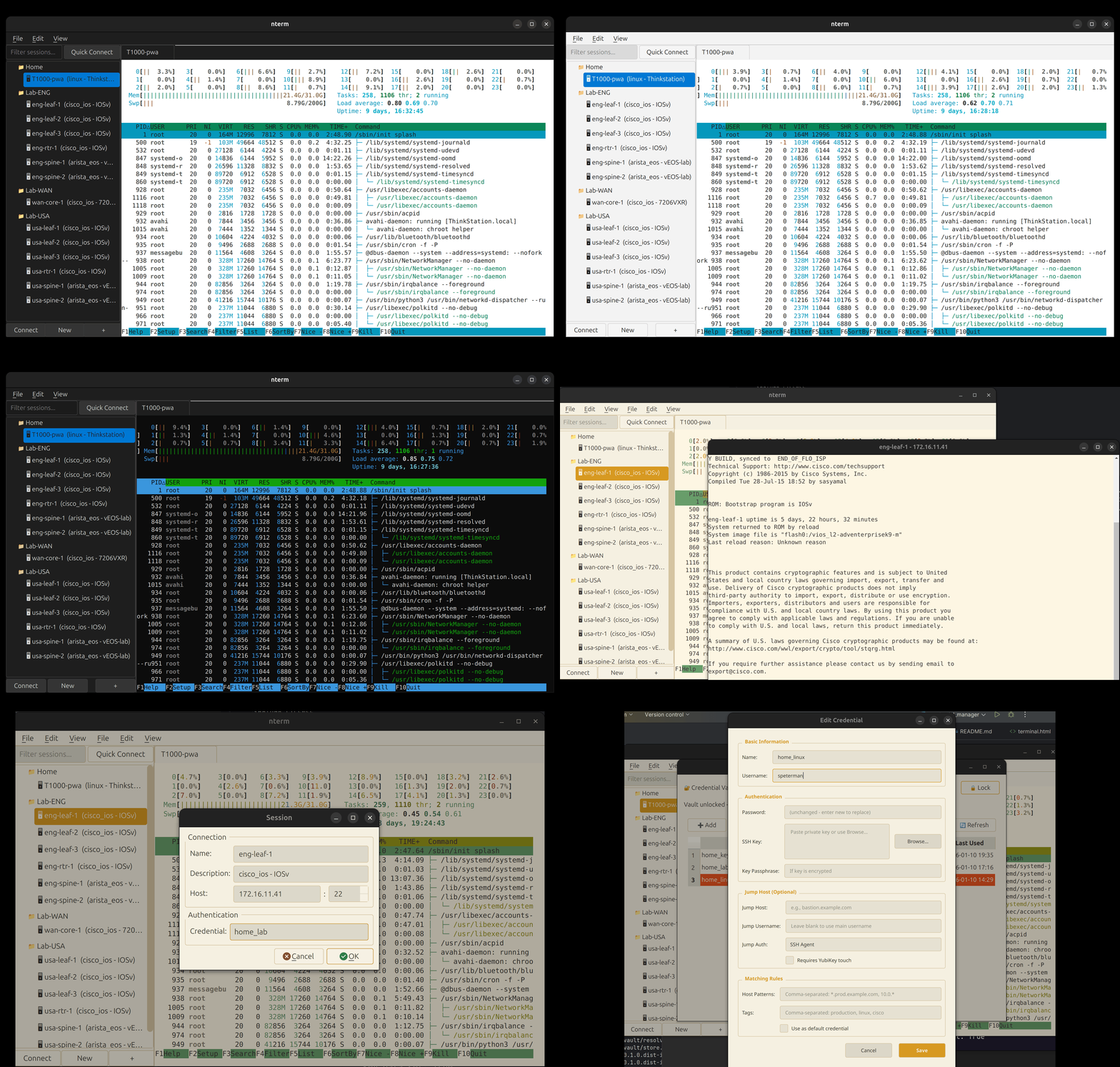
Terminal
- xterm.js rendering via QWebEngineView — full VT100/ANSI support
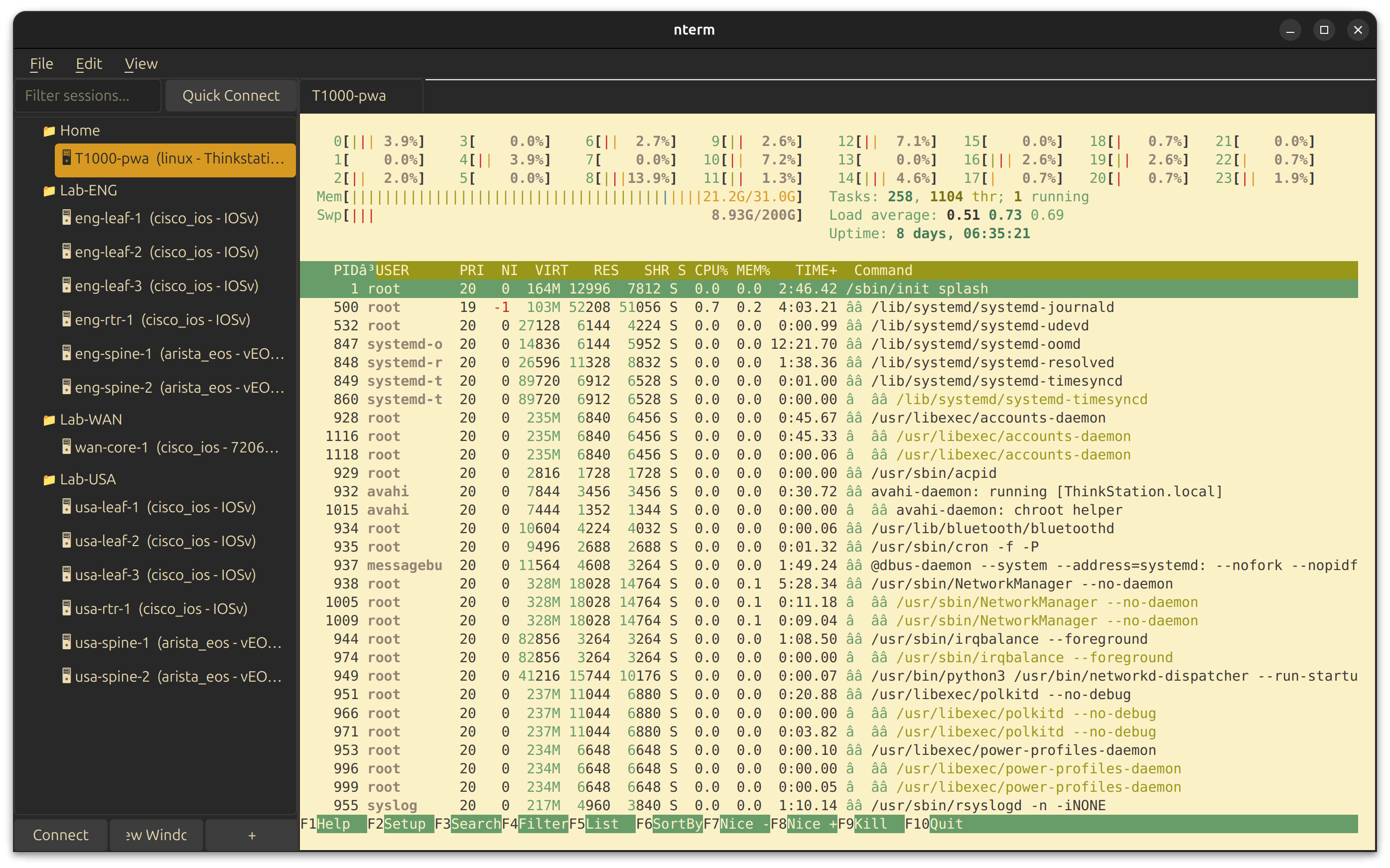
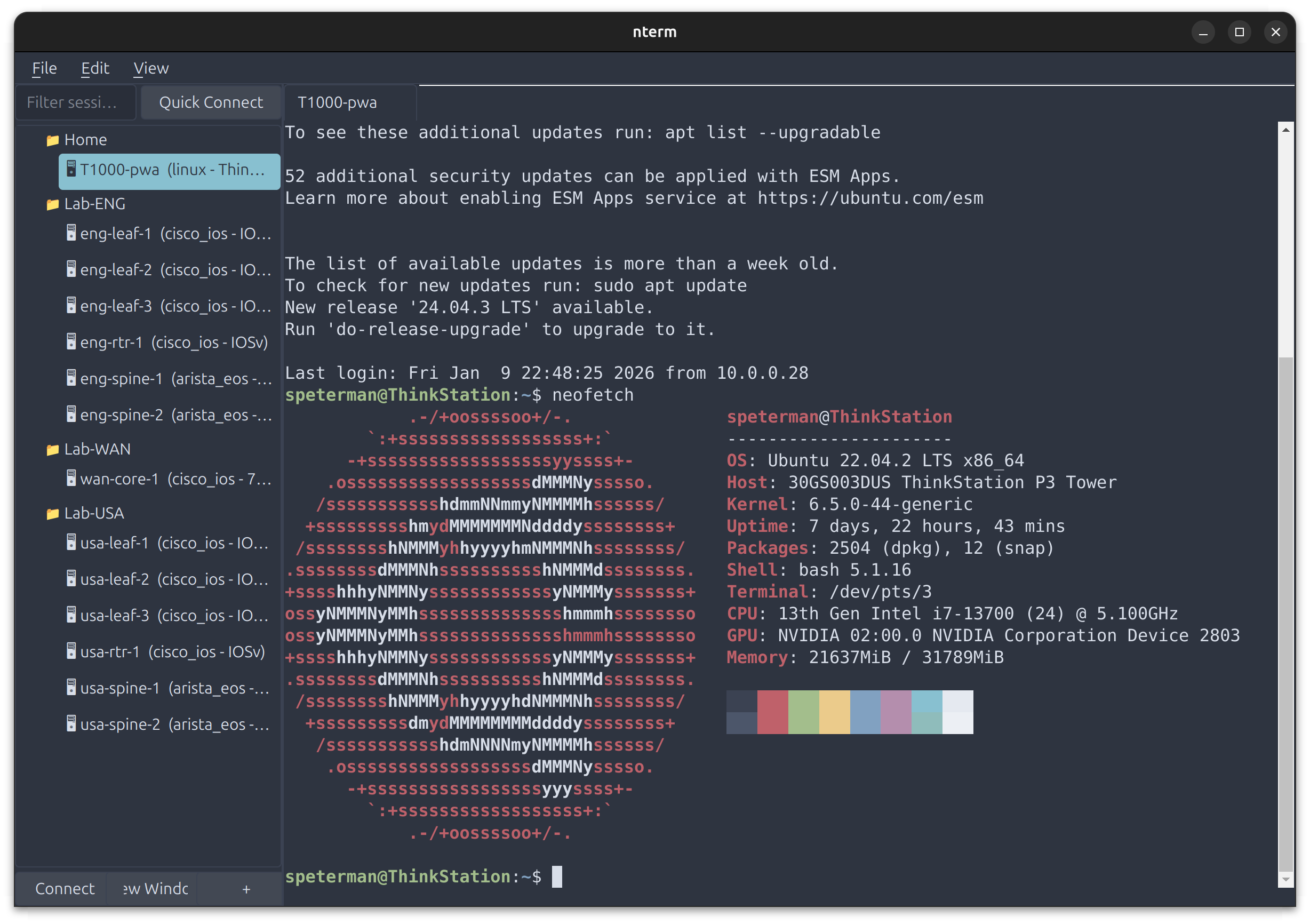
- 12 built-in themes: Catppuccin, Dracula, Nord, Solarized, Gruvbox, Enterprise variants
- Hybrid themes: dark UI chrome with light terminal for readability
- Custom YAML themes with independent terminal and UI colors
- Tab or window per session — pop sessions to separate windows
- Session capture to file (clean text, ANSI stripped)
- Unicode, emoji, box-drawing characters
Authentication
- SSH Agent with YubiKey/FIDO2 hardware keys
- Password, key file, keyboard-interactive, certificate auth
- Multiple auth methods with automatic fallback
- RSA SHA-1 fallback for legacy devices (OpenSSH < 7.2)
- Legacy crypto support for old Juniper/Cisco gear
Connection Management
- Jump host chaining (unlimited hops)
- Auto-reconnection with exponential backoff
- Connection profiles in YAML/JSON
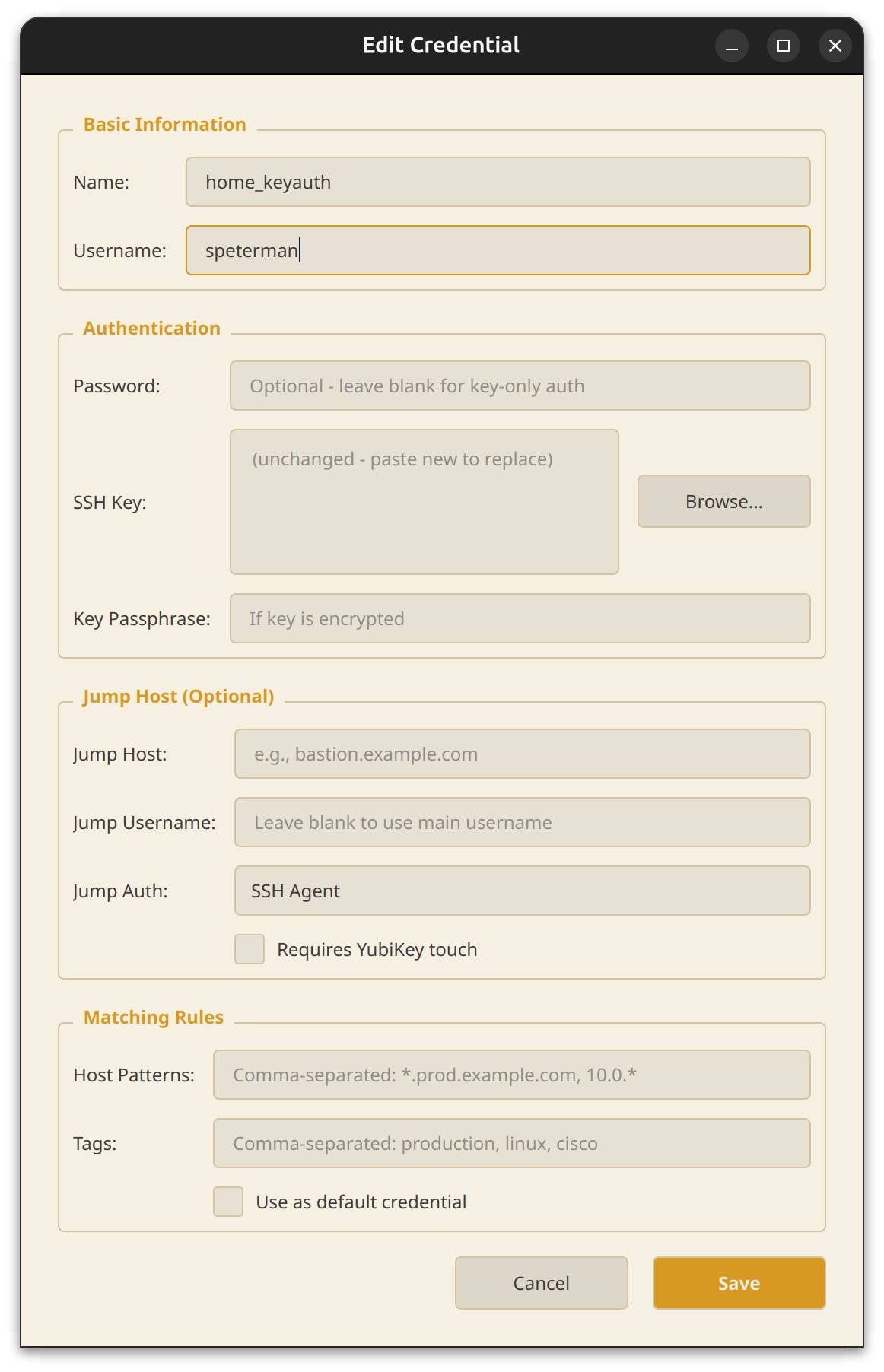
- Pattern-based credential resolution
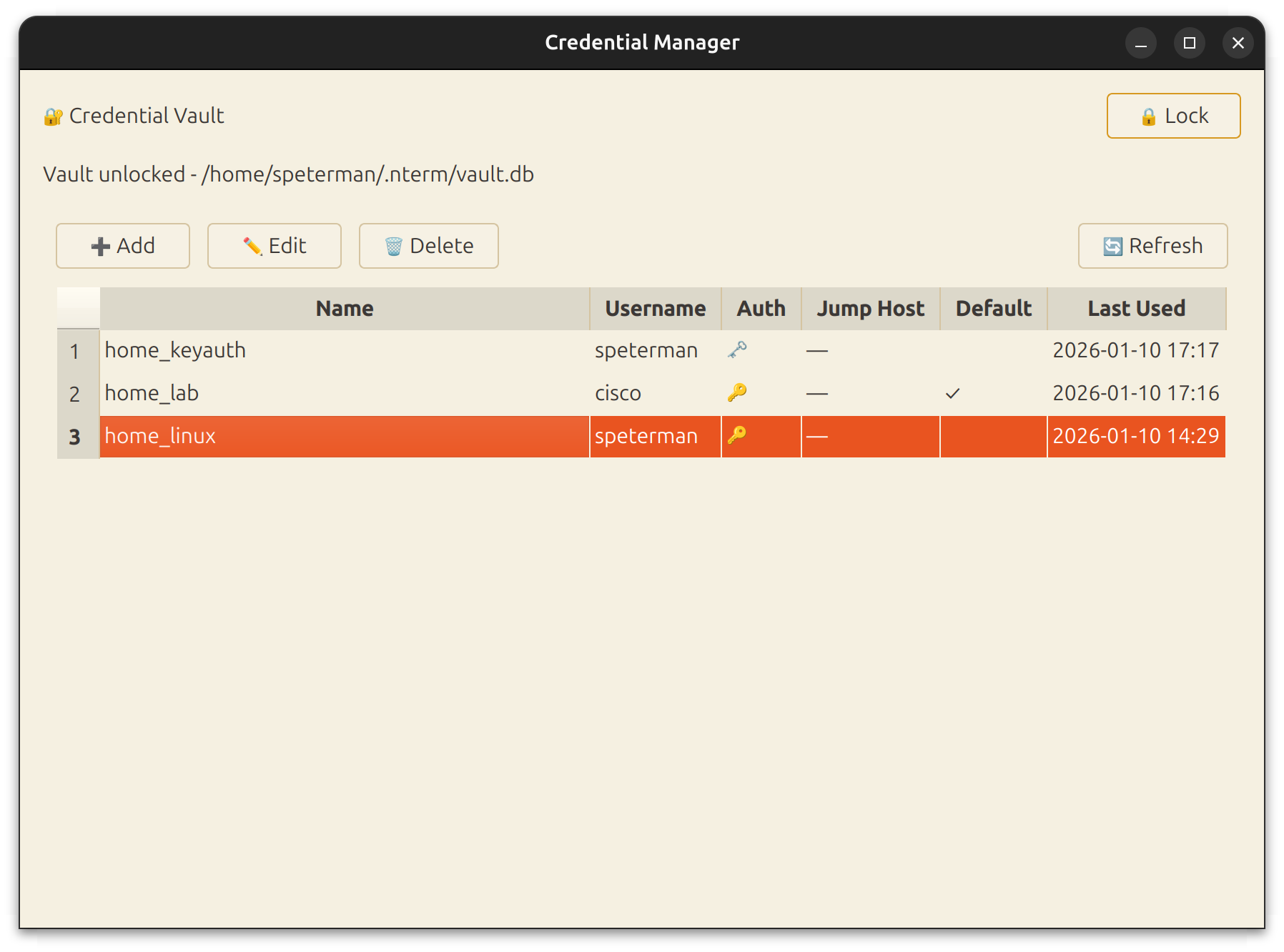
Credential Vault
- AES-256 encryption with PBKDF2 (480,000 iterations)
- Pattern matching — map credentials to hosts by wildcard or tag
- Cross-platform keychain: macOS Keychain, Windows Credential Locker, Linux Secret Service
- Full PyQt6 management UI
Scripting API
- Query device inventory and credentials programmatically
- Built-in IPython console with API pre-loaded
- Platform-aware commands - one API, correct syntax everywhere
- Interactive REPL with quick commands and structured output
- Foundation for MCP tools and agentic workflows
| Gruvbox Hybrid Theme | Credential Manager |
|---|---|
 |
 |
| Connection Dialog | Multi-vendor Support |
|---|---|
 |
 |
nterm includes a built-in development console accessible via Dev → IPython or Dev → Shell. Open in a tab alongside your SSH sessions, or pop out to a separate window.
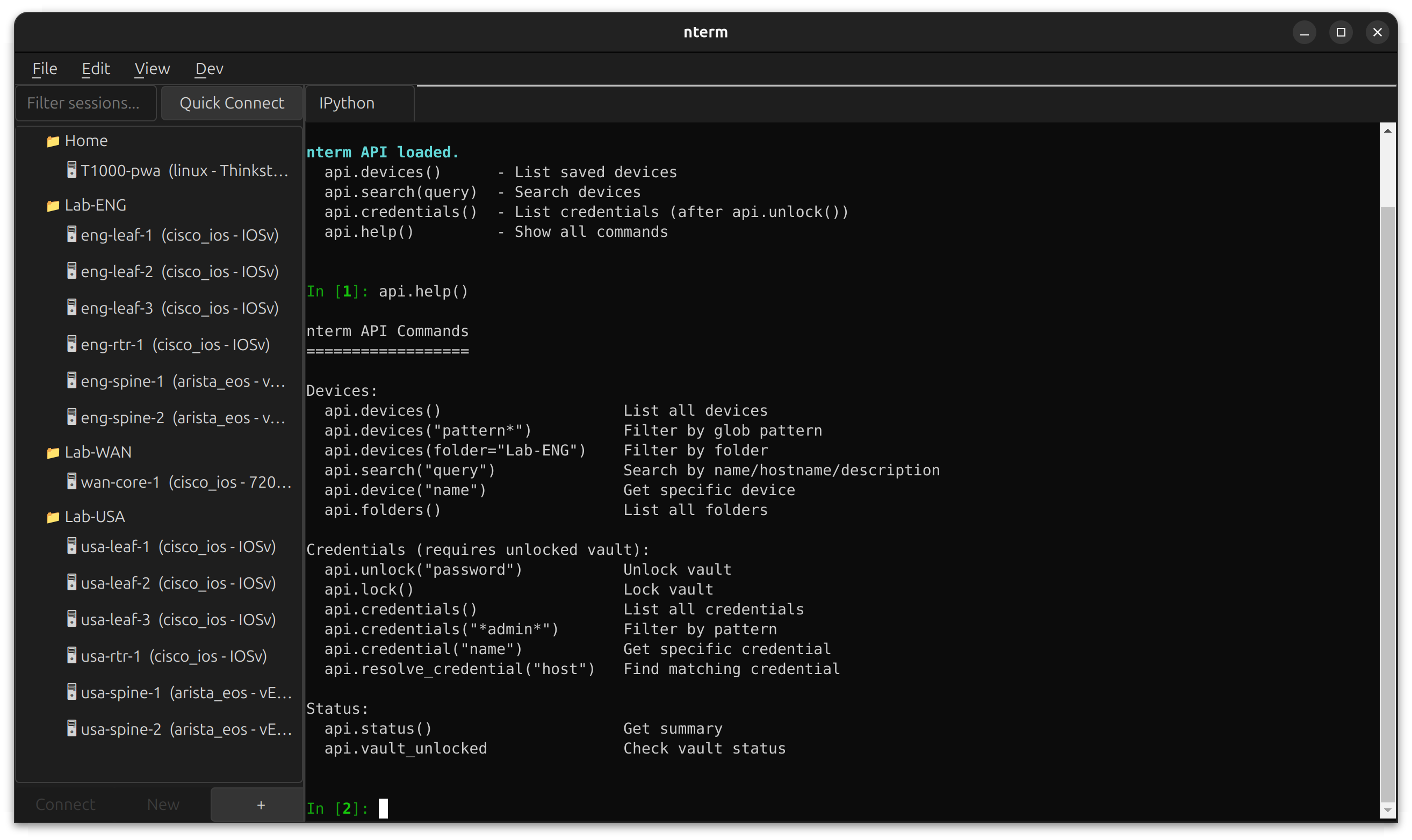
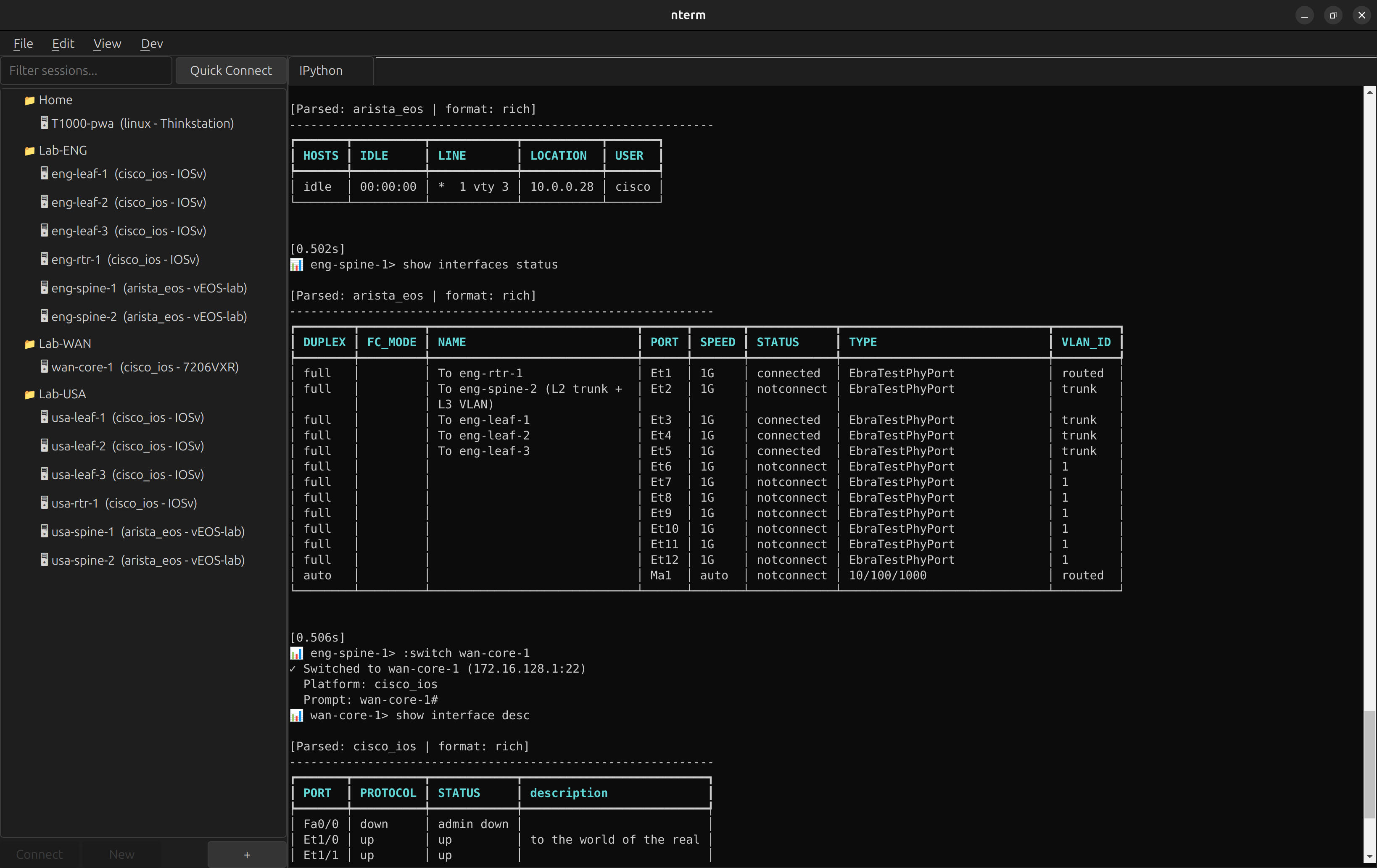
The IPython console runs in the same Python environment as nterm, with the scripting API pre-loaded. Query your device inventory, inspect credentials, and prototype automation workflows without leaving the app.
# Available immediately when IPython opens
api.devices()                    # List all saved devices
api.search("leaf")               # Search by name/hostname
api.credentials()                # List credentials (after api.unlock())
api.help()                       # Show all commands
Use cases:
- Debug connection issues with live access to session objects
- Prototype automation scripts against your real device inventory
- Test credential resolution patterns
- Build and test MCP tools interactively
Requires the scripting extra: pip install ntermqt[scripting]
https://pypi.org/project/ntermqt/
pip install ntermqt

# With optional scripting support (IPython)
pip install ntermqt[scripting]

# With all optional features
pip install ntermqt[all]

# Run
ntermgit clone https://github.com/scottpeterman/nterm.git
cd nterm
# Create virtual environment
python -m venv .venv
source .venv/bin/activate # Linux/macOS
# .venv\Scripts\activate # Windows
# Install in development mode
pip install -e ".[all]"
# Run
nterm
# or
python -m nterm- Python 3.10+
- PyQt6 with WebEngine
- paramiko
- cryptography
- pyyaml
| Platform | PTY | Keychain |
|---|---|---|
| Linux | ✅ pexpect | Secret Service |
| macOS | ✅ pexpect | macOS Keychain |
| Windows 10+ | ✅ pywinpty | Credential Locker |
nterm includes a full scripting API for programmatic access to your device inventory, credential vault, and network devices. Use it from IPython, CLI, or Python scripts.
Open Dev → IPython → Open in Tab to get an interactive console with the API pre-loaded:
api.devices()                    # List all saved devices
api.search("leaf")               # Search by name/hostname
api.devices("eng-*")             # Glob pattern filter
api.folders()                    # List all folders

api.unlock("vault-password")     # Unlock credential vault
api.credentials()                # List credentials (metadata only)

# Connect and execute commands
with api.session("usa-leaf-1") as s:
    result = api.send(s, "show version")
    print(result.parsed_data)

api.help() # Show all commandsStart the REPL for interactive device exploration with platform-aware quick commands:
api.repl()nterm> :unlock
nterm> :connect usa-leaf-1
📊 usa-leaf-1> :version
──────────────────────────────────────────────────
Version: 15.2(4.0.55)E
Hardware: IOSv
Serial: 9J0PD0QB9W1
Uptime: 1 week, 4 days, 7 minutes
──────────────────────────────────────────────────
📊 usa-leaf-1> :neighbors
Local Interface Neighbor Remote Port
----------------------------------------------------------------
Gi0/0 usa-spine-2.lab.local Ethernet1
Gi0/1 usa-spine-1.lab.local Ethernet1
📊 usa-leaf-1> :interfaces
[Rich formatted interface table]
Quick Commands:
:version- Structured version info:config- Running configuration:interfaces- Interface status:neighbors- CDP/LLDP neighbors (auto-detects):bgp- BGP summary:routes- Routing table
from nterm.scripting import NTermAPI

api = NTermAPI()
api.unlock("vault-password")

# Context manager for automatic cleanup
for device in api.devices("*spine*"):
    with api.session(device.name) as s:
        # Platform-aware commands - works on Cisco, Arista, Juniper
        result = api.send_platform_command(s, 'version')
        print(f"{device.name}: {result.parsed_data[0].get('VERSION')}")

# Try multiple commands until one works
with api.session("router1") as s:
    result = api.send_first(s, [
        "show cdp neighbors detail",
        "show lldp neighbors detail",
])nterm-cli devices # List all devices
nterm-cli search leaf # Search devices
nterm-cli device eng-leaf-1 # Device details
nterm-cli credentials --unlock # List credentials
nterm-cli --json devices # JSON output for scripting| Feature | Description |
|---|---|
| Context Manager | with api.session() auto-disconnects |
| Platform-Aware | send_platform_command() picks correct syntax |
| Fallback Commands | send_first() tries alternatives |
| Structured Output | TextFSM parsing to List[Dict] |
| ANSI Filtering | Clean output, no escape sequences |
| Paging Detection | Raises error if paging not disabled |
See scripting/README_API_IPython.md for full API documentation. See scripting/README_REPL.md for REPL documentation.
from PyQt6.QtWidgets import QApplication, QMainWindow
from nterm import ConnectionProfile, AuthConfig, SSHSession, TerminalWidget, Theme

app = QApplication([])

terminal = TerminalWidget()
terminal.set_theme(Theme.gruvbox_hybrid())

profile = ConnectionProfile(
    name="router",
    hostname="192.168.1.1",
    auth_methods=[AuthConfig.password_auth("admin", "secret")],
)

session = SSHSession(profile)
terminal.attach_session(session)
session.connect()

window = QMainWindow()
window.setCentralWidget(terminal)
window.resize(1000, 700)
window.show()

app.exec()from nterm.vault import CredentialStore, CredentialResolver
store = CredentialStore()
store.unlock("master-password")
# Add credential with pattern matching
store.add_credential(
name="network-devices",
username="admin",
password="secret",
match_hosts=["*.network.corp", "192.168.1.*"],
match_tags=["cisco", "juniper"],
)
# Auto-resolve credentials by hostname
resolver = CredentialResolver(store)
profile = resolver.resolve_for_device("switch01.network.corp", tags=["cisco"])
session = SSHSession(profile)
session.connect()nterm includes 12 built-in themes covering dark, light, and hybrid styles.
# Dark themes
Theme.default()           # Catppuccin Mocha
Theme.dracula()           # Dracula
Theme.nord()              # Nord
Theme.solarized_dark()    # Solarized Dark
Theme.gruvbox_dark()      # Gruvbox Dark
Theme.enterprise_dark()   # Microsoft-inspired dark

# Light themes
Theme.gruvbox_light()     # Gruvbox Light
Theme.enterprise_light()  # Microsoft-inspired light
Theme.clean()             # Warm paper tones

# Hybrid themes (dark UI + light terminal)
Theme.gruvbox_hybrid()    # Gruvbox dark chrome, light terminal
Theme.nord_hybrid()       # Nord polar night chrome, snow storm terminal
Theme.enterprise_hybrid() # VS Code-style dark/light split
Hybrid themes combine a dark application chrome (menus, tabs, sidebars) with a light terminal for maximum readability — ideal for long sessions reviewing configs or logs.
# ~/.nterm/themes/my-theme.yaml
name: my-theme

terminal_colors:
  background: "#1a1b26"
  foreground: "#c0caf5"
  cursor: "#c0caf5"
  black: "#15161e"
  red: "#f7768e"
  green: "#9ece6a"
  yellow: "#e0af68"
  blue: "#7aa2f7"
  magenta: "#bb9af7"
  cyan: "#7dcfff"
  white: "#a9b1d6"
  # ... bright variants

# UI chrome (can differ from terminal)
background_color: "#1a1b26"
foreground_color: "#c0caf5"
border_color: "#33467c"
accent_color: "#7aa2f7"Capture session output to a file for documentation, auditing, or extracting config snippets.
Right-click in terminal → Start Capture... to begin recording. Output is saved as clean text with ANSI escape sequences stripped — ready for grep, diff, or pasting into tickets.
- Per-session capture (each tab independent)
- File dialog for save location
- Menu shows active capture filename
- Auto-stops when session closes
profile = ConnectionProfile(
    name="internal-db",
    hostname="db01.internal.corp",
    auth_methods=[AuthConfig.agent_auth("dbadmin")],
    jump_hosts=[
        JumpHostConfig(
            hostname="bastion.corp.com",
            auth=AuthConfig.agent_auth("youruser"),
            requires_touch=True,
            touch_prompt="Touch YubiKey for bastion...",
        ),
    ],
)nterm automatically handles old network equipment:
- RSA SHA-1 fallback for OpenSSH < 7.2 servers
- Legacy KEX algorithms: diffie-hellman-group14-sha1, group1-sha1
- Legacy ciphers: aes128-cbc, 3des-cbc
- Auto-detection: tries modern crypto first, falls back as needed
Tested with:
- Junos 14.x (2016)
- Cisco IOS 12.2
- Old Arista EOS
- Any device running OpenSSH 6.x
nterm/
├── connection/        # ConnectionProfile, AuthConfig, JumpHostConfig
├── session/
│   ├── ssh.py         # SSHSession (Paramiko) with legacy fallback
│   ├── interactive_ssh.py   # Native SSH + PTY
│   ├── local_terminal.py    # Local shell/IPython sessions
│   └── pty_transport.py     # Cross-platform PTY
├── terminal/
│   ├── widget.py      # TerminalWidget (PyQt6 + xterm.js)
│   └── bridge.py      # Qt ↔ JavaScript bridge
├── theme/
│   ├── engine.py      # Theme system
│   └── themes/        # YAML theme files
├── vault/
│   ├── store.py       # Encrypted credential storage
│   ├── resolver.py    # Pattern-based resolution
│   └── manager_ui.py  # PyQt6 credential manager
├── manager/           # Session tree, connection dialogs
└── scripting/         # API, REPL, automation support
    ├── api.py             # NTermAPI class
    ├── models.py          # ActiveSession, CommandResult, DeviceInfo
    ├── platform_data.py   # Platform commands and patterns
    ├── platform_utils.py  # Platform detection, extraction helpers
    ├── ssh_connection.py  # Low-level SSH with ANSI filtering
    ├── repl.py            # NTermREPL command router
    └── repl_interactive.py # Interactive REPL display
- TerminalTelemetry — PyQt6 terminal with network monitoring
- Secure Cartography — Network discovery and mapping
GPLv3
Contributions welcome:
- Additional themes
- Windows testing
- Session recording/playback
- Telnet/serial support