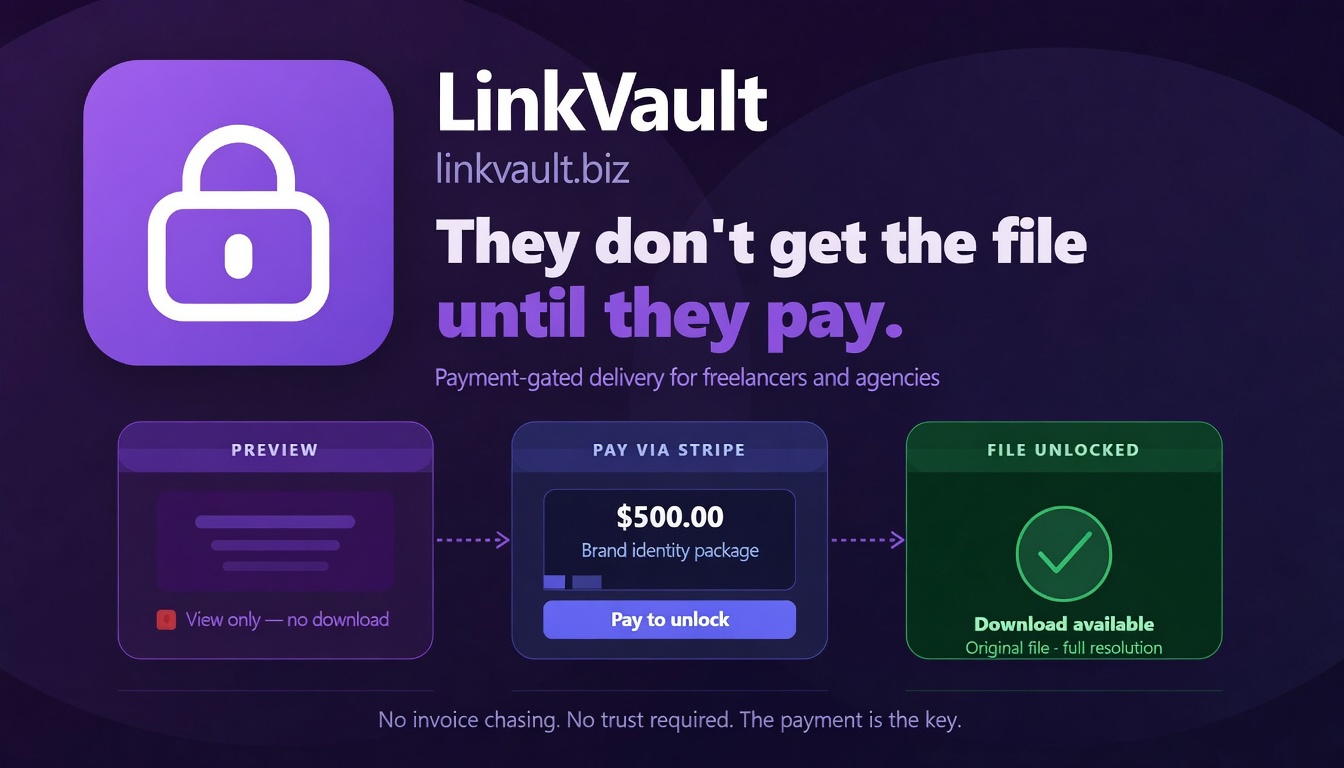
"They don't get the file until they pay."
LinkVault is a secure asset delivery layer built for the creator economy. It allows developers to programmatically wrap files in a secure, view-only viewer and gate the original download behind a Stripe payment.
Think of it as Escrow for digital assets.
Most file-sharing APIs focus on storage. LinkVault focuses on leverage.
- Ingest: You upload a file via API and set a
downloadPrice. - Preview: LinkVault generates a unique viewer URL. The client sees a secure, watermarked preview.
- Pay: The client pays your set price via an integrated Stripe Checkout session.
- Unlock: LinkVault automatically releases the high-quality original file upon payment confirmation. Zero manual intervention required.
- Secure Viewer: Support for PDF, Images, Video, Audio, DOCX, XLSX, and more.
- Automated Payouts: Connect your own Stripe account via Stripe Connect.
- Webhooks: Get real-time events for file views, access requests, and successful payments.
- Dynamic Watermarking: Deter screen recording by overlaying viewer metadata (Email, IP).
- Access Controls: Set expirations, passwords, view limits, and approval-only modes.
- RESTful API: Simple, JSON-based API with Bearer token authentication.
All API requests require a Professional or Business plan and a valid API key.
Authorization: Bearer lv_your_api_key_hereGenerate your keys at linkvault.biz/settings.
Upload a file and optionally set a price to trigger the Pay-to-Unlock workflow.
POST /api/upload (multipart/form-data)
| Parameter | Type | Description |
|---|---|---|
file |
file | The asset to protect (Max 100MB). |
downloadPrice |
int | Price in cents (e.g. 5000 = $50.00). Triggers Pay-to-Unlock. |
password |
string | Optional password to gate the viewer. |
watermark |
bool | Enable/disable dynamic watermarking. |
expiration |
string | ISO 8601 date (e.g. 2026-12-31T23:59:59Z). |
curl -X POST https://linkvault.biz/api/upload \
  -H "Authorization: Bearer lv_your_key" \
  -F "file=@work-sample.pdf" \
-F "downloadPrice=25000"Fine-tune the protection of your shared assets.
GET /api/links— List all active links.GET /api/links/{id}— Get detailed metadata and view-count statistics.DELETE /api/links/{id}— Permanently delete asset and revoke all access.PUT /api/links/{id}/active— Instantly enable or disable a link.PUT /api/links/{id}/password— Set or update a viewer password.PUT /api/links/{id}/watermark— Toggle the dynamic watermark overlay.POST /api/links/{id}/share— Trigger a system email to a recipient with the secure link.
For high-stakes documents, require manual approval for each viewer.
GET /api/links/pending-count— Get the total number of requests waiting for your approval.GET /api/links/{id}/requests— List all access requests (IP, email, status) for a specific link.PUT /api/links/{id}/requests/{reqId}— Approve or deny a specific access request.
Automate your payouts and link-based sales.
GET /api/stripe/connect-status— Verify if your account is ready for payments.POST /api/stripe/connect— Get a Stripe onboarding URL to connect your account.POST /api/stripe/checkout-download/{linkId}— Programmatically create a Stripe Checkout session for a specific file.GET /api/links/{id}/download-original— Securely retrieve the file after payment (requires Stripesession_id).
Control the look and feel of the secure viewer.
GET /api/branding— Retrieve your current brand config (logo, colors, custom domain).POST /api/branding— Update your brand name, hex colors, domain, or logo URL.
Automate the lifecycle of your access tokens.
GET /api/api-keys— List your active keys (max 5 per account).POST /api/api-keys— Create a new scoped API key.PUT /api/api-keys/{id}/toggle— Enable or disable a key without deleting it.DELETE /api/api-keys/{id}— Revoke a key permanently.
Connect LinkVault to your existing stack.
POST /api/integrations— Register a Slack or Discord webhook.- Events:
view.opened,access.requested,payment.succeeded.
To ensure platform safety, the following extensions are blocked from upload:
exe, dll, bat, cmd, msi, bin, iso, img, zip, rar, tar, gz
| Code | Meaning | Solution |
|---|---|---|
400 |
Bad Request | Check your JSON body or multipart parameters. |
401 |
Unauthorized | Ensure your Bearer token is valid and not disabled. |
403 |
Forbidden | You may have hit a plan limit (e.g., storage or max links). |
404 |
Not Found | The link ID does not exist or has been deleted. |
410 |
Expired | The link's expiration date or view limit has been reached. |
422 |
Validation Error | Check file size (max 100MB) or blocked extensions. |
We are currently developing official SDKs to make integration even faster:
linkvault-js(Node/Browser)linkvault-pythonlinkvault-php
- Full API Docs: linkvault.biz/api-docs
- Twitter: @linkvault_biz
- Email: hello@linkvault.biz
LinkVault: Maintain leverage. Get paid.