Repository navigation
Reading the card
The everyday view stays simple: the room temperature, your target, a clear status and controls within reach. Behind that simplicity, the dial, colour, icons and small indicators each have a purpose. Tap for context, expand for controls, then return to the quiet overview.
| Detail | What it tells you |
|---|---|
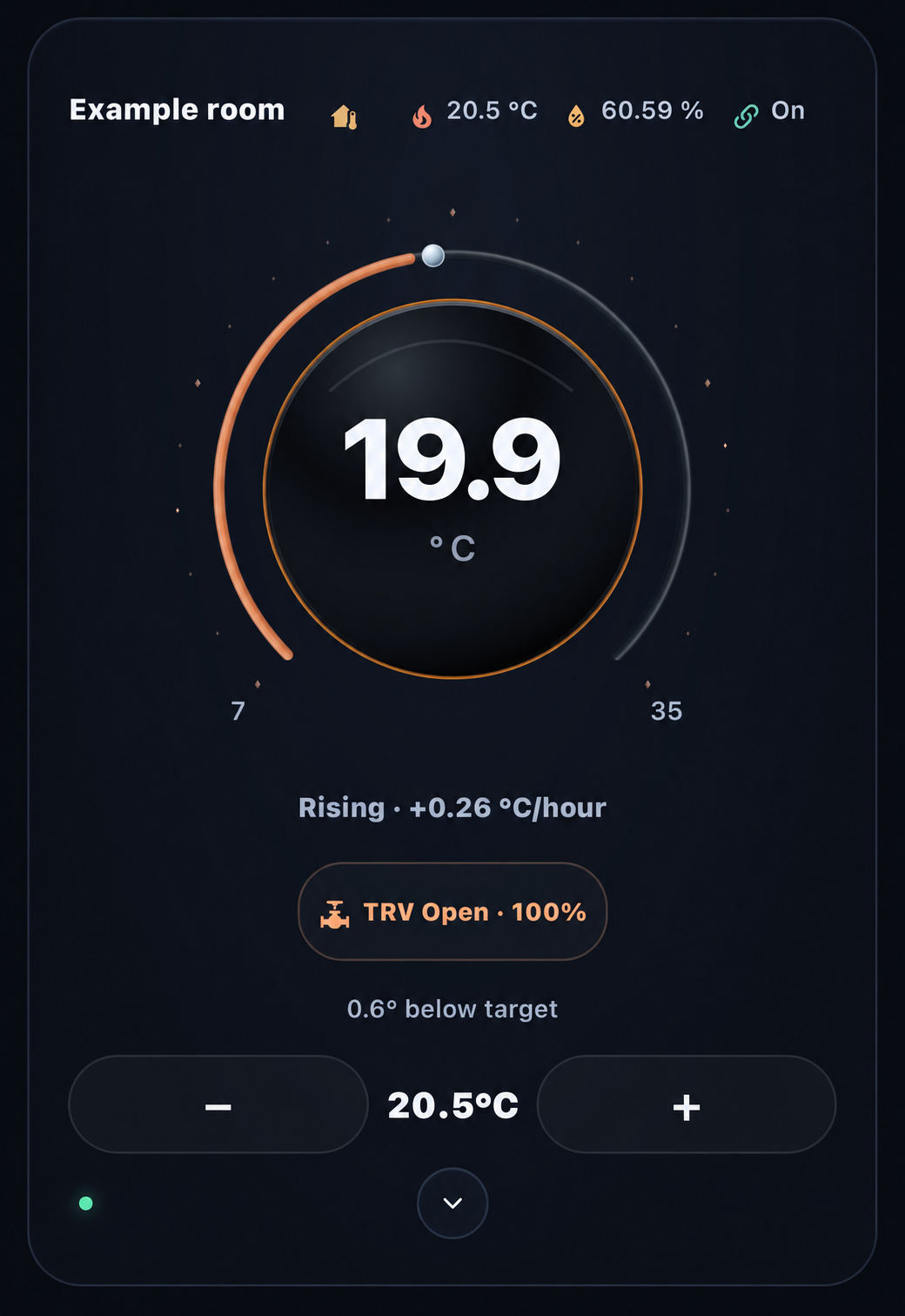
| Glass dial and outer arc | The large reading is the current temperature; the pearl marker locates your target on the scale. The arc changes with the room's reported state and temperature response: orange for corroborated warming below target, cyan for reported cooling, green in the target band and lavender above it. Blue below target means warming is not yet established; Off and unavailable states are muted. Drag the marker or use minus/plus within the thermostat's reported limits. |
| Temperature-slope ring | The fine ring around the sphere shows the direction of temperature change from your configured trend source. Warm orange/red tones indicate rising readings, blues indicate falling readings, and green or pale tones indicate a near-flat trend. The accompanying Rising, Falling or Stable label gives the rate and units, so the colour has an explanation. Missing trend data is shown as unavailable. |
| Dynamic status chip | The chip adapts to the available evidence: reported Heating, Cooling or Idle; Heat requested for VT; or TRV Open/Closed with a reported valve percentage when mapped. Heat enabled means the mode is selected when activity is not reported. Tap the chip for the overview and the source behind the status. |
| Status LED | The small LED summarises connection and readiness: green for the card's ready state, amber when controls or observations need attention, and red when disconnected or unavailable. Tap it to open temperatures, modes, provider details and request status. A press-and-hold opens the registered device's Home Assistant settings, with thermostat details as the fallback. |
Clear provider details. When VT explicitly reports no optional Off reason or Mode reason, the overview shows None reported. Missing, unknown, unavailable or malformed observations still need attention. Readiness and command guards are unchanged.
The outer arc, slope ring and activity chip are deliberately independent: the arc combines the room's state with corroborated temperature response, the fine ring shows measured temperature slope, and the chip reports activity. Idle is a reported activity, not a universal arc colour. A rising temperature slope can continue after the valve closes; the closed TRV does not establish an orange response arc.
Orange has a specific meaning. With the optional VT response sources configured, the room must be below its effective target, the current heat request must be accepted, and fresh room and trend readings must agree that it is warming. An open valve or a heating request alone is insufficient. When those observations expire, the arc returns to blue and the LED overview explains why. Standard thermostats and cards without response mappings retain the temperature comparison and reported cooling colours; they do not invent accepted-output evidence. Response setup and colour meanings.
The staggered glint of the small lights around the dial and the slope ring's gentle breathing preserve the original glass-and-light character. They add depth without replacing readable values or status text, and respect reduced-motion preferences.
| TRV open · rising | TRV closed · still rising |
|---|---|
 |
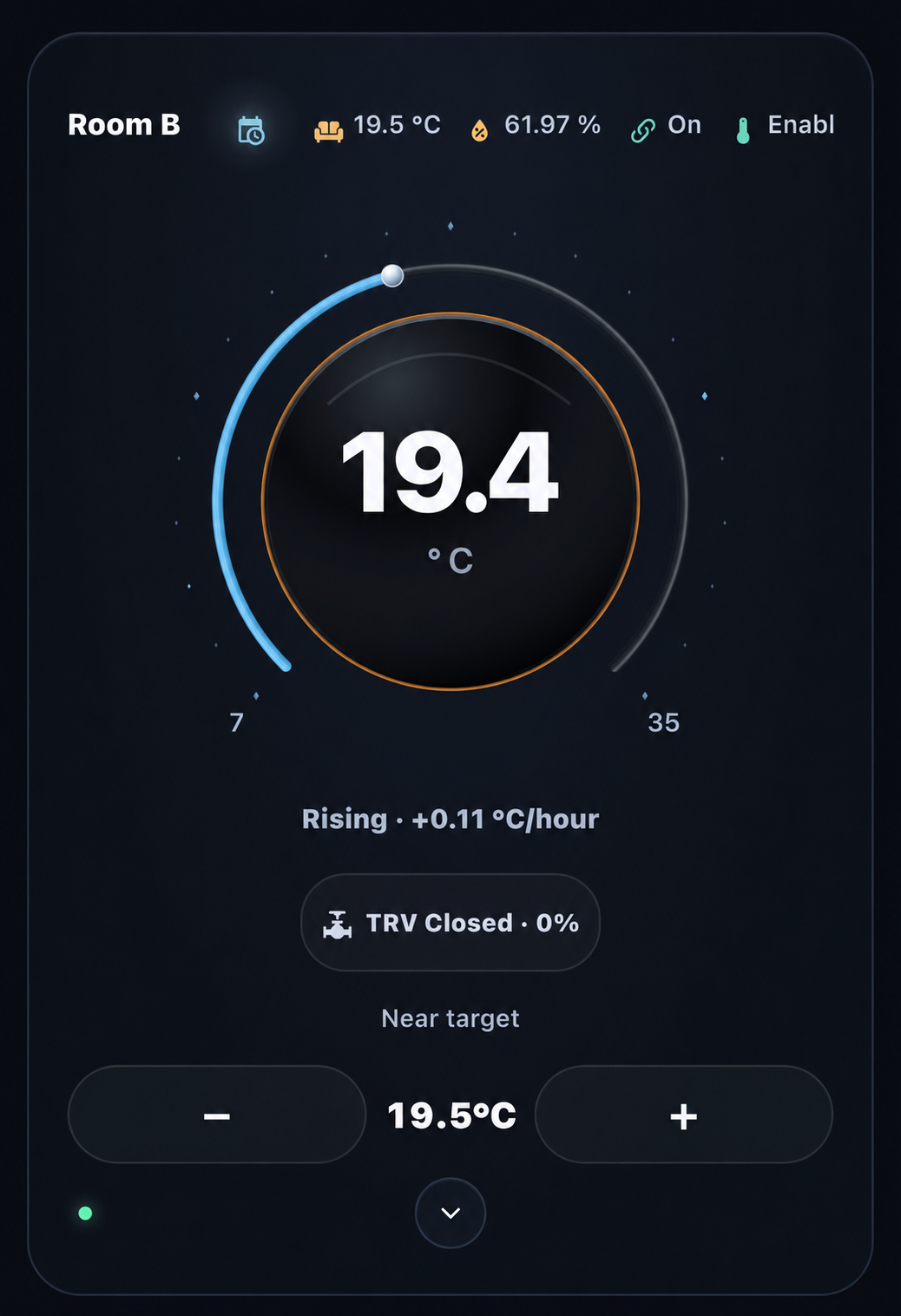 |
Anonymised installation examples, with source builds unrecorded. The right-hand card shows why these indicators are independent: a closed valve and a rising room temperature can occur together. Neither image alone proves physical heat delivery.
Each configured icon combines a compact reading with colour that follows its meaning. Humidity follows your display bands; window, presence and motion distinguish Open/Closed, Home/Away and Detected/Clear; supported presets retain their own Frost, Eco, Comfort and Boost colours. Active, inactive and unknown observations receive distinct treatments, with missing information muted.
Choose which readings appear, their order, labels and icons for each card. Humidity, temperature, valve position and provider features can sit beside the room name without filling the main dial with detail. Tap a reading for its focused panel or Home Assistant source details. The compact VT lock indicates its reported state and opens Lock/Unlock controls for verified administrators when supported.
Humidity presentation is customisable. Set four boundaries for too dry, the start and end of your good range, and too wet. The display uses blue, amber, green, amber and red bands, with a reading and explanation in the humidity panel. These are visual preferences for this card; they do not change heating or humidity control. Save them through Home Assistant's visual card editor; the in-card adjustment panel provides a draft to copy.
Explore window details and administrator lock controls
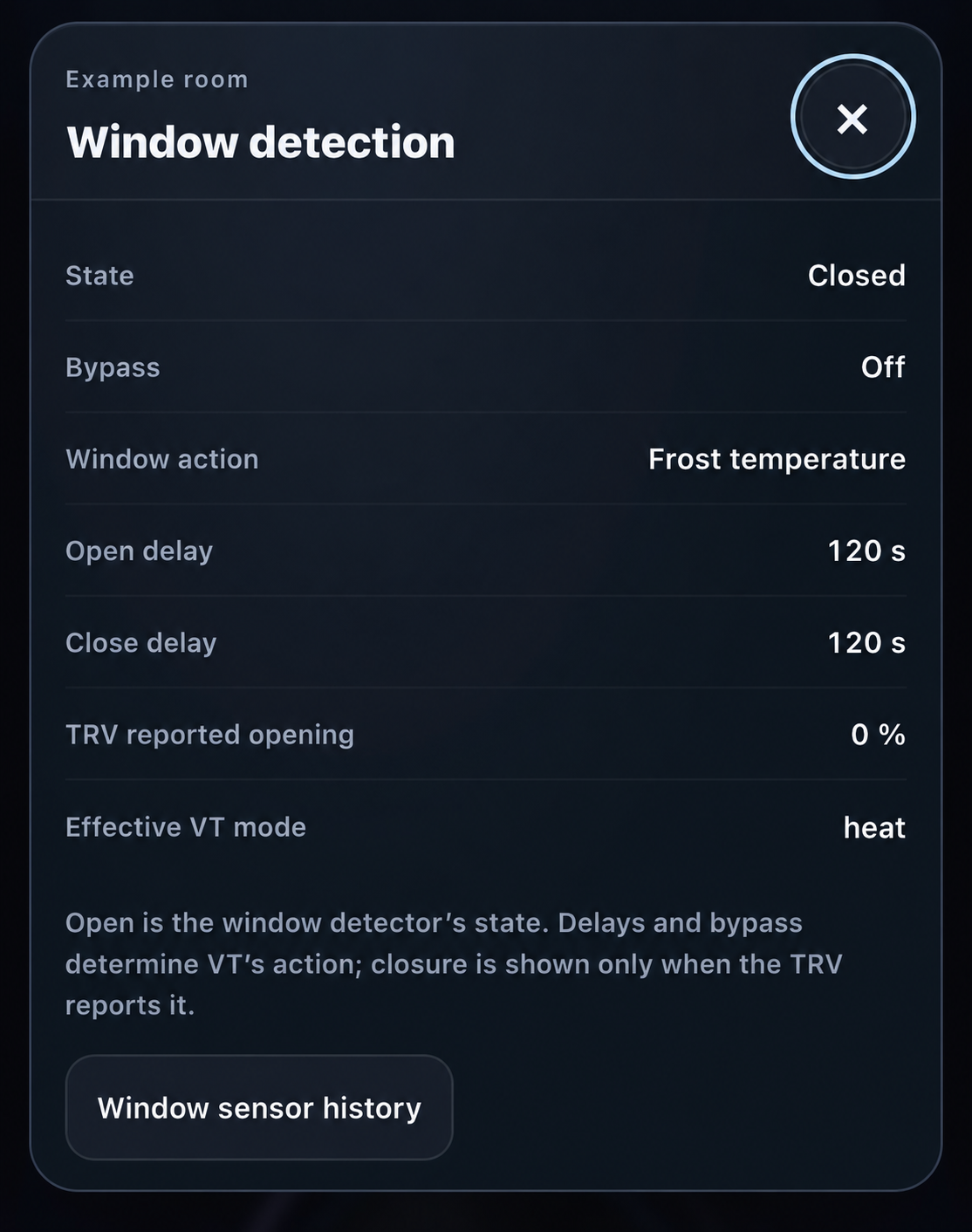
| Window details | Administrator lock controls |
|---|---|
 |
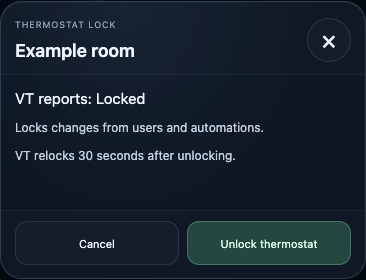 |
The window panel separates detector state, configured response and reported valve opening. The lock dialog exposes the provider's scope and explicit action; a code field appears only when VT reports a configured code. Lock behavior and limits.
Left: anonymised installation example, source build unrecorded. Right: actual beta.2 component with synthetic data and no configured code.
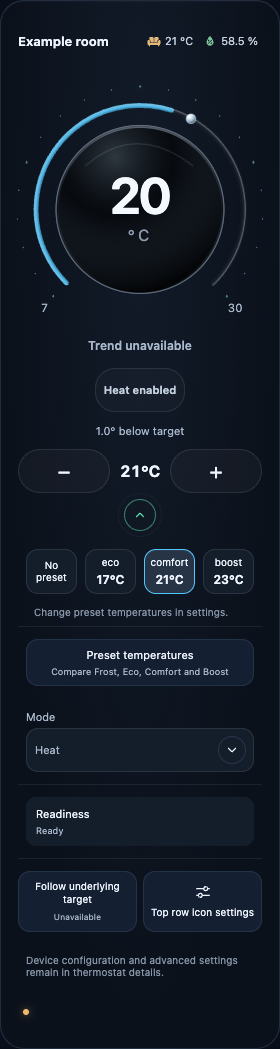
The chevron reveals Controls & features: the thermostat's supported HVAC modes and presets, fan or swing choices where advertised, and relevant provider and telemetry details. VT can also expose its preset-temperature comparison, Follow setting information and configured feature observations. Top-row icon settings are available here too. Tap the centre temperature to open the thermostat's native Home Assistant details.
This keeps occasional settings close without putting every control on the everyday face of the card. Home Assistant and the selected thermostat remain in charge.
Explore expanded controls and preset details
| Expanded controls | Preset detail |
|---|---|
 |
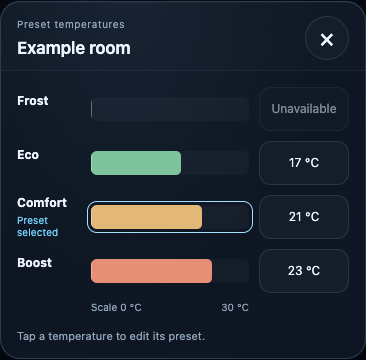 |
These beta.2 captures use synthetic data and illustrate controls retained in RC.1; the current response-arc behaviour is described above.

Explore our other projects
Humidity Intelligence →