Repository navigation
Releases
LoadLab v0.3.0

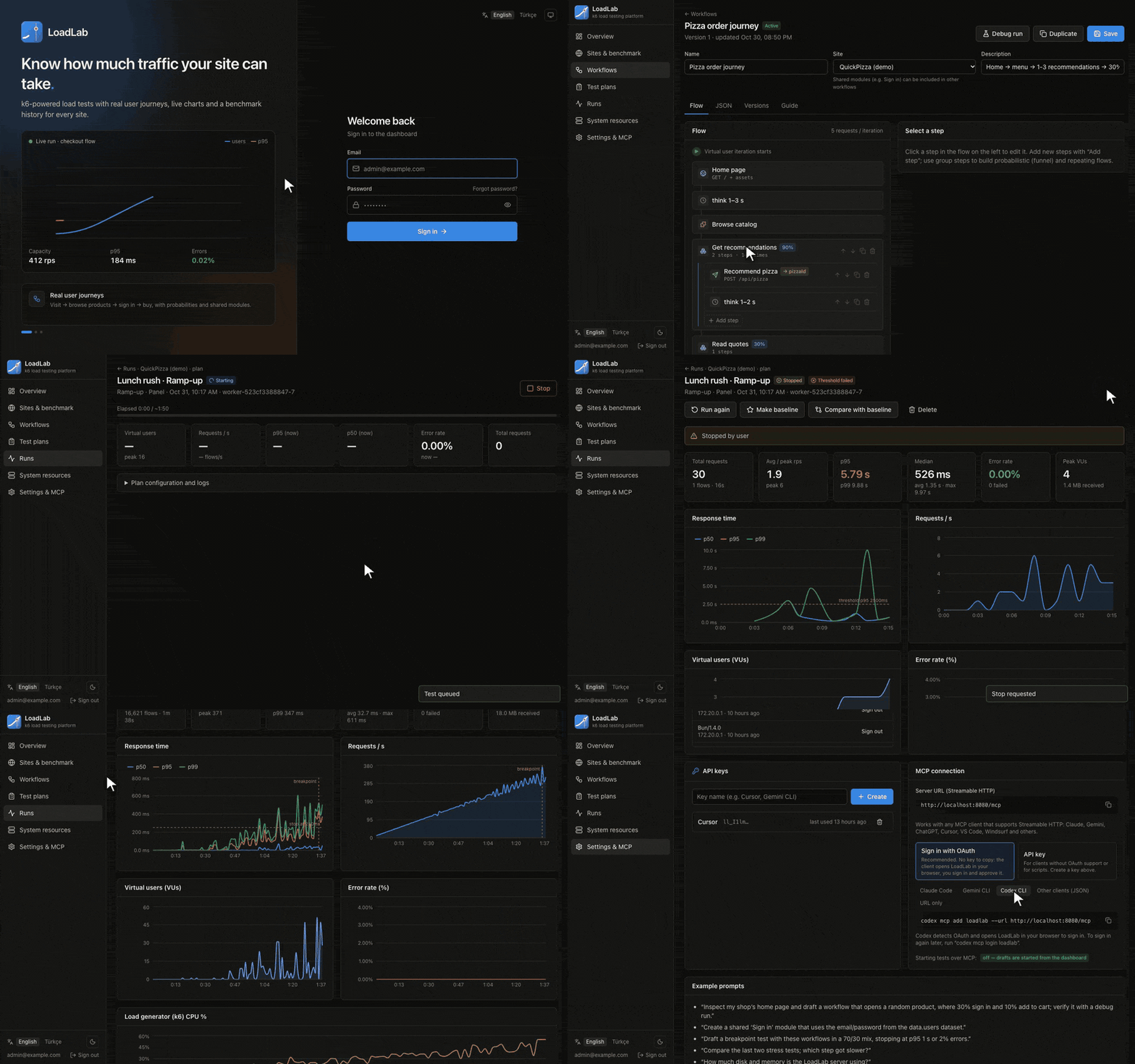
Highlights
- 🧩 Distributed runs. A plan's new Workers option splits one test across several workers with k6 execution segments. Every worker starts k6 paused, the lead worker resumes them all at the same moment, and the lead merges their per-second metrics, step stats and final summaries into one run. The run page shows a per-worker table (requests, exit code, CPU, memory). A split run waits in the queue until enough workers are free. Starting one that needs more workers than are online is rejected. If a worker stops responding, the run stops instead of reporting partial numbers as complete.
- 🌗 Light, dark and automatic theme. One button cycles through the three on every page, including sign-in, and the charts follow the theme.
- 📈 Synced, zoomable charts. Charts on a page share the hover line and the zoom range. Drag to zoom, double-click to reset, and click legend items to hide series.
- ✋ Start confirmation. Starting a test from the plan list, the plan editor or Run again always asks first.
- 🤖 Codex CLI setup in Settings → MCP, using OAuth or an API key.
Changes
- Test plans: running and queued tests are listed first with a Watch live button, and the list refreshes every 5 s. Long notes and workflow descriptions wrap to two lines.
- The sidebar stays fixed on every page. Wide tables scroll inside their cards instead of widening the page.
- The demo GIFs were re-recorded with zooms and a larger cursor.
- CI runs two workers, and the smoke test covers a split run.
Upgrading from v0.2.0
- A database migration (
0002_run_shards) runs automatically on startup. - No configuration changes are required. To split tests across workers, raise
WORKER_REPLICAS(default1) and set Workers in a plan's Advanced section. Workers on other machines can join as long as they reach the same Postgres and Redis.
Docker image: ghcr.io/sharkpaw/loadlab:0.3.0 (linux/amd64, linux/arm64)
🇹🇷 Türkçe
- Dağıtık koşular: Plandaki yeni Worker ayarı, bir testi birden çok worker'a böler. Tüm worker'lar aynı anda başlar. Ana worker hepsinin sonuçlarını tek koşuda birleştirir. Koşu sayfasında worker başına bir tablo var. Yeterli worker boşalana kadar test kuyrukta bekler. Bir worker yanıt vermezse koşu durdurulur.
- Açık, koyu ve otomatik tema: Her sayfada tek düğmeyle değişir. Grafikler de temaya uyar.
- Senkron, yakınlaştırılabilir grafikler: Sürükleyerek yakınlaştırılır, çift tıklayınca sıfırlanır. Göstergedeki seriler gizlenebilir.
- Başlatma onayı: Test başlatmadan önce her zaman onay istenir.
- Codex CLI kurulumu: Ayarlar → MCP altında.
- Test planları listesi:
- Çalışan testler listenin başında görünür.
- Liste 5 saniyede bir yenilenir.
- Yükseltme:
0002_run_shardsgeçişi açılışta otomatik çalışır.- Testleri bölmek için
WORKER_REPLICASdeğerini artırın.
Full Changelog: v0.2.0...v0.3.0
LoadLab v0.2.0
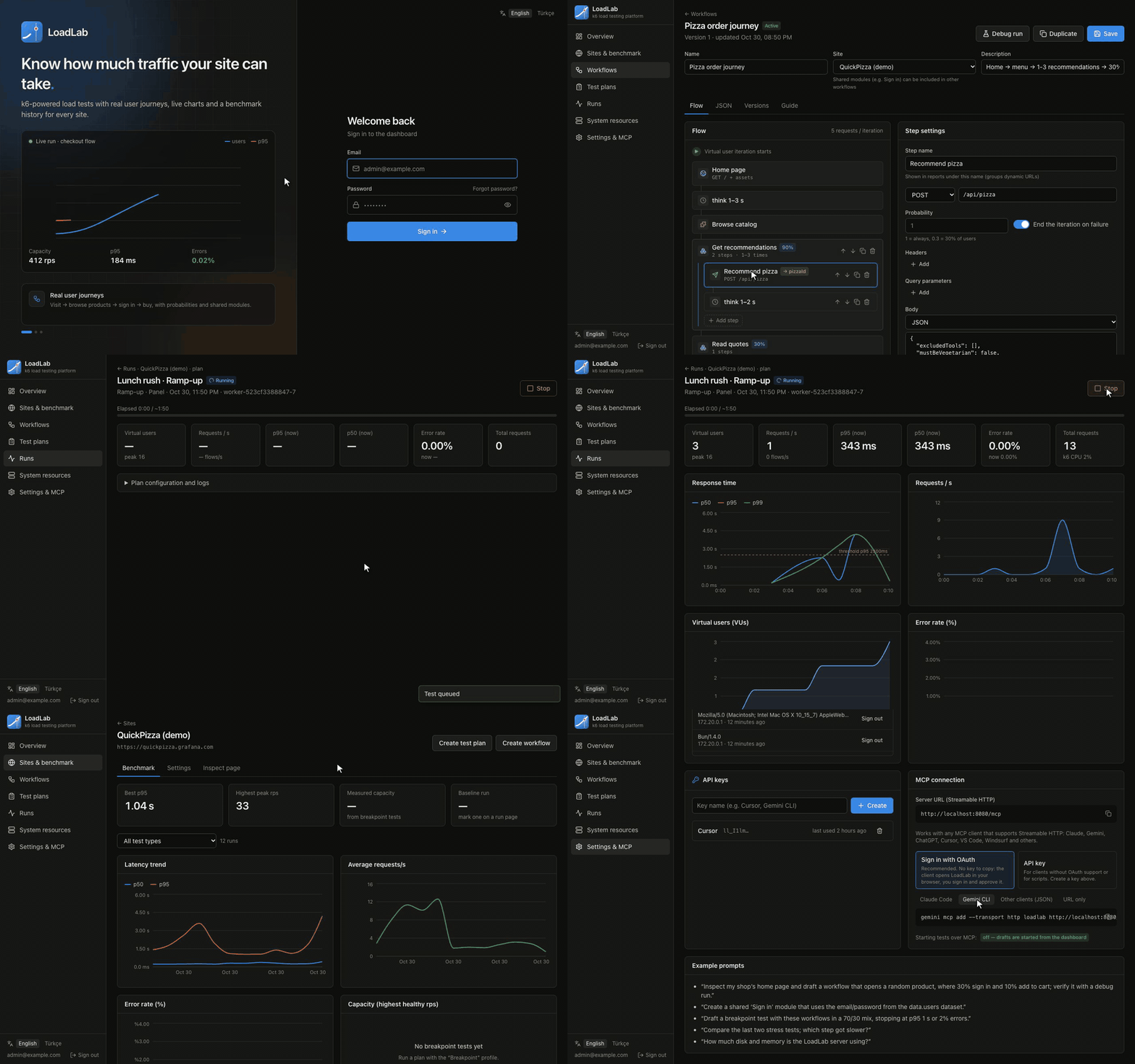
Highlights
- 🔐 OAuth 2.1 sign-in for MCP clients. AI agents like Claude, ChatGPT, Gemini CLI, Cursor and VS Code can connect with just the server URL. They discover LoadLab's authorization server, open the sign-in page in your browser, and you approve them on a new consent screen. Under the hood: dynamic client registration, PKCE, tokens bound to your
/mcpresource, and refresh tokens. API keys still work as an alternative, and Settings → MCP lets you pick either method, with copy-ready setup for each client. - 🤖 Open to any AI agent. The docs and UI now describe MCP as client-agnostic instead of Claude-only.
- ✅ Environment validated at startup with t3-env and zod. A missing or invalid variable stops the container and lists every problem.
- 🎬 Demo GIF at the top of the README (English and Turkish).
Changes
- The compose service
apiis nowloadlab, so Coolify's domain variable is nowSERVICE_URL_LOADLAB_8080. The compose file is simpler: fewer comments, and no:?interpolation messages. - New
MCP_OAUTHsetting (defaulttrue). OAuth needs an HTTPSPUBLIC_URLorlocalhost; otherwise it turns itself off and API keys keep working. - The sidebar stays fixed while the page scrolls. Password fields have a placeholder, and the session list scrolls instead of growing the page.
- Server messages such as "Stopped by user" are now translated in the Turkish UI.
- CI also runs a full MCP OAuth flow end to end.
Upgrading from v0.1.0
- Coolify: reassign the domain to the
loadlabservice (previouslyapi). On Docker Compose, usedocker compose exec loadlab …instead ofexec api. - A database migration (
0001_mcp_oauth) runs automatically on startup. - Startup now validates the environment. For example,
BETTER_AUTH_SECRET(SERVICE_HEX_64_AUTH) must be at least 32 characters.
Docker image: ghcr.io/sharkpaw/loadlab:0.2.0 (linux/amd64, linux/arm64)
🇹🇷 Türkçe
- MCP için OAuth 2.1 girişi: Claude, ChatGPT, Gemini CLI, Cursor gibi yapay zekâ ajanları yalnızca sunucu adresiyle bağlanır. Giriş tarayıcıda yapılır ve yeni onay ekranında izin verilir. API anahtarı alternatif olarak çalışmaya devam eder; Ayarlar → MCP'den yöntem seçilir.
- Ortam değişkenleri açılışta doğrulanır (t3-env + zod). Eksik ya da hatalı değişkenler listelenir ve konteyner açılmaz.
- Compose servisinin adı
apiyerineloadlaboldu. Coolify'da alan adınıloadlabservisine yeniden atayın. - Sol menü sabit, şifre alanlarında yer tutucu var ve sunucu mesajları Türkçeleştirildi.
- README'nin başında tanıtım GIF'i var.
LoadLab v0.1.0
LoadLab is a self-hosted load-testing platform built on k6. Model real user journeys, run them at any scale, watch results live, keep a benchmark history for every site, and let AI agents draft and analyse tests for you over MCP.
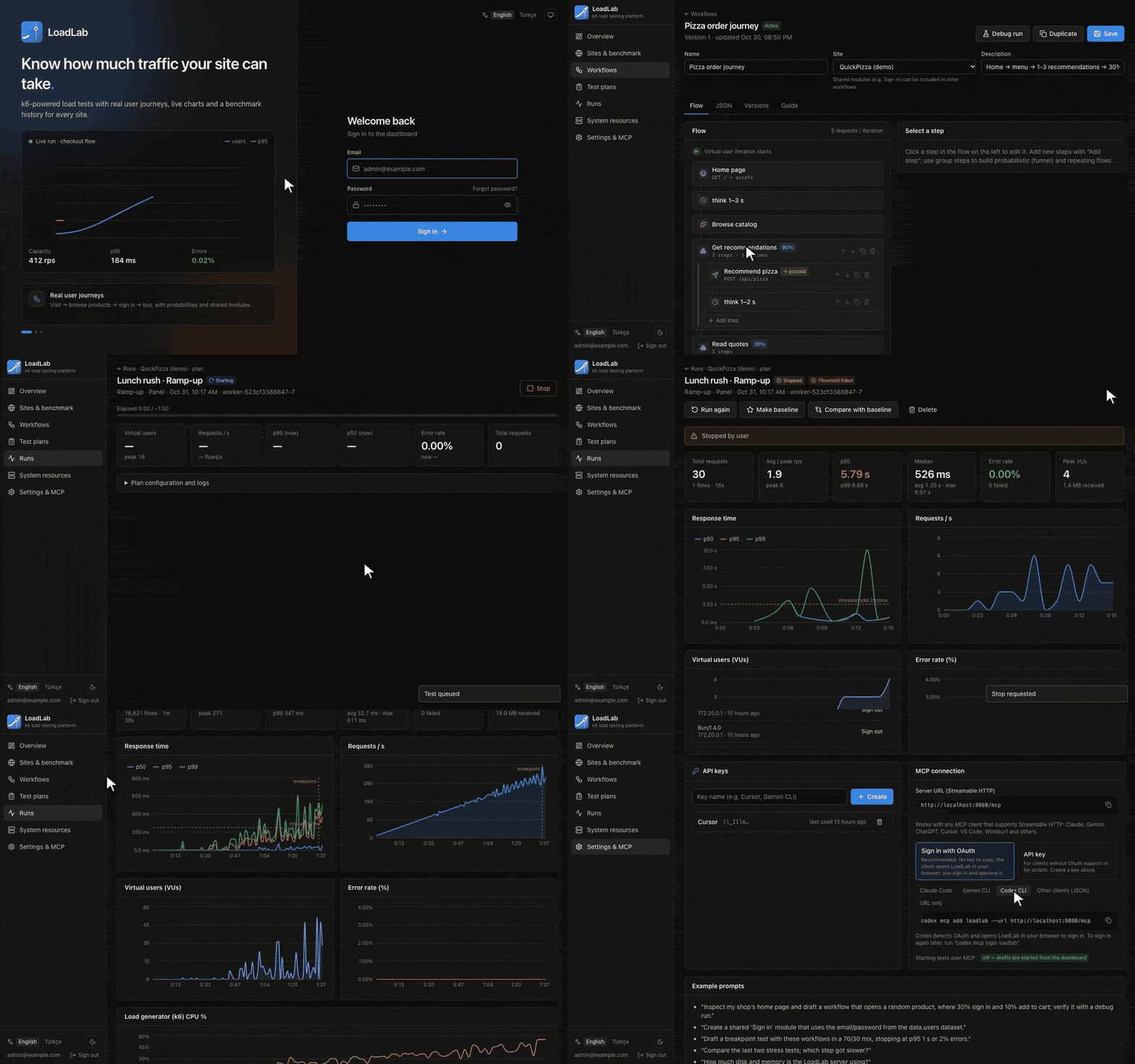
Highlights
- 🧭 Visual workflow editor: pages, API requests, think time, probability groups, shared modules (e.g. Sign in), HAR import and 1-iteration debug runs.
- 📈 Live runs: users, requests/s, p50/p95/p99 and errors second by second, a per-step latency table, and stop or force stop.
- 💥 Breakpoint tests: the arrival rate keeps rising until p95 or errors cross your limit, then the run reports the highest healthy throughput.
- 🗂️ Per-site benchmarks: compare runs, mark a baseline and track p95 and capacity over time.
- 🤖 MCP server for AI agents (25 tools): Claude, Gemini, ChatGPT, Cursor or any MCP client can inspect your site, draft workflows and test plans, debug them and read results. Drafts wait for your review.
- 🔒 Security: Better Auth with TOTP 2FA, rate-limited sign-in and password reset, no public sign-up, an admin CLI, and a host allowlist enforced at compile time and inside k6.
- 🧮 System view: LoadLab's own CPU, memory, database and disk usage, with a warning when the load generator is the bottleneck.
- 🌐 English and Turkish UI.
Get started
git clone https://github.com/sharkpaw/LoadLab.git && cd LoadLab
cp .env.example .env   # fill in the three SERVICE_* secrets
docker compose up -d --build
Open http://localhost:8080. For Coolify, follow Deploy on Coolify.
Docker image: ghcr.io/sharkpaw/loadlab:0.1.0 (linux/amd64, linux/arm64)
Under the hood
Bun · Fastify · Drizzle ORM (Postgres) · Redis · Better Auth · React 19 · Vite · Tailwind · k6 2.3. CI runs type checks, unit tests, migration and translation checks, and a Docker + k6 end-to-end test on every change.
🇹🇷 Türkçe
LoadLab, k6 üzerine kurulu, kendi sunucunuzda çalışan bir yük testi platformudur. Gerçek kullanıcı yolculuklarını modelleyin, istediğiniz ölçekte çalıştırın, sonuçları canlı izleyin, her site için benchmark geçmişi tutun ve testleri MCP üzerinden yapay zekâ ajanlarına hazırlatın.
- Görsel workflow düzenleyici, HAR içe aktarma, deneme çalıştırması
- Canlı grafikler, durdurma / zorla durdurma, adım bazında gecikme
- Kırılma noktası testi ve kapasite raporu
- Site benchmark geçmişi ve koşu karşılaştırma
- Yapay zekâ ajanları için MCP sunucusu: Claude, Gemini, ChatGPT, Cursor… (taslaklar sizin onayınızı bekler)
- 2FA, hız sınırı, şifre sıfırlama ve yönetim komutları
- İngilizce ve Türkçe arayüz
Kurulum ve ayrıntılar: README.tr.md