Repository navigation

Routewell 0.20.6 beta
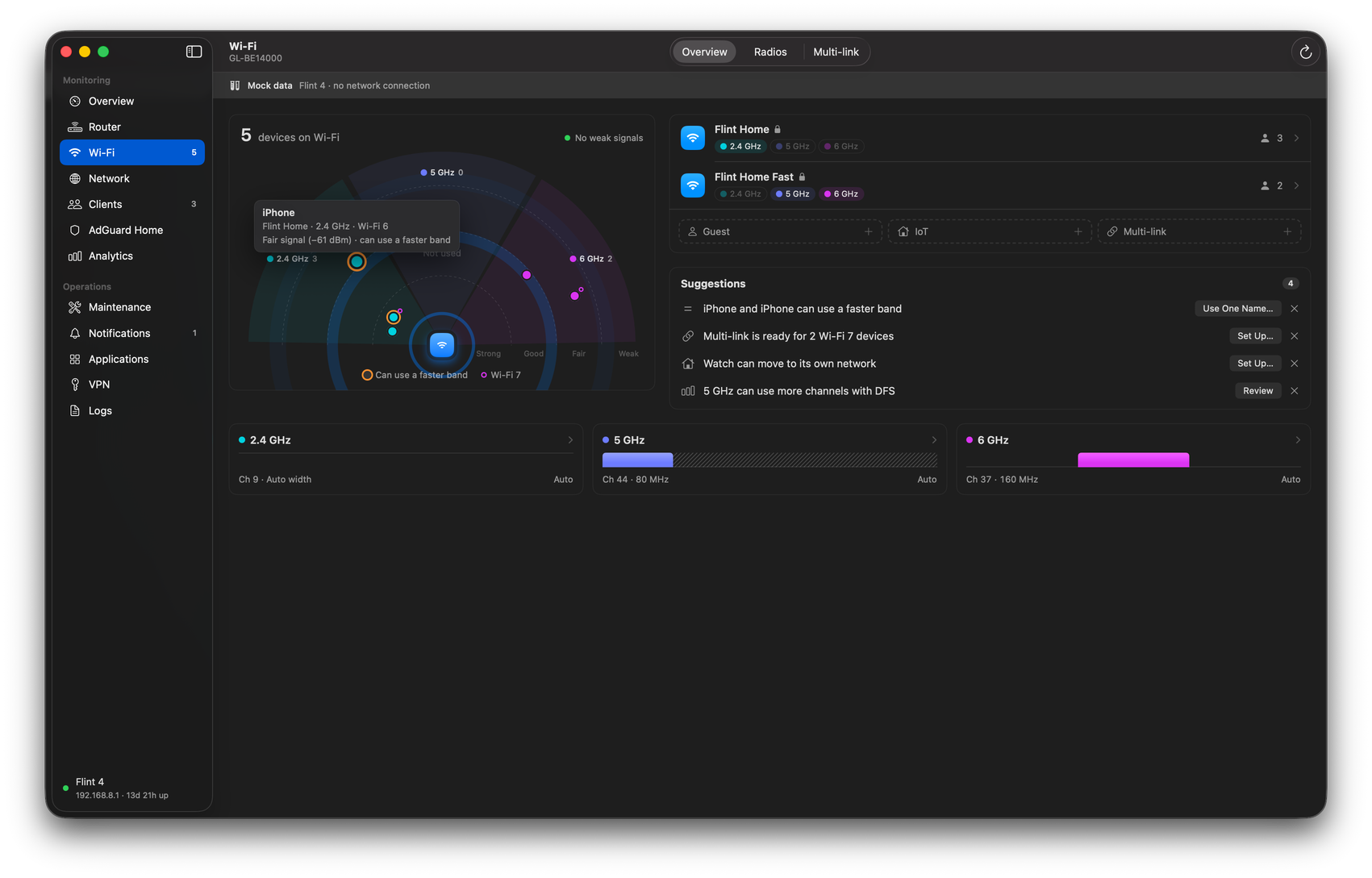
This release adds a Wi‑Fi screen. See every Wi‑Fi device on a map, get suggestions, and change your Wi‑Fi safely. Add guest, IoT, and multi-link networks from your Mac.
Warning
This is a beta release. Some screens are not finished yet, and you can find bugs. Routewell has been tested on one router only: the GL.iNet Flint 4 (GL-BE14000) with firmware 4.9.1. Use it at your own risk.
Wi‑Fi changes restart one or more radios, and devices can lose Wi‑Fi for a short time. For your first change, connect your Mac to the router with Ethernet.
New in this release
- Wi‑Fi map. See each Wi‑Fi device by band and signal strength. A dot nearer the centre has a stronger signal. Hover over a dot to see the device, its network, its Wi‑Fi version, and its signal.
- Suggestions. Routewell finds things to improve: devices that can use a faster band, Wi‑Fi 7 devices that are ready for multi-link, smart devices that can move to their own network, and more 5 GHz channels with DFS. Each suggestion has one action. Routewell never changes anything by itself.
- Change your Wi‑Fi safely. Edit the name, password, security, bands, and visibility of each network. Join with a QR code. Use one name on all bands. Before you apply, Routewell shows which radios restart, about how long it takes, which devices must join again, and what happens to this Mac.
- Guest and IoT networks. Set up a guest network or a separate network for smart home devices. Choose what each network can reach: the internet, each other, your modem, your devices, and router settings. Share the network with a QR code. For IoT, Routewell shows each device when it joins.
- Multi-link for Wi‑Fi 7. Set up multi-link in three steps. Choose the bands, and use a new name or the name of a network you already have.
- Radios. Set the channel, width, and power of each band, and the Wi‑Fi versions it allows. Use DFS channels on 5 GHz. With SSH on, also set roaming and Auto DFS.
Wi‑Fi has moved from the Router screen to its own place in the sidebar.
Requirements
- macOS 26 or later, on Apple silicon or Intel
- A GL.iNet router running firmware 4.9.1 (other routers and firmwares may work but have not been tested)
- SSH is optional. Without it, roaming and Auto DFS are read-only.
Install
- Download
routewell.zipbelow. - Unzip it.
- Move Routewell to your Applications folder. If you have an older version, replace it.
The app is signed with a Developer ID and notarized by Apple, with the ticket stapled. It runs in the App Sandbox with the Hardened Runtime.
See the README for all features.
Feedback
Please open an issue for bugs and ideas. Tell us your router model and firmware version.