Home


点击下方按钮,一键部署到你的 Vercel 账户
Tip
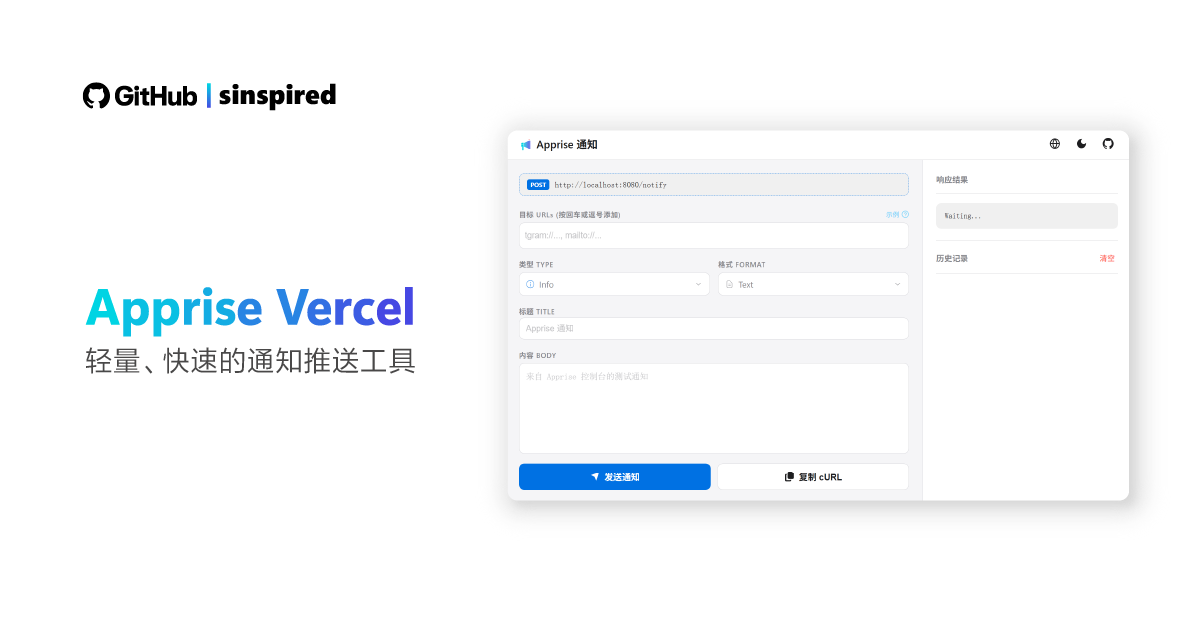
直接访问 https://your-project.vercel.app 可在前端页面测试 API 和 通知目标。
-
获取域名: 部署完成自动分配(如
https://your-project.vercel.app); -
API 地址:
https://your-project.vercel.app/notify; -
添加域名: 进入project,点击
setting->domains->add domain; -
验证域名: 根据提示添加
cname记录 和txt记录(可选)
支持 100+ 通知渠道,完整列表请查阅 Apprise 官方 Wiki
- Telegram:
tgram://BOT_TOKEN/CHAT_ID详细教程 - Discord:
discord://WEBHOOK_ID/WEBHOOK_TOKEN - 钉钉 (DingTalk):
dingtalk://TOKEN - 邮件 (Email):
mailto://user:pass@smtp.example.com:587 - Bark (iOS):
bark://DEVICE_KEY - 企业微信 (WeCom):
wecombot://{botkey}
可以从任何支持 HTTP 请求的程序或脚本中调用此服务。
-
请求方式:
POST -
接口路径:
/notify -
Content-Type:
application/json
| 字段 | 类型 | 说明 |
|---|---|---|
urls |
String | Apprise URL,多个 URL 用逗号 , 分隔 |
title |
String | 通知的标题 |
body |
String | 通知的具体内容 |
type |
String | 通知类型:info, success, warning, error
|
format |
String | 内容格式:text, markdown, html
|
$body = @{
  urls   = "tgram://BOT_TOKEN/CHAT_ID"
  title  = "任务完成"
  body   = "您的自动化脚本已成功执行完毕。"
  type   = "success"
} | ConvertTo-Json

Invoke-RestMethod -Method Post -Uri "https://您的域名/notify" -ContentType "application/json" -Body $bodycurl -X POST "https://您的域名/notify" \
-H "Content-Type: application/json" \
-d '{
"urls": "tgram://BOT_TOKEN/CHAT_ID, mailto://user:pass@gmail.com",
"title": "服务器警告",
"body": "检测到 CPU 使用率过高!",
"type": "warning",
"format": "text"
}'本项目遵循 GPL-3.0 许可证。