Repository navigation
Releases
Xbox 360 Alpha 1b + Xbox (split screen)

Note for anyone new: The original xbox port is pretty much finished or at least the game is completely playable. For 360 it is still an early alpha and the port just came out not even a week ago (as of 11/3/26). They are not the same version at all. However, I do plan to add splitscreen and some of the other modern features to 360 eventually!
Test release for the Xbox 360 (SilentHill_Xbox360.zip), plus the latest original Xbox build (SilentHill_Xbox.zip, see the bottom).
Xbox 360
XDK build, default.xex, built from xbox360-port at 4e78ae5 (alpha 1b).
Install: extract the Silent Hill folder to wherever your homebrew launcher (xbGuard, Aurora, FreeStyle) finds apps, then put your Silent Hill (USA) .bin in Silent Hill\gamedata\.
Disc folder name: the first 360 builds looked for the .bin in a folder called
silenthill, while every other port usesgamedata. From alpha 1b both names work:gamedata\is checked first, thensilenthill\, then next todefault.xex. Existing installs with asilenthillfolder keep working (and keep their save insilenthill\save\); new installs should usegamedata. Launchdefault.xexunder BadUpdate + XeUnshackle like any homebrew app. It also runs in Xenia Canary.README.txtlists thesilenthill.cfgoptions.
What works
- Boot logos, intro FMV with audio, title screen, new game and loading saves
- The street cutscene with voice lines and subtitles, the street, the alley and the cafe
- Music (BGM), sound effects and XA voices
- Inventory, items and equipping the handgun
- True 16:9 at 720p in game (Hor+, like the PC port) with culling removed. Menus and 2D screens stay 4:3. Set
widescreen_mode = 0for 4:3. - Classic and TPS cameras, with PGXP optional
Known issues
- Frame-rate dips in busy cutscene shots and some street views. If they bother you, set
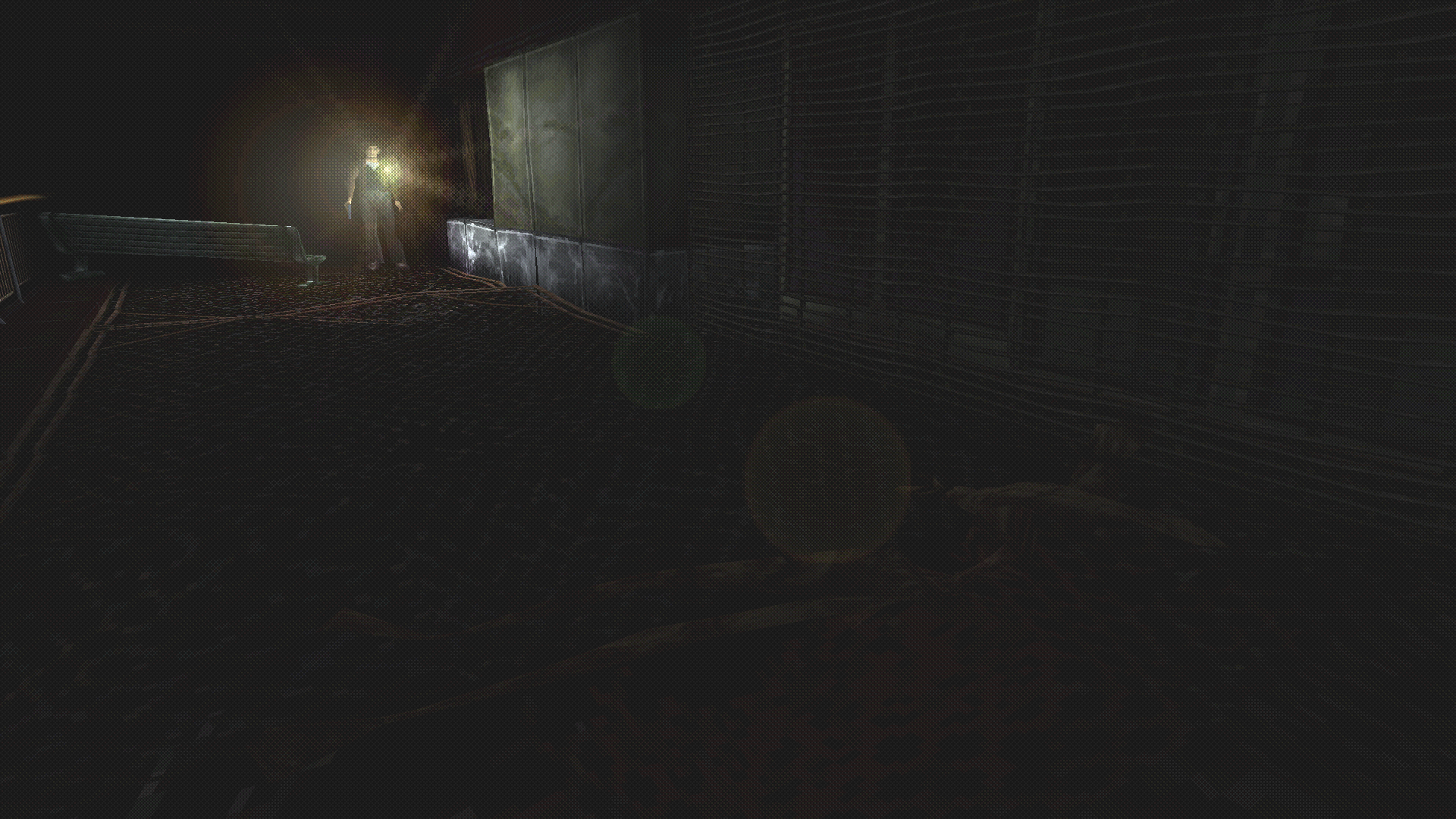
disable_culling = 0, which brings back the PSX visibility culling. - Alley lighter scene: the light sits a little away from Harry's hand, and the grey children's lighting and textures look off.
- Air Screamer fight: alpha 1b makes it hittable (knife and pistol) and gives it its cries back. Both are fixed from a console log, not yet re-tested on hardware. You still have to be close to it and facing it.
- Combat: the pistol white flash and the far-reaching knife are fixed (confirmed on hardware).
- Save point: Harry could still move while the first save message was showing (not re-tested).
- Saves from earlier test builds lost items to an inventory bug. The handgun is recovered on load; anything else in those saves is gone.
- World textures can look a bit flat or dark compared to the PC port. In TPS with PGXP, a wall right beside the camera can streak for a frame.
- Memory-card saves aren't interchangeable with the PC port.
Screenshots (Xenia)


Please report problems with the silenthill_NNN.log the game writes next to default.xex.
Original Xbox
SilentHill_Xbox.zip holds default.xbe, the latest original Xbox build. It now has 2-player split screen: pick Multiplayer on the title screen.
Install: make a Silent Hill folder in your modded apps folder (for example E:\Apps\Silent Hill). Put default.xbe in it, along with your Silent Hill (USA) .bin, then launch it from any modded dashboard.

🤖 Generated with Claude Code
Realtime history (older builds)

Older automatic builds. The newest build of each platform is on Realtime builds.
- Windows: the last 30 builds,
SHPC_rt-<version>.zip. The launcher's Build Settings → Realtime updates can roll back to any of them for you. - Linux, macOS, iOS, Android: the last 15 builds of each, named
<platform>_<date>-<commit>.
These are untested builds. Back up gamedata/save before going back to an older one.
Realtime builds (every push)
Automatic builds of every push, for players who want changes as soon as they land instead of waiting for a release. This page always has just the newest build of each platform; older ones are under Realtime history.
These builds are not always tested before being pushed, but any issues will be fixed quickly! If you run into a problem, please use an older build linked above.
Newest Windows build: 2026.11.07.1 (4330b28ab, 2026-11-07 05:55:20 UTC)
- Windows: SHPC_rt-2026.11.07.1.zip: unzip into a folder and run
SilentHillPC_Launcher.exeorSilentHillPC.exe. Put yourSilent Hill (USA).biningamedata/. - Linux:
SHPC-linux-x64.tar.gz· macOS:SHPC-macos-arm64.zip(newestpc-portbuilds) - iOS:
SilentHill-ios-unsigned.ipa(newestios-portbuild; sideload with Sideloadly or AltStore, which sign it for your device). To get every new build as an update, add this source in AltStore or SideStore:https://github.com/SlickAmogus/silent-hill-decomp/releases/download/realtime/altstore-source.json - Android:
SilentHill-android.apk(newestandroid-portbuild; installs over the released APK) - Web: https://sh1pc.com/play/
To follow these builds from the launcher instead: Build Settings → Realtime updates. It installs only the files that changed, and you can roll back to any of the last 30 Windows builds from the same menu. CHANGELOG_REALTIME.md lists what changed.
For online, please use the builds here:
https://github.com/SlickAmogus/silenthill-online/releases/tag/realtime
Essential QoL Mods
Essential quality-of-life mods, downloaded straight from the launcher's Mod Manager (Essential QoL Mods) and from the Install QoL Mods option on Android, iOS and the web build. You can also download them here by hand.
| Mod | Author | Description |
|---|---|---|
| HD Font (EU) | ivanproff | Replaces font with high definition glyphs for Latin alphabet languages. This version is recommended in all cases except English on a USA disk. |
| HD Font (US) | ivanproff | Replaces font with high definition glyphs for English. This version is recommended for English on a USA disk. |
| HD Maps | ivanproff, originally created by Siar Mortal from www.silenthillmemories.net | Replaces maps with nice high definition versions that have legible names. |
| HD Reimagined Images Beta | jojo670 | Replaces the still examination images in the game with upscaled versions, made with a combination of different AI techniques. |
| No Subtitles in Cutscenes | KushAstronaut | This turns off subtitles in voiced cutscenes. Useful if playing a fan dub that doesn't quite match up or if you just don't like subtitles. |
essential-mods.json is the catalog the game and launcher read.
Cross-platform Beta Release (PC/Mac/Linux/Android/iOS/Xbox)
THIS VERSION IS OUT OF DATE
Please check the rolling release for the latest updates! Will be posting a "final" crossplatform beta to replace this one very soon! It also has automatic updates on mobile/web! (must use altstore/sidestore for iOS)
Update 10/09
- Greatly improved mobile optimization! Also fixed map screen and dialogue skipping with touch controls.
Update 10/07
- Updated mobile versions to fix the soft locks that could occur when using touch controls, including examining items (like the receipt) and the results screen. Really sorry this was bugged for so long, I thought I had already tested it.
- Also added button on touch to get to the bonus options from the options menu.
- Added return to main menu function and ability to change starting map on mobile
- This will probably be the last time I update this post. Soon I will post the latest versions of everything under a final beta release. I'm hoping this is the end of all the mobile soft locks.
Update 9/28
- Updated mobile versions, you can now use the alternate camera modes (TPS, OTS, and FPS) with the touch screen. There is an eye icon on screen you can press to switch. In the alternate camera modes, click and drag on the right side of the screen to look/aim. Double tap the left side to aim, and tap the right side to fire.
- Also fixed an issue where you could not touch the options on the valve puzzle before split head in the otherworld school. Should also let you decline item pickups.
- Also uploaded the latest PC version and mobile has received most of the same updates where relevant. Please check the CHANGELOG for more details (also on the website sh1pc.com)
Update 9/18
- Added more QoL improvements to Android and iOS, like a visible back button on the save/load screen. Additionally, controls can now be customized ingame on PC, Android, and iOS. PC version to be released shortly, Android/iOS already available. For mobile, controls can only be edited when a controller is connected. Additionally, snow effect has been corrected on Android, iOS, and PC. PC also has blur/dream restored. Full changelog will be available on PC when the update is posted to the nightly repo. Stay tuned for more mobile updates as I will be adding the missing dream effect soon.

Update 9/17
- Android and iOS builds have had major updates and now support mods! They will load loose files by default, and the game looks for mods in either gamedata\load or gamedata\texturemods. The easiest way to install mods is to set them up on PC through the mod manager, and after applying, copy the load and texturemods folders directly to your gamedata folder on Android. Or, if using iOS, copy your gamedata folder entirely to Silent Hill under the File Sharing section in iTunes (Drag & Drop). You can find several mods in the discord (or ask for help if you need it).
- Additionally, all platforms will now have FIXED FOG rendering like in the above, no more outlines visible in the distance! Already available on iOS and Android, will be released on PC very soon.

Hello everyone. As the game is updated through the launcher and nightly repo most of the time, I have not posted a release here in awhile. Since there have been a ton of updates in the three months since the first Beta was posted, I feel it is time to post another, with all currently available platforms included.
Latest CHANGELOG. Changelog is for PC, but many features are cross-platform. Xbox is the most limited due to its age.
Below you will find the current builds for PC, Android, iOS, and OG Xbox. All should be fully playable (with the exception of Mac and Linux which are still a WIP). Android and iOS support touch controls. Also, the android version was specially designed to be compatible with the old Android Arcade1Up cabinets, so if you have one of those, enjoy, but still needs work. It is compatible with modern devices as well of course.
N64, PS3, PSP, and Xbox 360 are in the works. Though I've hit a snag with Xbox 360 and it could be a very long time before that one sees the light of day. PS3 and PSP are closv er and have a semi functional build already.
N64 is also, surprisingly, very close. I actually have functional gameplay on a real console presently. It runs at about 20 FPS and starts in the police station. You can go into the next room, view documents, navigate inventory, shoot your weapon, pick up items, etc. I had it fully functional at about 5 FPS, but since then have redone the renderer to make it more N64 friendly. Will share more details, footage, and source code for that project very soon.
Instructions
For all releases, you need a legitimate copy of the Silent Hill game data (bin file) to play. It is assumed that you already have this file.
PC:
- Extract the release anywhere on your PC.
- Put your game disc image in the
gamedatafolder. Any filename works, since the launcher auto-detects it by region, butSilent Hill (USA).binis a safe default. - Run
SilentHillPC_Launcherto configure, or runSilentHillPCto play. The build is unsigned, so Windows SmartScreen may block it the first time; run the game once, then the launcher.
Android:
- Enable unknown sources on your device and use any available method to install the APK file (ADB, FTP, etc)
- Make sure your BIN file is on your device
iOS:
- You must enable developer mode on your device, then use an app like Sideloadly to install it (detailed guides are available for this all over the internet)
Xbox:
- You must have a modded or softmodded xbox.
- Extract the default.xbe file and place it in a folder on your Xbox that your dashboard can see (like Applications)
- Place your game data in the same folder
- Launch on xbox
If you meed help, feel free to ask on the discord.
Xbox Alpha 1
Test release for original xbox. Extract Silent Hill folder to your xbox modded apps folder and load from any modded dash. You must put the Silent Hill (USA).bin in the same folder.
Intro gameplay:
https://github.com/user-attachments/assets/2310351b-8c3b-4cad-99d5-26fb3313fb29
Beta Release 1
Silent Hill PC Port — First Beta 🎉
A huge amount has changed since Alpha 8. Highlights below.
New Camera Modes
- Third-Person (TPS) and Over-the-Shoulder (OTS) camera modes with modern free-aim — move with WASD/left-stick, look with mouse/right-stick, strafe, run, and near-instant aim & fire.
- NEW First-Person (FPS) mode — cycle cameras with F9 / right-stick. Experimental; the eye position is fine-tunable and follows Harry's idle motion. May have glitches.
- Camera now collides with walls in TPS/OTS instead of clipping through geometry.
- Optional crosshair (Backspace), shoulder swap (middle mouse in OTS), aim-zoom, and mouse/stick invert.
Controls & Customization
- Fully rebindable controls with a modern default scheme, including mouse look/aim and mouse buttons as primary binds.
- Per-camera control schemes — the classic (fixed-cam) layout and the alternate-camera layout are configured separately in the launcher, with keyboard and controller alternate binds.
- Dev console (~) with command history and many commands: give, setending, setflag, getflags, camera/graphics tweaks, and more. Esc and F1 always work.
In-Game Options Menu
- New PC Options menu (repurposed "Screen Position") covering most graphics settings, with window mode / resolution / VSync applied live.
- Separate FMV and voice (XA) volume sliders for hardware with XA audio issues.
Graphics & Lighting
- PGXP — perspective-correct textures: wobble/warping all gone, toggle with F1.
- Correct aspect ratio & FOV in both 4:3 and widescreen (16:9 Hor+), with proper fixed-camera framing; 3-way pillarbox control.
- Per-pixel flashlight cone (F4) — a real projected spotlight replacing the flat PSX lighting (and a separate tighter cone in first-person, where it follows your view).
- MSAA anti-aliasing, post-process filters, and tonemapping — all optional and configurable, with live intensity controls ([ ] ).
- Fixes for rainbow/texture corruption, blood color, and fog density.
Launcher
- Custom build & repo selection — roll back to any past build, or load a modded fork dir
- New graphics and control-customization sections, help/feedback buttons, and a smarter auto-update system.
Audio
- Restored missing cutscene voices game-wide and fixed voice/subtitle desync and overlap.
- BGM fixes, restored sewer music/effects, and fixed looping SFX in parts of the game
Stability & Bug Fixes
- Massive crash-fixes (division-by-zero faults, 64-bit pointer-truncation crashes, and dozens of bugs from restoring zero-stubbed game data.
- Fixed invisible walls / collision issues, enemies falling through floors, room-transit-preview crashes.
- Combat fixes: correct ranged damage (bosses no longer bullet-sponges), blade/melee damage, and damage applied once per swing at high frame rates.
- Linux and macOS builds now available in nightly releases, however they are unstable and do not progress as far as the windows build! On linux, wine is recommended for now
Most of the above was generated based on the updates and hand tuned by me, but there is a ton it does not cover. I will go over it and adjust or add more detail if needed.
Alpha 8
Below is the latest version with the updated launcher. Nightly releases are also available here: https://github.com/SlickAmogus/silent-hill-pc-nightly
UPDATE June 13th: Please update in the launcher and read the changelog for detailed changes in addition to what's listed below! The game is now playable from start to finish (with some glitches). I am working on polishing it and getting everything looking at least as good as it does in an emulator. Also, console is now toggled by holding ~ (with debug controls on in the launcher controls menu). When the console is visible, press ~ to toggle command input. Type help for a list of console commands, and debug for a list of debug controls. You can press * with debug controls enabled to enable a freecam that can be controlled with numpad (just one example).
--
You can now customize the controls in the launcher, and analog support for controller is also working. Also, refresh rate was removed and is now set automatically (can be manually adjusted in the config) and the option was replaced with pillarboxing. You can now set the game to use pillarboxing in menus + when examining items when in widescreen. Also debug controls can be completely disabled. PGXP is still not fully implemented (hopefully soon). Tooltips have been updated to reflect defaults which are also pictured.

In addition to the updates mentioned above, these are the main changes since the last update sent to the launcher:
-VRAM corruption no longer visible when transitioning rooms or loading on widescreen, it looks clean now
-It is black now when opening the inventory instead of the grayish fog color
-Collision visualizer (; when debug controllers enabled) now uses actual struct field labels
-Merged a lot of the code with the most recent, cleaner state of the decomp.
Detailed changelog of everything changed since Alpha 7 is in the launcher under changelog or the changelog.MD file.


Alpha 7
This is a big one! The port is far from polished but much more is playable and functional.
List of updates:
- Cafe is now fully playable and game can be progressed to at least the school.
- Proper 16:9 rendering
- Cybil cutscene is almost fully animated and working
- Voices are working
- Fixed fog shading on npcs
- Combat is working (still buggy), weapon effects partially working
- Player damage from enemies is working
- Certain camera angles have been updated to be more correct
- Ingame camera can be adjusted with numpad 4-9, numpad +/-, and PU/PD
- Many crash points have been fixed
- Optional filtering modes added: dithering and bilinear
- Added support for loose files (ie texture mods, untested)
- All levels are compiled now
- Map and item pickups working
- Load weapons on spawning in random maps
- Saving/Loading fully working
- Random air screamer spawns working
- Background BGMs play
- TPS camera (numpad 2) improved.
- Numbad 1 to toggle collision
- Numpad 3 to rescue teleport if you fall through the map
- Many levels should load
- Maps and map markers are working
Bugs:
- There are still lots of bugs
- Combat is still a WIP and has some glitches
- Dogs don't spawn yet, will work on soon
- Some remaining camera issues
- Graphical glitches in certain places
- PGXP doesn't actually work yet
Instructions:
- Extract somewhere on your PC
- Put your game data inside the gamedata folder and name it Silent Hill (USA).bin
- Run SilentHillPC_Launcher to configure the game, or just run SIlentHillPC. You may need to run the game once before the launcher will work because of smartscreen.


Controls have been updated, LSHIFT is now Square/Aim and A/D is walk left/right.
UPDATE 7:30PM ET May 9th:
-Just reuploaded with map cursor glitch fixed
UPDATE 10:30PM ET May 9th:
-Reuploaded again to fix a few camera issues at the beginning. Alleyway is still partially screwed but can workaround.
UPDATE 6PM ET May 10th:
-Reuploaded again to fix eclipse door progression. It is now possible to get to the school, just with a lot of glitches. Enjoy. This will probably be the last update I make to this release before the next alpha.
UPDATE 3AM ET May 11h:
-There was a bug where voices were set to load from local files! Voices should work now. Also fixed dithering being active in menus and turning speed!
UPDATE 2AM ET May 12h:
-Huge camera fix! Fixed beginning cameras including the alley! It's not perfect but much better than before.
UPDATE 7:30PM ET May 12h:
-Further improved cameras and fixed the spot where grey screamers appear.
UPDATE 12:30PM ET May 14th:
-Updated so that you no longer need to provide FMVs converted to AVI, it loads t hem straight from the game data. Also fixed dog head cam again, still working on others.
FINAL UPDATE (7 PM May 18th):
The launcher can now check for updates and update the game! It also has a changelog. The game updates live on this repo: https://github.com/SlickAmogus/silent-hill-pc-nightly/
This will be the last update to the alpha 7 release on github. When Alpha 8 is ready a new release will be posted. You can still update the game through the launcher until then. Other changes in this version:
-Radio static now working around monsters
-Enemy spawns mostly fixed
-Handgun ammo (and probably other stuff) is visible now
-Inventory items are visible now (still need to get them visible when picking up)
-Fixed a lot of post-cafe cameras including the return to the alley (not perfect)
-Fixed positional audio so audio has range now (no more constantly loud air screamer wings)
-Added debug cheats at top row of numbers on keyboard:
7: Godmode
8: Give handgun ammo
9: Enemies don't attack (not sure that it's working right)
0: Switched collision toggle to this, was numpad 0 before
Alpha 6
Major updates in this build (and more coming soon)!
Release notes:
- You can now progress fully past the intro, up until the Air Screamer attack in the cafe.
- Cybil cutscene partially works and cybil is partially animated, but animations freeze mid-scene and has to be skipped.
- Item pick ups don't crash the game, but using them might
- You can equip weapons (aim/fire doesn't work yet)
- More maps should at least load now
- Thirdperson test camera (numpad 2) now uses mouse controls and WASD like a modern game! Camera still needs a lot of work.
- Harry's animations are mostly working and cutscene animations work.
- More debug controls added in top row numbers, mostly for logging, but pressing 1 will kill Harry. This can be done at any point during the intro to progress to the cafe.
Known issues:
- You cannot progress past the air screamer since you can't kill it.
- Harry's falling animation was re-enabled but causes him to fall on his ass sometimes when he shouldn't
- Viewing maps may crash the game
- Accessing the save points will take you to the main menu
- Can't aim/fire yet
- Models don't show in inventory
- Health drinks are invisible
- +much more polishing needed

I'm hoping to have an update by 4/20, and next build I'm hoping to have combat, saving/loading, voices, fixed animations, and more game progression.