Repository navigation
MR Studio v0.50.0

New
Bird song draws its waveform (#555)
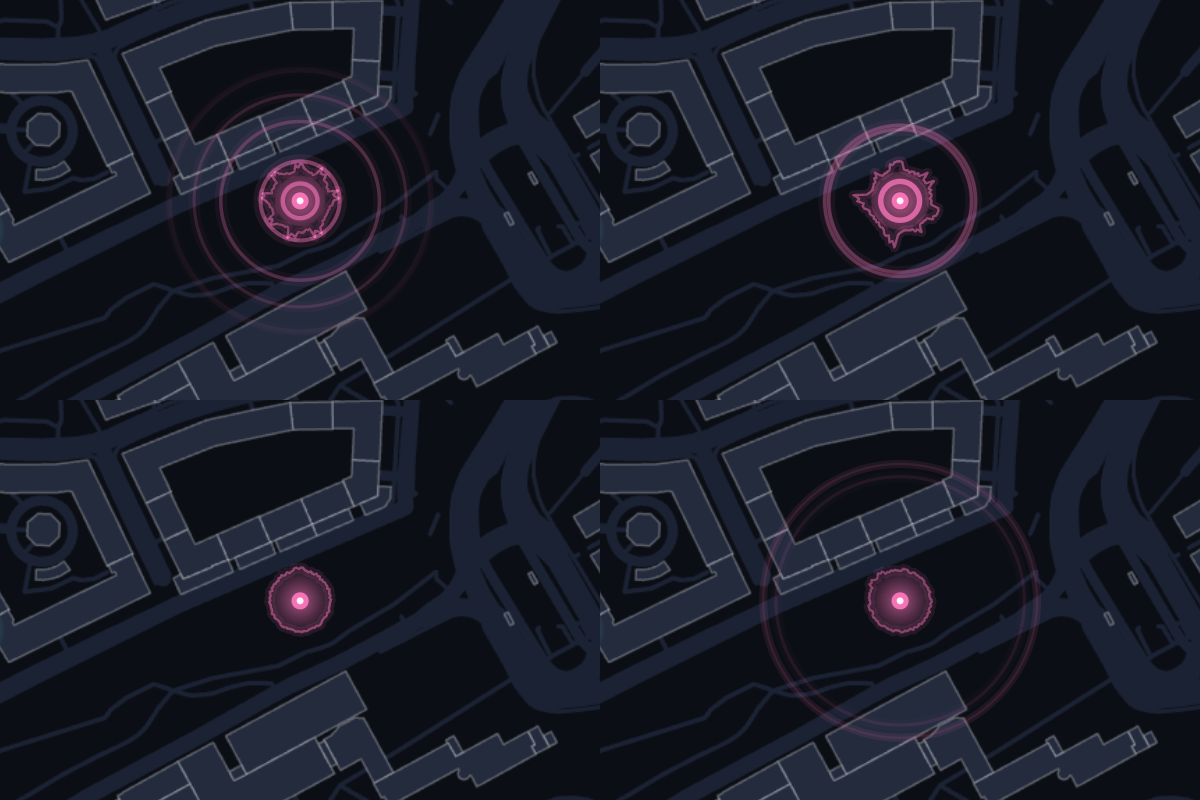
Points with sounds now draw the sound itself while it plays: a closed waveform round the point, its last second or so wrapped round a circle, that swells with each call and shimmers with high notes, inside the rings that already go out. It is on by default; the layer builder's Sound motion has Waveform and Waveform swing to turn it off or make it bigger.
Operator mode for the exhibition computer (#394)
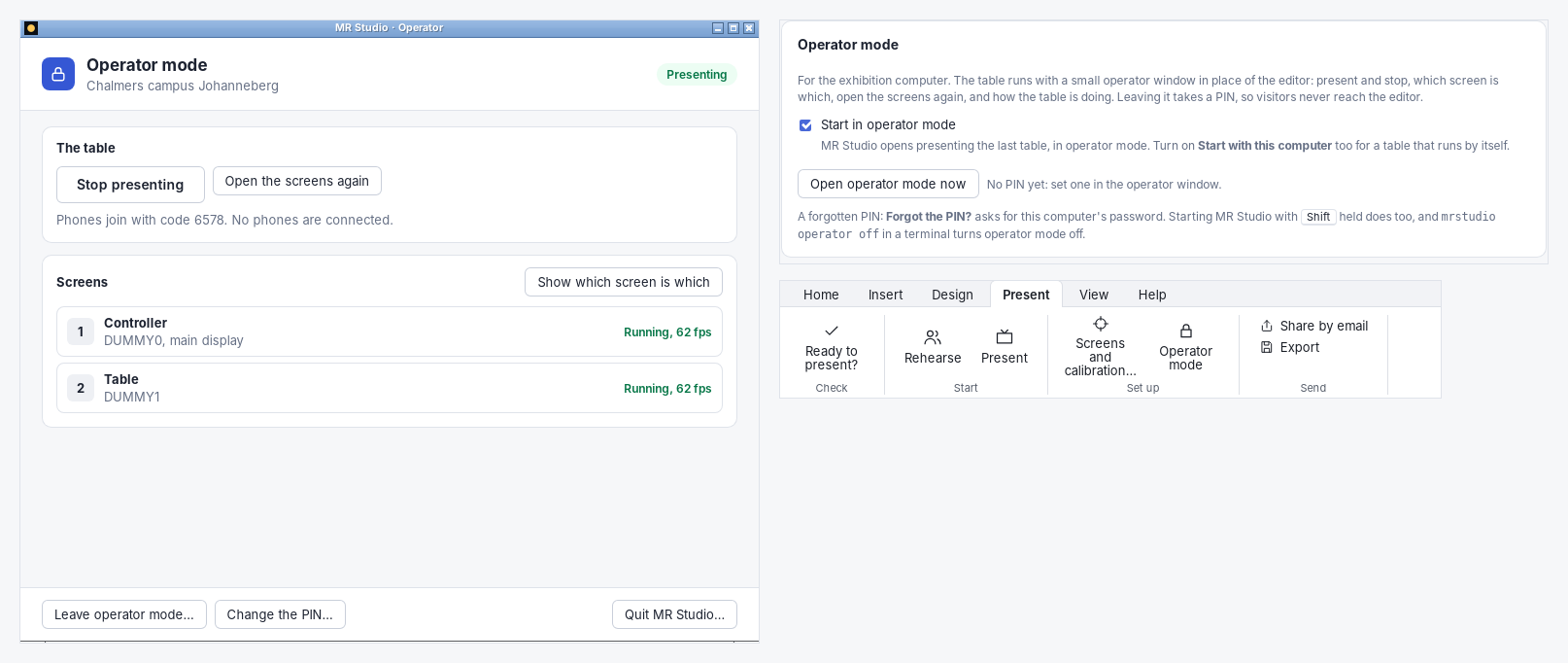
The exhibition computer can run a table with a small operator window in place of the editor (#394), so visitors at the controller never reach the editor or the desktop. The editor itself is unchanged.
- Start in operator mode in Settings, Phones and startup: MR Studio opens presenting the last table. Operator mode on the Present tab and Open operator mode on Home turn it on now.
- The operator window presents and stops the table, shows which screen is which, opens the screens again, and says whether each screen is running and how many phones are connected.
- Esc on a screen does nothing, and Ctrl+Shift+E brings the operator window back.
- Leave operator mode… and Quit MR Studio… ask for a 4 to 8 digit PIN. After five wrong ones it waits 30 seconds.
- A forgotten PIN is never a lock-out. Forgot the PIN? and starting with Shift held ask for this computer's password, and
mrstudio operator offturns it off from a terminal.
The X-ray can be a hole in the table (#554, #553)
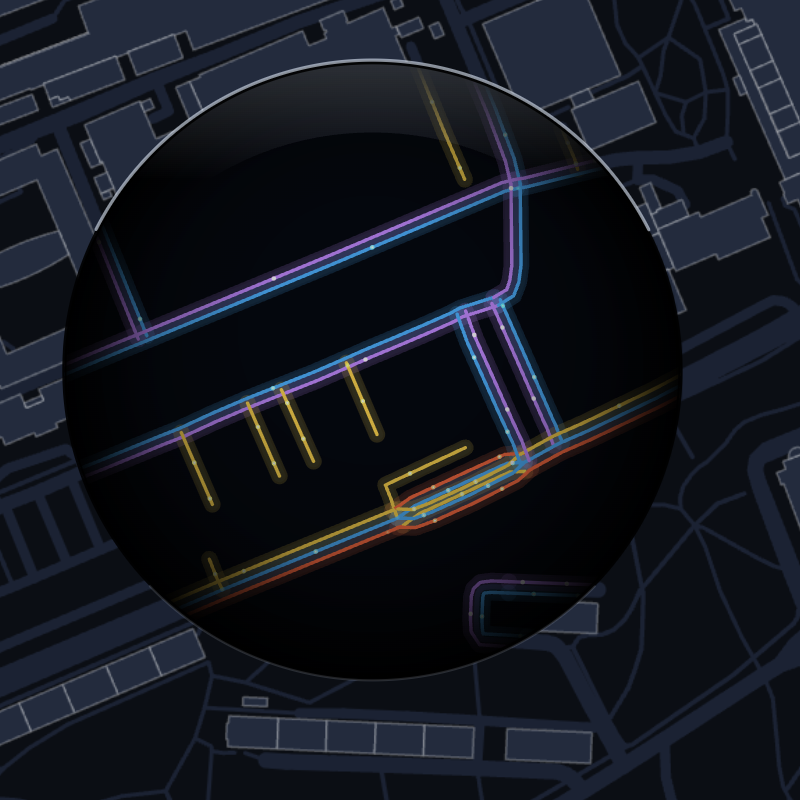
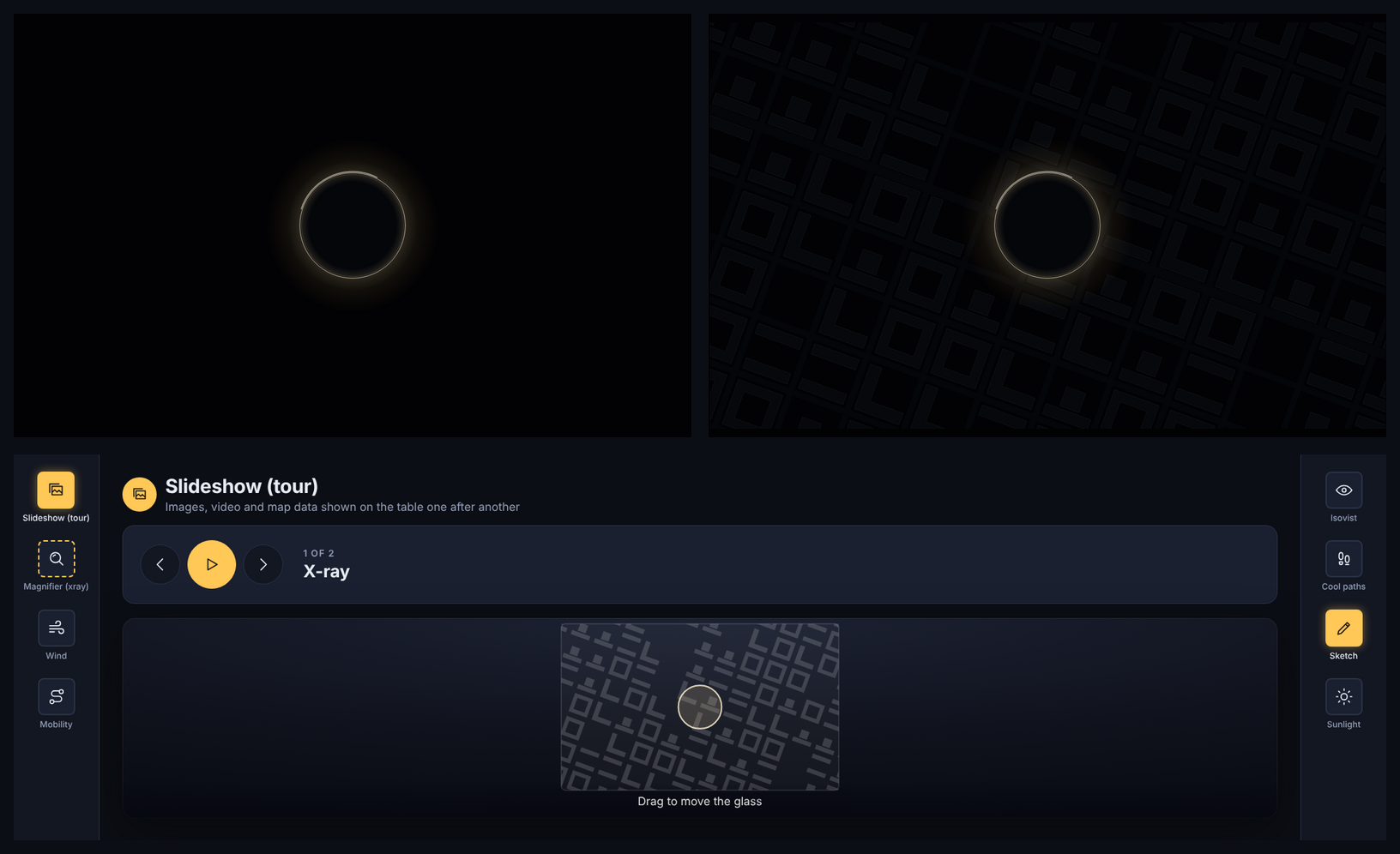
A Magnifier set to X-ray: the layers inside it has a new The X-ray looks like setting: A hole in the table draws the glass as an opening cut into the table. The walls darken towards the rim, the near edge throws shade across the front, the far lip catches the light, and there is no halo, so pipes and cables read as lying under the ground. The glass now always stays above the layers placed inside it, and a glass shrinking away at the end of a slide no longer floods the log with errors (#553).
Fixes
Only the studio computer runs the table (#504)
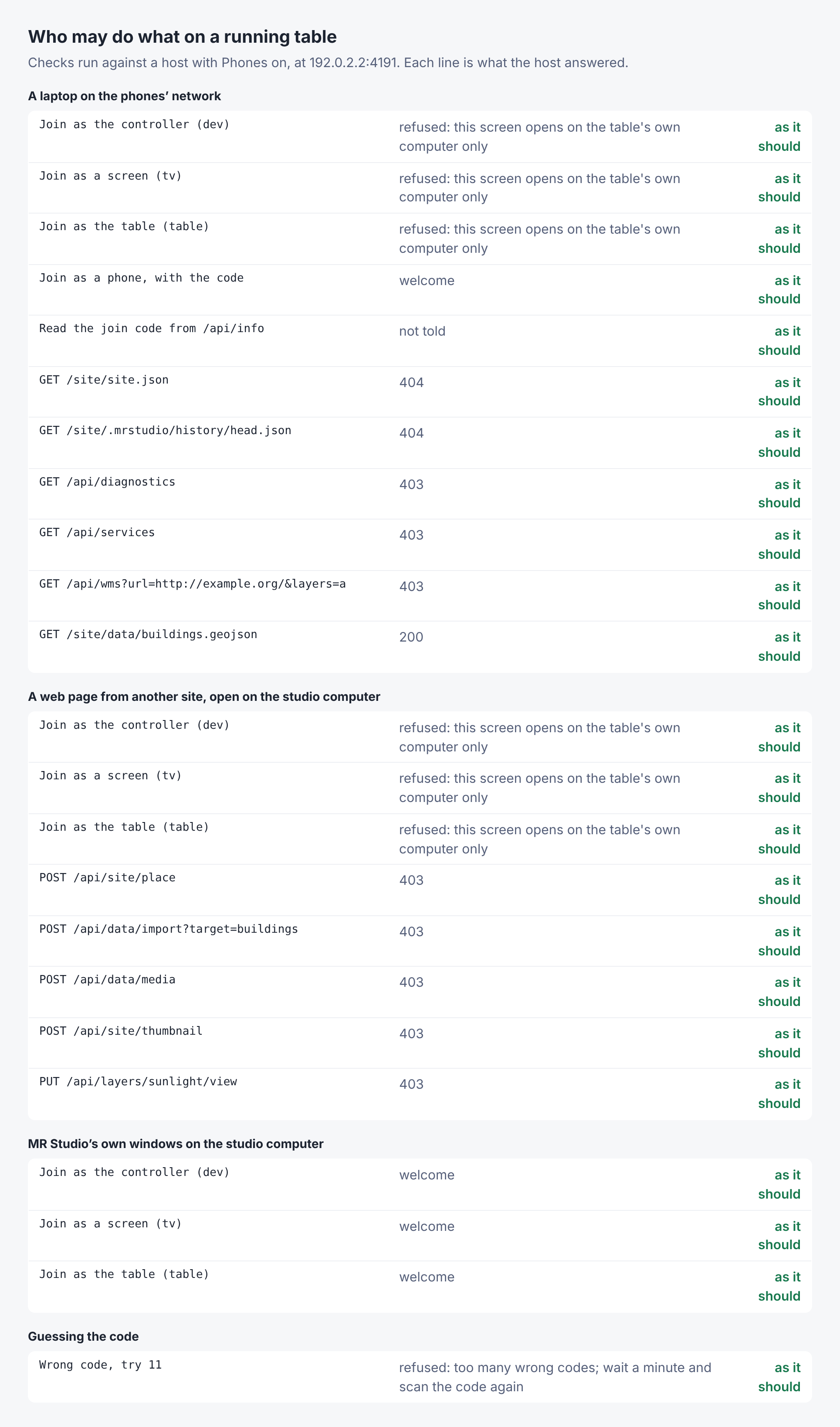
With Phones on, anything on the phones' network could claim to be the controller and rearrange or wipe the table (#504). Now the table, the screens and the controller are accepted only from MR Studio's own windows on the studio computer. Everything else is a phone or the guide.
A web page from another site, open in a browser on the studio computer, can no longer move the table or replace its data either. Visitors' devices are no longer served site.json, the table's history, diagnostics or service logs, the join code is told only by the QR code, and a code cannot be found by trying them all: after 10 wrong codes in a minute an address waits.
Slides that show a layer keep the map and its controls (#551, #552, #560)
Two gaps found while building the Chalmers feature showcase:
- A slide that shows a layer of the table, such as a Magnifier X-ray, Sunlight or a custom layer, keeps the base map under it (#551). It used to draw on black. Pictures, videos and web maps still fill the table on their own.
- The controller shows that layer's own controls during its slide (#552), as when it is opened from its button: the Magnifier's navigator, Sunlight's sky and time slider, and a custom layer's settings.
The Wind dial on the controller also keeps the direction a tap or drag left until the table confirms it, rather than turning back for a moment (#560).