Repository navigation
Releases
MR Studio v0.52.0

New
Calibration's panel is on the controller, and its corners are real building corners (#594, #595)
While the projector is calibrated, the table now shows only the cross of light and the corners already placed, so nothing covers the map and the model (#594). The corner to find, its plan, Back, Skip, Next, Save and a nudge pad for touch screens are in the controller's centre, and in the editor's calibration guide. With no controller screen, K on the table shows the panel there.
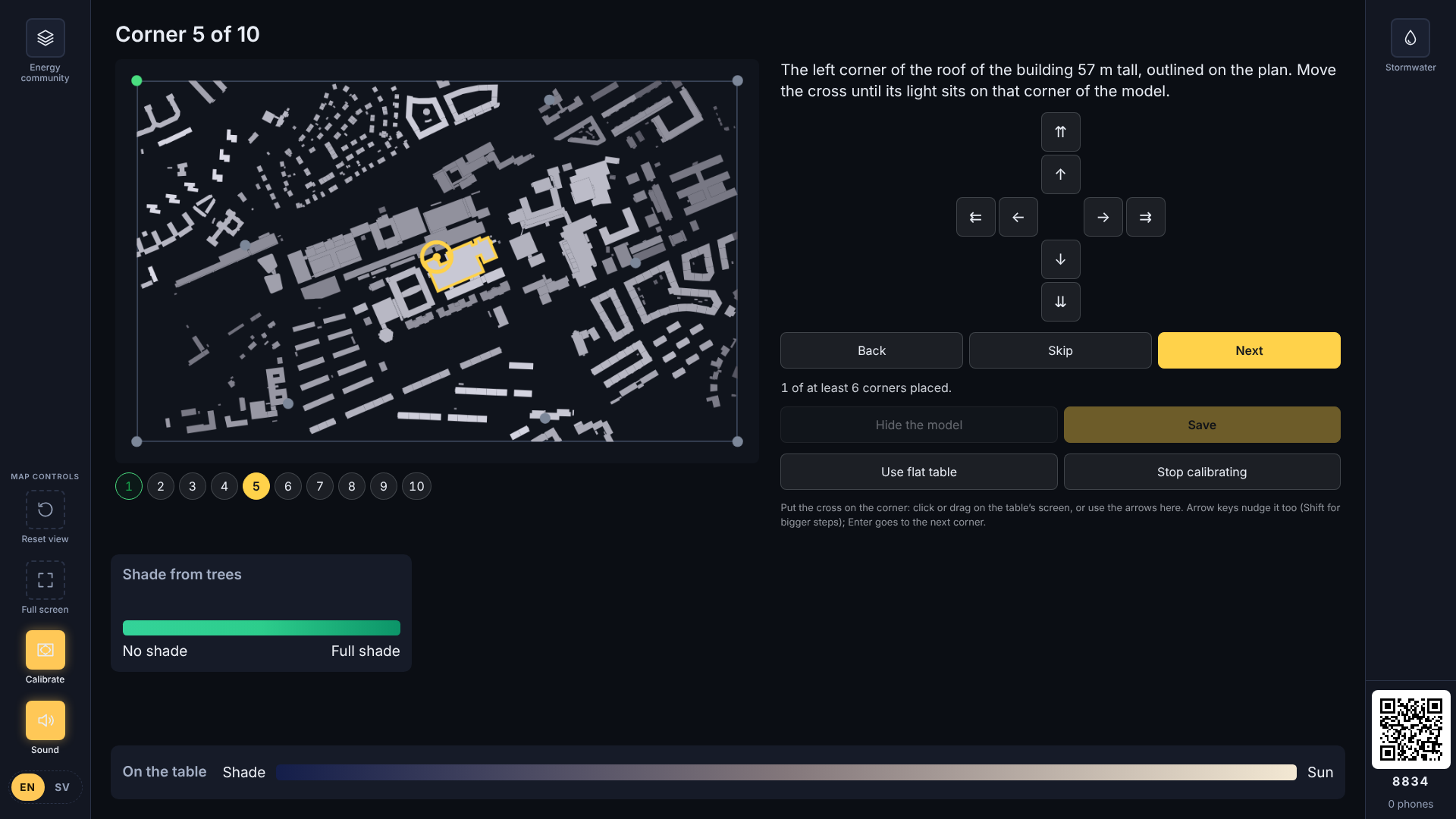
With building footprints, the corners to find are real corners of the buildings, at their roof height, with the building outlined on the plan (#595). They used to be steps of the height raster, which often matched no corner of the physical model. Without footprints the tool picks corners as before.
Geology on the table: GIS files, Dig, well logs and two-stack X-rays (#600, #601, #602, #606)
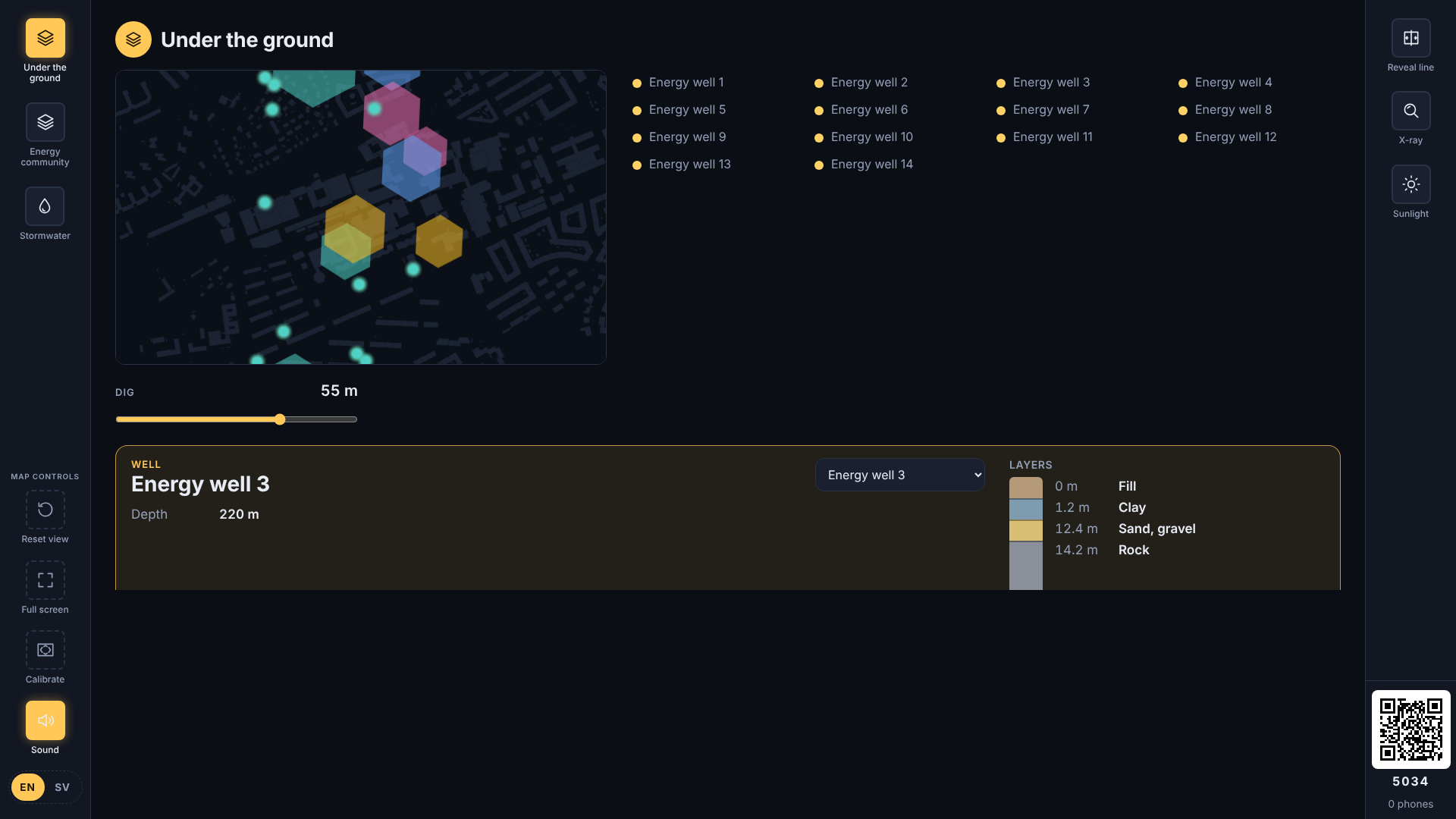
Building blocks for an underground layer, made in the editor without code (#599). All pictures here use made-up sample data.
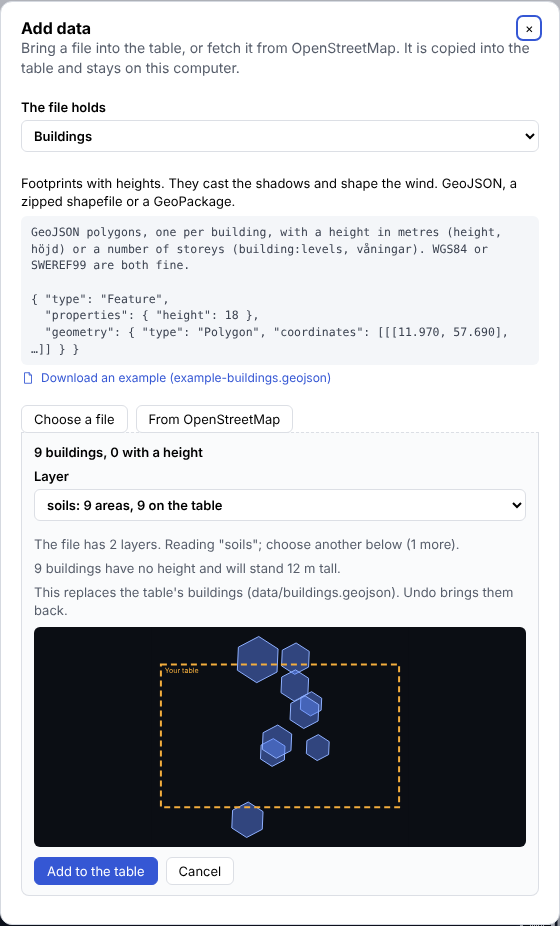
Zipped shapefiles and GeoPackages (#600). Add data reads a zip of shapefiles (with their .prj, .dbf and .cpg) or a GeoPackage, lists its layers with how many shapes of each lie on the table, and takes the one you choose. Files in SWEREF99 TM, its local zones, UTM or WGS84 are placed on their own.
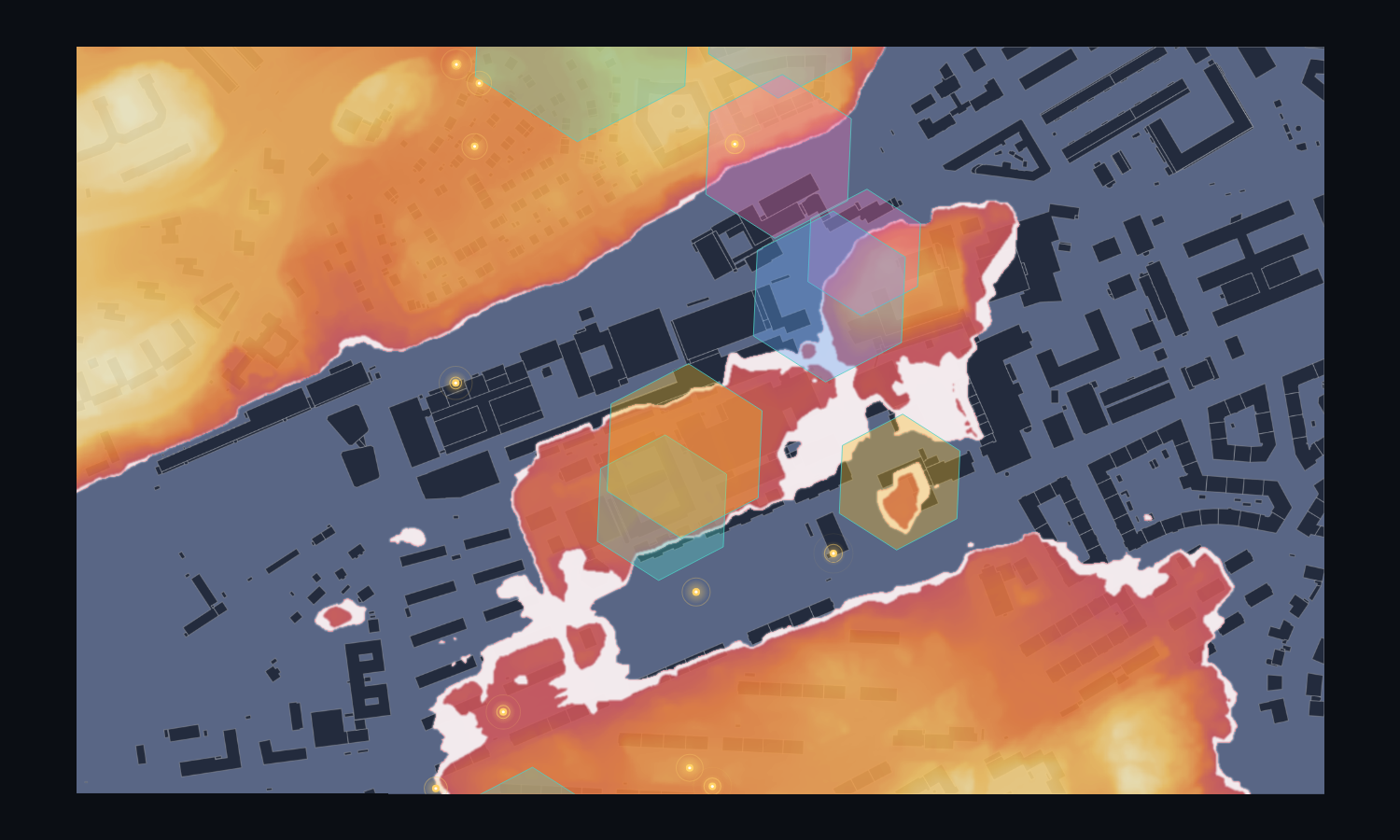
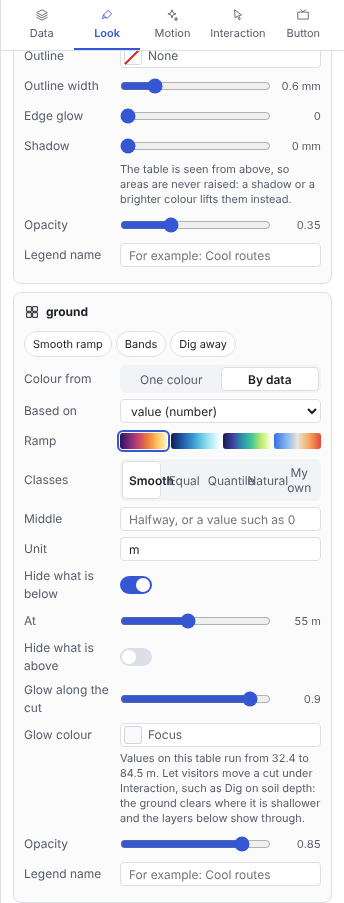
Rasters of values, with Dig (#601). A GeoTIFF such as soil depth or rock surface height comes in as data, and a custom layer colours it by value with the palette's ramps. Hide what is below a value, give the cut a glow, and let visitors move it: the Dig slider peels the ground away and the layers under it show through. A GeoTIFF that does not name its coordinate system is placed the way terrain already was.
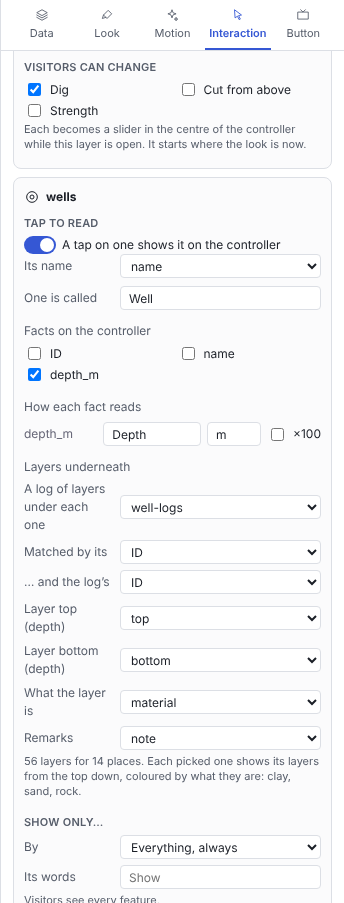
A well's log on the controller (#602). Tap a well or a borehole and the controller draws its layers from the top down, coloured by material (fill, clay, sand, rock…, Swedish or English), with depths and remarks. The log comes from another dataset, matched by a shared column, chosen under Interaction. A layer's own sliders now come before a tap-to-read card, so Dig stays in view.
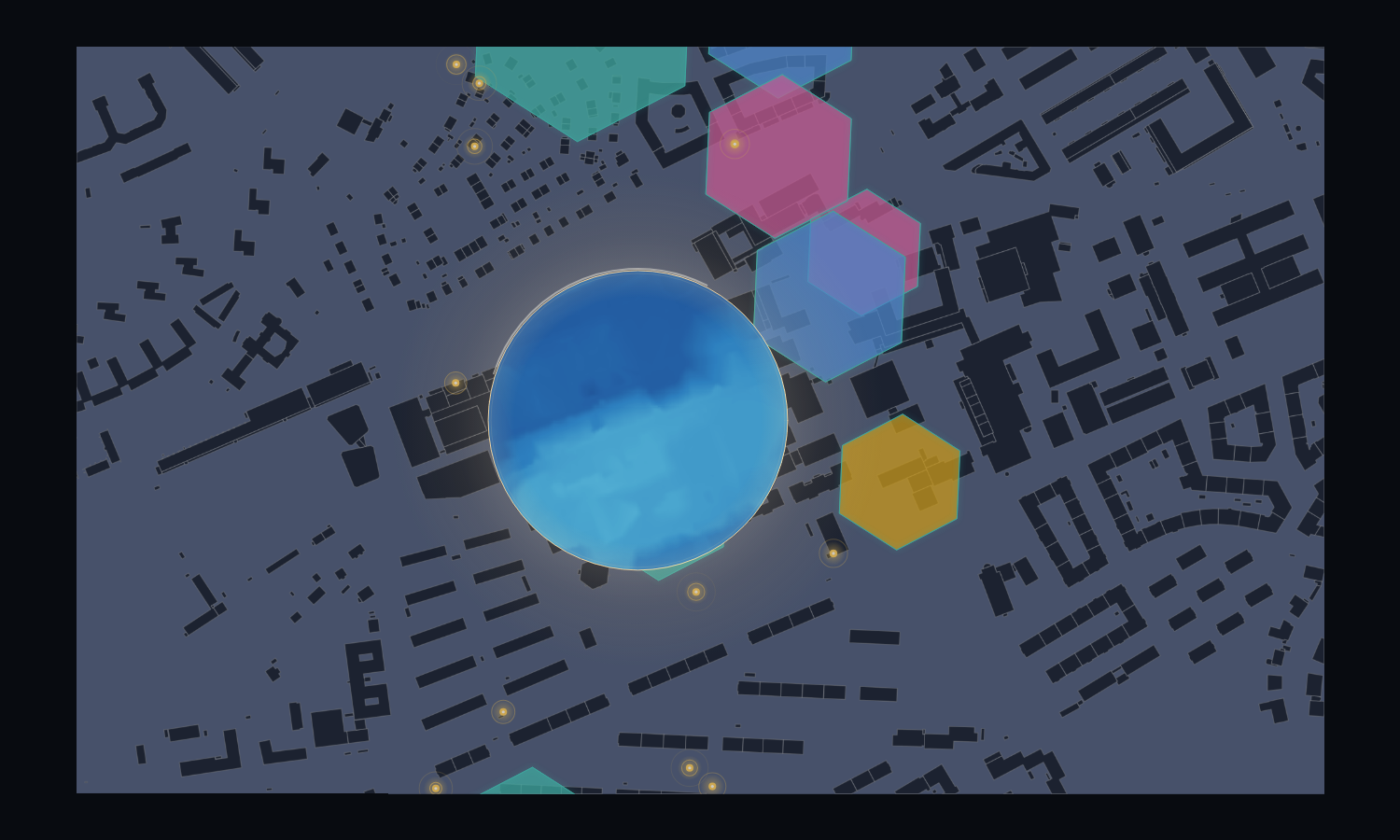
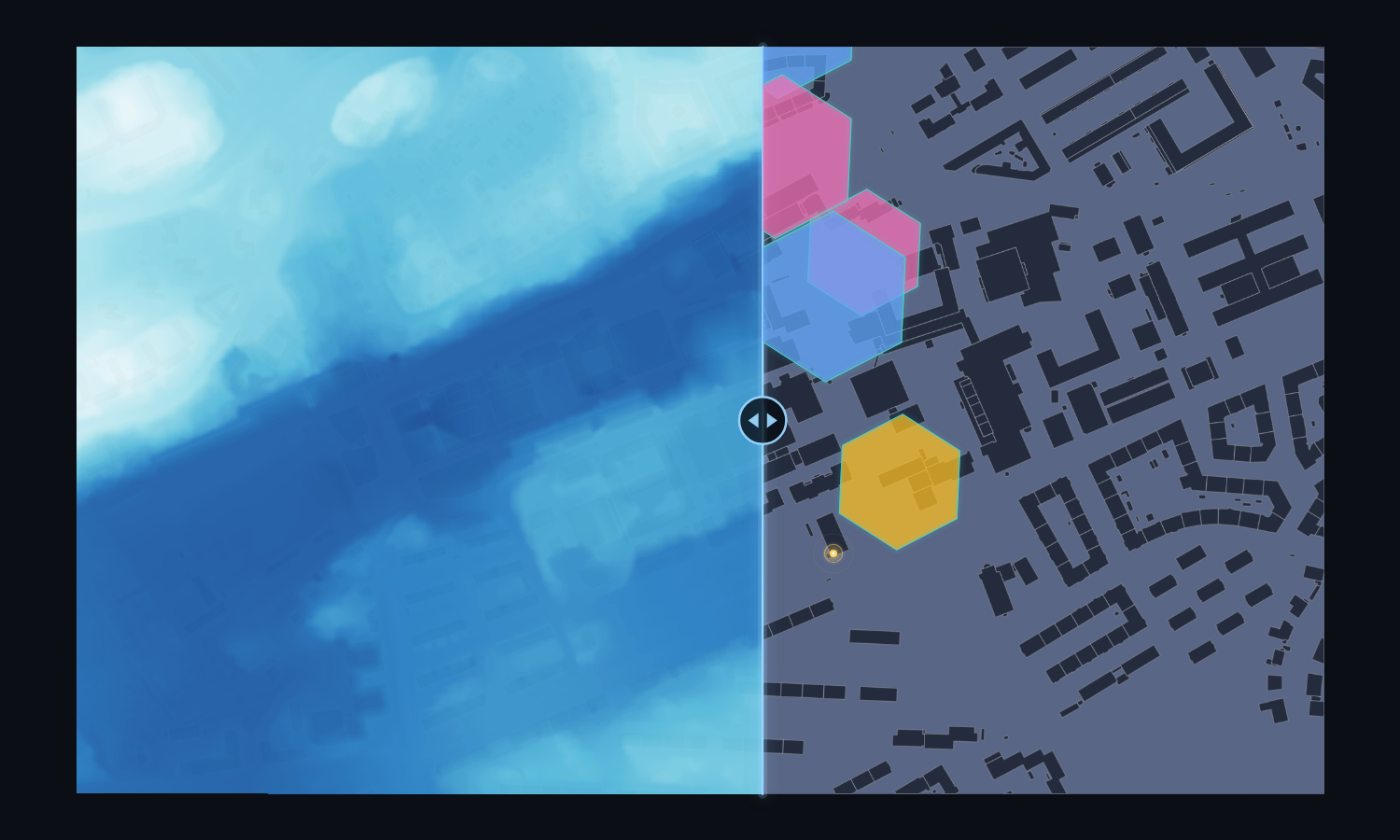
Two stacks in an X-ray glass and a Reveal line (#606). Layers inside a glass or a reveal line go in Stack 1, the surface, shown around the glass or on the far side of the line, or Stack 2, underneath, shown through it. Each stack holds any number of styled layers.
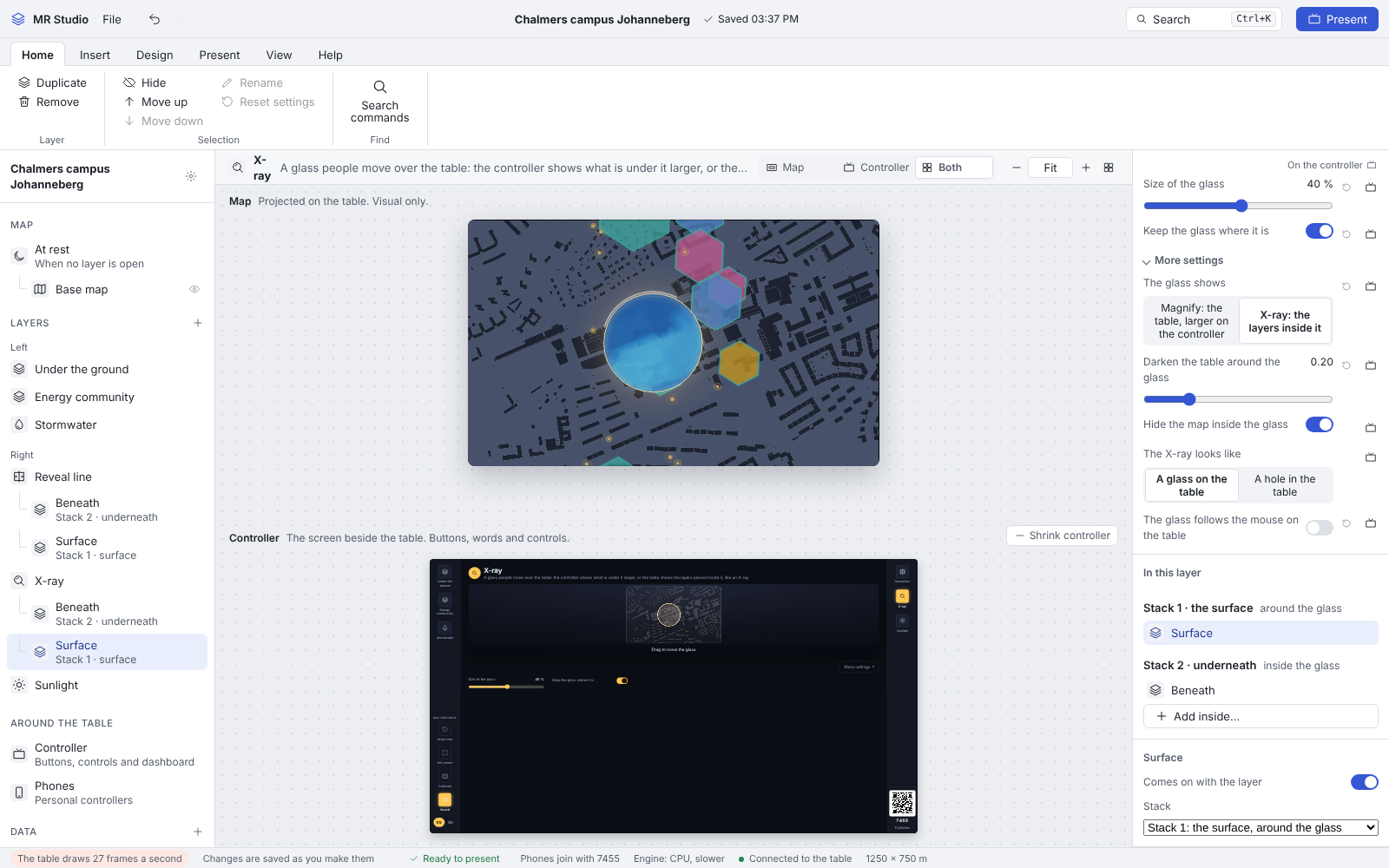
Fixes from the Mac user test: Share, the new-table wizard, operator mode, showcase and words for visitors (#577, #578, #579, #580, #581, #582, #583, #584, #585, #586, #587)
- Share packs the table, then says how big it is before any mail window opens. Over 20 MB it warns that email will likely refuse it and offers Show in Finder first.
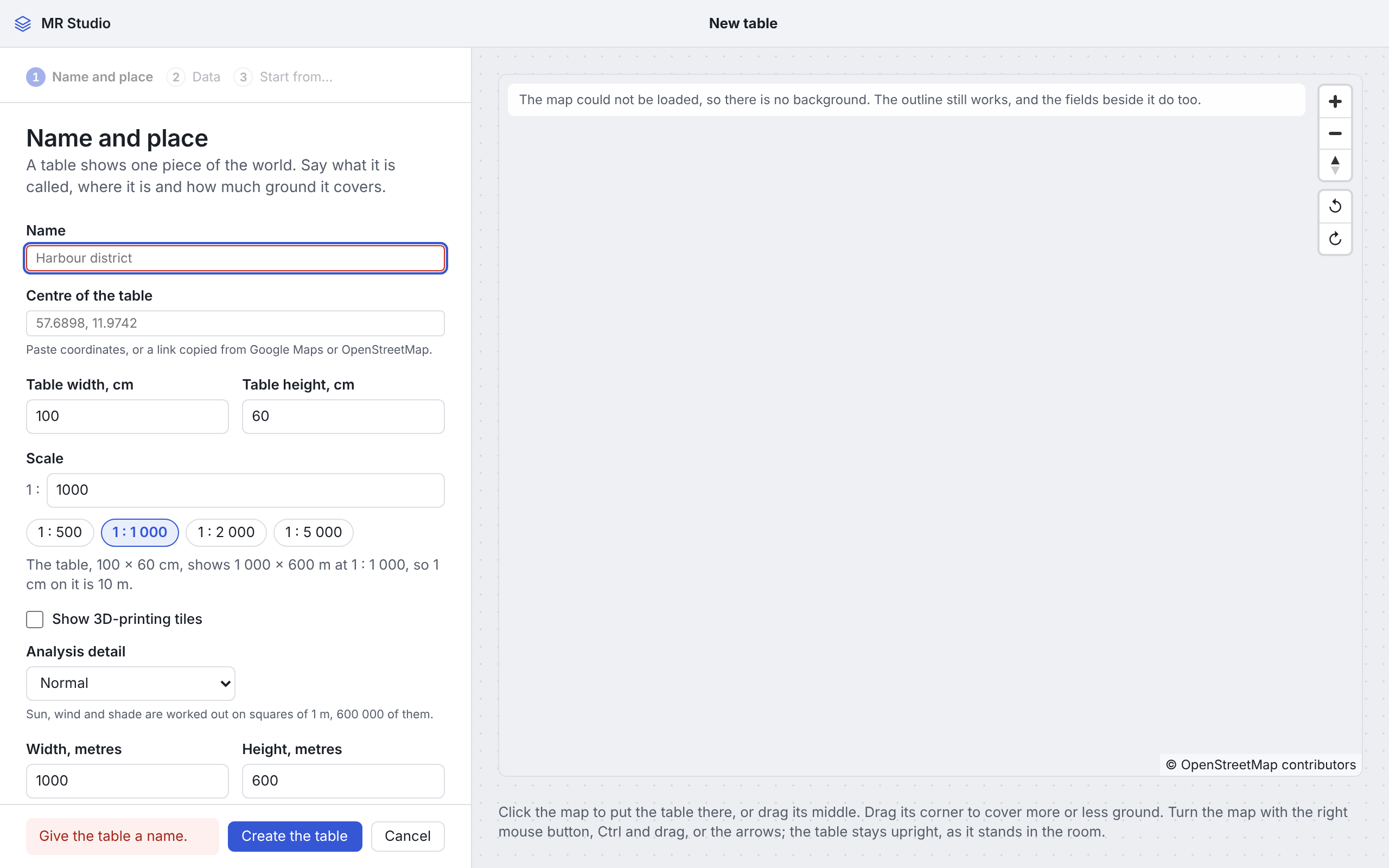
- New table: the physical table holds still. More ground changes the scale, and the other side follows so the ground keeps the table's shape. Create the table says beside the button what is missing and marks the field, and the window no longer goes black while the editor starts.
- Data is ticked only when more than the ground came in, and Start from… lists the layers it could not add and what they need.
- Operator mode names the Mac's own screen "Built-in display" and says what each screen shows when presenting. With no PIN set, leaving asks for none.
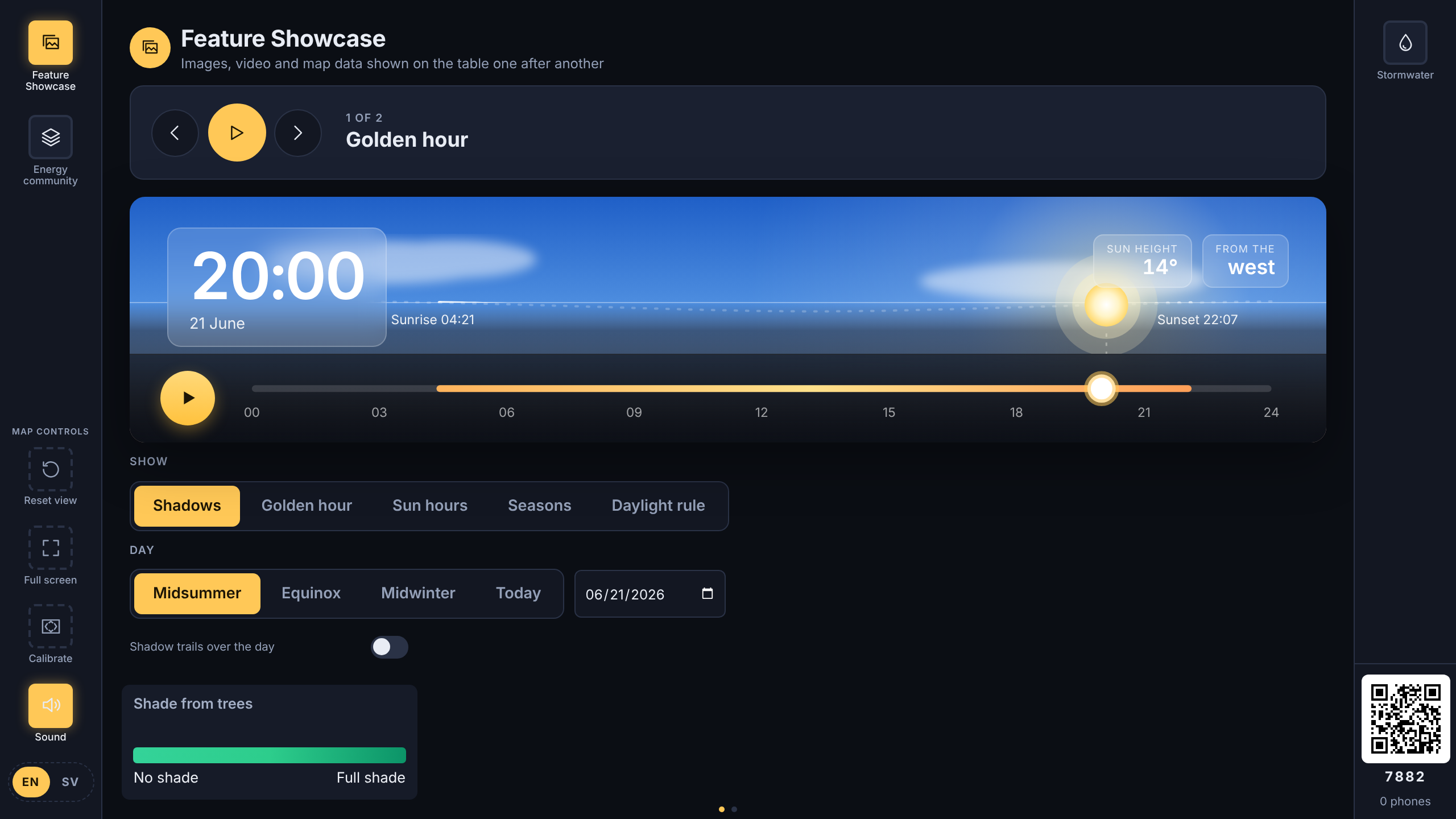
- Slideshows draw a step's sun, wind or other hero a little smaller, so its option rows stay whole. The table's ribbon clock follows the play head like the controller's.
- The tour stays away once you have clicked, counts as seen after it shows once, and says Move up and Move down.
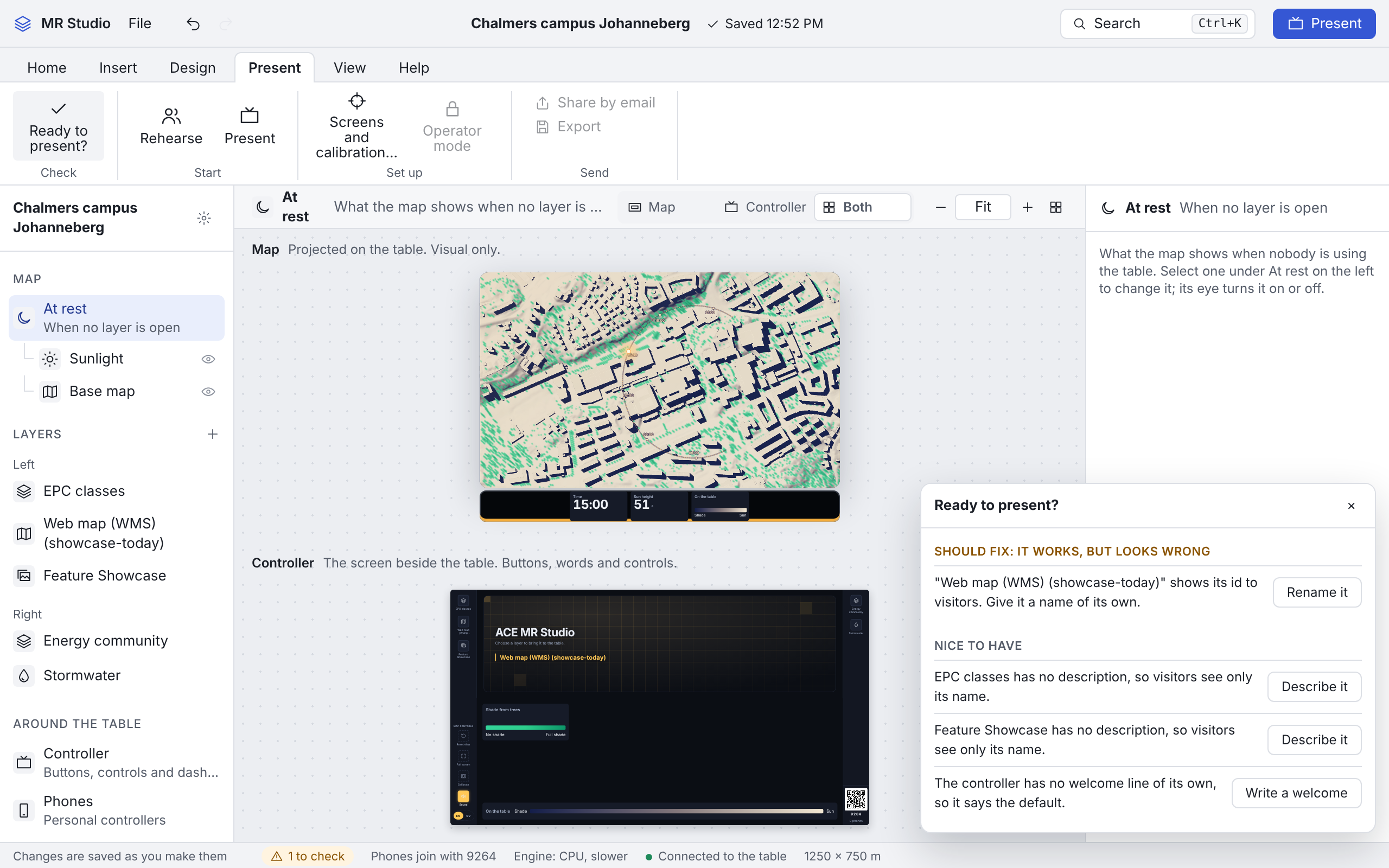
- Visitors never see a layer's id. Data layers (GeoJSON, pictures, web maps, plans, slideshows) show no gallery text until you write a description. Ready to present? points out both.
- Home shows Your tables before What's new, with Duplicate, Open read-only and Delete always visible and Delete set apart.
Fixes
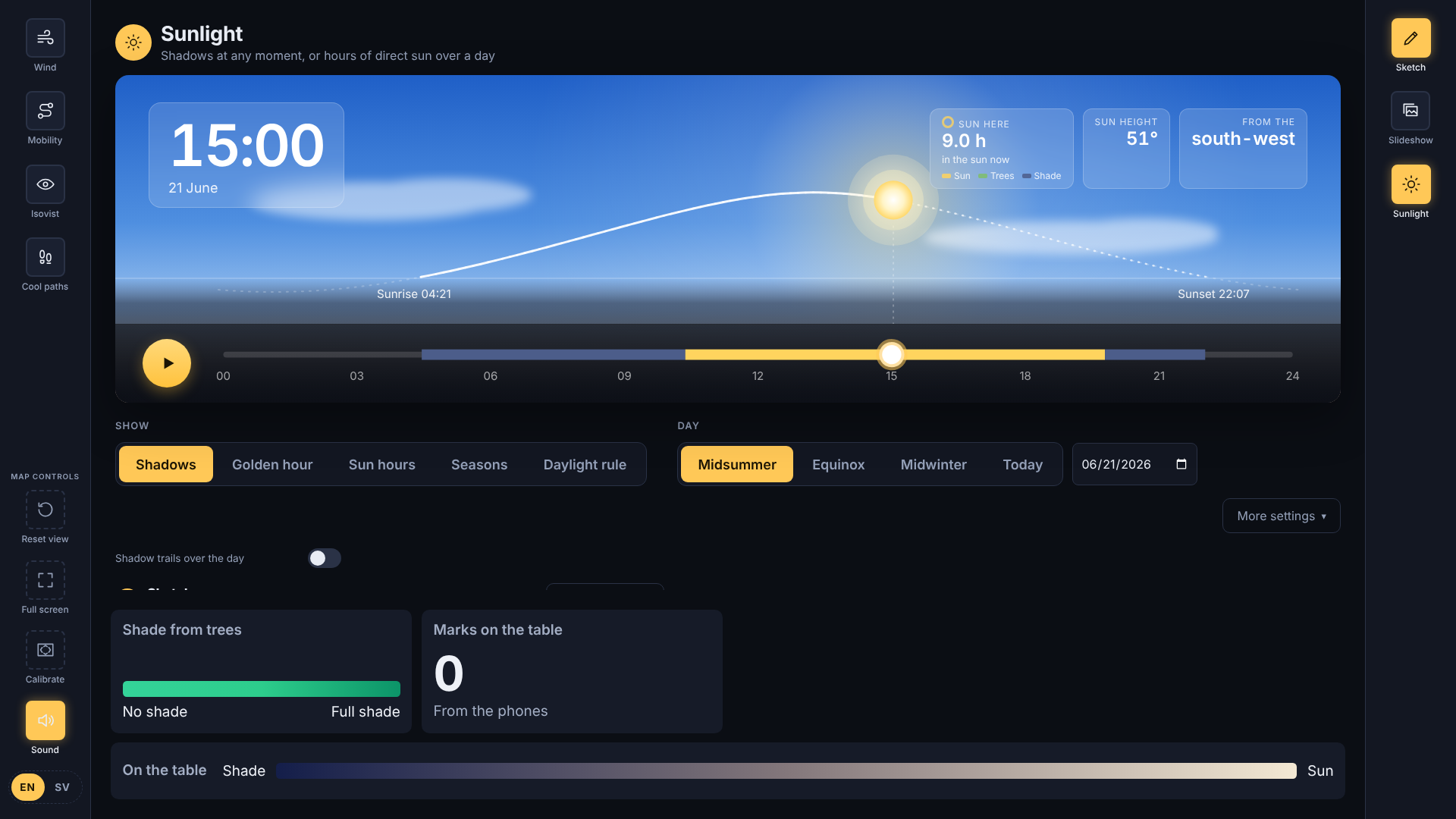
The table no longer resets while people are using it (#604)
The table goes back to its welcome after 3 minutes only when nobody has done anything on any screen (#604). Before, each controller page counted only its own touches, so a demo driven from the editor, a phone, the guide's phone or the table reset itself every few minutes, and a second controller screen that nobody touched reset it even while the main one was in use. The host now keeps one timer for the whole table, and every screen tells it when someone touches it. "Back home after" in Welcome and languages still sets the time, and 0 still means never.
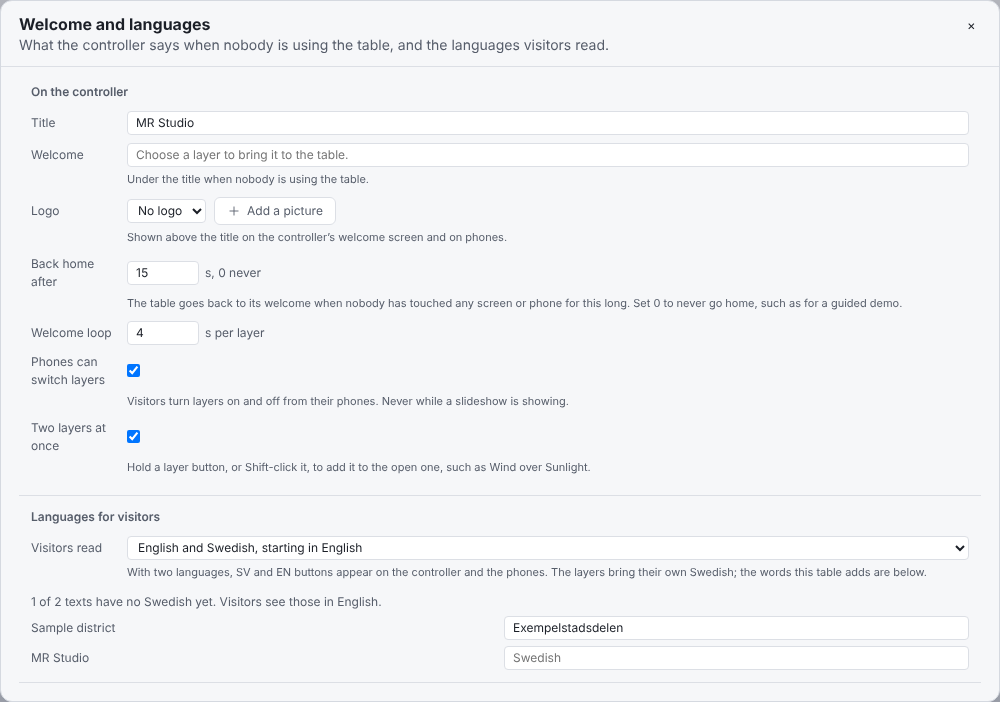
OpenStreetMap fetches get through when the servers are busy (#603)
Fetching buildings, trees, streets or water from OpenStreetMap now gets through far more often (#603). Each request asks for a small share of the server, which a busy server still accepts. MR Studio waits for its turn when the server says when one frees, and leaves a server alone for 30 s after it says "too many requests", as the server's operators ask. Parts that already came back are kept, so trying again only asks for what is missing. A third public server (VK Maps) is asked when the other two are busy.
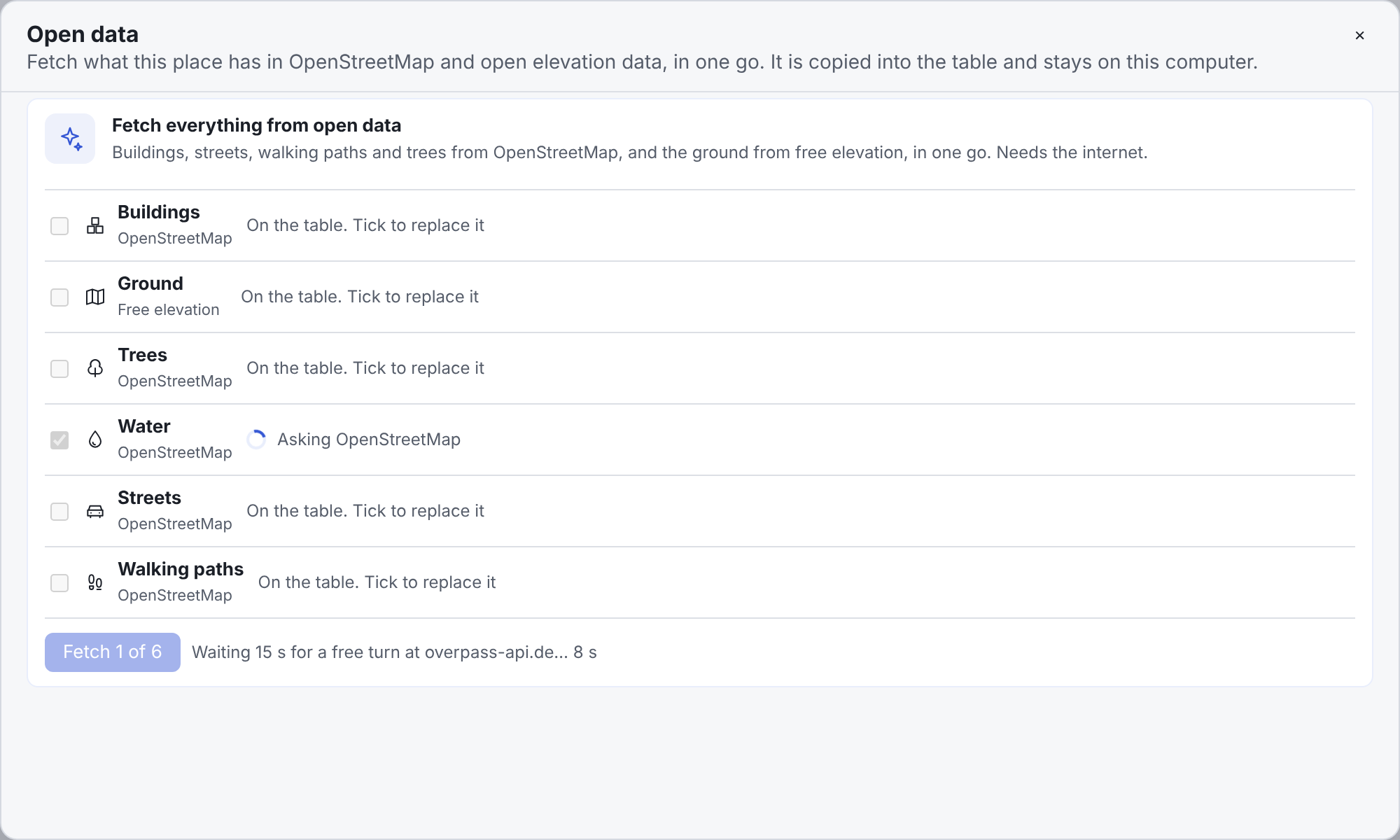
Controller pages keep a title while it is typed (#572, #590)
Quick changes in the Controller pages dialog, such as moving a panel and then typing its title, no longer lose the title (#572). A late reply to one of the dialog's own saves used to take it back a step and redraw it under the typing.
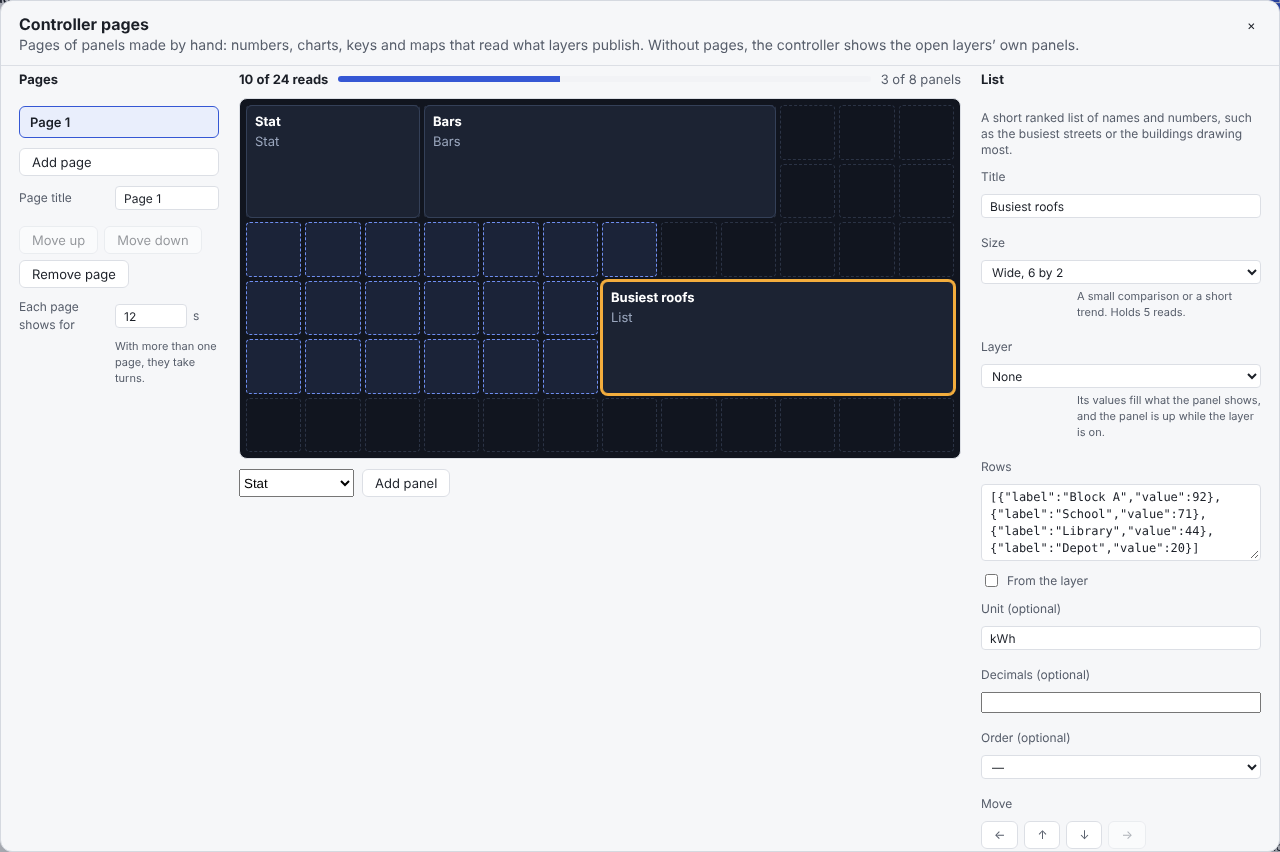
The end-to-end test's tap on the wind dial now always lands on the dial's top (#590).
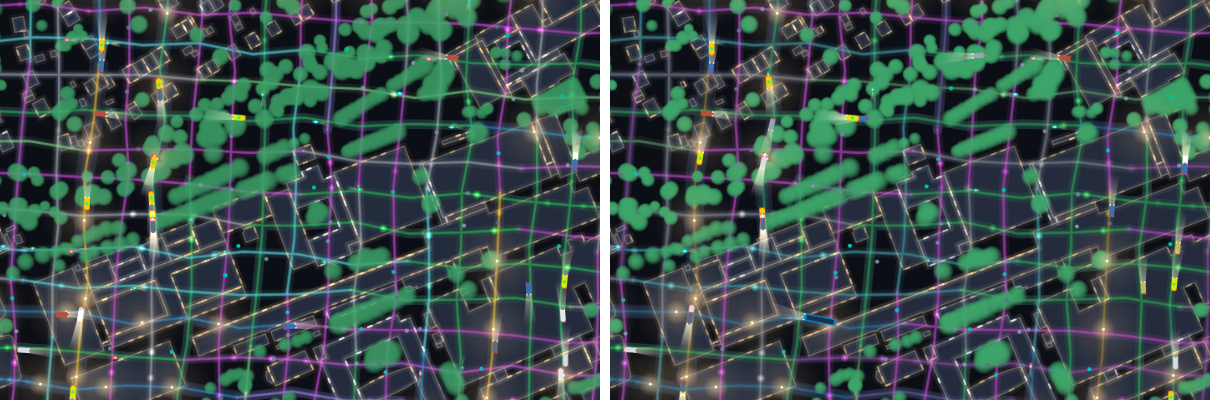
The presented table draws far less each frame (#596)
On a Mac, the presented Chalmers table ran at about 4–5 frames a second (#596). Its ambient layers redrew whole pictures of the site many times a second, and WebKit draws those on the processor. Now each layer draws only what moves:
- Street glow draws its streets once and pulses them by fading.
- Trees redraw a third of their crowns at a time.
- Building lights draw their soft glow once.
- Cars, people and transit redraw up to 30 times a second.
The table looks the same. In a test on the same site, the layers' own drawing time per frame fell from about 245 ms to about 100 ms, and street glow fell from about 60 ms to about 12 ms.
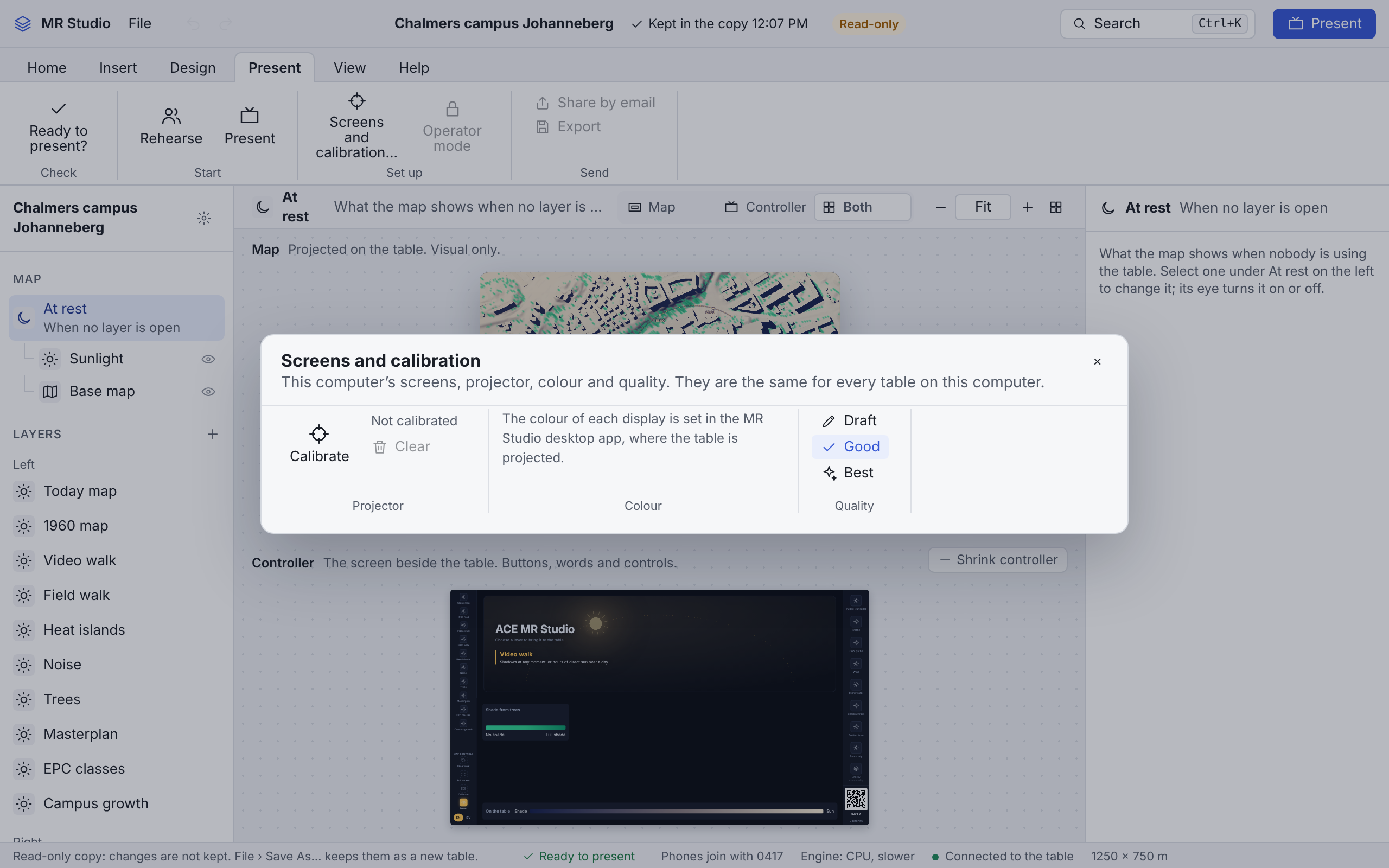
Fixes from the Mac user test: screens dialog, phones status, read-only copy, controller buttons (#573, #574, #575, #576)
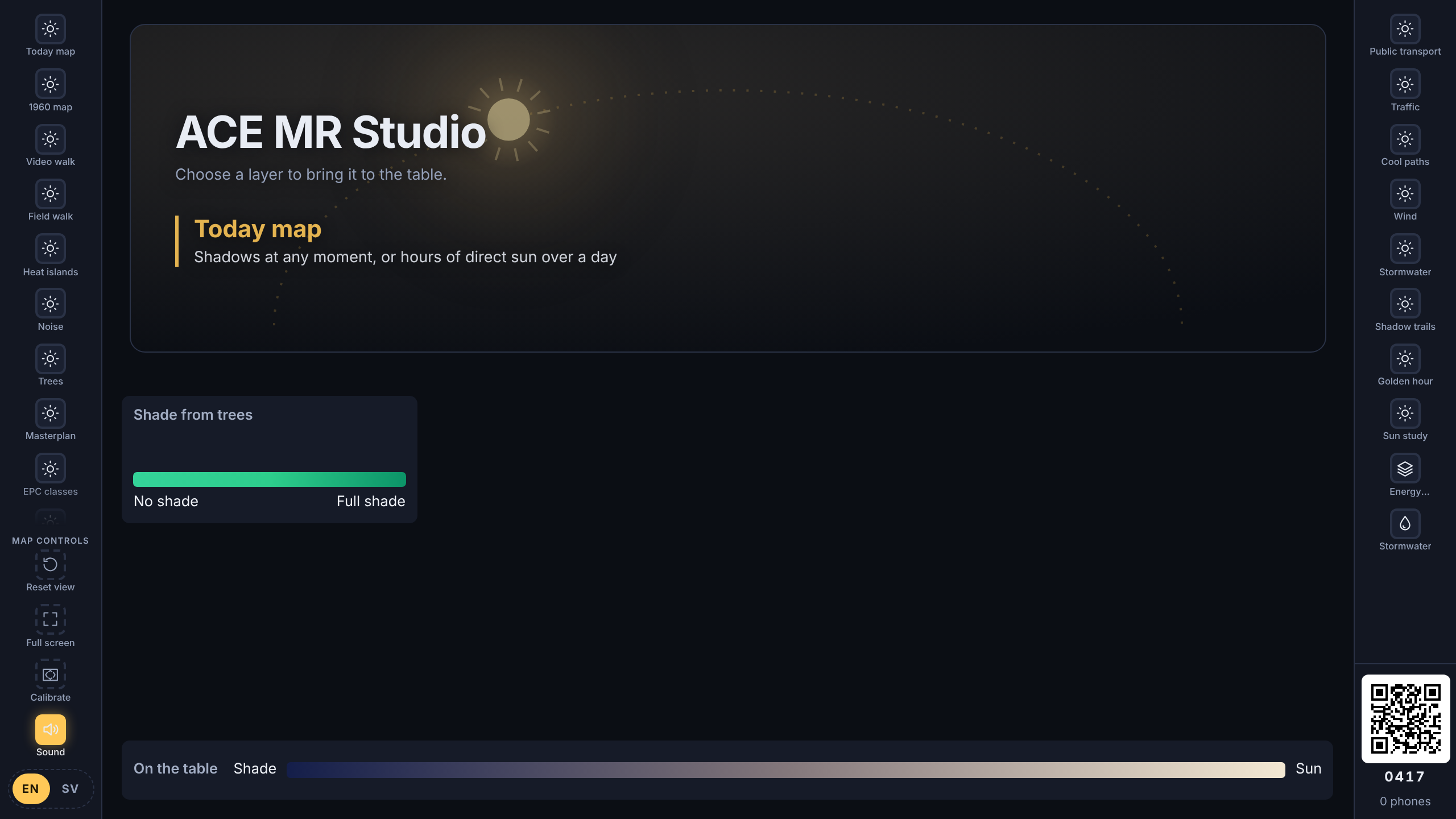
Screens and calibration opens at its full height on a Mac again, instead of a thin strip. Settings and the operator window now agree with the editor on whether phones can join, including through the phone relay. A table opened read-only keeps its Read-only badge after operator mode or any other reopen, and the status bar says how to keep changes. A controller with many buttons fits them: the rails tighten when they are full and fade where there are more to scroll to.
MR Studio v0.51.0
New
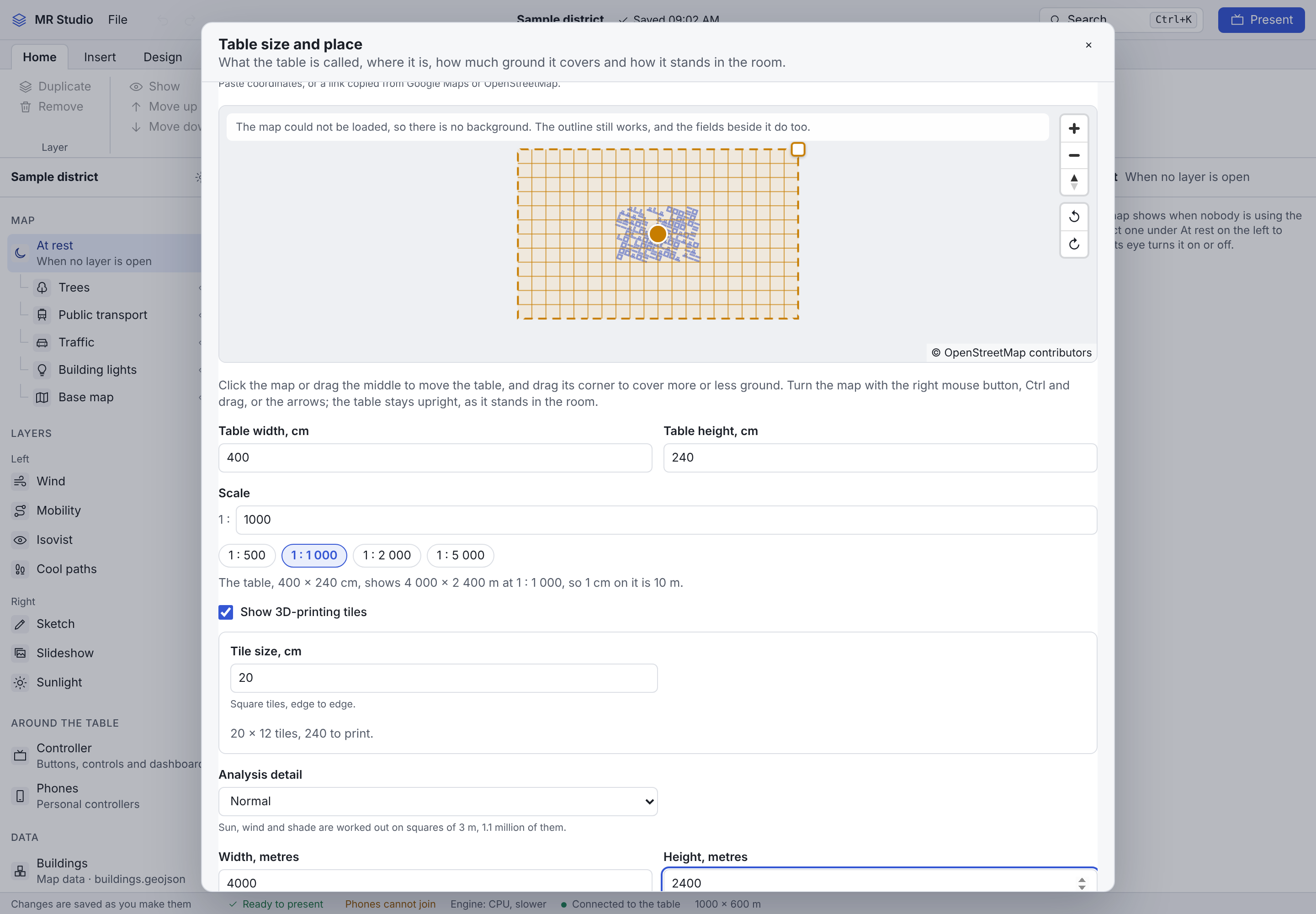
Big tables stay fast: the analysis grid follows the ground (#513)
A table made in the app always worked out sun, wind and shade on 1 m squares. A 4 km table had almost ten million of them and crawled, and a 10 km table was refused with a message about a file setting (#513).
Now the squares follow the ground: 1 m for a neighbourhood, 3 m for a 4 km district, 6 m for a 10 km city, about two million squares in every case. Analysis detail in Table size and place says what the table uses and lets you choose Fine, Normal or Coarse; the choice is kept when the table is resized. Tables you already have keep their squares until you resize them or choose a detail.
A table asks before it runs its own programs (#506)
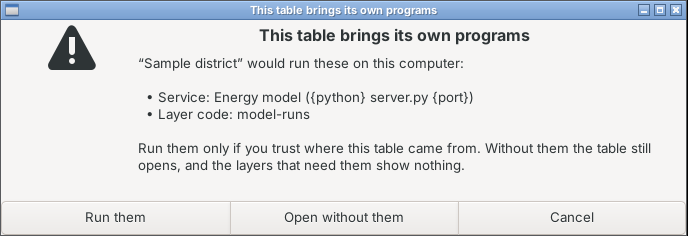
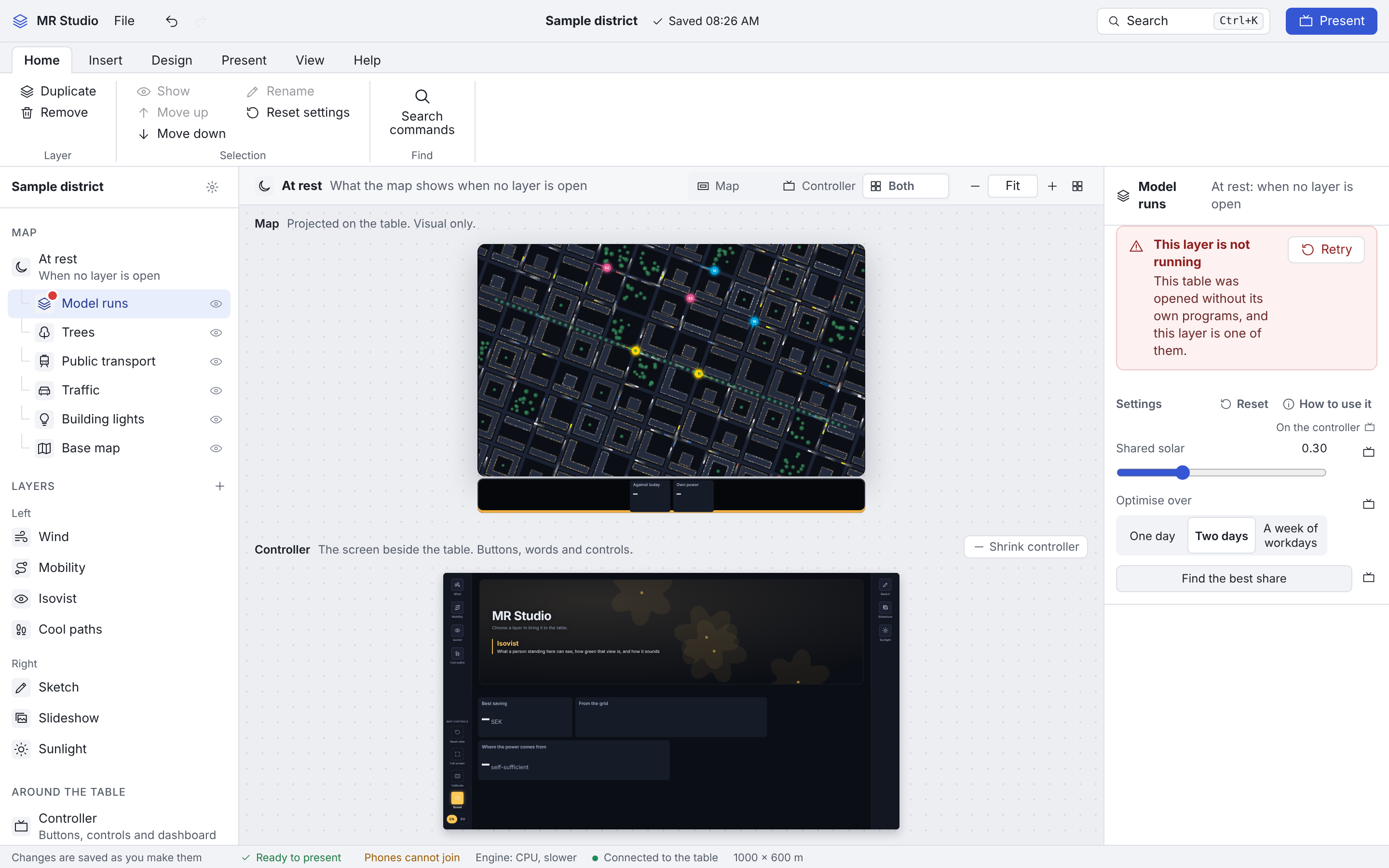
A table can bring programs with it: services the app starts, and the code of its own layers. Opening a table file from an email used to run them without a word (#506). Now MR Studio names them and asks first: Run them, Open without them or Cancel.
Tables made on this computer are never asked about. A folder you open is asked about once. A table that arrived as a .mrstable file is asked about once, and again if an update brings other programs. Opened without them the table still shows: its services are held, and its own layers say they are not running.
What a table keeps for offline use has a limit, and you can see it (#516)
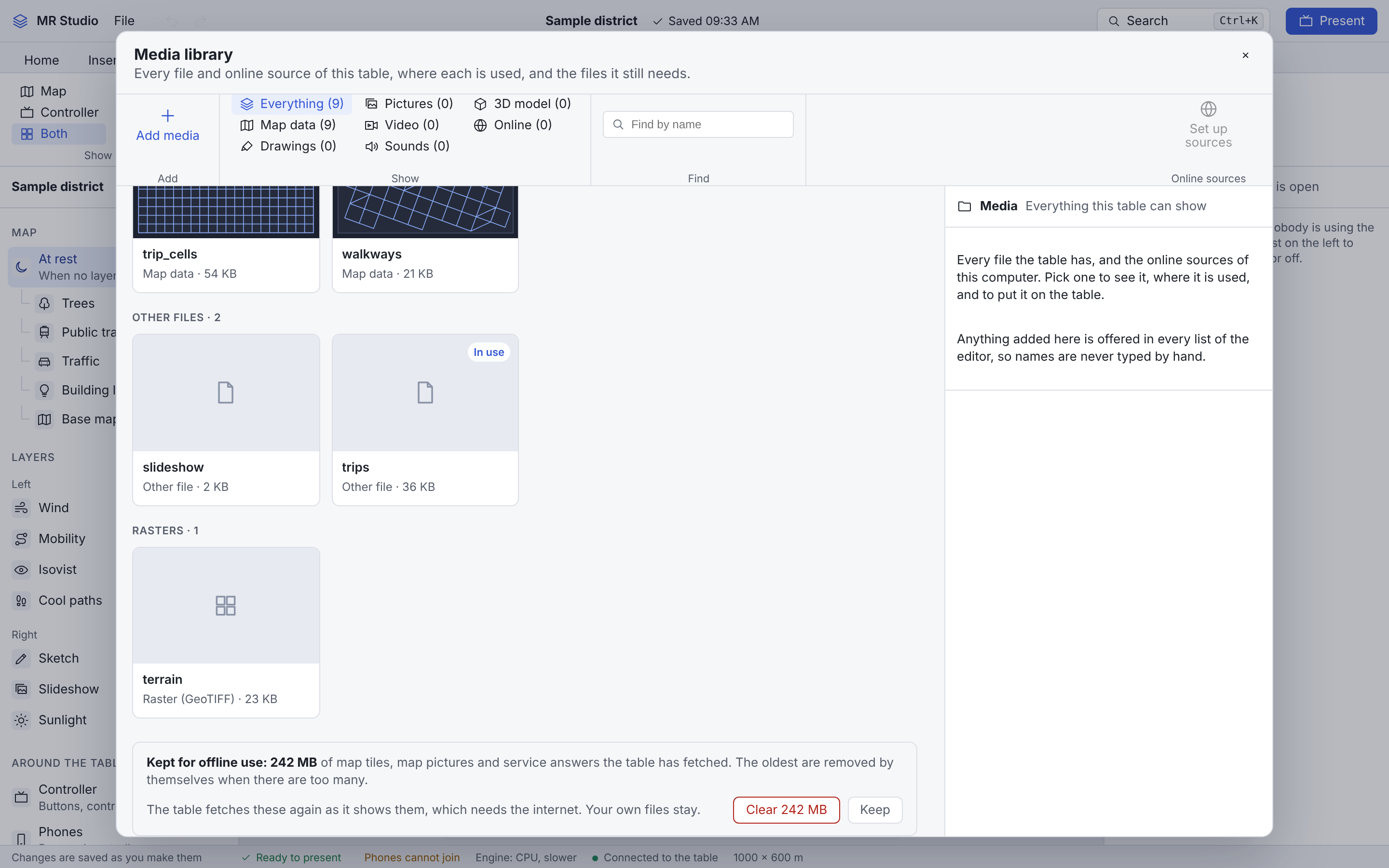
A table keeps every map tile, map picture and service answer it fetches, so it works without the internet. Nothing ever removed any of it, so a table that ran for months, or was moved around a city, only grew (#516).
Now the kept files stay within a limit (500 MB of maps, 200 MB and 2000 answers per service). When a table starts, and once a day, the files fetched longest ago are removed. The media library says how much is kept and has a Clear button; your own files are never touched.
Open a table read-only (#565)
Each table on Home has Open read-only. MR Studio opens a copy of the table, with its calibration, so a demo, a test or a busy open day can change layers, settings and sketches without anything reaching the table itself. The title bar says Read-only; File › Save As… keeps the changes as a new table if they turn out worth keeping.

A team's own layer gets the SDK's types (#508)
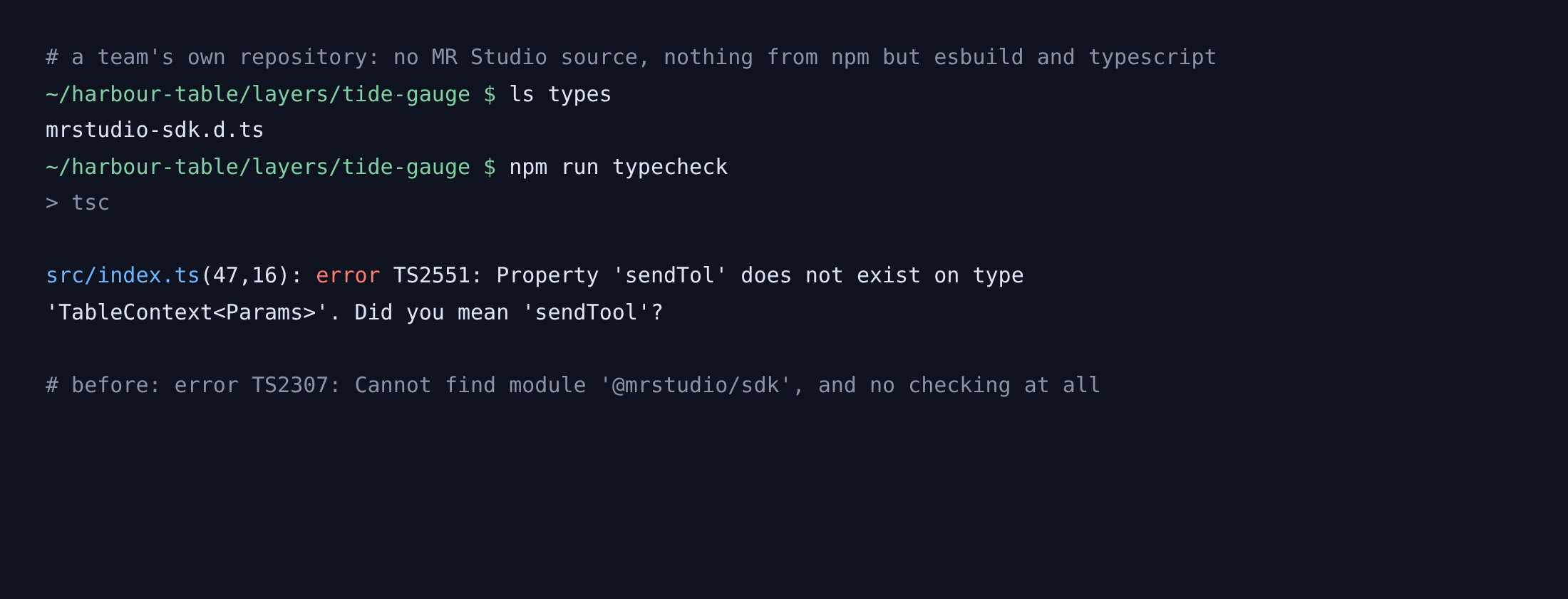
A layer written in a team's own repository had nothing to check it against: the editor said "Cannot find module '@mrstudio/sdk'", there was no completion, and a mistyped ctx call showed up only on the table (#508).
mrstudio layer new and mrstudio layer build now write the SDK's types into the package (types/mrstudio-sdk.d.ts), brought up to the installed app on every build. The editor completes and checks what you write, and npm run typecheck checks a layer without building it. Nothing is installed from npm for it.
An older MR Studio says which version a table needs (#509)
A table made on a newer MR Studio used to fail on an older studio computer with whatever it tripped over first: an unknown setting, a missing layer, an error inside a layer's code (#509).
Now a table carries the version of the newest MR Studio that changed it (a one-line mrstudio.version file beside site.json, written by the app). An older app that cannot read the table says "This table was made with MR Studio 0.55. This computer has 0.49. Update MR Studio on this computer to 0.55 or newer." One that can read it says the same once and offers Open anyway.
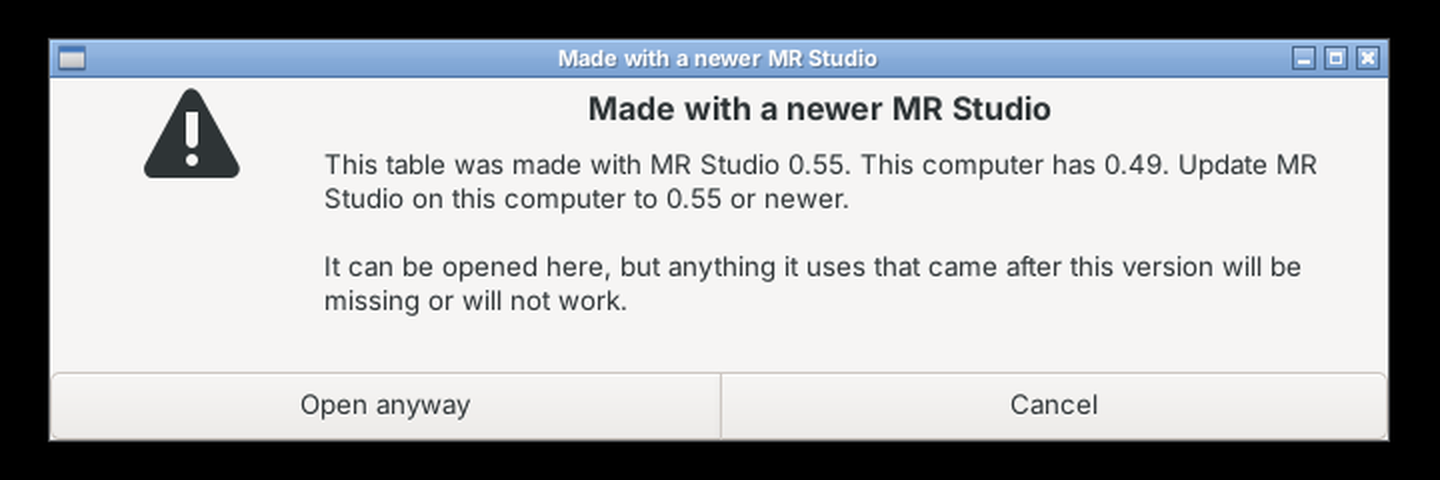
A team's own code layer says which MR Studio it needs (requires.app in layer.json, written by mrstudio layer build). On an older app the rest of the table shows and that layer says what to install.
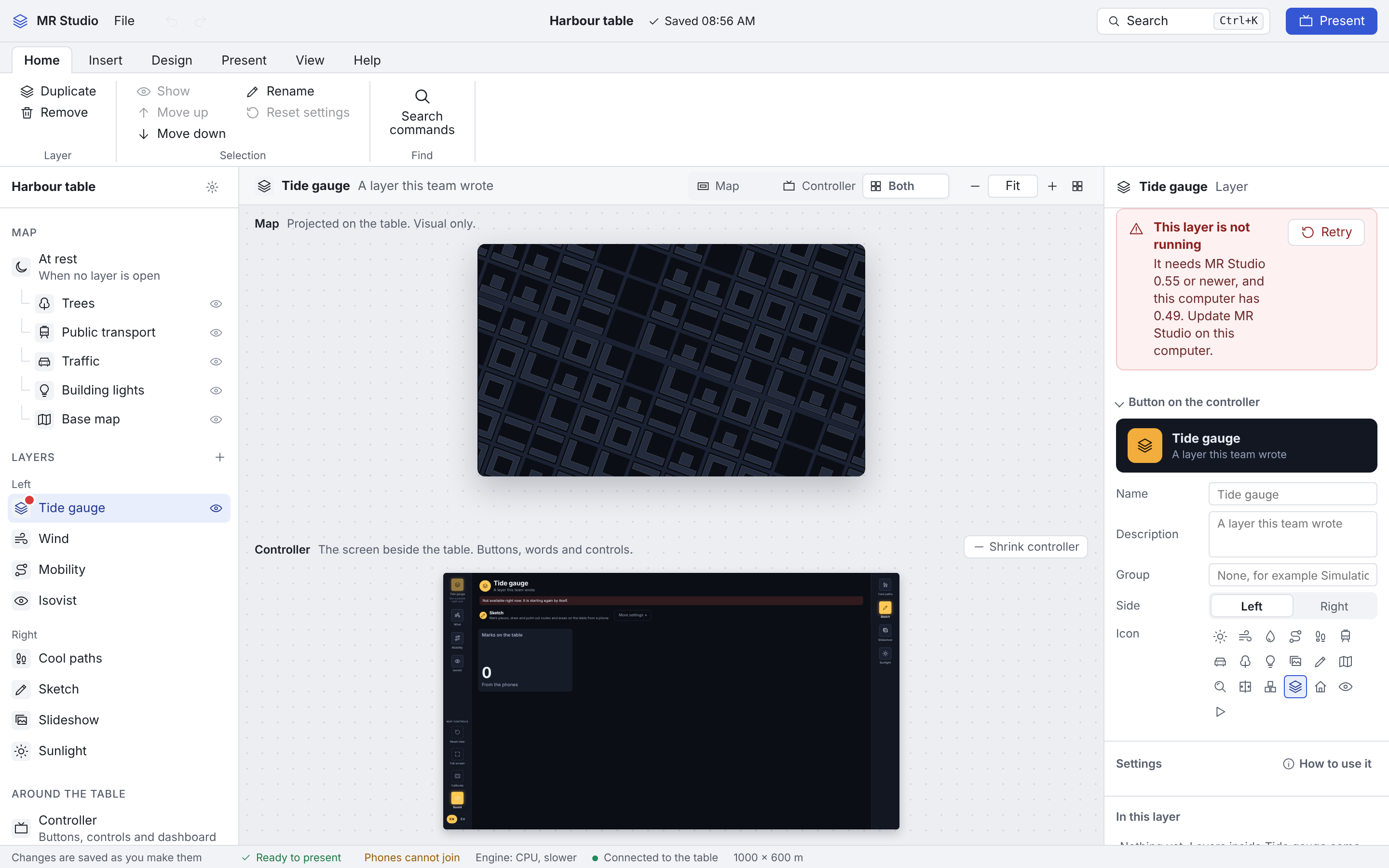
The site template's check installs the version the table names.
Fixes
A drawing is never stretched to the table (#559)
A Masterplan drawing with no corners is now fitted inside the table at its own proportions, centred, turned as set, instead of being stretched to the table's shape. Placing it by hand in the editor starts from that shape too, so the preview while dragging is no longer distorted. Fit to the table again (was Fill the table again) goes back to it. A drawing of the table's own shape fills the table as before.
Undo after an import brings your data back (#512)
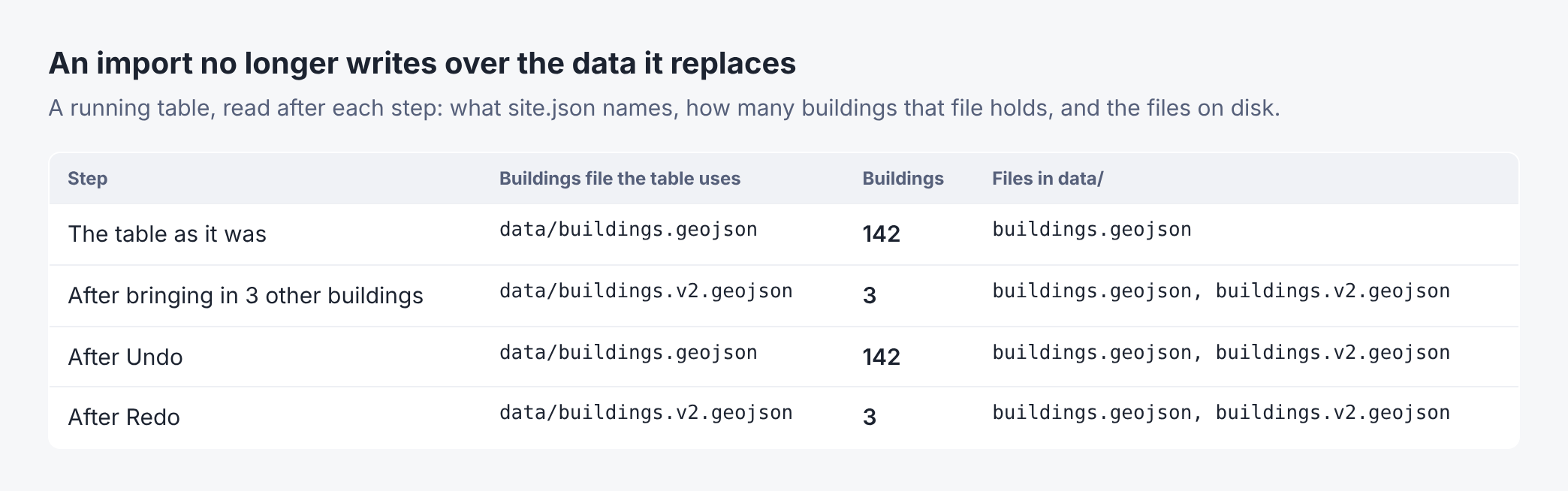
Bringing in new buildings, terrain or any other data used to write over the file that was there, so Undo put the settings back but not the data (#512). One click on "Fetch from OpenStreetMap" could cost hand-cleaned buildings for good.
Now new data is saved beside the earlier file (buildings.v2.geojson), and Undo, Redo and the version history show the data of that moment. The last three earlier versions of each file are kept, and table files you share carry only the one in use. A picture or sound added under a name that is taken no longer replaces the one a slide shows.
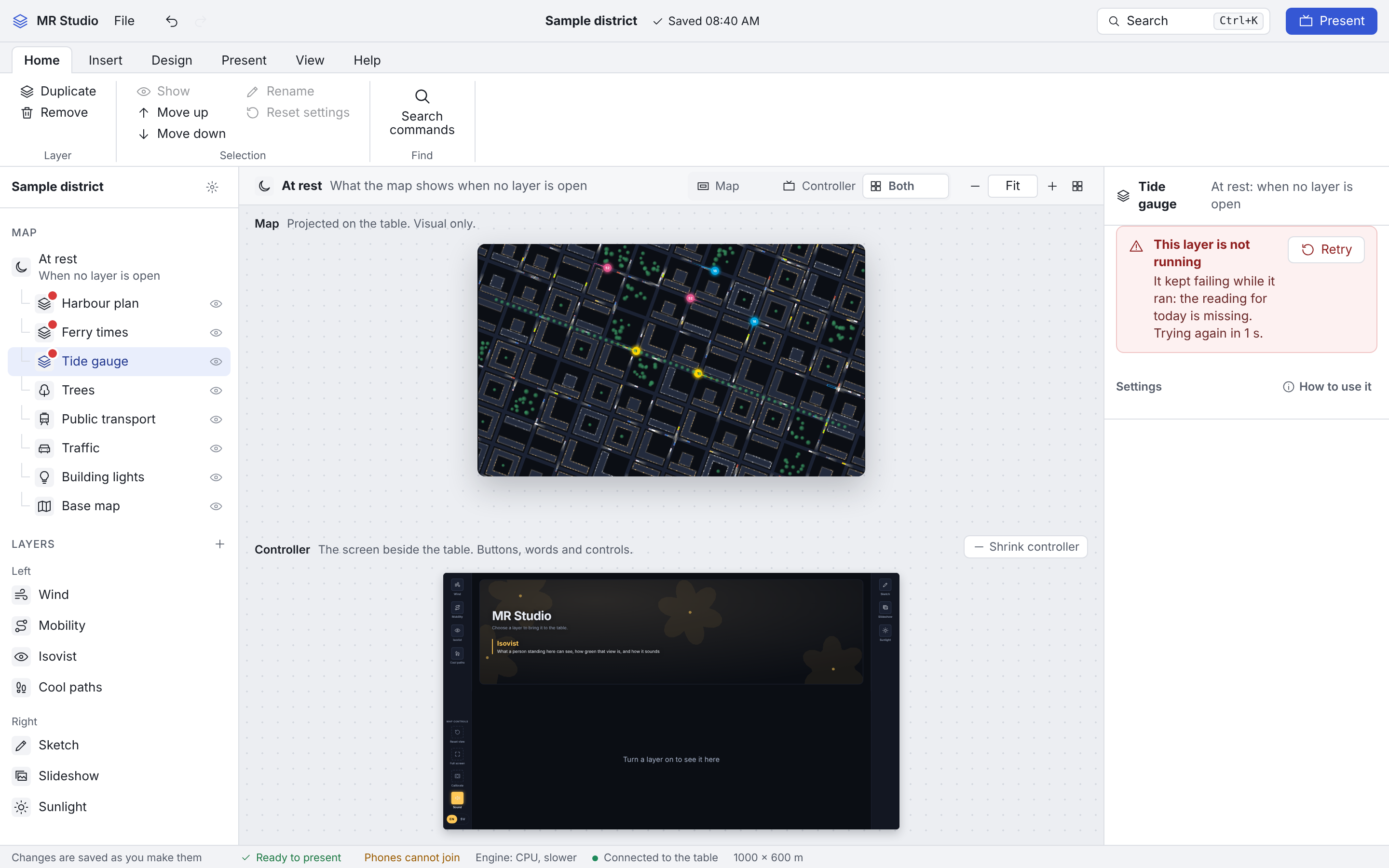
A broken layer says why, every time (#510)
Some ways a team's own layer can fail left no trace: the table just showed nothing (#510). Now each of them shows as trouble in the editor, on the controller and in Copy diagnostics, with the reason:
- its code does not load ("its code could not be loaded: SyntaxError …"),
- it throws on every frame (it is stopped and tried again, instead of half-drawing sixty times a second),
- it never finishes starting ("it has not finished starting after 20 s").
Two fixes underneath: one layer's mistake in handling an update no longer keeps that update from the other layers, and a request the table never answers now fails after 30 seconds instead of waiting for ever.
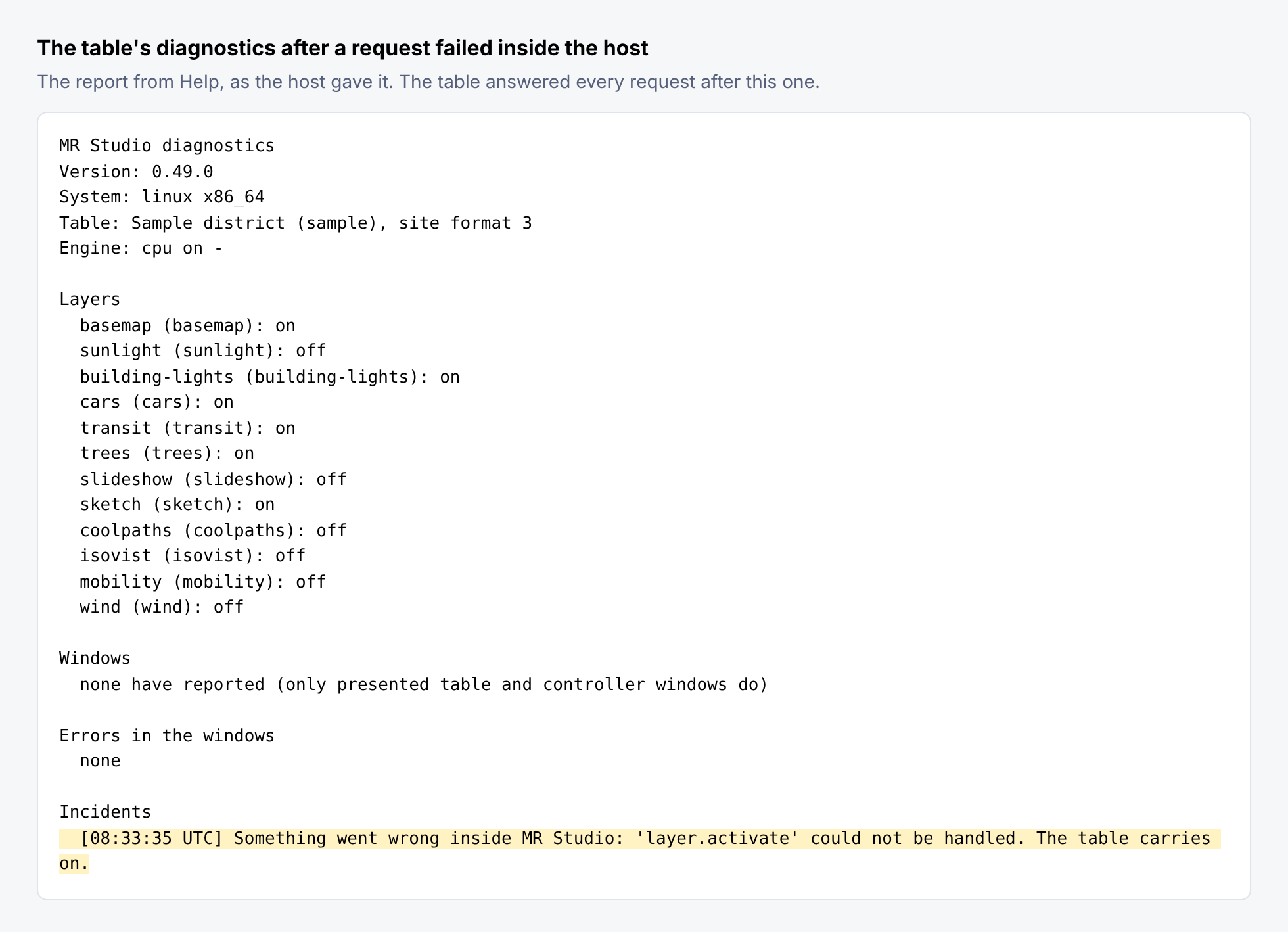
One failed request no longer stops the table (#507)
If the host tripped over one request while it held the table's state, every request after it failed too, and the table stayed dead until the nightly restart or a person (#507). Now such a failure costs that request only: the screen that asked is told, the operator log gets a line, and the table answers the next request as before.
The watchdog has one more step for an unattended table. When a window still does not answer after it was reloaded and the windows were opened again, the table itself is started again.
The app and the assistant no longer trip over each other's saves (#515)
The app and the MCP server both save site.json. A save by one could be read half-written by the other, which left a broken entry in the version history and a "site.json does not load" notice, and a change saved in between could be silently undone (#515).
Every save now replaces the file in one step. The app waits a moment before it believes a file that looks cut off, and the MCP server no longer writes over a change the app made since it read the table: it reads again and makes its change again. The calibration is saved the same way, so a power cut cannot leave half a file.
Moving through the hours of a raster no longer reads each file again (#534)
Cool paths asks for one prepared raster per hour. Going back to an hour that had already been shown loaded and checked site.json, opened the GeoTIFF and resampled every cell again (#534).
The host now keeps each resampled raster after the first read, up to 256 MB of them. It reads a raster again only when the file or site.json has changed.
File › Settings opens big enough for the screens and calibration (#558)
The Settings window, where the screens are picked for Present and the projector is calibrated, now opens at most of the display instead of a fixed 1080 × 720, and opens at the size it was last left at. The page grows with it, and the map of the screens gets taller in a taller window.
Clicking a slide keeps the slideshow open (#562)
In the editor's slides, clicking a slide that shows one of the table's layers now shows that slide inside the slideshow, and opens the slideshow first if it is closed. Before, it opened the layer on its own and closed the slideshow. A small settings button on such a slide still goes to the layer's own settings, and says that this closes the slideshow.
Wind shows the trees it slows (#561)
While Trees slow the wind is on, the trees' crowns show faintly over the moving air, so it is c...
MR Studio v0.50.0
New
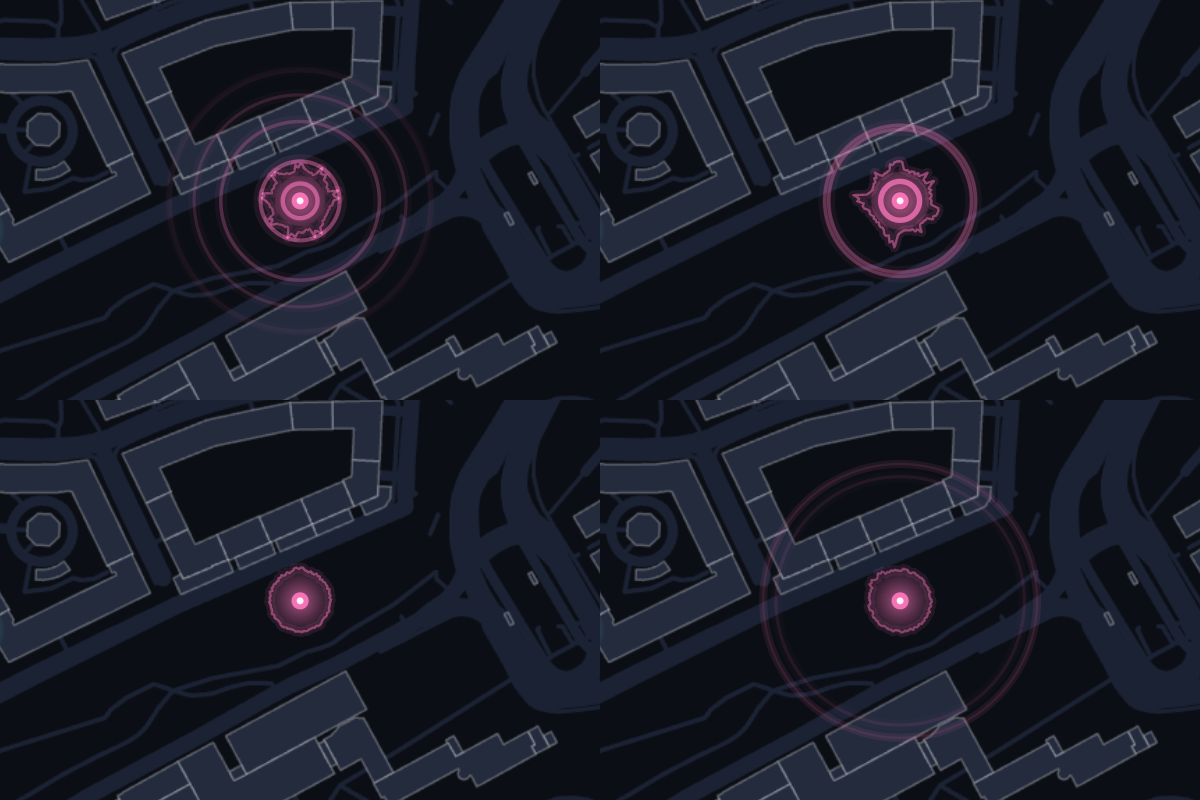
Bird song draws its waveform (#555)
Points with sounds now draw the sound itself while it plays: a closed waveform round the point, its last second or so wrapped round a circle, that swells with each call and shimmers with high notes, inside the rings that already go out. It is on by default; the layer builder's Sound motion has Waveform and Waveform swing to turn it off or make it bigger.
Operator mode for the exhibition computer (#394)
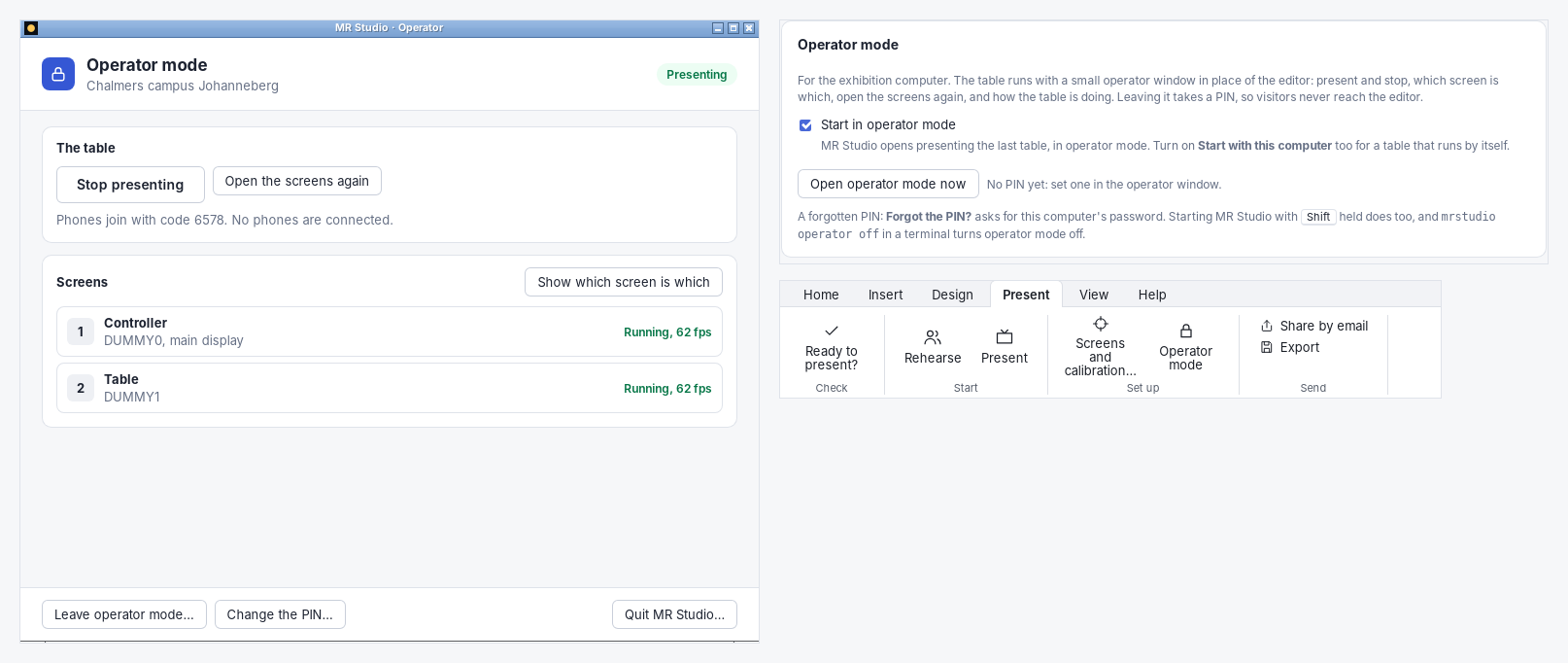
The exhibition computer can run a table with a small operator window in place of the editor (#394), so visitors at the controller never reach the editor or the desktop. The editor itself is unchanged.
- Start in operator mode in Settings, Phones and startup: MR Studio opens presenting the last table. Operator mode on the Present tab and Open operator mode on Home turn it on now.
- The operator window presents and stops the table, shows which screen is which, opens the screens again, and says whether each screen is running and how many phones are connected.
- Esc on a screen does nothing, and Ctrl+Shift+E brings the operator window back.
- Leave operator mode… and Quit MR Studio… ask for a 4 to 8 digit PIN. After five wrong ones it waits 30 seconds.
- A forgotten PIN is never a lock-out. Forgot the PIN? and starting with Shift held ask for this computer's password, and
mrstudio operator offturns it off from a terminal.
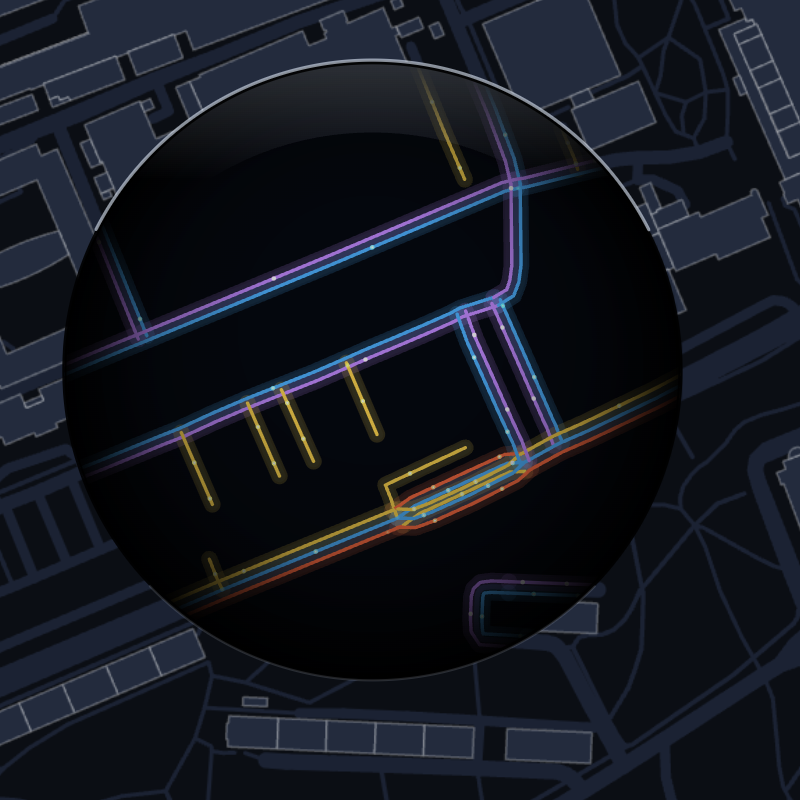
The X-ray can be a hole in the table (#554, #553)
A Magnifier set to X-ray: the layers inside it has a new The X-ray looks like setting: A hole in the table draws the glass as an opening cut into the table. The walls darken towards the rim, the near edge throws shade across the front, the far lip catches the light, and there is no halo, so pipes and cables read as lying under the ground. The glass now always stays above the layers placed inside it, and a glass shrinking away at the end of a slide no longer floods the log with errors (#553).
Fixes
Only the studio computer runs the table (#504)
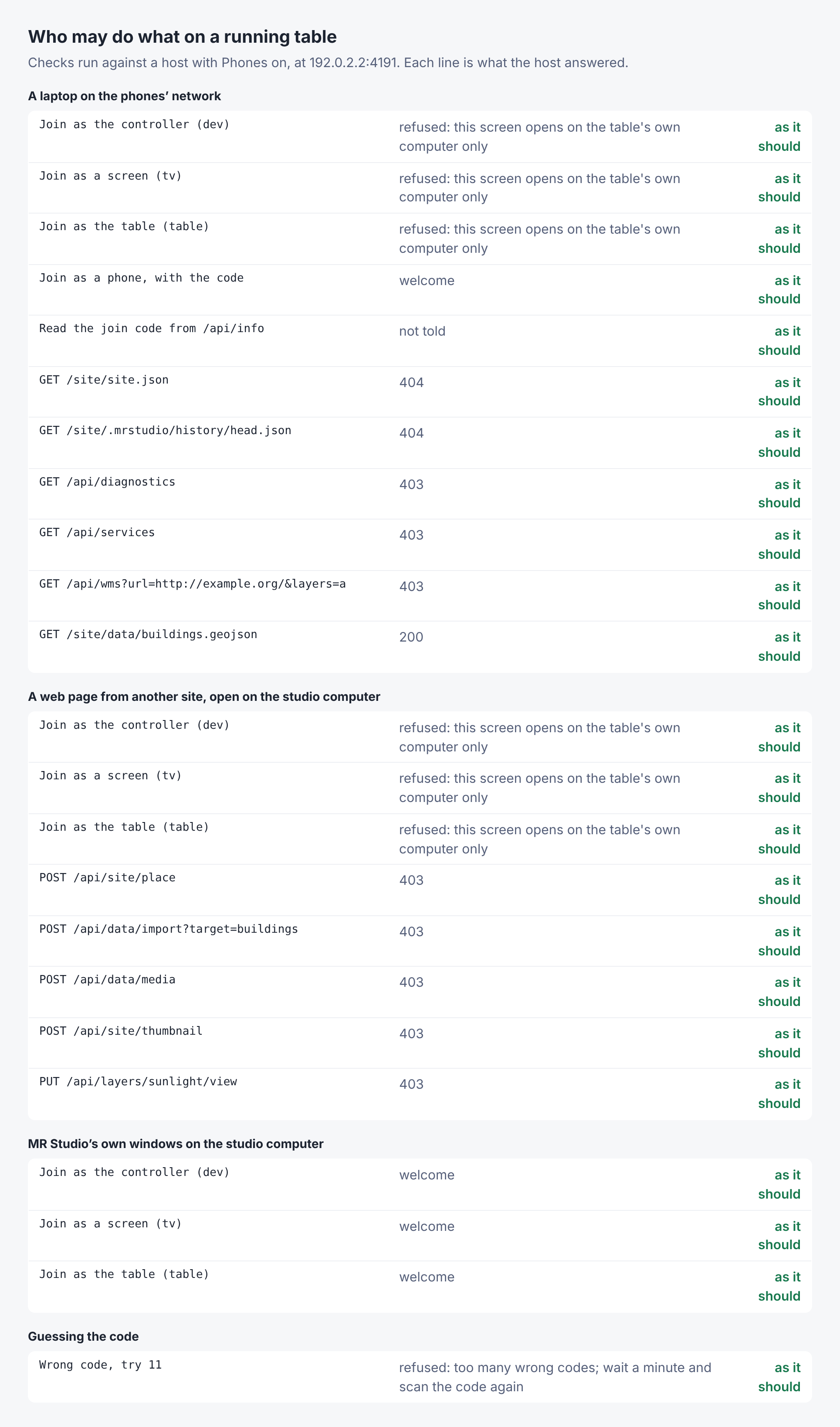
With Phones on, anything on the phones' network could claim to be the controller and rearrange or wipe the table (#504). Now the table, the screens and the controller are accepted only from MR Studio's own windows on the studio computer. Everything else is a phone or the guide.
A web page from another site, open in a browser on the studio computer, can no longer move the table or replace its data either. Visitors' devices are no longer served site.json, the table's history, diagnostics or service logs, the join code is told only by the QR code, and a code cannot be found by trying them all: after 10 wrong codes in a minute an address waits.
Slides that show a layer keep the map and its controls (#551, #552, #560)
Two gaps found while building the Chalmers feature showcase:
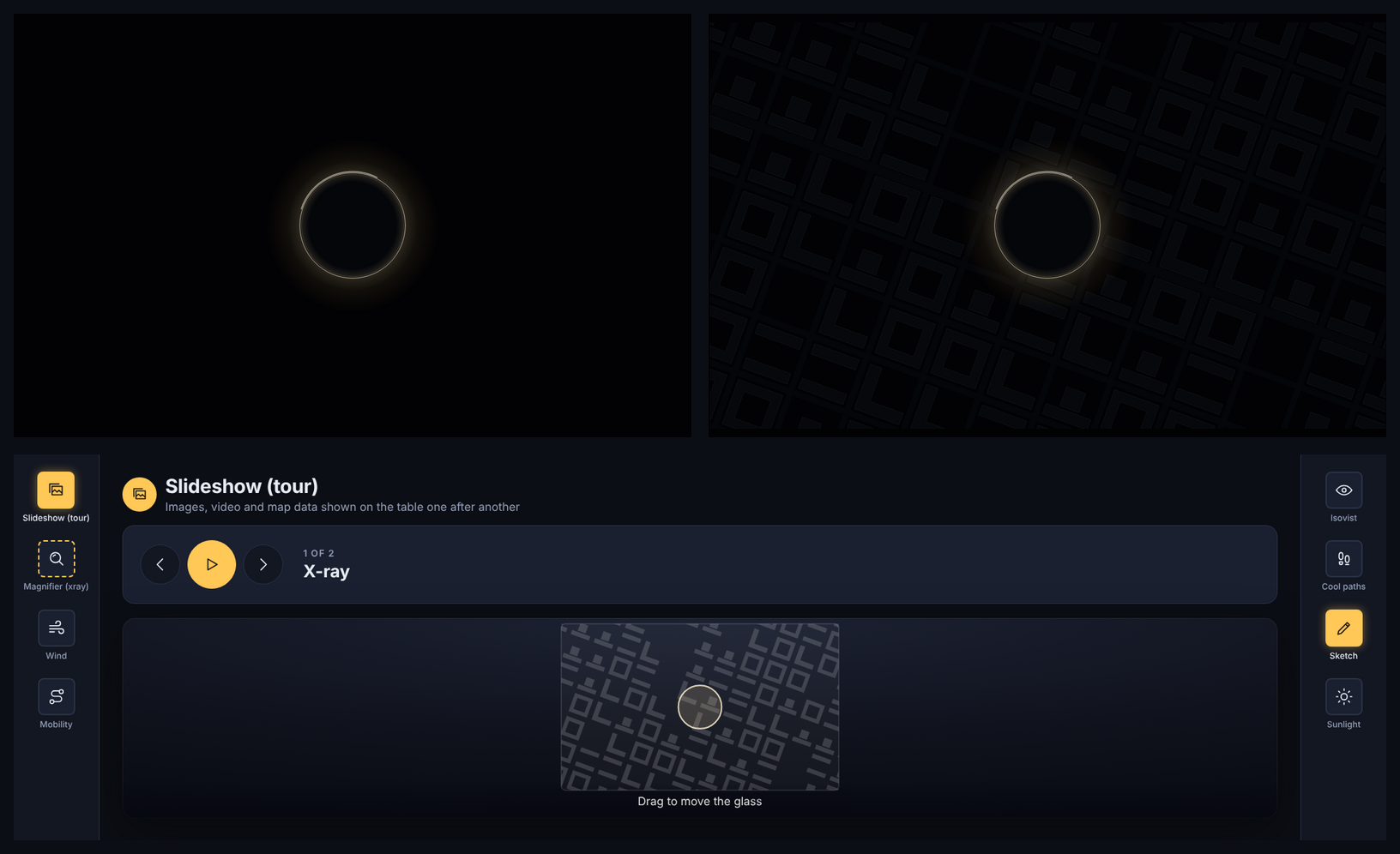
- A slide that shows a layer of the table, such as a Magnifier X-ray, Sunlight or a custom layer, keeps the base map under it (#551). It used to draw on black. Pictures, videos and web maps still fill the table on their own.
- The controller shows that layer's own controls during its slide (#552), as when it is opened from its button: the Magnifier's navigator, Sunlight's sky and time slider, and a custom layer's settings.
The Wind dial on the controller also keeps the direction a tap or drag left until the table confirms it, rather than turning back for a moment (#560).
MR Studio v0.49.0
New
Networks announce changes, and cars arrive on schedule (#338)
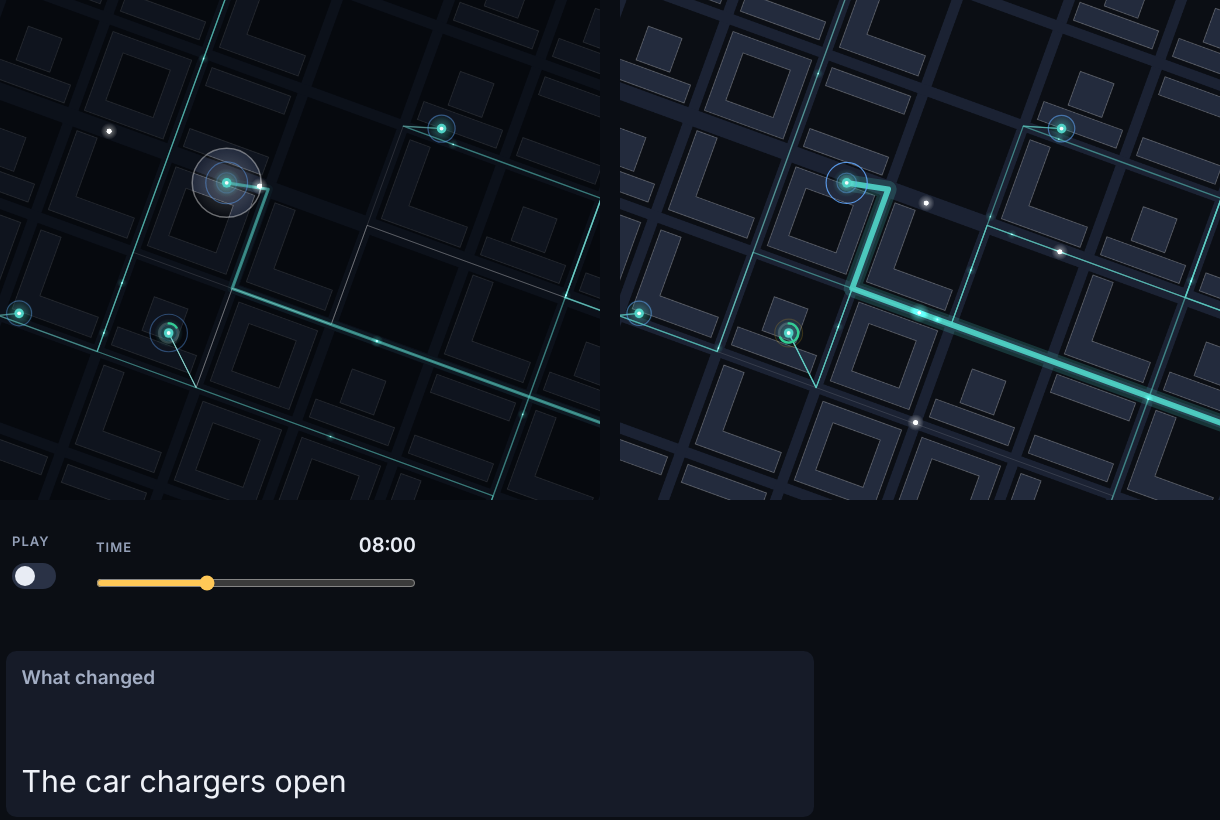
A network of flows can now announce a change at a step of its series (#338). With Announce changes on in the layer builder, a note column in the series dims the table round the row's point for a few seconds. The words, such as "The car chargers open", go to a What changed panel on the controller and never onto the table.
An arrivals column sends that many movers along the streets to a point during its step, like cars coming to a charger. The builder's Energy network test data now has a charger with both.
What if a building were here? (#500, #81)
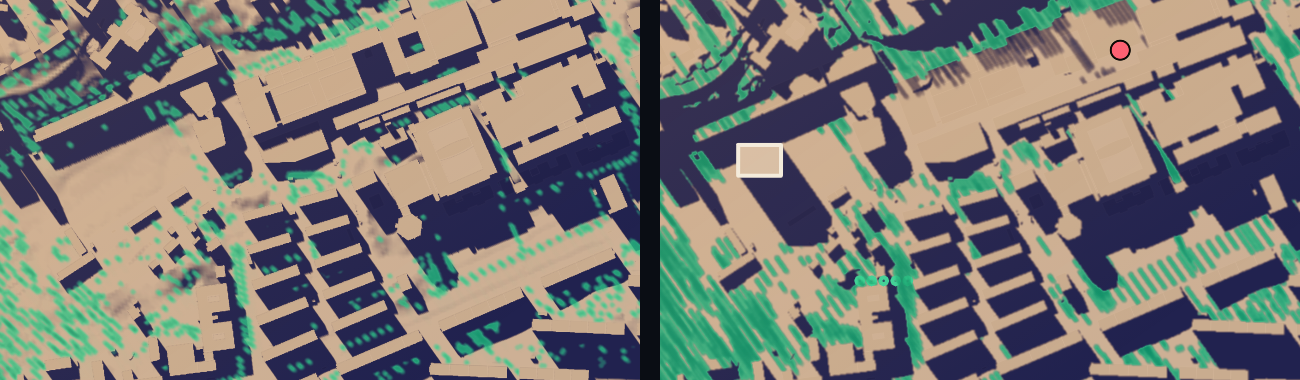
Visitors can change the place from their phones in Sunlight (#500, from #81). They can draw a new building, plant a tree, or tap a building or tree to take it away. The shadows and sun hours redraw with the change.
The changes live only in the simulation's scene, so every simulation on the table sees them. Nothing is saved: the controller can undo them, and closing Sunlight brings the real place back. Layers can do the same with the new ctx.engine.edit (host request engine.edit, see docs/contracts/engine.md).
MR Studio v0.48.0
New
Sunlight checks a daylight rule (#498, #81)
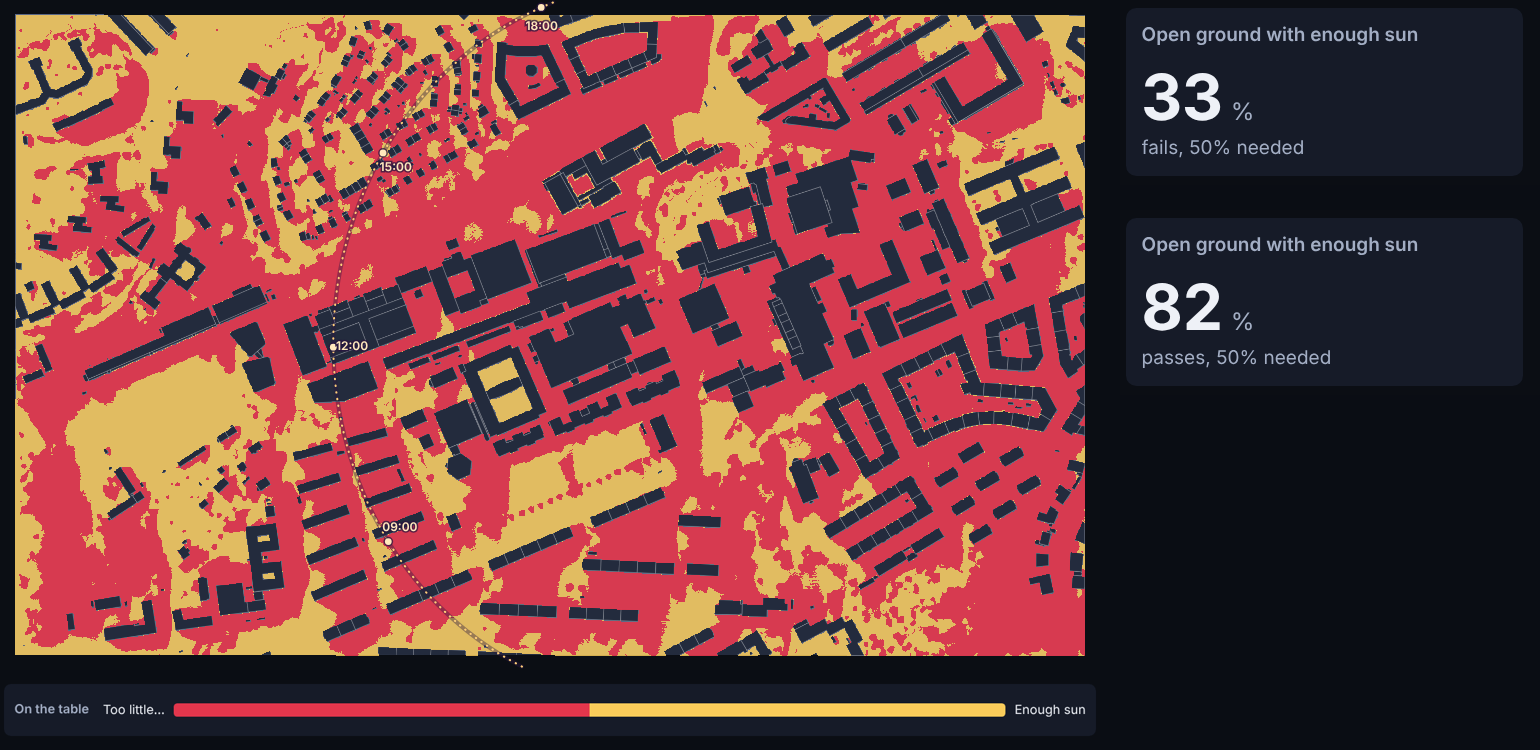
Sunlight has a new Daylight rule mode that colours the ground outside buildings as pass or fail (#498, from #81). The controller and TV show how much of the open ground gets enough sun, and whether the area passes.
- Sweden (Boverket) is the default. At least half of the open ground needs 5 hours of sun between 9 and 17 at the spring equinox.
- UK (BRE) asks for 2 hours on 21 March over at least half the area.
Each rule sets its own day. The hours and the share can then be changed to match a municipality's own numbers. Tree shade counts, and the trees' own colour is turned off so it doesn't blur pass and fail.
MR Studio v0.47.1
Fixes
A template repository for a new table (#86)
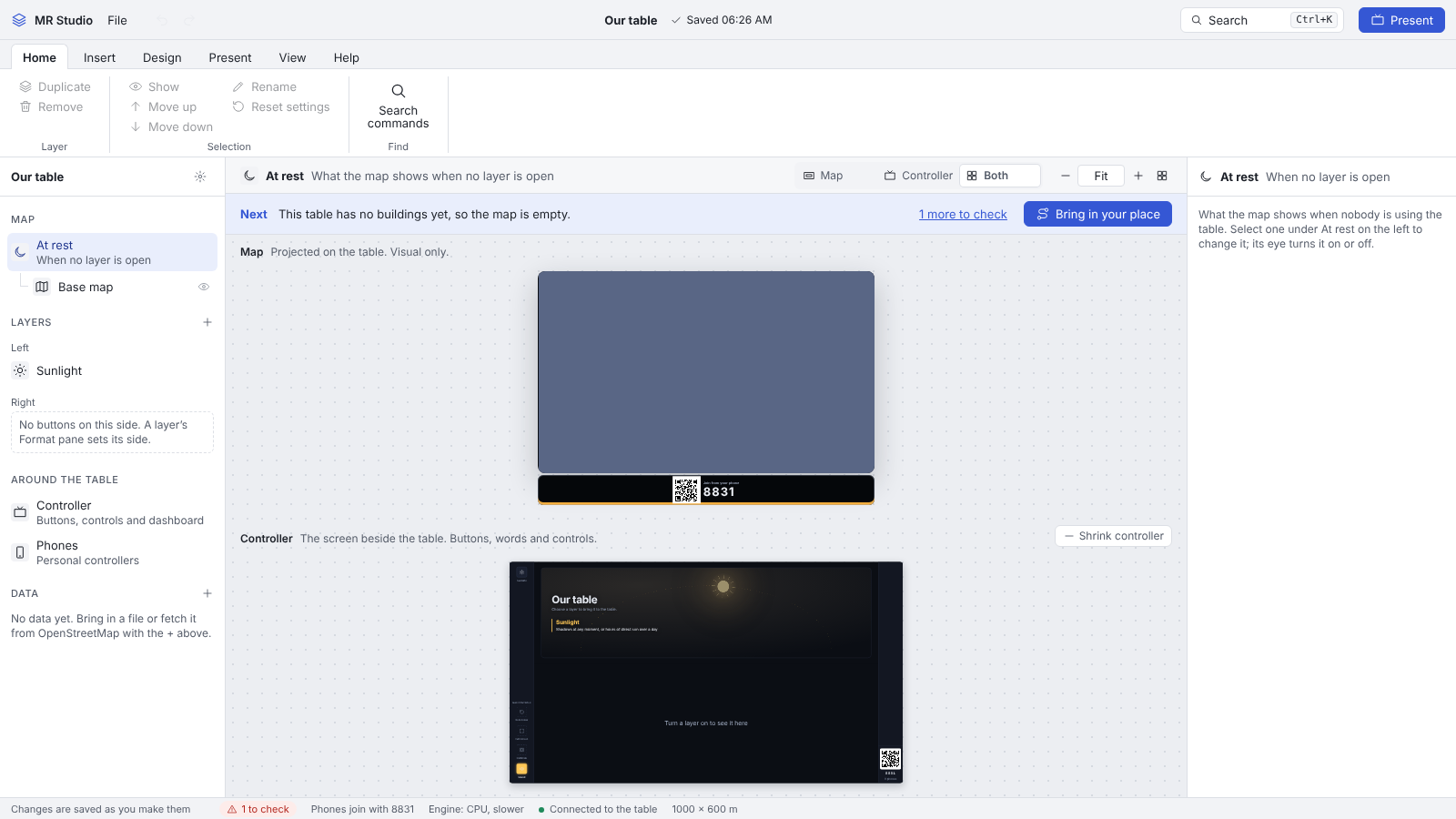
A team starts its own table from the site template repository with Use this template on GitHub: site.json, data/, layers/, a README for the team and a check that validates the table on every push, now at MR Studio 0.47.0. A fresh copy opens in the editor as it is.
MR Studio v0.47.0
New
Phones can look when the table is full, and add words to their marks (#462)
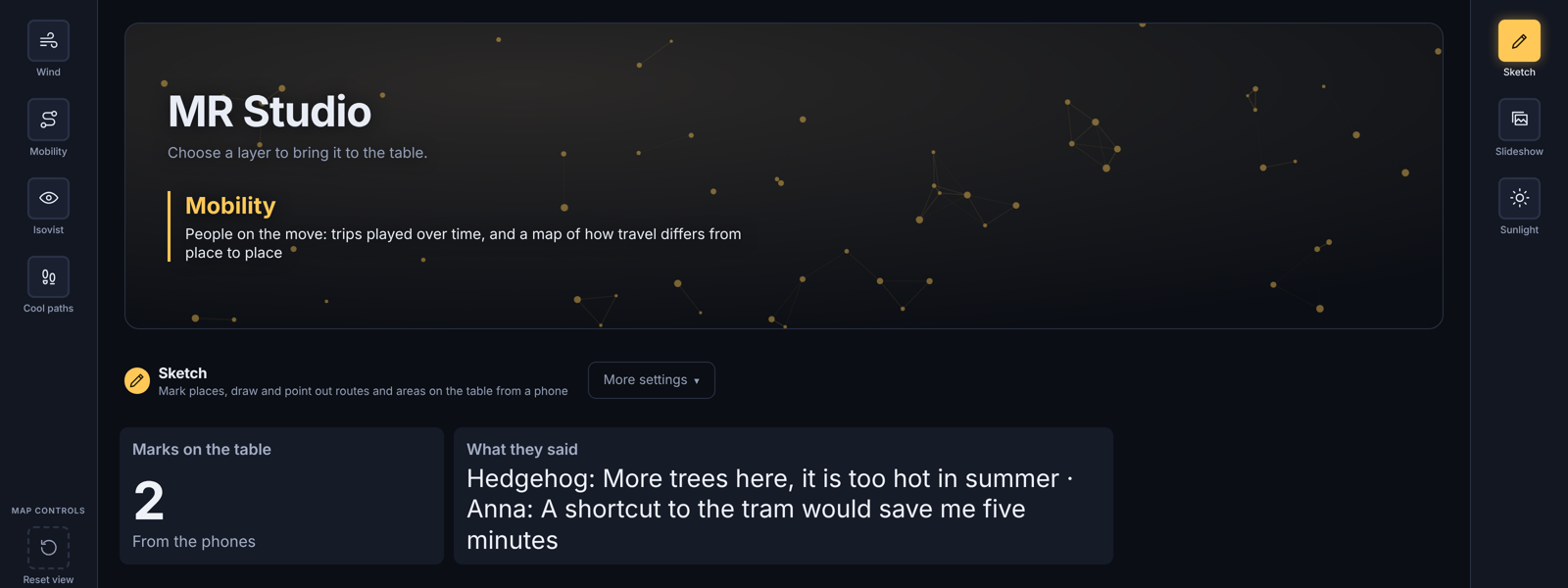
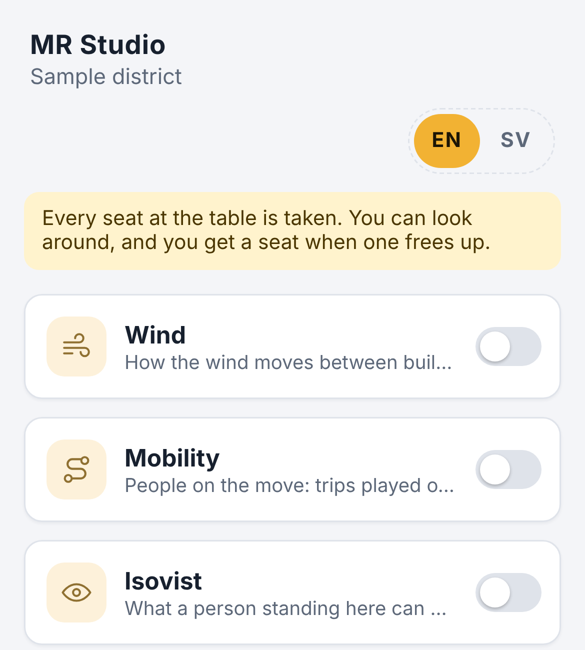
A phone that joins when every seat is taken can still look around, and gets a seat when one frees up. In Sketch, a phone can add a few words to its last mark. The table shows only a small ring, and the controller shows the words once "Show what the phones said" is on.
One play head for every view (#373)
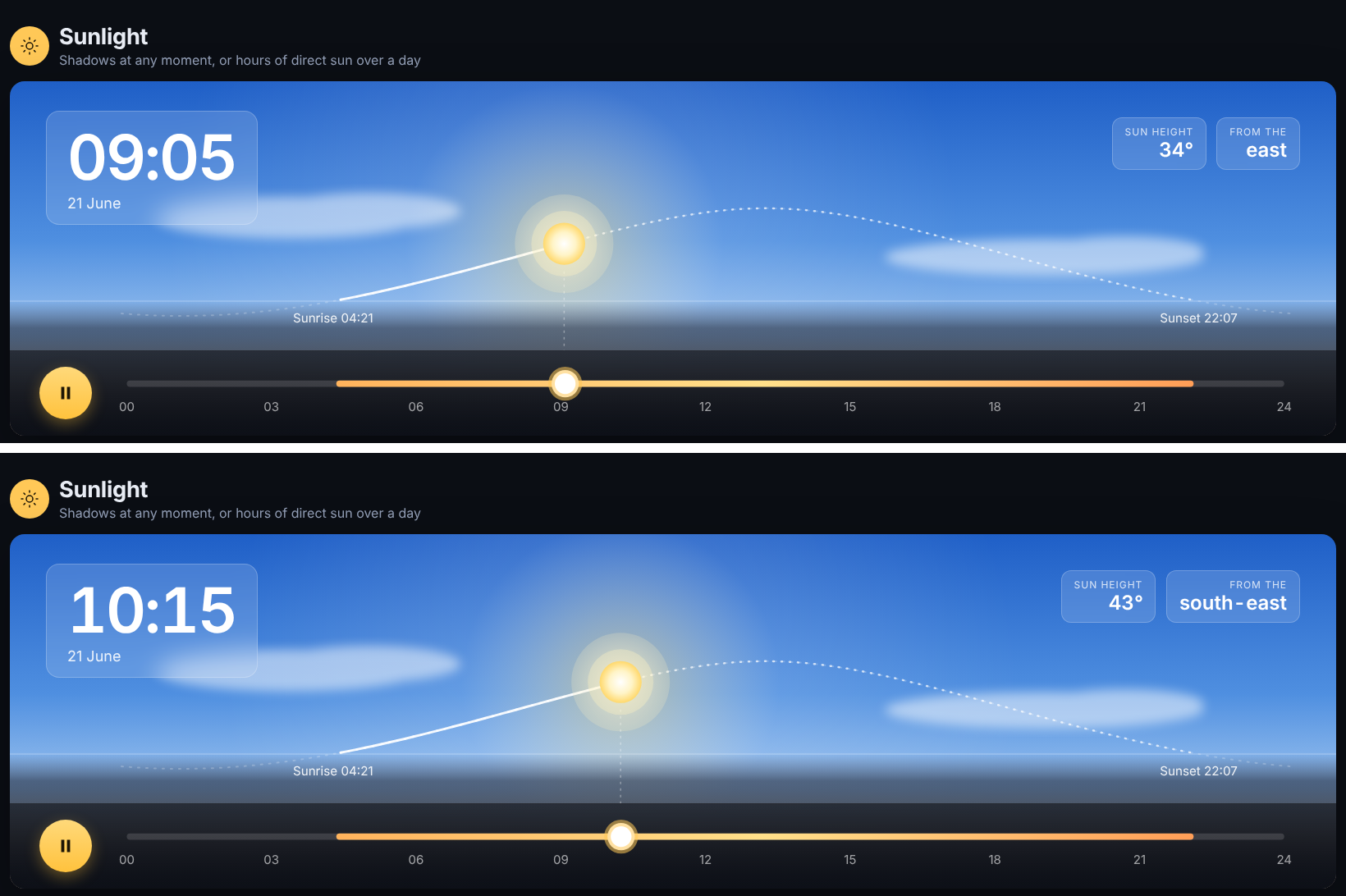
A layer that plays through time now keeps one play head that the table, the controller, the phones and the TV all read (#373). The table tells the host where the time is and how fast it moves (ctx.clock.set), and every view works out the time in between, so the controller's time slider, its hero and TV panels bound to the time follow the table smoothly while it plays, instead of jumping where play started. Stopping leaves the slider where the table stopped. Sunlight and Mobility use it: a playing day now sends about two updates a second instead of ten. Layers read it with ctx.clock.now().
Fixes
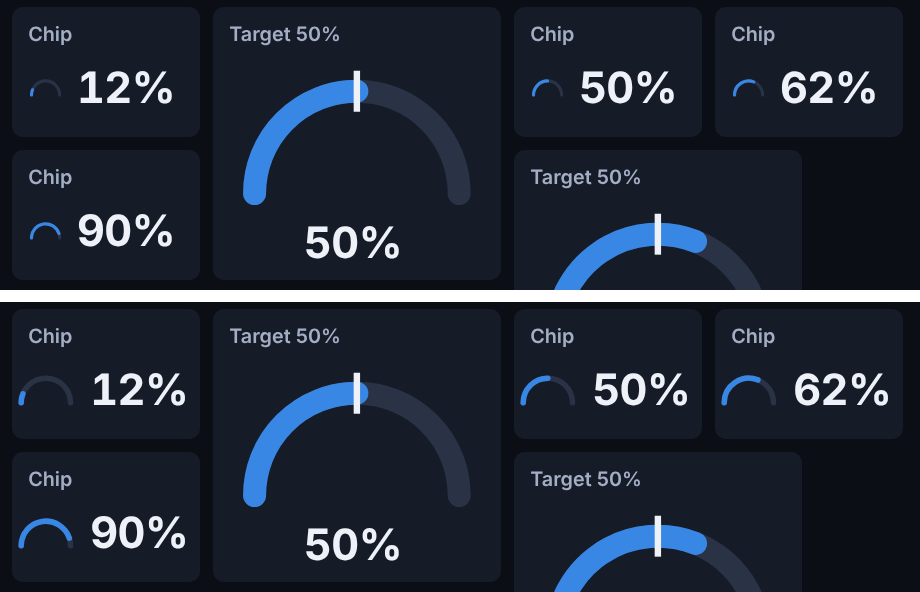
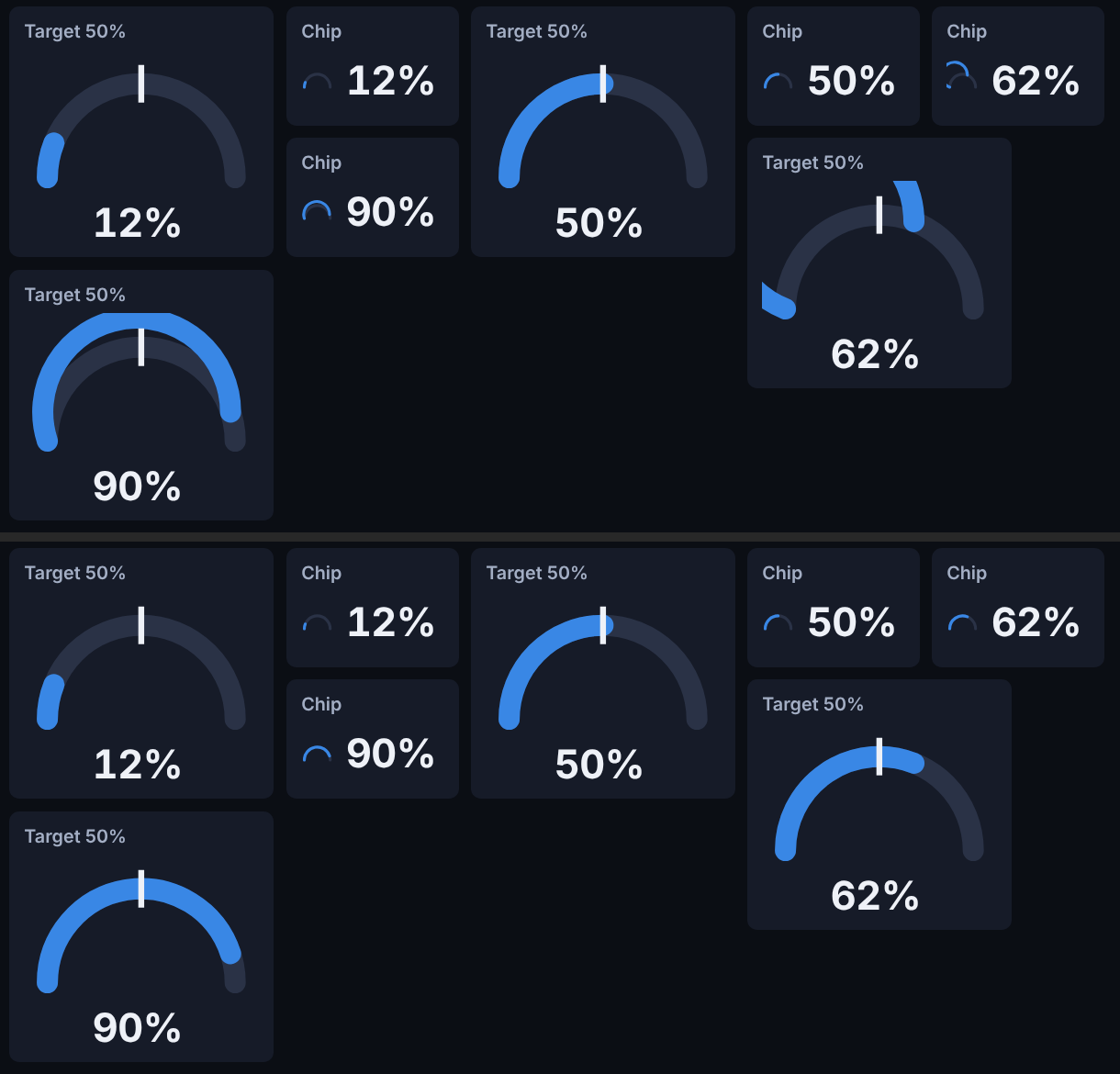
A chip gauge keeps its half circle (#491)
A gauge at chip size drew its half circle as a sliver beside the number. It now keeps its own shape, as tall as the number. Before on top, after below.
MR Studio v0.46.0
New
Mobility shows a map of values through the day, with or without trips (#486)
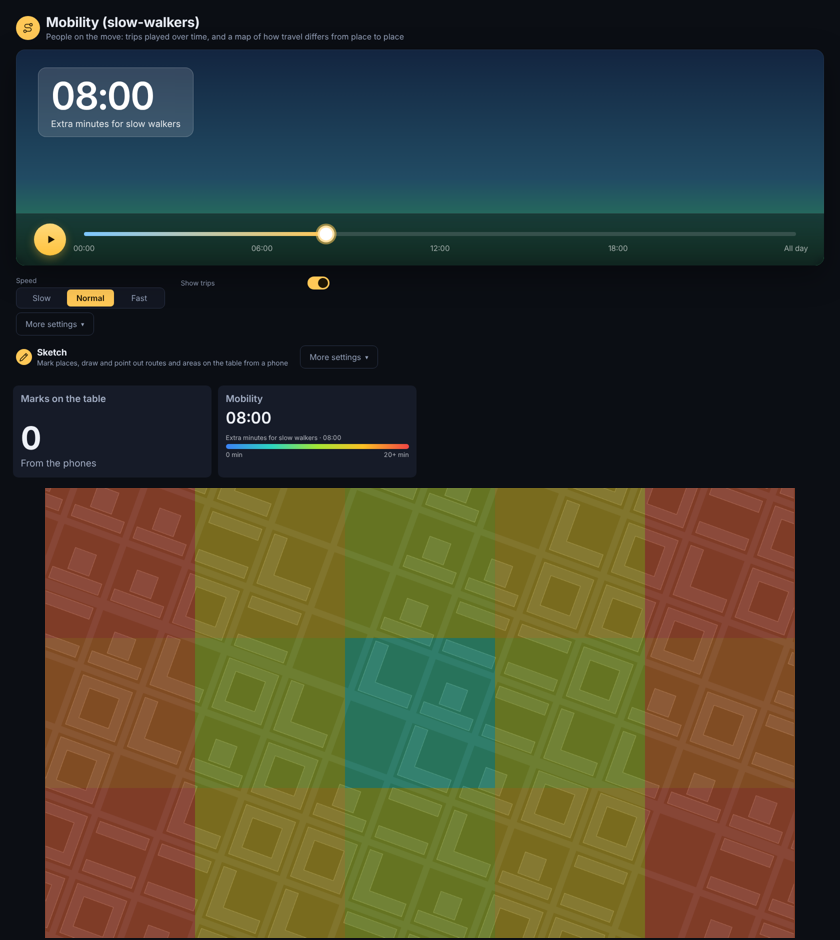
Each Mobility layer can now pick its own datasets under its settings (Trips from and Map of values from), so one table can tell more than one mobility story. A layer with no trips plays its map of values a step at a time, and the controller names each step from the data (for example 08:00, or "All day") instead of a clock. This is what the Universeum slow walkers need: extra walking minutes per district for each departure time.
Wind feels the buildings around the table (#488)
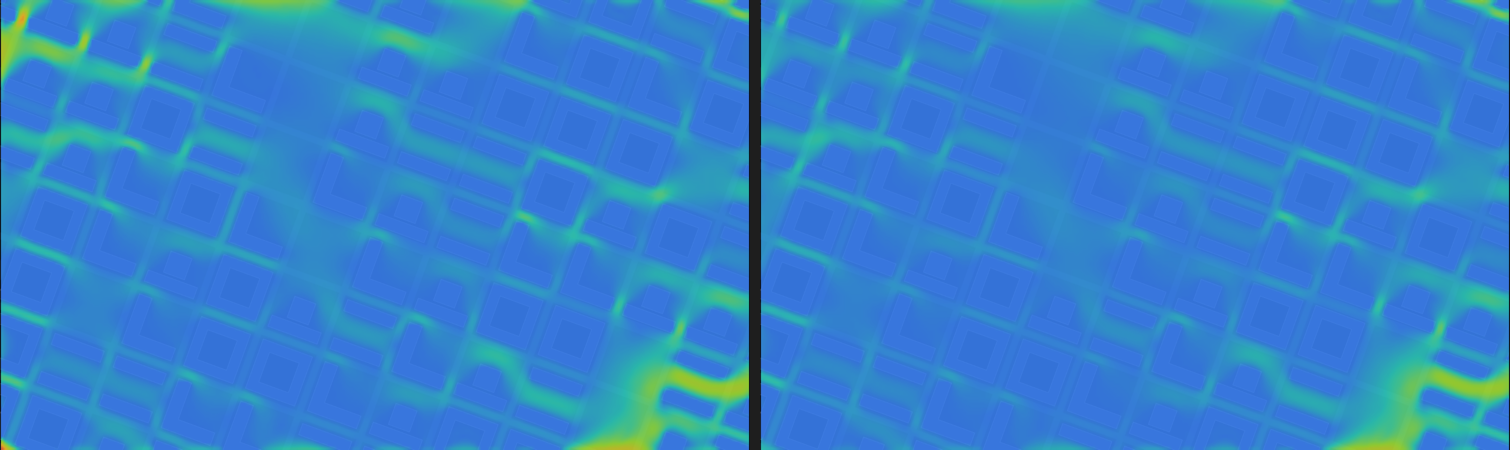
A table can now bring in the buildings around it, up to 500 m past its edge (Add data, Buildings around). The wind simulation stands them around the table, so wind reaching the table has already passed real streets and blocks, as in a CFD run with a context ring. Nothing is drawn for them. Left: wind from the west arriving clean; right: the same wind after the buildings west of the table, with the gusts along the west edge gone.
Fixes
Gauges fill along their track (#491)
A gauge past half its range drew its fill on the wrong circle, detached from the track. It now fills along the half circle at every value, on tiles and chips. Above: before; below: after.
MR Studio v0.45.2
Fixes
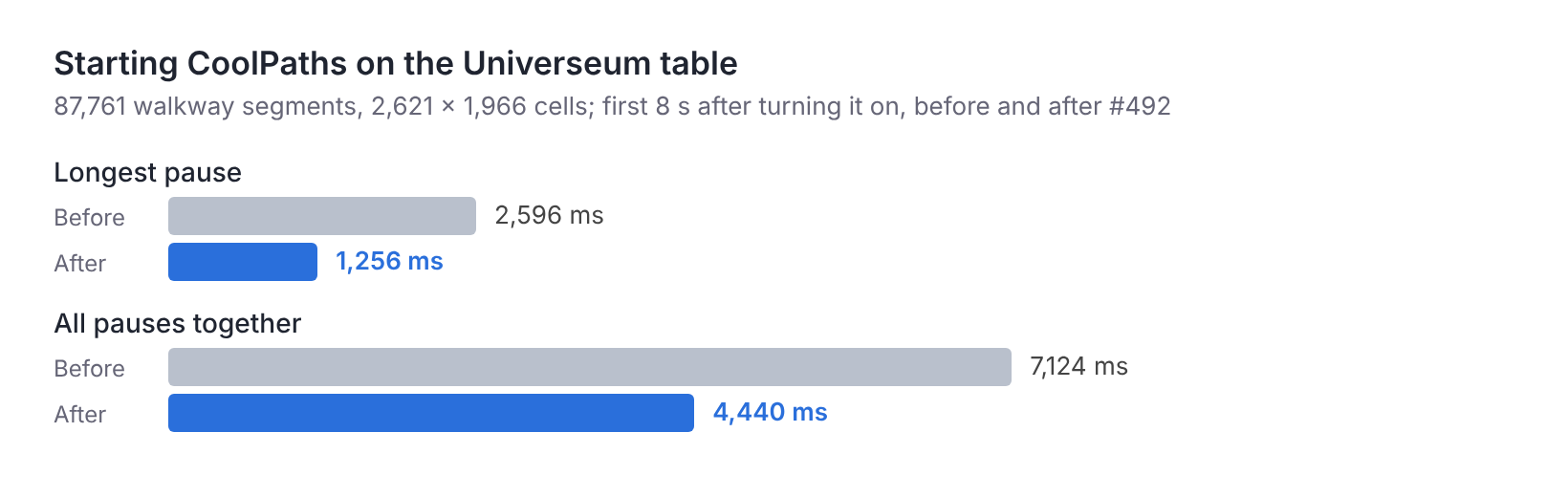
CoolPaths starts smoothly on a city-sized table (#492)
CoolPaths now works out its walks in the background and draws its map of roofs and water once per file. On a city-sized table you can keep using it while it searches. On the Universeum table, its longest pause at start fell from about 2.5 seconds to about 1.2 seconds, and the total time the table stops while starting it halved.
MR Studio v0.45.1
Fixes
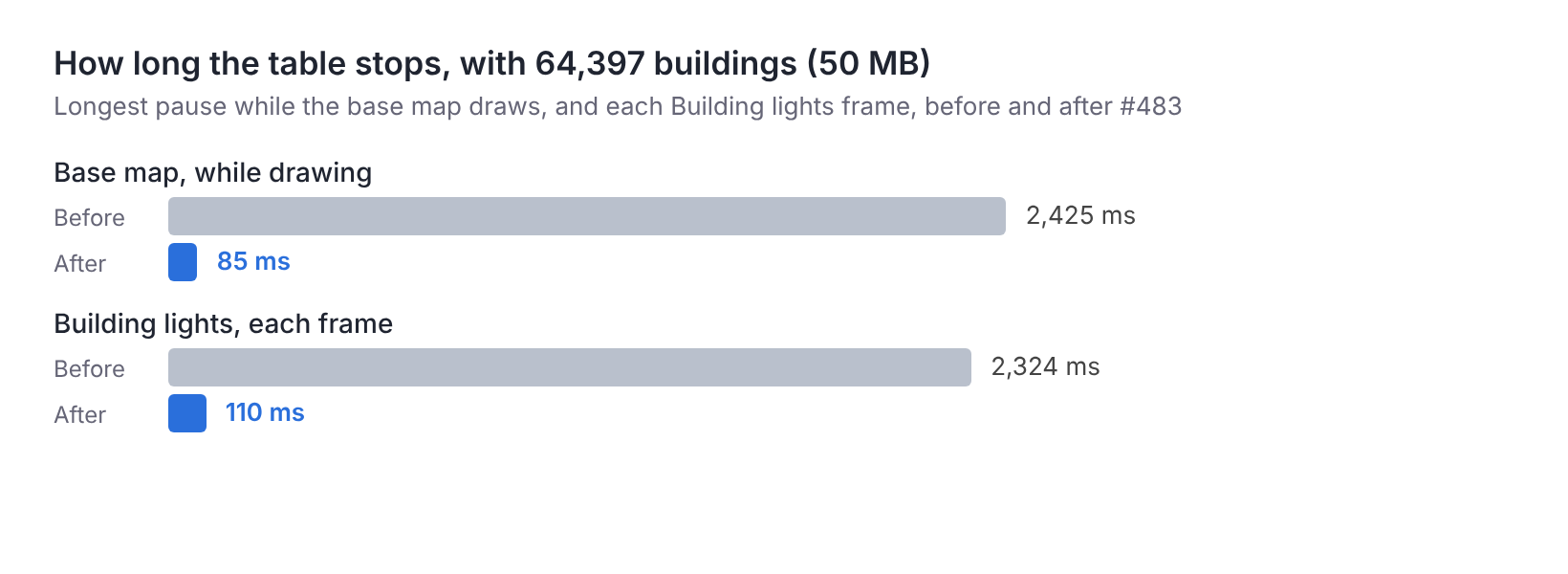
Big tables draw without stopping (#483)
The base map now draws a city's buildings and streets a few milliseconds per frame, and Building lights draws its glow around the buildings once and reuses it. A table with tens of thousands of buildings no longer stops for seconds while the map is drawn, and the lights don't hold up every frame. On a test file with 64,397 buildings, the base map's longest pause fell from 2.4 s to under 0.1 s, and a Building lights frame from 2.3 s to about 0.1 s. When a building briefly goes dark, its windows go out but its soft outline glow now stays.
Street networks are built once, off the table's thread (#484)
Traffic, street life, street glow and CoolPaths build their street networks in the background now, and keep them until the streets file changes. A second layer on the same streets, or the same layer turned off and on, starts straight away. On the Universeum table (87,761 street segments), this takes about a second of street parsing and graph building off the table at start, and close to another second off every CoolPaths start.