Repository navigation


Firmware for the iPod Video (5G / 5.5G), based on Rockbox. A follow-up to 1.4: Now Playing as on a stock iPod, colors for every theme, playlists in order, and a long list of fixes, many from Rockbox itself. Details of each feature are in the README.
Tested on one iPod: 5.5G, 32 MB RAM, iFlash, ~13,000 songs, macOS 26.
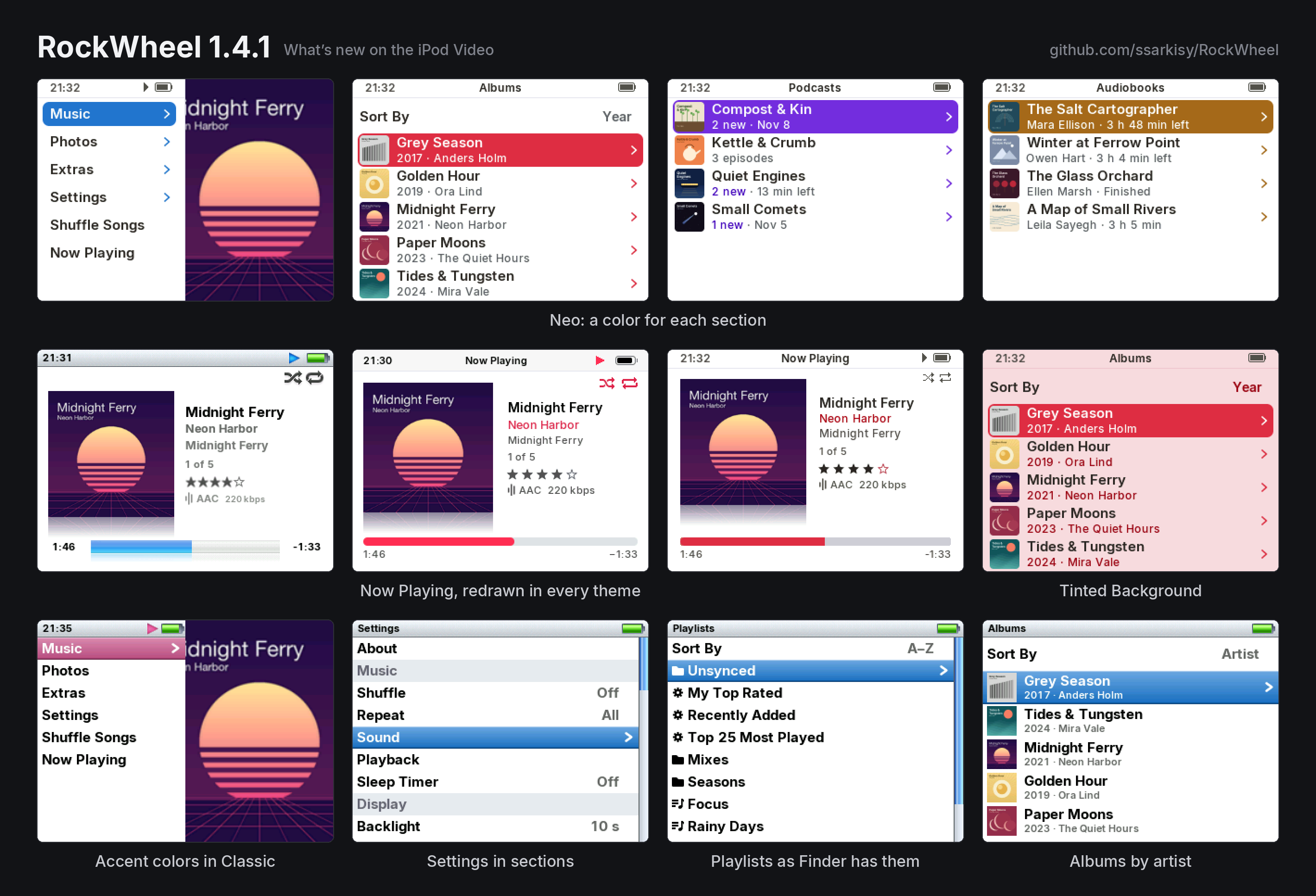
Highlights
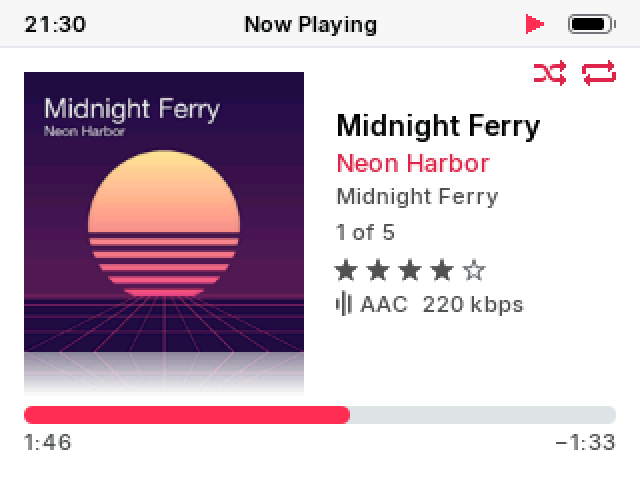
- Now Playing as on a stock iPod: the song's details centered against the cover, its place in the list, Shuffle and Repeat in the corner
- Neo in Multicolor: Music, Podcasts and Audiobooks each in a color of their own, on a neutral background
- Classic in the accent color of your choice
- Modern with larger type, and Settings in the gray of Music on a Mac
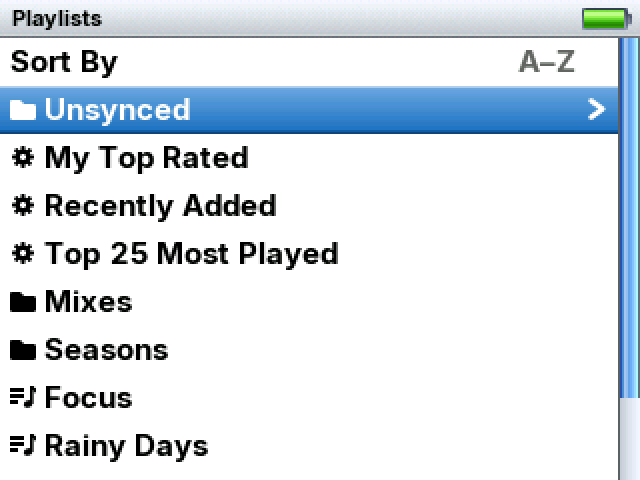
- Playlists sorted by name, your own in Unsynced, smart playlists together
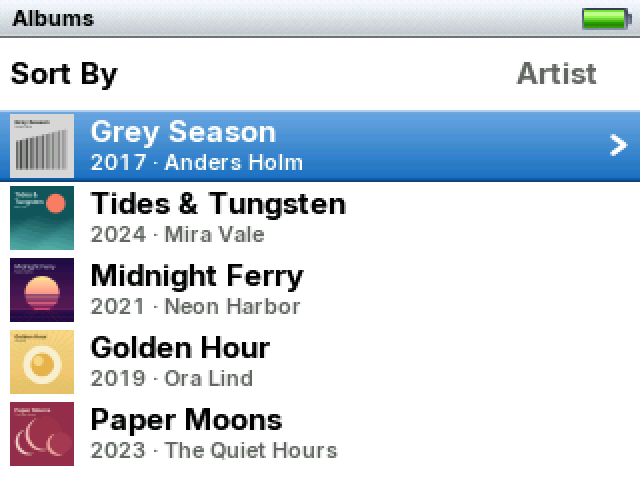
- Settings in sections; Albums sorted by artist
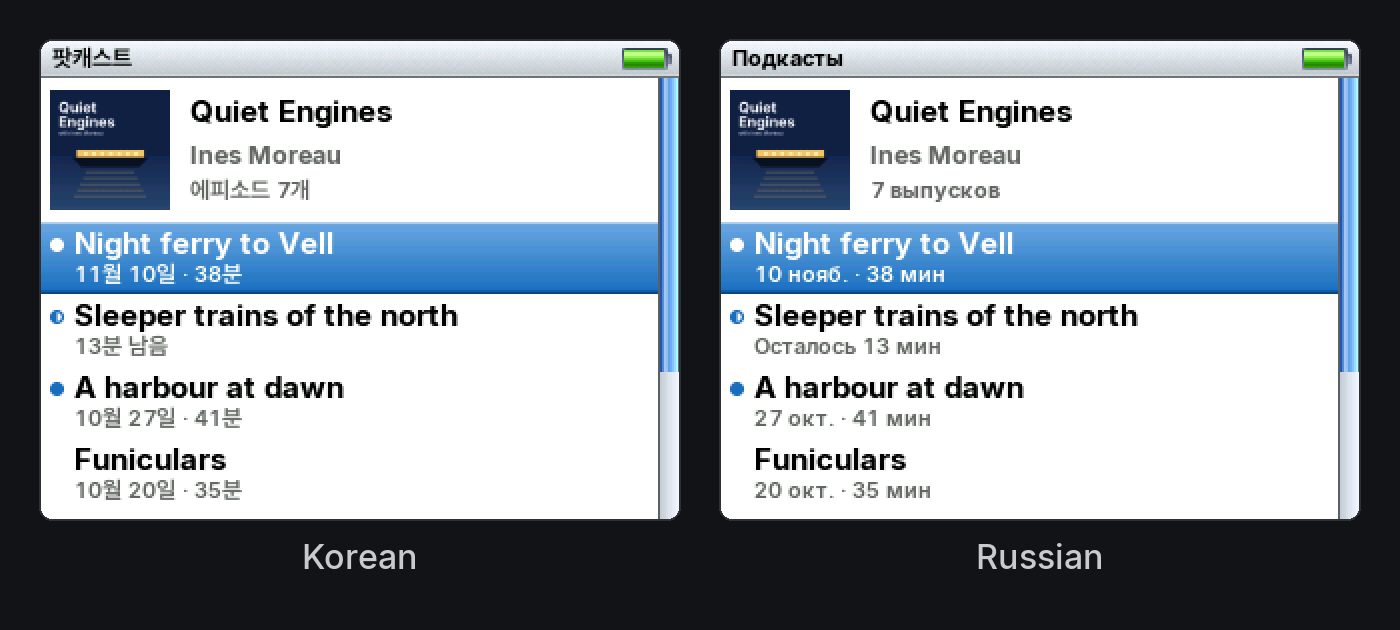
- Dates written as your language writes them; changing the menu language sorts the library for it at once
- Fixes from Rockbox: sound after unplugging, playlist freezes, Eject in Finder, ALAC, damaged covers, the wheel, Cover Flow
- About 30 MB smaller on the iPod
Before you update
- Use the installer again (
install.sh/install.ps1). Settings, play counts, ratings and places are kept. - Update the games too: 1.4 games don't run on 1.4.1. The installers do this.
- The format and bitrate line in Now Playing is now off by default, as on a stock iPod. Settings › Appearance › Format and Bitrate brings it back.
- Neo starts in Multicolor if you never chose a color; a color you chose stays.
- Playlists are now sorted A–Z. Playlists you made on the iPod are in Unsynced, at the top of Playlists. Any that were inside a synced folder move there at the first start.
- The first start also sets up your synced playlists again from what is already on the iPod, so smart playlists get their gear without a sync. It happens once, on the Updating Library screen.
- The Wake-Up Alarm is gone: it couldn't wake every iPod reliably. An alarm set in 1.4 is switched off at the first start.
- With menus in a language with its own alphabet, the first start sorts the library for it once.
New
Now Playing
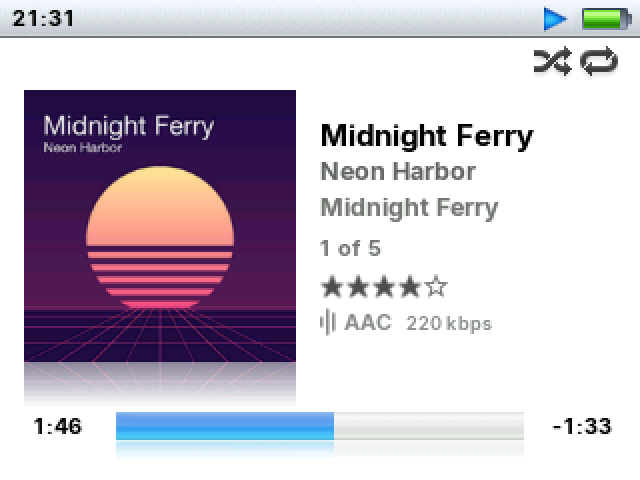
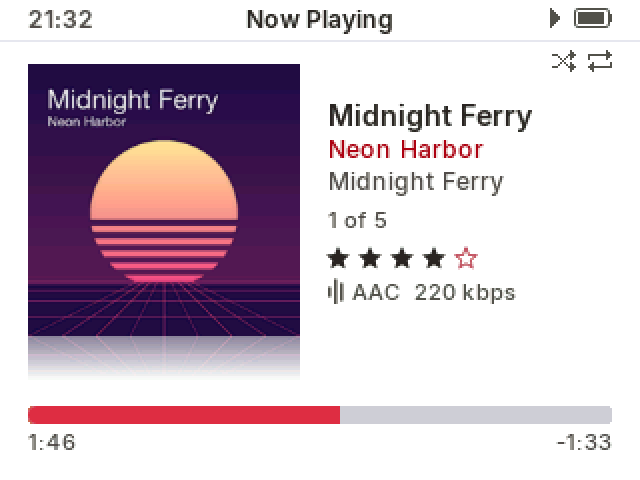
- In all three themes, the title, artist, album, "3 of 12", stars and format stand together, centered against the cover
- Shuffle and Repeat icons in the top right corner, under the status bar, only in Now Playing
- Settings › Appearance › Rating: Always, Only Rated, Never
- Settings › Appearance › Format and Bitrate: On / Off (Off by default); the format and the bitrate in one color
- Neo: the cover higher, with a reflection under it, flat or angled; a thicker bar
- Modern: a thicker bar, lower, with the times under it; a reflection under the cover
- Covers without rounded corners in Modern and Neo; Angled Cover in Modern
- With a podcast or a book at another speed, the speed stays whole beside the time left
- Holding Play with the music stopped opens Now Playing on the song Resume would play, paused at its place; Play starts it. Held on, Play still turns the iPod off, without a sound
- In the dark theme, the reflection under the cover shows more
Neo
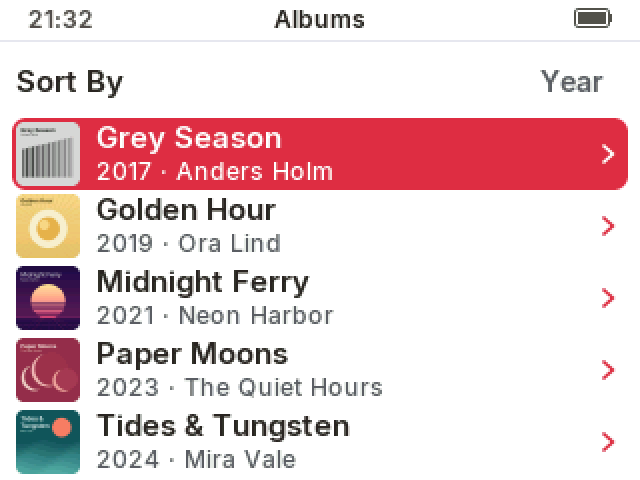
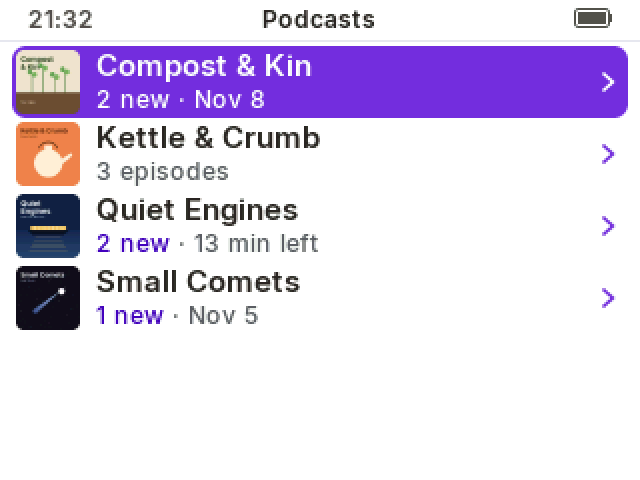
- Color › Multicolor, the new default: Music in red-pink, Podcasts in purple, Audiobooks in orange, everything else in blue, as apps on a Mac with Multicolor
- Any other color is used on every screen, as before
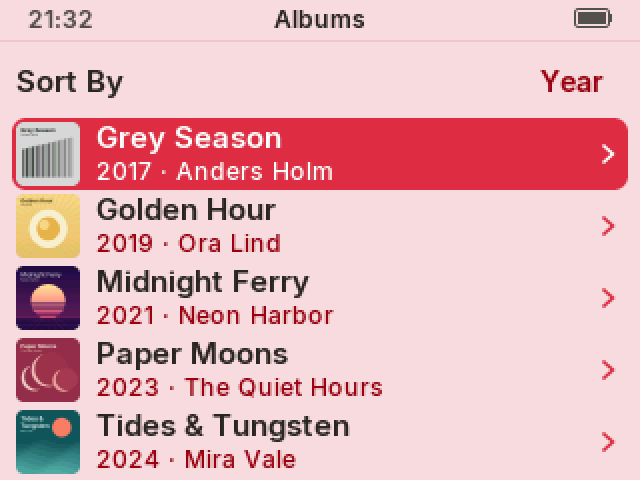
- Tinted Background (Off by default): off, the backgrounds are neutral grays and the color is on the selection, the icons, the artist and the bars; on, everything takes a tint of the color, as in 1.4
- On/Off settings as switches
- A cover in a list row stands as far from the selection's edges on all sides
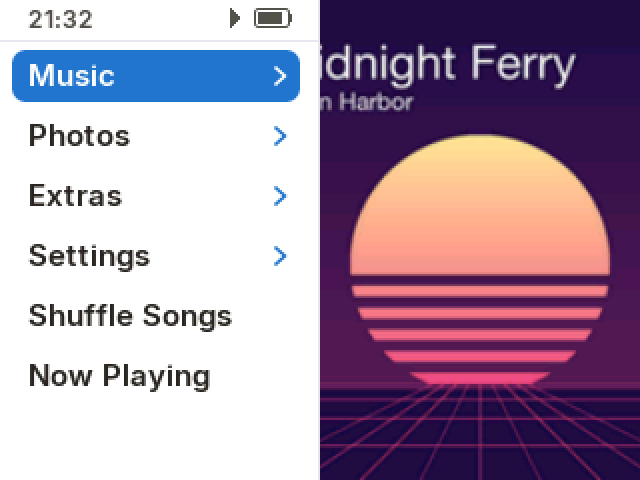
Classic
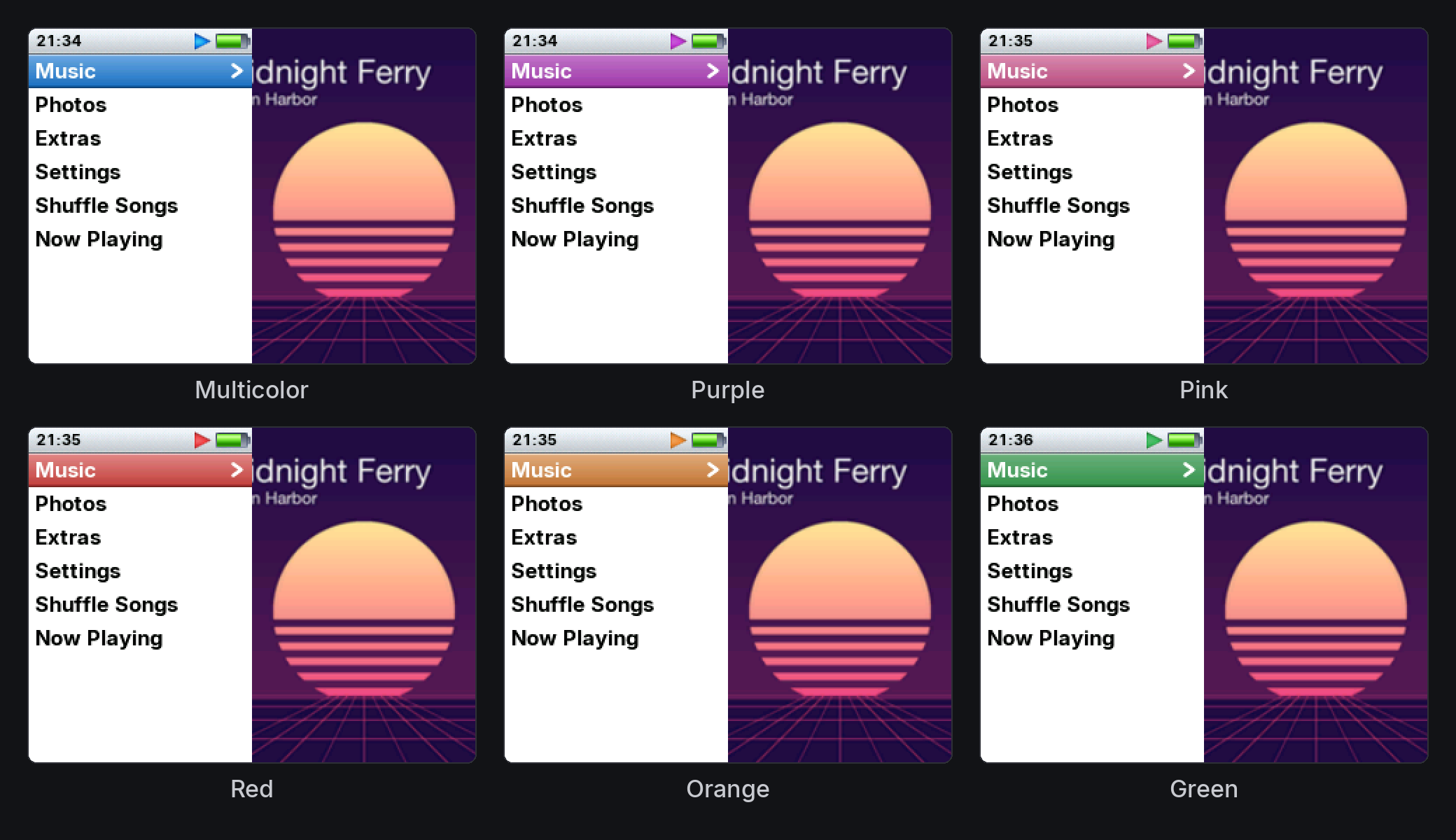
- Settings › Appearance › Color: Multicolor, Blue (default), Purple, Pink, Red, Orange, Yellow, Green, Graphite
- White text stays readable on every color
Modern
- The row heights and type of Neo: larger, easier to read
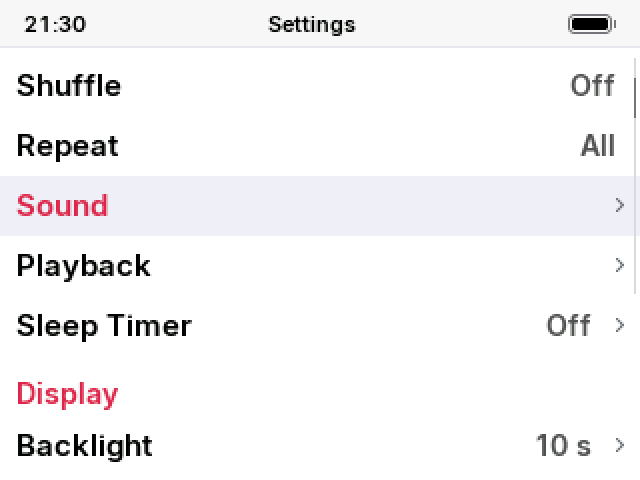
- Settings and its folders take a light gray selection, as in Music on a Mac; the rest keeps the red bar
- Values in menus in a bolder weight
- Lyrics in a bolder weight
Settings
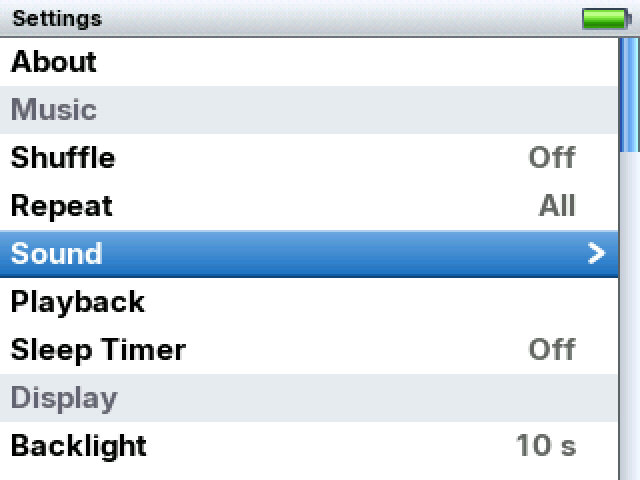
- Settings in sections: Music, Display, Menus, System; Sleep Timer moved to Music
- Appearance in sections too
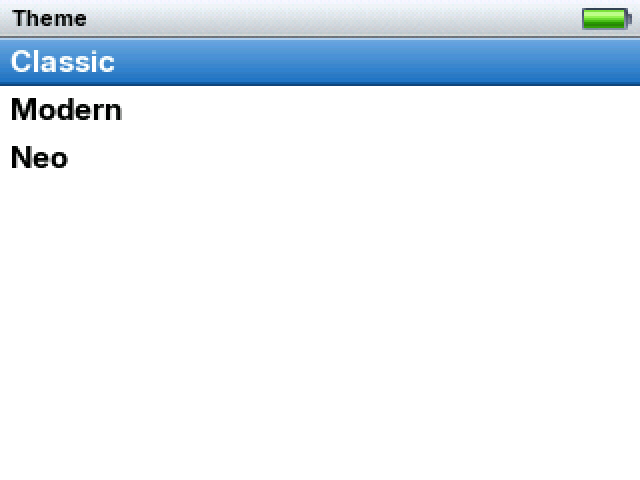
- Theme opens a list of the three themes instead of stepping through them
- A setting's hint appears once you stop on it, not at every step of the wheel
Playlists
- Sort By at the top: A–Z (default) or Z–A, as in Music on a Mac: names starting with a symbol such as ★ first, then numbers, then letters
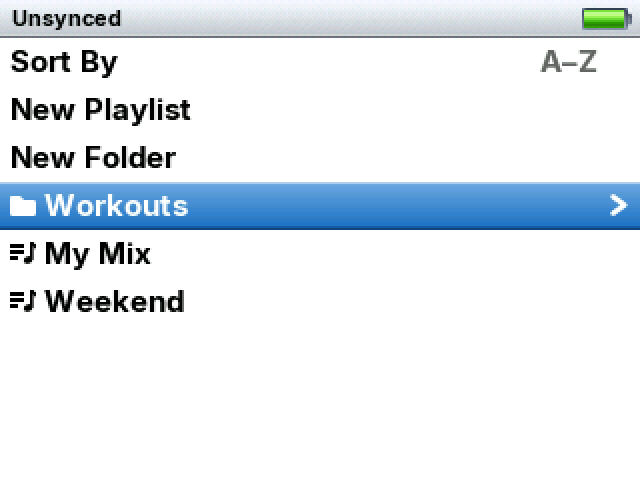
- Unsynced: the playlists and folders you made on the iPod, with New Playlist and New Folder inside it
- Smart playlists together, after Unsynced, each with a gear
- One icon for a playlist and one for a folder, synced or not
- On-The-Go last
- Everything the iPod makes goes into Unsynced: new playlists, a saved On-The-Go, Save Playlist from Now Playing
- A folder synced from your Mac with the same name as one of yours gets " 2" on the iPod
Library and languages
- Albums › Sort By: Year, Name, Artist. By album artist, The/A/An aside, each artist's albums oldest first
- Changing the menu language sorts the library for that language's alphabet right away, on a "Sorting for New Language" screen; music stops and Resume Playback picks it up
- Dates as each language writes them: "20 May 2023", "May 20, 2023", "2023년 5월 20일", "20 мая 2023 г.", in About, Date & Time and podcast episodes
- Translations checked against Apple's own terms; Korean corrections from a Korean user
- In Modern and Neo, a title too wide for the status bar takes the clock's place, whole and still; it no longer scrolls
Fixed
From Rockbox (ported into RockWheel, each credited in its commit):
- No sound until a restart after unplugging USB at the wrong moment
- The iPod freezing on any playlist action after USB, on a full disk or with a full playlist
- A freeze when starting a playlist file while music played
- Eject in Finder, shutting down and updating now tell the drive to write out its cache, so a sync isn't lost to a flat battery right after
- A damaged cover in a song could corrupt memory or hang the iPod
- ALAC: a damaged file could overwrite memory; 24-bit ALAC played at about 16-bit precision
- The click wheel doing nothing after a screen change until a button was pressed
- Cover Flow: the covers left of the last album stayed blank
- FLAC files with variable block sizes: wrong times and seeking
- A damaged DSD (.dff) file could hang the library update
- A database search that failed could leave a file open, until no file could be opened
RockWheel:
- A queue where no song can play (unsupported or damaged files) cycled through them without end with Repeat on, keeping the disk spinning; it now stops
- Covers in MP3s with older ID3 tags of a certain kind showed blurry or not at all; with Moving Cover their bottom could be garbled
- A precaution in how free memory is counted, from PodBox: no case in RockWheel is known to hit it, but a miscount there could keep playback from starting
- Questions such as Rebuild Synced Covers left the list's edges showing beside them
- Small text: letters set a little apart, no longer touching
- Digits in the lists of Modern and Neo evenly spaced: "2017" no longer reads as "20 17"
- Modern's Shuffle icon redrawn; it looked crooked
- Files that macOS adds when copying ("._" files) filled the language list and pushed some languages out of it; files of this kind never show now
- The Mac ipodpatcher used by the installer crashed on macOS 11
- Turkish, Greek, Galician and Chinese: the "Any Other = No" hint was in English or wrong
- Hungarian, Portuguese (Brazil): labels too long for their place
Removed
- Wake-Up Alarm (an alarm set in 1.4 is switched off at the first start)
Known issues
- Covers already prepared from those older ID3 tags stay as they were until the song is copied again
- In Hindi, the Rebuild Synced Covers question's title ends in "…" while music plays
- The known issues of 1.4 remain: 1.4 release notes
Thanks
To everyone who wrote back after 1.4: the photo of Neo beside a stock iPod, the Korean corrections, the playlists issue on GitHub. Fixes from Rockbox, and ideas from ProkBox5g and PodBox, credited in their commits.
Files
rockbox.zip: firmwarerockbox-games.zip: eight extra gamesbootloader-ipodvideo.ipod: Rockbox bootloader, unchanged since 1.2.0ipodpatcher(macOS),ipodpatcher.exe(Windows): used by the installersSHA256SUMS,SHA256SUMS-games,SHA256SUMS-windows