Repository navigation
v0.8.7 · A space for one folder of a repository

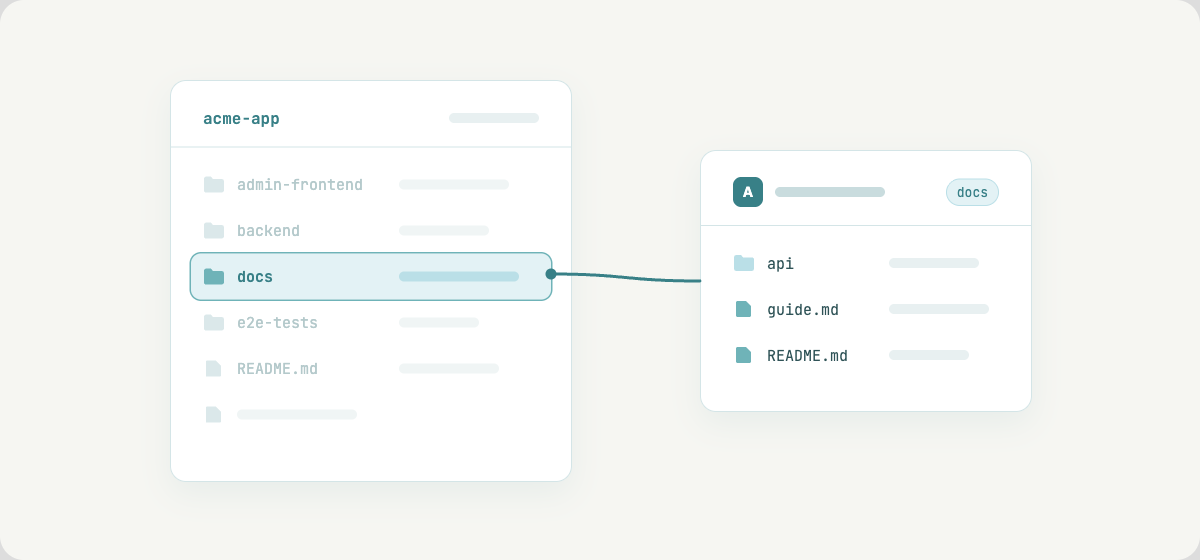
A space can now show a single folder of a repository instead of the whole of
it. That suits a monorepo that keeps its documentation next to the code: point
the space at docs/ and the backend and frontend files stay out of the tree,
the search and the Ask answers.
When you create a space from a GitLab project, pick the folder below the project
(its top-level folders are offered) or leave it empty for the whole repository.
Everything you save is committed inside that folder only, and changes others
push to it show up on the next sync. The folder is shown in the space settings
and on the dashboard. It is chosen when the space is created; to use another
folder, create a second space.
Also
- Copy Git link opens the file on GitLab again; it pointed at an address
GitLab does not resolve. - A new space no longer shows a sync error while its repository is still being
cloned. - The first-time setup and the registration form say which password rule was
missed, instead of only "Setup failed".