Repository navigation
Style Tank
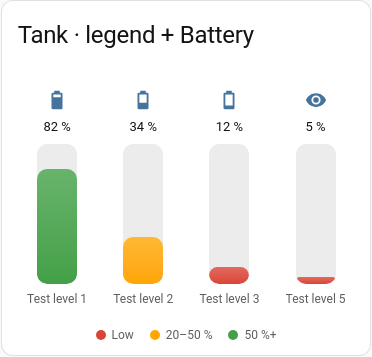
A vertical rounded column per entity with the value above and the name below. Entities sit side by side, as many per row as fit the card's width unless you set columns. The target is a thin marker across the column.
Tanks, bins, water butts.
type: custom:chartdeck-card
style: tank
title: Tanks
entities:
  - entity: sensor.water_butt_level
    name: Water butt
  - entity: sensor.oil_tank_level
    name: Oil tank
  - entity: sensor.rain_barrel_level
    name: Rain barrel
severity:
  - from: 0
    color: red
  - from: 20
    color: amber
  - from: 40
    color: blue
To use this style, set style: tank (or pick Tank in the editor's Style section).
-
columnssets how many tanks sit in a row. By default as many as fit the card's width;columnsfixes the number per row. -
minandmaxcan be another entity's state, for tanks with a different capacity each. -
targetdraws a marker at that level, useful for "refill below here". -
show.nameandshow.valuetoggle the text below and above each column.
Layout: tiles, as many per row as fit the card's width. Every option is described on the Options page.
Previous: Segmented · Next: Ring · All styles