Repository navigation
pt35-desktop 0.3.0

The first release of pt35-desktop: a pocket desktop for the Waveshare PocketTerm35.
Install
On a PocketTerm35 with Raspberry Pi OS (Trixie) 64-bit:
curl -fsSL https://raw.githubusercontent.com/therezor/PocketTerm35-Dersktop/main/install.sh | sudo bash
sudo pt35-kbd flash     # recommended: gives the buttons keys of their own
sudo reboot
What is in it
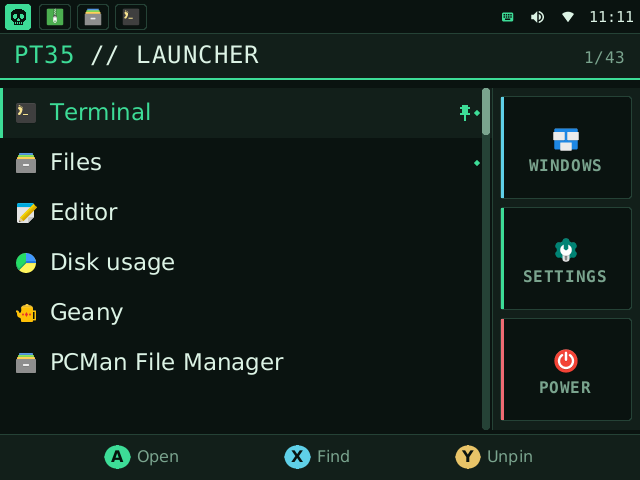
- Launcher with recents, pins and type-to-search.
- Taskbar: one icon per window, and clickable status icons.
- Window switcher with a picture of each window.
- Buttons mode and Mouse mode. R switches.
- A normal mouse UI in the menu: hover, click, right-click menu, wheel,
breadcrumbs, a draggable scrollbar. - Quick settings: Wi-Fi, Bluetooth, volume, brightness, input mode, touch.
- Wi-Fi and Ethernet. Six colour palettes. CPU profiles.
- Patched keyboard firmware: F13-F22 for the buttons, brightness over serial.
Files
pt35-desktop_arm64.deb: the package.install.shinstalls it for you.install.sh: the installer.SHA256SUMS: checksums.
Known limits
- Holding A and pressing the D-pad cannot drag. A real mouse or a finger can.
- There is no battery gauge: nothing on the board reports charge.
- Bookworm is not supported.