

Draw text that follows an arbitrary curve in matplotlib.
Label a curve along its own path instead of in a legend, so the reader's eye never leaves the data to read a colour key. The figure below shows the difference: a legend on the left, and the same lines labelled along their paths on the right.
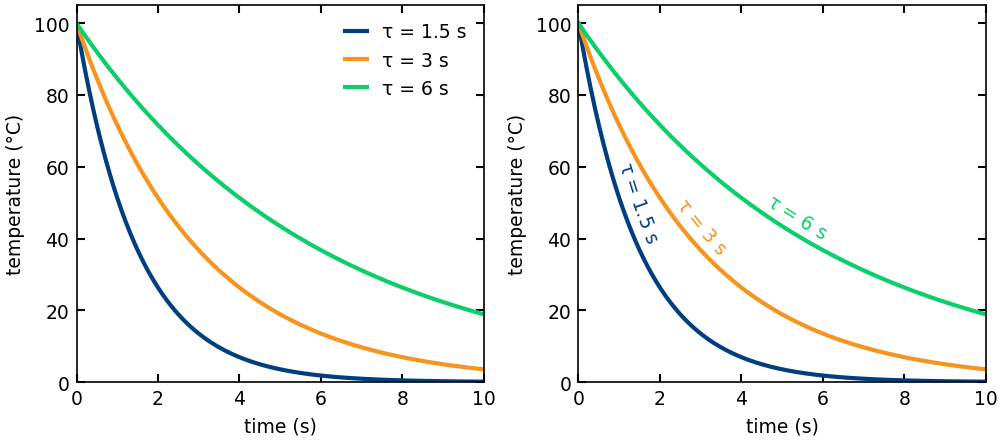
The label is recomputed every time the figure is drawn, so it keeps following the curve through layout changes, resizing, and interactive panning or zooming.
- The curve
(x, y)must be ordered along its length, so each point comes after the one before it, and it must have at least two points. - The curve should be smooth relative to the text size. Label a smoothed or fitted trend line, not raw noisy samples. Each letter follows the direction of the curve under it, so where the curve turns back on itself within the width of a single letter, as noisy data does, the letters overlap.
pip install curved-textTo work from a clone, install it in editable mode:
pip install -e .import numpy as np
import matplotlib.pyplot as plt
from curved_text import curved_text
x = np.linspace(0, 2 * np.pi, 400)
y = np.sin(x)
fig, ax = plt.subplots()
ax.plot(x, y)
curved_text(ax, x, y, "text that follows the curve",
pos=0.5, anchor="center", offset=6.0, color="C3")
plt.show()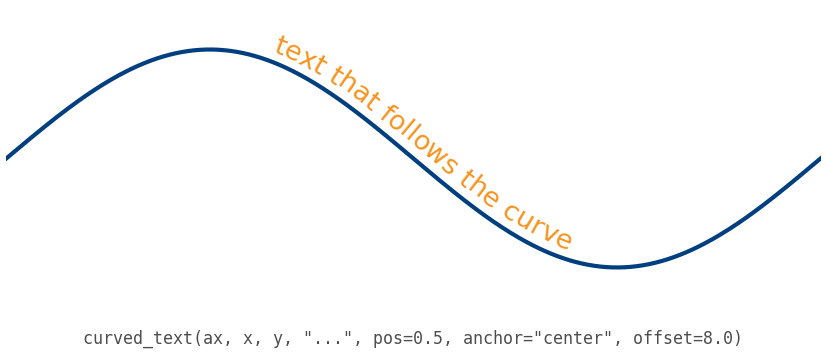
Three independent parameters control where the label sits:
possets where the label is anchored along the curve, as a fraction of the curve's length.0.0is the first point,1.0is the last.anchorsets which part of the label lands atpos:"start","center", or"end".offsetshifts the label off the curve, measured in typographic points. The shift is perpendicular to the curve. A positive value sits above a left-to-right curve.
The figure below sweeps pos from the first point to the last. The green dot
marks the anchor point in each panel.
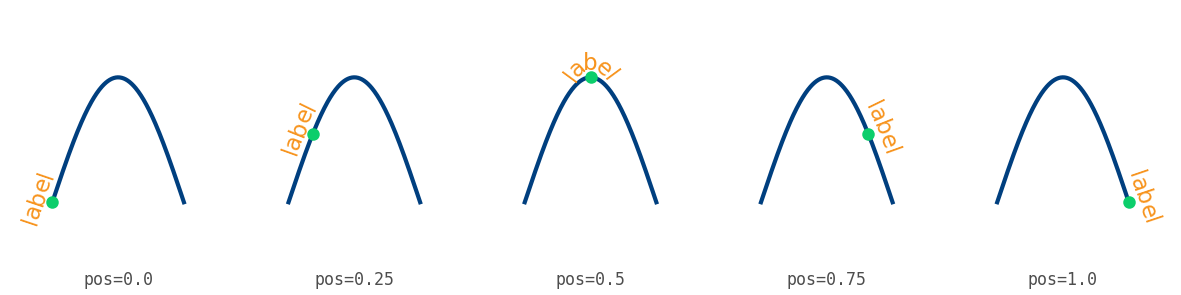
If the label runs past either end of the curve, it is not cut off. The curve continues straight in the direction it had at that end, and the extra letters sit on that straight line.
The object form is also available:
from curved_text import CurvedText

CurvedText(x, y, "along the curve", ax, pos=0.2, anchor="start", offset=4.0)
Note the order of the axes argument. The CurvedText class takes it after x, y, text, matching matplotlib.text.Text. The curved_text function takes it
first, matching matplotlib's axes-first helper functions.
Any extra keyword arguments (color, fontsize, alpha, fontfamily, ...)
pass through to each character's matplotlib.text.Text.
A $...$ run in the label is laid out by matplotlib's
mathtext
engine and then bent along the curve the same way plain text is. Every part of
the expression follows the curve, down to the bars in fractions and the
overlines in radicals, so fractions, radicals, and large brackets stay joined
together at any curvature. Plain and math runs mix freely in one string:
curved_text(ax, x, y, r"flux $\propto \sqrt{D_{\mathrm{eff}}}\,(L/L_0)^2$",
            pos=0.5, anchor="center", offset=8.0)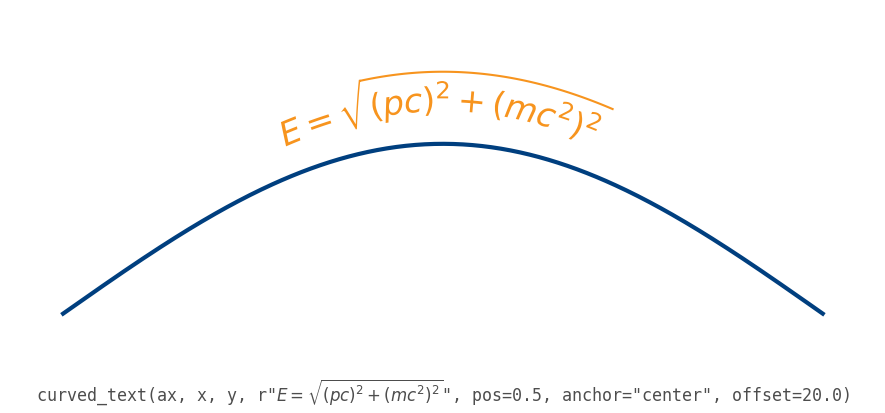
Pass parse_math=False to treat dollar signs literally. Tall expressions
compress vertically on the inside of tight bends, so choose the text size to
suit the curvature. text.usetex is not supported.
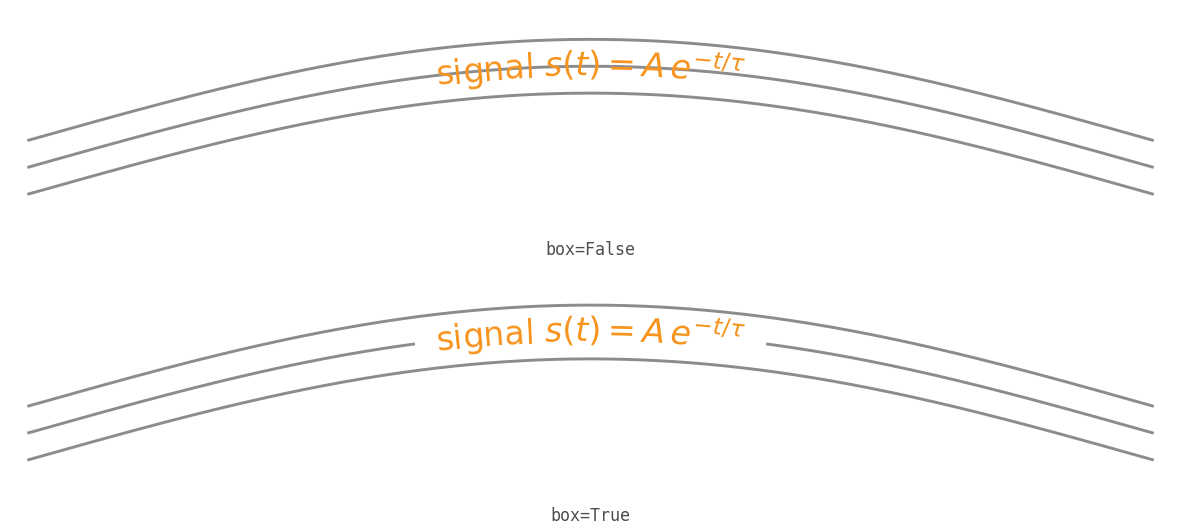
Set box to draw a casing behind the label. The casing is a band that follows
the curve under the letters, at the label's height. It keeps the label readable
where it crosses the lines it labels. Because it is a single fill, it covers
plain text and mathtext alike:
curved_text(ax, x, y, r"signal $s(t) = A\,e^{-t/\tau}$", box=True)box accepts True, a colour string, or a dict with these keys:
| Key | Meaning | Default |
|---|---|---|
color |
Fill colour of the band | white |
pad |
Band height, as a multiple of the tallest glyph's height | 1.1 |
alpha |
Opacity of the band | 1.0 |
For a lighter casing that hugs each letter instead, pass a white withStroke
through matplotlib's
path_effects.
Path effects reach every letter and every mathtext run, as they do on any
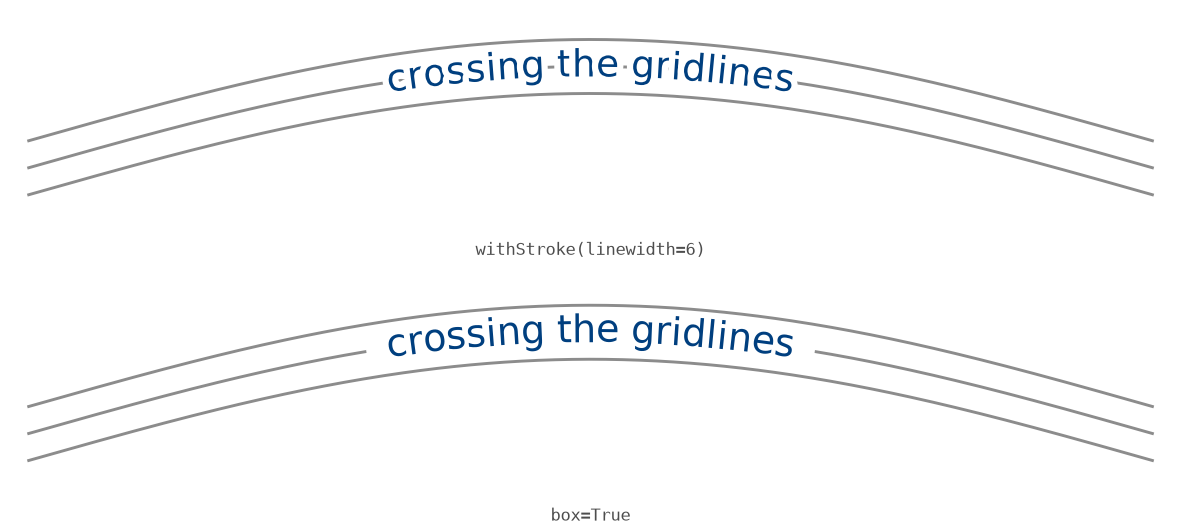
Text. Because each letter is stroked on its own, a wide stroke makes
neighbouring letters blur together, so use box for solid coverage under plain
text:
import matplotlib.patheffects as pe

curved_text(ax, x, y, r"signal $s(t) = A\,e^{-t/\tau}$",
            path_effects=[pe.withStroke(linewidth=4, foreground="white")])
The figure below shows the difference on the same plain-text label: a wide
stroke per character on top, the single box fill on the bottom.
curved_text needs only a matplotlib.axes.Axes, so it works with any library
that draws on matplotlib. seaborn's axes-level functions return an Axes, its
figure-level functions expose one through .axes, and pandas
DataFrame.plot returns an Axes as well. Pass that axes in directly:
import seaborn as sns

ax = sns.lineplot(data=df, x="x", y="y")
curved_text(ax, df["x"], df["y"], "along the curve",
            pos=0.5, anchor="center", offset=6.0)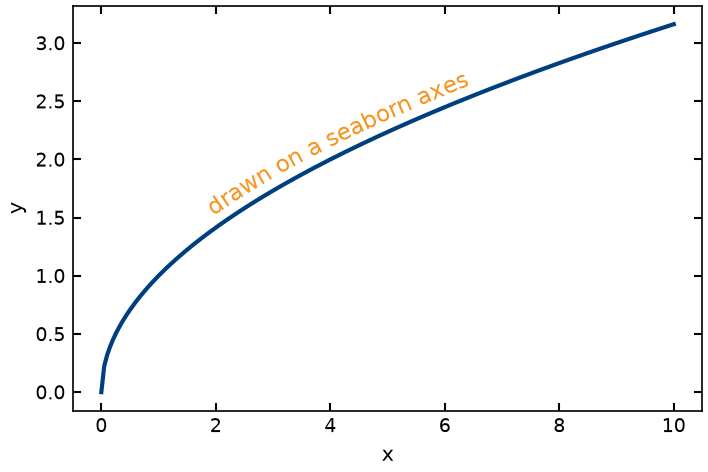
Each character is a separate matplotlib.text.Text. The package places each one
on the curve and turns it to follow the line. Instead of reading the curve's
slope at a single point, it draws a straight line across the width of that one
letter and tips the letter to match. Averaging over the letter's width this way
keeps neighbouring letters smooth even when the curve is drawn from only a few
points.
All of this is measured in display space, that is, in pixels on the final figure after every scaling step. So the spacing and the perpendicular offset stay correct at any DPI and figure size. The layout is redone on every draw, which is why the label keeps up with resizing and with interactive pan or zoom.
matplotlib-label-lines labels
one or many lines inline at a chosen or automatically picked point, each label
rotated to the local slope. It is the quickest way to replace a legend across a
set of lines. curved-text solves the adjacent problem: making a single string
(plain or mathtext) follow the curve character by character, with arc-length
placement and a perpendicular offset, redone on every draw. Reach for
label-lines to drop legend labels onto several lines, and for curved-text to
make text ride a path. In the ggplot2 world,
geomtextpath covers similar
text-on-path ground.
For matplotlib users coming from LaTeX: this is matplotlib's version of TikZ's
text along path decoration (from decorations.text). The mapping is close.
pos and anchor do the work of text align and the indents, offset does
the work of raise, and overrunning text rides the straight tangent extension
instead of being cut off at the path's end.
Full documentation, including the API reference and the design notes, is at thiebes.github.io/curved-text. More worked examples are in the example gallery.
Bug reports, feature requests, and pull requests are welcome. See CONTRIBUTING.md for the development install, how to run the tests, linting, and the rest of the workflow. By participating you agree to the Code of Conduct.
Generative AI tools were used to develop and maintain this package. The author (the sole maintainer) directed the design and reviewed, tested, and approved every change before committing it.
- Design and direction. The architecture and the design decisions were the
maintainer's: the chord-across-advance placement, the
_CurveFramedisplay-space geometry, tangent-extension overflow, and the choice to support mathtext by bending glyph outlines along the curve. The mathtext feature was iterated against real problems found in use, including the baseline-alignment fix and the move from a per-character stroke to a single box casing once the per-letter halo was found to leave gaps. AI assisted in drafting the design documents and the implementation against these decisions. - Code. The implementation in
src/curved_text/was drafted with substantial AI assistance against that design, then reviewed and revised by the maintainer. Correctness, cross-version compatibility (the test suite runs against a matplotlib floor and a pre-release), packaging, and the release process were the maintainer's responsibility. - Tests. The test suite in
tests/was drafted with AI assistance and reviewed by the maintainer, and is run in CI on every change. - Documentation. The README, API reference, and example gallery prose were drafted with AI assistance and edited by the maintainer.
- How AI was used. Primarily conversational and agentic drafting with Anthropic's Claude. The maintainer provided the problem framing, the design decisions, and the final review.
No AI-generated content was committed without human review.
MIT
