Repository navigation

plorpOS 2.0 is a big one:
- Muse player is now Muse+: Plex, Jellyfin, Audiobookshelf and podcasts all stream, download, and talk over Tailscale, with robust library sync features (still looking for a good solution for podcasts sync).
- OTA updates from this point on
- Four new devices
- A bunch of new customization features
- Fixes and features - thanks to everyone who suggested improvements and called out bugs!
New Devices
- MagicX Zero 28 (on oakMOSS): one image to flash, or a
.omupdfor cards already on oakMOSS. USB DACs, PortMaster, SSH. Install guide - MagicX Zero 40 (on oakMOSS): one image to flash. Portrait layouts for its 480x800 screen, touch, PortMaster (32-bit ports too), Bluetooth headphones, USB DACs, SSH. Install guide
- Anbernic RG DS (on a trimmed ROCKNIX): one image to flash. The second screen shows the game's details on the shelf and Quick Settings in a game; swipe down on it for Muse+, up for recent games. Anbernic + Home swaps the screens, and each has its own brightness. Install guide
- Anbernic RG35XX SP joins the H700 build. Install guide
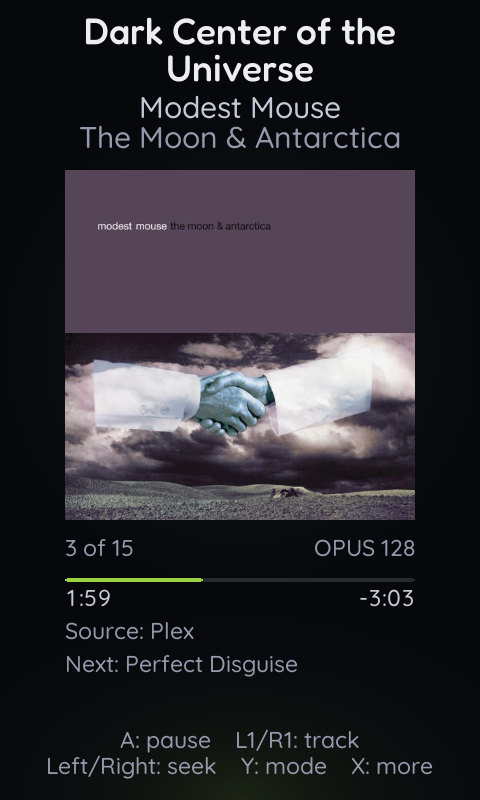 MagicX Zero 40 | 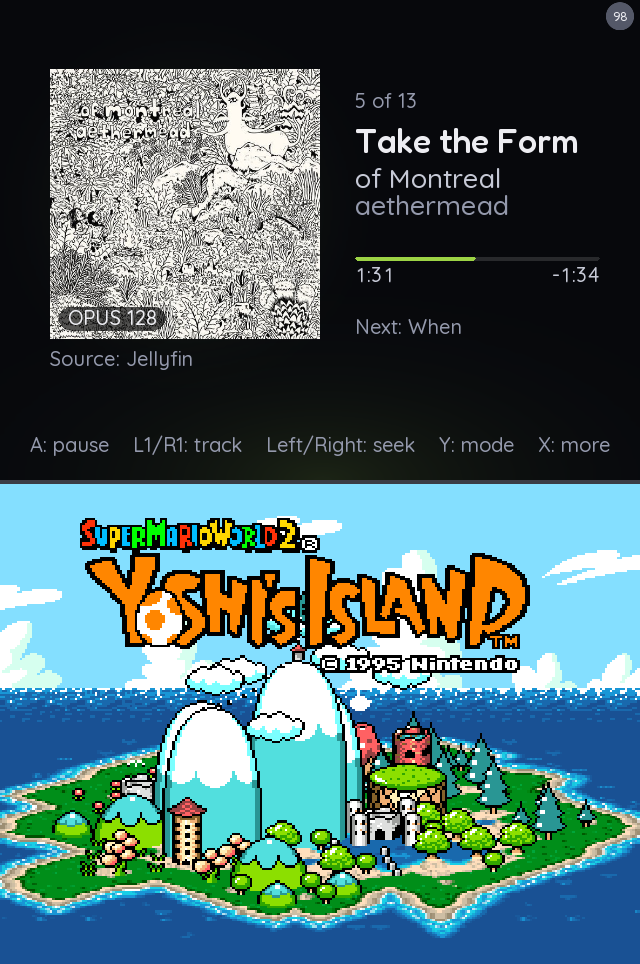 RG DS: music on one screen, the game on the other | 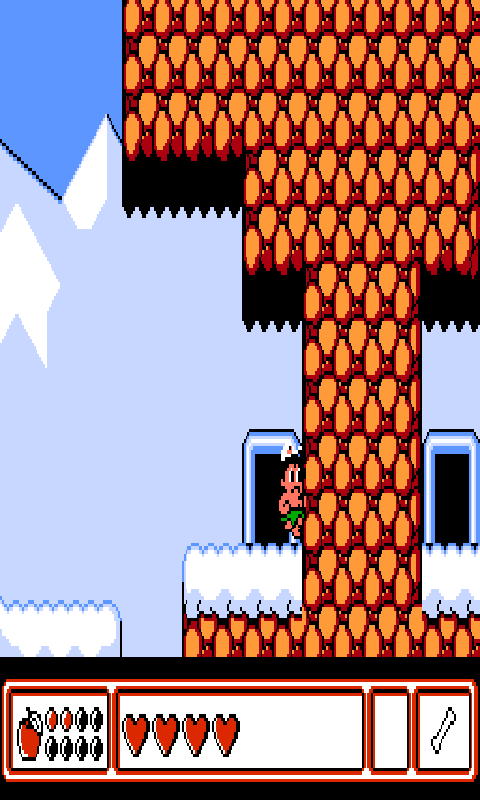 Zero 40 ungodly stretched |
New Features
Muse+ and Streaming Servers
- Muse is now Muse+. Source in its menu picks Local Music, Local Audiobooks, Plex Music, Jellyfin Music, Audiobookshelf or Podcasts. Visible Sources (UI Settings) hides the ones you don't use.
- Plex Music: sign in at plex.tv/link (a free account works). Stream or download albums, play and edit the server's playlists. Shared servers work.
- Jellyfin Music: sign in with Quick Connect or a password. Streams, downloads and playlists as on Plex.
- Favorite Plex Tracks / Favorite Jellyfin Tracks sync both ways with the server's favorites (5 stars or Plexamp loves on Plex).
- Audiobookshelf: your progress is synced between plorpOS and the app/server. Download books to play offline, they sync when next online (without overwriting later progress from another device).
- Podcasts: Import OPML or Search Podcasts. Tabs for New, Downloads, Favorites and Queue; Auto-Delete clears played downloads.
- Offline Mode (top of each server's settings): only what is on the card. Plays and places reach the server later.
- Tailscale Integration (Plex, Jellyfin, Audiobookshelf): your server's tailnet address, used first while Tailscale is on.
- Now Playing shows the format (FLAC 16/44.1) and the Source. New Longer Titles layout; Now-Playing Layout keeps Original.
- More (X on Now Playing): Sleep Timer, for music too. Books and podcasts add Speed, Chapters and Timeline.
- Timeline logs every Pause/Play/Sync event, so you can easily find your place again if you fall asleep listening to audiobooks (like me).
- Books show a half circle when started, a full one when finished. X has Mark as Complete, Mark as Unread and Delete Book. The Playlists tab has Recent Books, Finished Books and Random Books.
- Auto Rewind (Playback Settings): a paused book or podcast resumes 3 to 30 s back.
- Paused Sleep Delay (Playback Settings): how long after a pause in the dark before the device sleeps. Screen Off is now Auto Screen Off, default Follow System.
- Hotkeys (Muse+ menu): L1, R1, L2, R2, the d-pad and stick directions each take an action.
- Add to Playlist is X on a track (was Y).
- Muse+ menu, reorganized: Source, Sort By, Playback Settings, UI Settings (Tab Settings, Now-Playing Layout, Visible Sources), then each Source's settings.
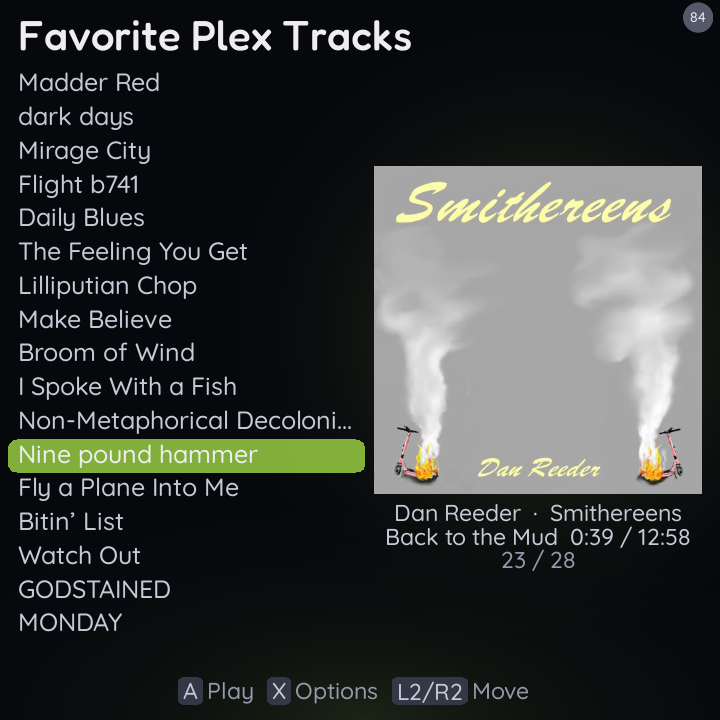 Plex | 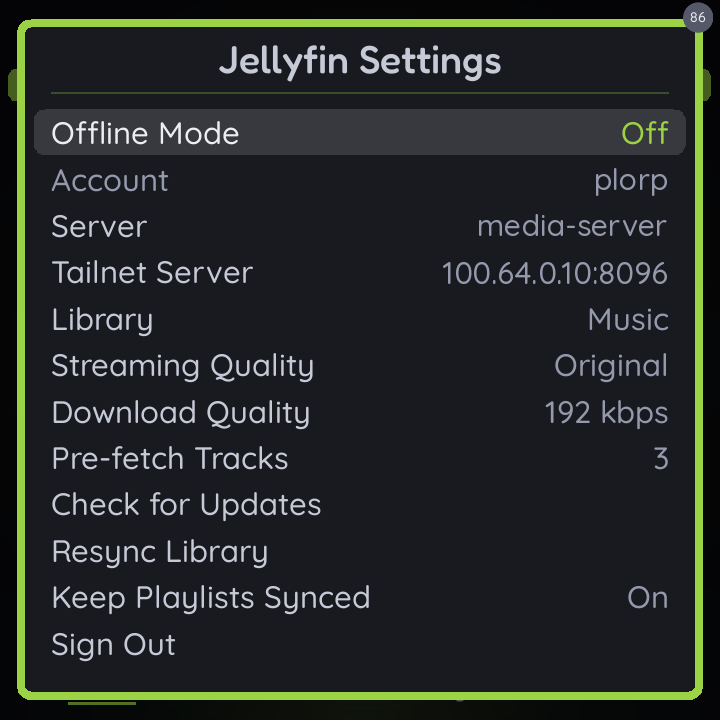 Jellyfin | 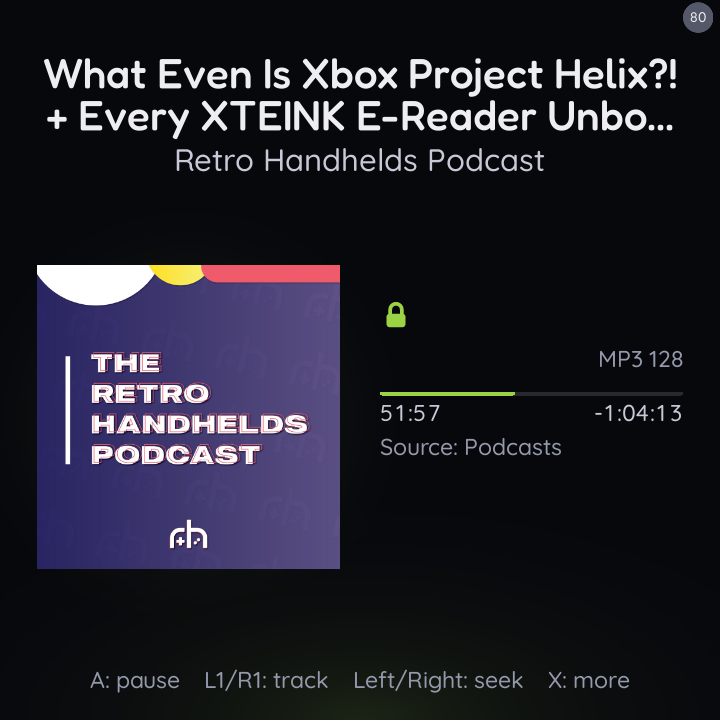 Podcasts | 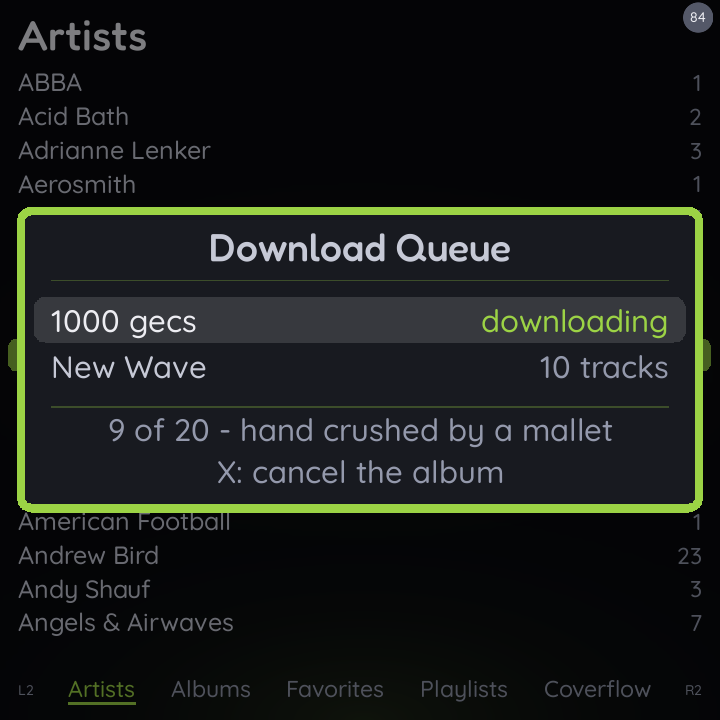 Downloads for offline play | 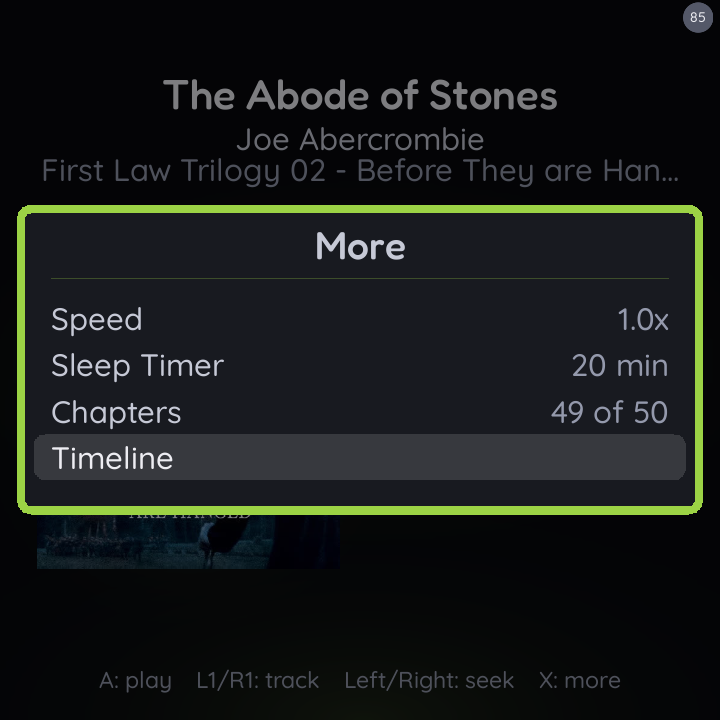 More listening options |
Network Services
- Check for update (Network Services): downloads and installs a new plorpOS during a restart. If it won't start, the old one comes back.
- Tailscale (Network Services): scan a QR code to put the device on your tailnet. Not on the Miyoo Mini Flip.
- Syncthing (Network Services) keeps
Saves/in sync with your other devices, now on every device but the Miyoo Mini Flip. - Wi-Fi has its own row in the plorpOS menu. Joining a network sets the clock, now on the H700 handhelds and the Miyoo Mini Flip too.
Games and controls:
- Save and Quit hotkey added, and renamed in the menu.
- Rumble Enabled (Game Settings): games that rumble shake the motor on the Bricks, H700s, RG Rotate and Miyoo Mini Flip.
- Game Overrides have been moved to the (X) menu when highlighting a game. Set overrides for Core, Display Mode, Shader, Hotkeys, Button+Turbo Mappings, and Palette in one place.
- Save Per-Game Overrides (Game Settings): Controls if in-game changes get saved as an override for that game.
- Turbo Assignments moved under Hotkeys (below Button Mapping), in a game too, where a change works at once. The Turbo Assign hotkey is gone: set turbo there instead.
- Quick Save (hotkey) also refreshes the Auto card's picture.
- System menu: Defaults and Reset Overrides (replaces Reset Display Overrides, with Reset All) are a level down.
- Scrape Systems (Game Settings > Scraping) now lets you choose which shelf(s) you want to scrape.
- Box art (without screenscraper login) now falls back to libretro's GitHub mirror when libretro's server is down.
More Customization
- System Settings gets Audio Output, Volume Limiter (a cap per output: Bluetooth, DAC, 3.5mm), Select Shortcut and Menu Hold (what SELECT and a held MENU open: Muse+, Switcher or off).
- UI Settings: Visible Tiles (replaces Ports Tile) hides any card on the systems row. Fonts adds Header Size and Body Size (50% to 150%). Battery Percentage moved here.
- Kosugi Maru (Header Font, Body Font): the font for Japanese (kana and kanji). With it, accented letters show plain (é as e).
- Game Settings: the RetroAchievements rows have their own page.
- In-game menu: Display is now Display Mode.
Major Device Tweaks
- GKD 350H Ultra on BasedOS. Starting in plorpOS 2.0, GKD 350H Ultra is built on top of BasedOS, while earlier builds were built over stock ROCKNIX. BasedOS installs beside stock ROCKNIX and leaves it unchanged. Install guide
- TrimUI Brick, Brick Pro: boots about 5-7 s sooner (about 9s total). Not close to plastron's <2s, but good enough for now given all the extra modules plorp needs.
- RG Rotate: Rotate (Closed), Rotate (Open) and Rotate Open Always Resumes Game (System Settings) set what the swivel does.
- Miyoo Mini Flip: Arcade and Neo Geo run on FinalBurn Neo (was FB Alpha 2012 and MAME 2000). Holding POWER 400 ms powers off, as on the other devices. RetroAchievements is off by default. The optional fast-boot download now reaches the shelf about 6 s sooner than stock firmware; it also writes the
miservicepartition and one bootloader setting (see the install guide).- Muse+ Plex and Jellyfin are not on the Miyoo Mini Flip.
- RG35XX H, RG35XX SP: These booted plorpOS before with some issues, namely USB-C DACs didn't work. Now they do.
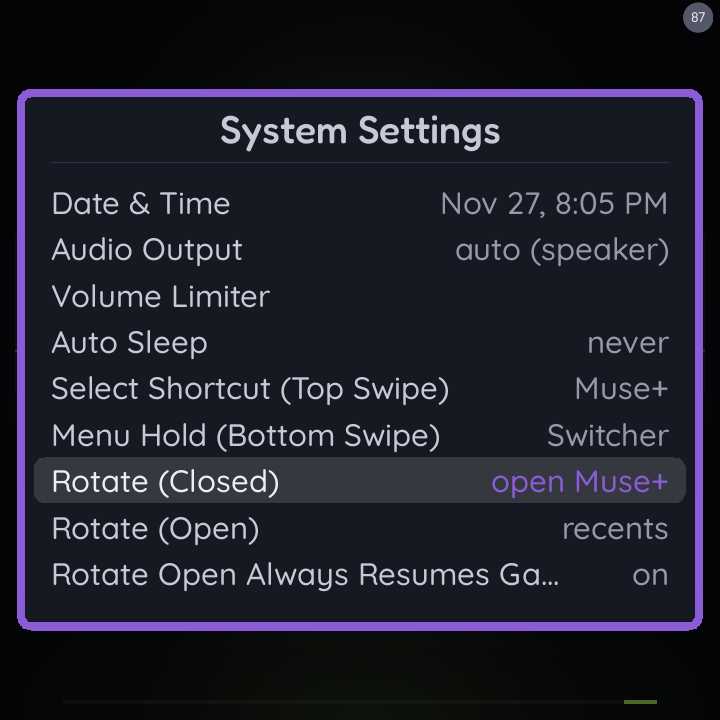 RG Rotate swivel settings |
Fixed
- TrimUI Brick: a game started right after another with the same screen size no longer shows the shelf flickering in its black bars.
- RG Rotate: opening the swivel wakes it from deep sleep.
- RG Rotate: a button press no longer counts twice.
- RG Rotate: a song that stalls no longer keeps the device from sleeping.
- RG Rotate: Save and Quit goes straight to the shelf; the game no longer flashes beside the menu.
- RG SP, RG34xxSP, RG35XX SP: with music playing and the screen off, closing the lid no longer lights the screen, and opening it does.
- RG35XX H: native PICO-8 starts in Aspect (the default) instead of failing.
- Miyoo Mini Flip: starts at your brightness, not a fixed one.
- Miyoo Mini Flip: an SSH login no longer starts a second plorpOS.
- Miyoo Mini Flip: PS1 games no longer hitch in busy 3D scenes (Tony Hawk's Pro Skater 2); frames keep an even pace.
- Miyoo Mini Flip: GBA (gpSP) now takes its color correction and frame-mixing settings; before, it ignored them.
- Hotkeys work on every shelf. Shelves past the 16th ignored theirs.
- A game with a shader the device can't draw starts normally, instead of falling back to a slow standalone start.
- Game discs in a nested folder now scrape box art.
- A character the font lacks is left out, not drawn as a box.
- Muse+: a track file named only by its number (
01.mp3) shows the number, not "mp3". - Muse+: an album name that starts with a number other than its year keeps it (1000 gecs).
- Muse+: Local Audiobooks with no books says so, instead of showing Local Music.
Known issues
- Zero 40: charging can slow to a trickle after a USB DAC. Plugging a DAC in or out with a charger connected can leave the battery charging at 100 mA, or draining. Re-plug the charger. The Zero 28 image has the fix (a Zero 28 on an older oakMOSS, from the zip, does not); the Zero 40 gets it with a new image.
Downloads
| Device | Download | Guide |
|---|---|---|
| TrimUI Brick / Brick Hammer / Brick Pro | plorpOS-v2.0-brick.zip |
Brick |
| Anbernic RG SP / RG34xxSP / RG35XX H / RG35XX SP (on BaseOS) | plorpOS-v2.0-h700.zip |
H700 |
| GKD 350H Ultra (on BasedOS) | plorpOS-v2.0-gkd350based.zip |
GKD |
| Anbernic RG Rotate | plorpOS-v2.0-rotate.img.xz (new card; extract, then flash) or plorpOS-v2.0-rotate-update.zip (update) |
RG Rotate |
| Anbernic RG DS | plorpOS-v2.0-rgds.img.xz (new card; extract, then flash) or plorpOS-v2.0-rgds.zip (update) |
RG DS |
| MagicX Zero 28 (on oakMOSS) | plorpOS-v2.0-zero28.img.xz (new card; extract, then flash), plorpOS-v2.0-zero28.omupd (card already on oakMOSS) or plorpOS-v2.0-zero28.zip (update) |
Zero 28 |
| MagicX Zero 40 (on oakMOSS) | plorpOS-v2.0-zero40.img.xz (new card; extract, then flash) or plorpOS-v2.0-zero40.zip (update) |
Zero 40 |
| Miyoo Mini Flip (on stock firmware) | plorpOS-v2.0-miyoominiflip.zip + optional plorpOS-miyoominiflip-fast-boot.zip |
Mini Flip |
| Anbernic RG Nano (on DrUm78's FunKey-OS) | unchanged: plorpOS-nano-v1.0 from plorpOS 1.5.5 | RG Nano |
Upgrading from 1.9.x
- Update by hand this once. Check for update is new in 2.0, so copy the new zip over the card as your install guide says. From 2.0 on, use Network Services > Check for update.
TortOS/is nowplorpOS/. The first start moves anything inTortOS/thatplorpOS/lacks (your PICO-8 files, say) and deletes the rest. Settings, saves and covers stay.- RG Rotate: the first start shows "System updated" and restarts once.
- GKD 350H Ultra: install BasedOS first, then follow its install guide.
- Miyoo Mini Flip: the Arcade (FBA 2012) and Arcade (MAME 2000) shelves are gone. Move their sets to
Roms/Arcade.
Install guides: Brick · H700 · RG Rotate · RG DS · GKD 350H Ultra · Zero 28 · Zero 40 · Miyoo Mini Flip