Repository navigation
Releases
Motion Studio 1.4.0 - Custom templates and animations

Save a video as your own reusable template and animate elements directly in the preview.
What's new
- Your own templates: save the current video with a name and description, choose which text and media fields can be replaced, and reuse it when creating a new video. Manage and rename templates from the editor. Each project's templates stay with that project.
- Visual animation editor: move, scale and rotate clips, headlines, callouts and the device mockup at the playhead. Changes become editable keyframes and support undo.
- Animation presets: slow zoom, fly-in, bounce, float and rotation, with timing and keyframe controls in the inspector.
- Preview and export agree: custom motion is kept separate from entrance, exit and transition effects, and works across all four aspect ratios.
- English and Dutch interface text for the new features.
Downloads
- Windows 10/11, x64:
Motion-Studio-1.4.0-win-x64.zip - macOS, Intel and Apple Silicon:
Motion-Studio-1.4.0-mac-universal.zip
Extract the archive and open Motion Studio. Rendering requires Node.js 22+ and ffmpeg. Motion Launcher 1.2.0 can install and update the app while preserving project folders.
The Windows executable has a timestamped, self-signed signature. The Mac app is signed ad hoc and is not notarized. Both downloads have SHA-256 checksums in SHA256SUMS.txt.
Validation
Code checks passed; 98 module tests and 22 UI tests passed. One test requiring a physical Android device was skipped. Template reuse and visual animation were exercised in Electron, including all aspect ratios, and an 8-second MP4 was rendered successfully. The packaged Windows app and the universal Mac app passed their startup checks with a working video preview.
Motion Studio 1.3.0 — captions, cuts, Demo Studio
Closer to a full CapCut replacement: captions from your own voice, cutting silences and words, a demo recorder, and new text and background effects.
What's new
- 🗣️ Automatic captions with Whisper, running locally with word-exact timing
- ✂️ Talking-head edits: keep a clip's sound, cut the silences in one click, and cut words by clicking them in the captions
- 🎬 Transitions and keyframes: crossfade, slide, whip, zoom, blur, flash, spin and the new colour wipe; move, scale, rotate and fade a clip over time
- 📱 Demo Studio: operate your web app or Android phone inside Motion Studio and record it; taps, swipes and long presses become animated touches, and demo data is typed into forms. It lists the dev servers running on your PC, and can put a sharp screenshot of the page in the video
- 🔤 Text-only layout, and switching between text and the device during a video, with its own transition
- ✨ Headline effects: choose per headline how it comes in and goes out, including the new typewriter and letter scramble
- 🌌 Background scenery: rings, blurred colours, aurora, grid, gradient, spotlight or plain, with crossfades during the video
- 🗂️ Media per video: each video shows its own files; others come in through Importeren
- 💾 Rendering over a file that is open elsewhere no longer fails: it saves under a free name
Download and run (Windows 10/11, 64-bit)
With Motion Launcher: it updates on its own. Use launcher 1.1.1 or newer: it never removes a folder with projects in it.
By hand: download Motion-Studio-1.3.0-win-x64.zip below and unzip it anywhere. Updating? Unzip over the old folder or next to it; your projects live in their own folders and are not touched. For rendering you need Node.js 22+ and ffmpeg (winget install Gyan.FFmpeg).
Windows SmartScreen: the app is signed with a self-signed certificate, so Windows may say unknown publisher. Click More info → Run anyway. Check the download against
SHA256SUMS.txt.
Full changelog: v1.2.0...v1.3.0
Motion Launcher 1.2.0 — now on Mac
Motion Launcher now runs on a Mac.
What's new
- 🍎 Mac version (Intel and Apple Silicon): installs, updates and starts Motion Studio for Mac. Visual has no Mac version yet and is not shown there
- 🛡️ From 1.1.1: an update never removes a folder that holds a project
Install
- Windows: download
Motion-Launcher-1.2.0-win-x64.zip, unzip it and startMotion Launcher.exe - Mac: download
Motion-Launcher-1.2.0-mac-universal.zip, unzip it and drag Motion Launcher to Applications. The app is not notarized by Apple: the first time, right-click it and choose Open, then Open again
Motion Launcher 1.1.1
Updates are safe for your projects.
What's new
- 🛡️ When it updates an editor, the launcher removes old version folders, but never one that holds a project: a Motion Studio project inside it, or a project from Motion Studio's list, keeps the folder where it is
Install
Download Motion-Launcher-1.1.1-win-x64.zip, unzip it and start Motion Launcher.exe.
Motion Launcher 1.1.0
Motion Launcher now installs Visual too, and it finds the editors you already have.
What's new
- 🎨 Visual is in the launcher: install, update and start it like Motion Studio
- 🔎 Existing installs are found: an editor already on your PC (from a Start menu or desktop shortcut) shows as installed, so you never install it twice
- 📌 Start menu shortcuts for the launcher and every editor it installs, so Windows Search finds them
- 📝 Better "What's new": release notes are shown formatted, with the date, and can be read for the version you have too
- ✨ Its own icon
Install
Download Motion-Launcher-1.1.0-win-x64.zip, unzip it and start Motion Launcher.exe.
Motion Studio 1.2.0 — starters
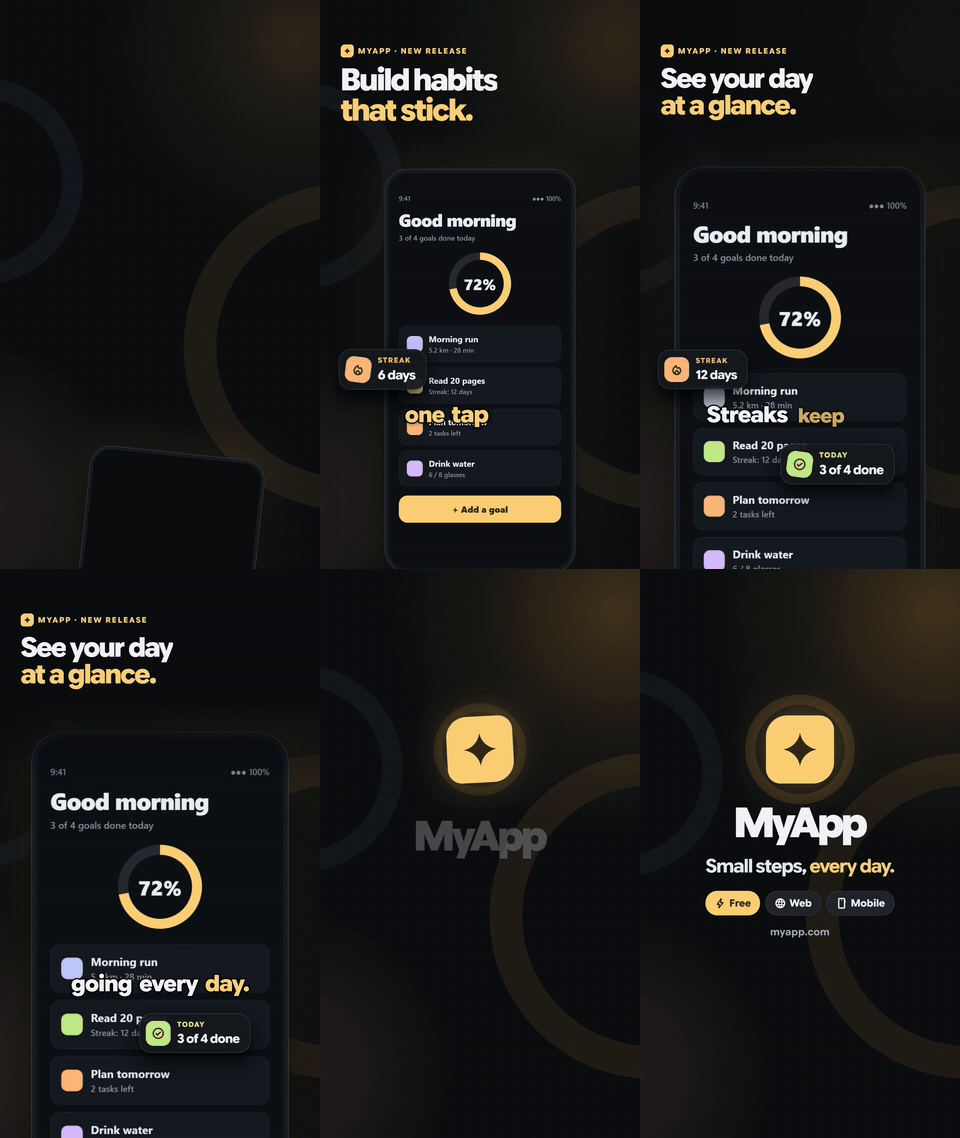
Start from a finished video, not an empty timeline. New video now offers five starters, filled with your own clips and ready to tweak.
What's new
| Starter | What you get |
|---|---|
| 🚀 App launch | A hook with your app's name, three points, two callouts and a zoom |
| 🔢 How-to in 3 steps | A headline per step, a tap on the screen, a zoom and a marker at every step |
| Two phones side by side, labeled Before and After, with short callouts | |
| 🌐 Website tour | A browser window with mouse clicks and two zooms onto them |
| 💡 Quick tip | Full screen with big captions |
- Starters use the clips already in your project, and their texts follow your brand's language (English or Dutch).
- Empty and copy a video are still there.
- Have a promo format you keep making? A starter is one function in
src/starters.mjs; see starters. PRs are very welcome.
Also in this release: from 1.1.0, the English interface and preferences that are remembered between launches.
Download and run (Windows 10/11, 64-bit)
- Download
Motion-Studio-1.2.0-win-x64.zipbelow and unzip it anywhere (for exampleDocuments\Motion Studio). Updating? Unzip over the old folder or next to it; your projects live in their own folders and are not touched. - Install the two tools it uses for rendering, if you don't have them yet:
- Start
Motion Studio.exe. Create a project folder, drop in a screen recording, click New video and pick a starter.
Windows SmartScreen: the app is signed, but with a self-signed certificate, so Windows may say "Windows protected your PC" / unknown publisher. Click More info → Run anyway. You can check the download against
SHA256SUMS.txt(Get-FileHash .\Motion-Studio-1.2.0-win-x64.zip).
🙌 Help make the next release
Good first contributions: a new starter, a translation, an Android device frame, a caption style or tests. See CONTRIBUTING.md and the good first issues.
Full changelog: v1.1.0...v1.2.0
Motion Studio 1.1.0 — now in English
Motion Studio now speaks English. 🇬🇧🇳🇱 The whole interface is available in English and Dutch: menus, panels, dialogs, messages and shortcuts. It follows your system language, and you can switch any time under File → Settings → Interface language.
What's new
- English interface (#1), with Dutch one click away. Adding your own language is one table in
ui/i18n.js; see adding a language. - Your preferences stick between launches. The preview format, timeline zoom, clipboard and last opened video are remembered after you close the app. Before, they were reset on every start.
- More tests (23), for translations and the local server.
Download and run (Windows 10/11, 64-bit)
- Download
Motion-Studio-1.1.0-win-x64.zipbelow and unzip it anywhere (for exampleDocuments\Motion Studio). Updating? Unzip over the old folder or next to it; your projects live in their own folders and are not touched. - Install the two tools it uses for rendering, if you don't have them yet:
- Start
Motion Studio.exe. Create a project folder, drop in a screen recording and click New video.
Windows SmartScreen: the app is signed, but with a self-signed certificate, so Windows may say "Windows protected your PC" / unknown publisher. Click More info → Run anyway. You can check the download against
SHA256SUMS.txt(Get-FileHash .\Motion-Studio-1.1.0-win-x64.zip).
🙌 Help make the next release
Speak German, French, Spanish, Portuguese or another language? A translation is a perfect first contribution. There are also good first issues for device frames, caption styles, tests and macOS/Linux builds. Start with CONTRIBUTING.md.
Full changelog: v1.0.0...v1.1.0
Motion Studio 1.0.0
The first public release of Motion Studio: a desktop editor for polished promo videos of your app. You get device mockups, headlines, callouts, zooms, taps, captions, voice-over and music, rendered with HyperFrames in 9:16, 4:5, 1:1 and 16:9.
Download and run (Windows 10/11, 64-bit)
- Download
Motion-Studio-1.0.0-win-x64.zipbelow and unzip it anywhere (for exampleDocuments\Motion Studio). - Install the two tools it uses for rendering, if you don't have them yet:
- Start
Motion Studio.exe. Create a project folder, drop in a screen recording and click Nieuwe video.
Voice-over is optional. It needs a Python with Kokoro and/or Piper; set the paths under Bestand → Instellingen.
Windows SmartScreen: the app is signed, but with a self-signed certificate, so Windows may say "Windows protected your PC" / unknown publisher. Click More info → Run anyway. You can check the download against
SHA256SUMS.txt(Get-FileHash .\Motion-Studio-1.0.0-win-x64.zip).
What's in it
- Devices: phone, two phones, tablet, browser window or full screen. Includes a fit check for screenshots, Fill / Fit and a crop window.
- Motion: headlines word by word, callouts (drag them on the preview), zooms onto a point you click, and taps / clicks. For taps, press T and click along while the video plays.
- Captions: four styles, made from the voice-over or imported from
.srt/.vtt, with an.srtnext to every render. - Audio:
- voice-over from text
- a music bed that fades, ducks and carves an EQ pocket for the voice
- beat detection with snapping
- Formats: 9:16, 4:5, 1:1 and 16:9 from one edit, with per-format positions for callouts and captions.
- Editor: timeline with snapping, trimming and splitting, undo/redo, copy/paste between videos, markers, batch render, brands, and a menu bar with shortcuts for everything.
The interface is in Dutch for now; an English translation is the #1 open issue.
🙌 Help make the next release
Motion Studio is open source (MIT) and looking for contributors: translations, new device frames, caption styles, macOS/Linux builds, tests and more. Start with CONTRIBUTING.md and the good first issues. Found a bug? Open an issue.