Repository navigation
Motion Studio 1.2.0 — starters

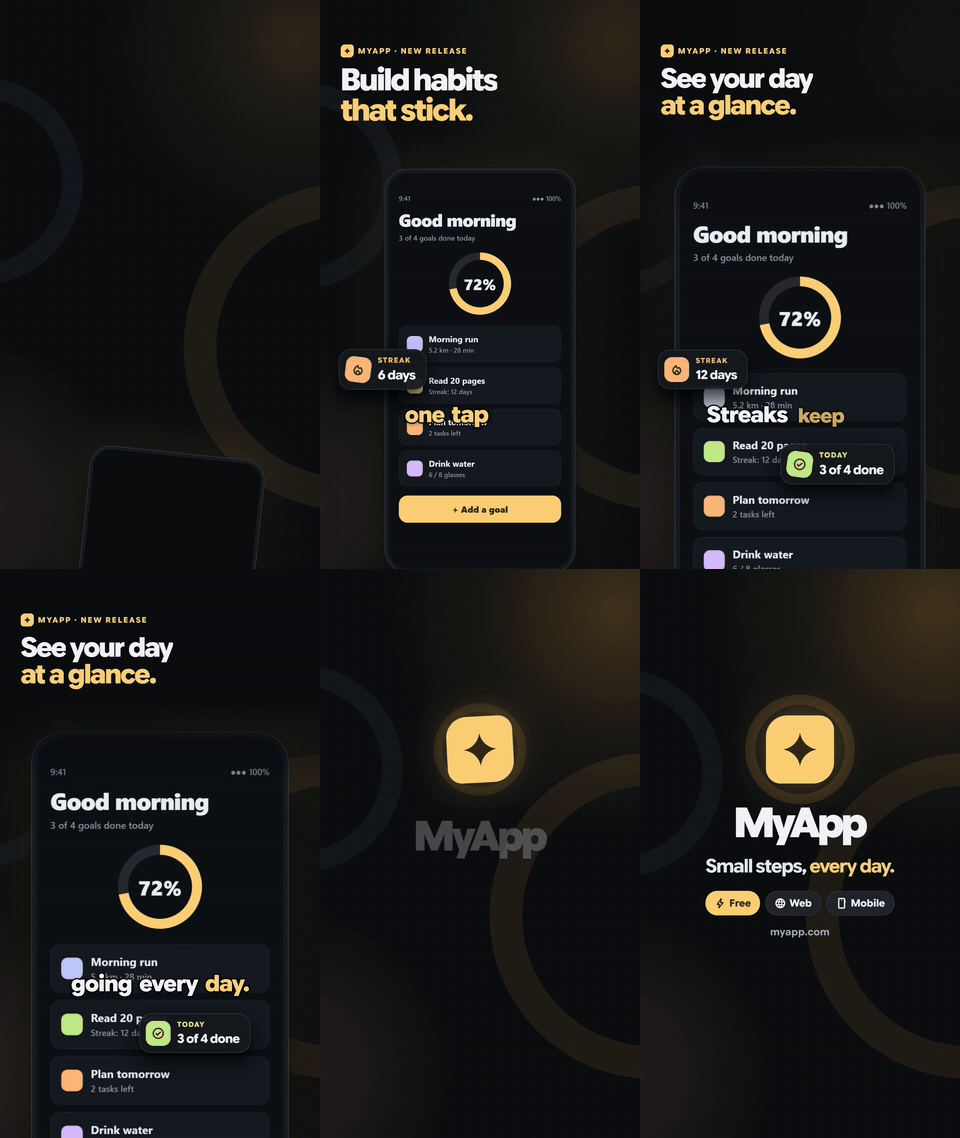
Start from a finished video, not an empty timeline. New video now offers five starters, filled with your own clips and ready to tweak.
What's new
| Starter | What you get |
|---|---|
| 🚀 App launch | A hook with your app's name, three points, two callouts and a zoom |
| 🔢 How-to in 3 steps | A headline per step, a tap on the screen, a zoom and a marker at every step |
| Two phones side by side, labeled Before and After, with short callouts | |
| 🌐 Website tour | A browser window with mouse clicks and two zooms onto them |
| 💡 Quick tip | Full screen with big captions |
- Starters use the clips already in your project, and their texts follow your brand's language (English or Dutch).
- Empty and copy a video are still there.
- Have a promo format you keep making? A starter is one function in
src/starters.mjs; see starters. PRs are very welcome.
Also in this release: from 1.1.0, the English interface and preferences that are remembered between launches.
Download and run (Windows 10/11, 64-bit)
- Download
Motion-Studio-1.2.0-win-x64.zipbelow and unzip it anywhere (for exampleDocuments\Motion Studio). Updating? Unzip over the old folder or next to it; your projects live in their own folders and are not touched. - Install the two tools it uses for rendering, if you don't have them yet:
- Start
Motion Studio.exe. Create a project folder, drop in a screen recording, click New video and pick a starter.
Windows SmartScreen: the app is signed, but with a self-signed certificate, so Windows may say "Windows protected your PC" / unknown publisher. Click More info → Run anyway. You can check the download against
SHA256SUMS.txt(Get-FileHash .\Motion-Studio-1.2.0-win-x64.zip).
🙌 Help make the next release
Good first contributions: a new starter, a translation, an Android device frame, a caption style or tests. See CONTRIBUTING.md and the good first issues.
Full changelog: v1.1.0...v1.2.0