Repository navigation
Releases
NX Play 1.8.3

Added
- More layouts of a Switch 2 dump, now that nxnative builds them:
exefs/andromfs/directly in the game's folder, asnup extractwrites them, a dump with onlyupdates/<version>/, and a base game whose RomFS is in its update. NX Play didn't list these before.
Changed
- A Switch 2 game with no nxnative profile can now be built: nxnative guesses a profile for a NUP or a dump, as it does for an NSP, instead of refusing it. Its red No profile badge is now the grey Guessed one. Such a game may still not boot.
NX Play 1.8.2
Added
- Switch 2 games from a NUP file (#12): a game folder can hold one
.nupfile, which nxnative now builds with noprod.keys. NX Play lists it, reads its title ID from the file, and builds and plays it, with the same Switch 2 and No profile badges as a dump. Free Up Space and Remove Game treat the.nuplike an NSP.
Fixed
- NSPs beside a dump of the same game: nxnative builds the NSPs then, and those need
prod.keys. NX Play treated the folder as a dump: it didn't check for the keys, and could show No profile.
NX Play 1.8.1
Added
- Switch 2 games: a game folder can hold a dump of the game's files in place of NSPs, the way nxnative builds a Switch 2 game:
base/exefs,base/romfs, and optionallyupdates/<version>/anddlc/<title ID>/. NX Play lists it, reads its title ID frommain.npdm, and builds and plays it like any other game, with noprod.keys. A Switch 2 badge marks Switch 2 games. nxnative builds a dump only for a game it has a profile for (Donkey Kong Bananza, Splatoon Raiders and Fire Emblem Fortune's Weave so far), so a No profile badge marks the others; Extract tries again with nxnative's latest code. Remove Game deletes the dump'sbase,updatesanddlcfolders with the rest.
Changed
- Don't Play is a row in Play's questions (#9): asking whether to update first, or which save to use, Console Mode's controller can now move down to Don't Play, under the answers, and press A. The row shows the button that does the same from anywhere (B, or Esc). Before, it was a button the controller couldn't reach, and nothing on screen said B cancels.
NX Play 1.8.0
Added
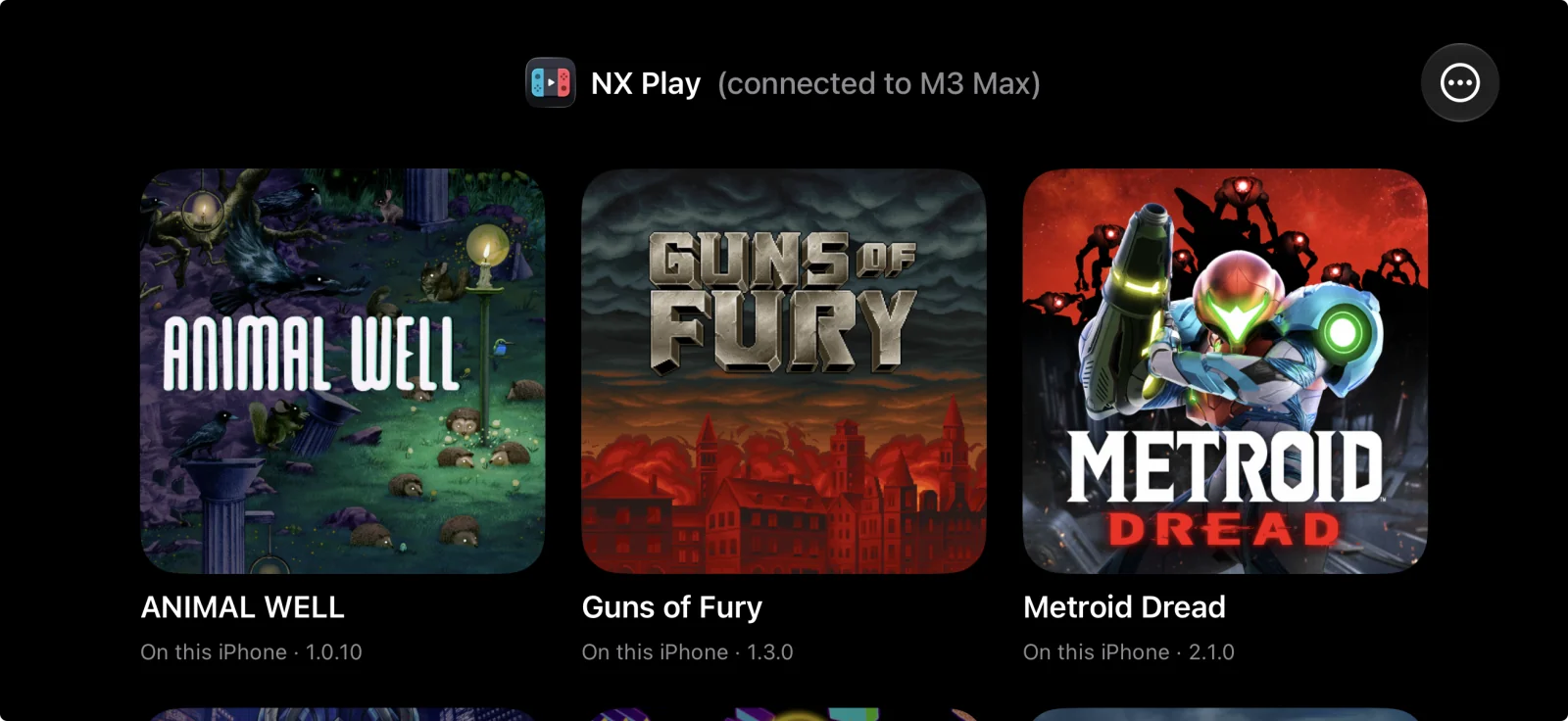
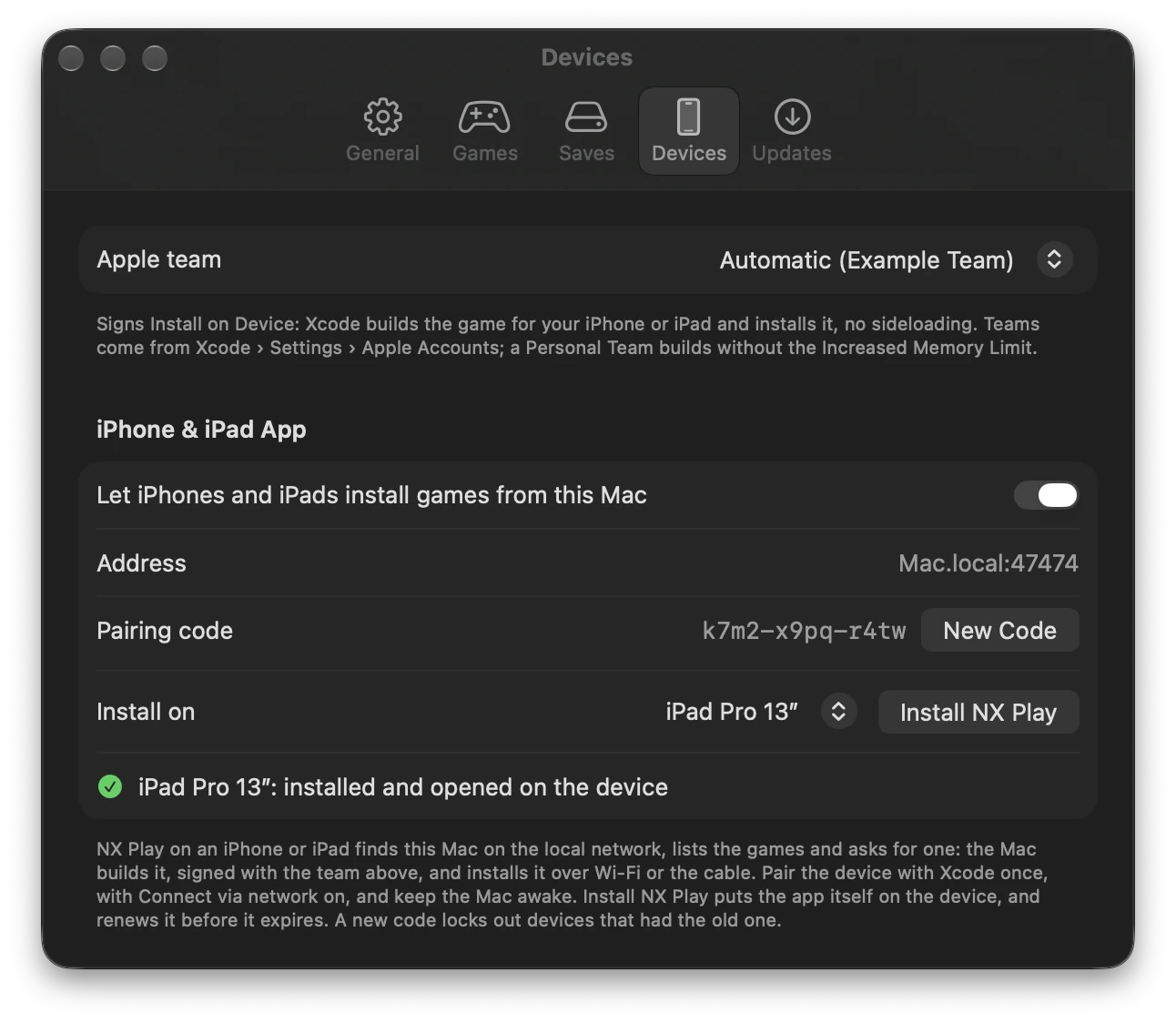
- NX Play for iPhone and iPad: a launcher that lists the Mac's games, asks the Mac to install one, and plays the installed ones. The Mac builds the game and installs it on the device over Wi-Fi, or over the cable when the device is plugged in. On the Mac, turn on Settings › Devices › iPhone & iPad App and click Install NX Play. Then pair the device with the code Settings shows; New Code replaces the code. On the device:
- The header shows NX Play's icon and which Mac it's connected to.
- A controller can drive it.
- It says when a game's signature runs out (7 days with a Personal Team). Renew installs the expiring games again.
- It notices a game you deleted from the home screen when you come back to it, or when you pull down to refresh, and marks it Removed from this iPhone (or iPad). One tap reinstalls it.
- Games installed on a device open from NX Play for iPhone and iPad: nxplay gives each one a URL scheme,
nxplay-<title ID>. Reinstall a game installed before this once.
Changed
- NX Play's own log lines are blue too, like nxplay's since 1.7.16: the save backup's commits and pushes, the command each run starts with, and how it ended (done, failed, cancelled).
NX Play 1.7.16
Added
- Play asks before updating a game (#7): when nxnative has new code for a game's build, Play no longer rebuilds right away. It says what the update brings: how many new commits, which ones are for this game, whether every shader is translated again, and how long the last update took, the Mac app included. Then it asks: Update Now, or Play Current Build to play straight away. Playing the current build leaves nxnative where it was, so the other games don't fall behind. In Console Mode the controller answers. Settings › General can always update first, as before, or always play the current build. Rebuild and Update All Builds still take the latest code.
Changed
- NX Play's own lines in the log are blue, so they stand apart from nxnative's output: which save a play uses, the game settings it passes, nxnative updates, rebuilds and the like.
nxplayin a terminal does the same; setNO_COLORto turn it off.
Fixed
- Play asks which save to use when the Mac app has its own (#8): a Mac app opened from Finder before NX Play shared its save keeps a save of its own. Play used to start the app with NX Play's save without saying so, so progress made in the app looked gone. While the two saves differ, Play now asks: NX Play's save, the Mac app's save, or the newer one. Nothing is copied or deleted; the other save stays as it is. Tick Don't ask again to keep the answer for the game, and use Ask Again in Game Settings to undo it. In Console Mode the controller answers. The log now names the save each play uses.
NX Play 1.7.15
Fixed
- "App out of date" right after Update Mac App: an app packed after nxnative updated, but before the game was rebuilt, runs newer code than the build, yet NX Play called it out of date. It now counts as up to date, and Play opens it.
NX Play 1.7.14
Changed
- A rebuild keeps the Mac app up to date (#6): when an nxnative update rebuilds a game that has a Mac app, the app is packed again with the new code. That adds a couple of minutes to the rebuild, and Play keeps opening the app instead of falling back to the build. This covers Rebuild, Update All Builds and a rebuild before Play, but not kept builds. When an app is out of date anyway, for example because the game files were removed or the packing failed, an orange App badge and a pill in Console Mode say so, and the Game menu's Update Mac App packs it again.
NX Play 1.7.13
Added
-
Play opens the game's Mac app when it has one (#6), so the Dock shows the game's name and icon instead of "dmhost". The app plays with the game's save and cheats from its folder, so your progress carries over, and with NX Play's game settings. An app packed with older nxnative code than the game's current build isn't used until Make Mac App packs it again; Play uses the build meanwhile. Games without an app play as before.
-
The Mac app shares the save when opened from Finder too: NX Play points it at the game's save through the app's
env.txt. An app that already has a save of its own keeps it, and the log says so. Turn on cloud saves in NX Play and in the app's settings window to keep the two in step. -
Free Up Space removes Mac apps: the apps Make Mac App packed into game folders are listed under Mac apps, and removing one takes nxnative's
.app.keybeside it too. An app is made of APFS clones of its build, so Finder may show it at several GB while deleting it frees much less, such as 30 MB for a 4.9 GB app. The size listed is what deleting it actually frees. Make Mac App makes it again, and the app's own save stays.
NX Play 1.7.12 — Stair Climber
Changed
-
Console Mode shows which game is building: a bright arc runs round its tile's border, and a pill at its foot says "Building 42%", or "Queued" for one waiting its turn. When that tile is off screen, a marker at that edge of the row shows the game's icon and progress, with an arrow pointing to it and nudging that way. Click it to select the game.
-
Small text and animation tweaks in Console Mode.
NX Play 1.7.11
Added
- Tools › Update All Builds… brings every game up to date with nxnative, one build after another, so each one is ready when you want to play it. After an nxnative update a game's next build can take from a few minutes to an hour. After an Xcode update every game recompiles its graphics once. A game that's already current takes a few seconds. The window explains this two ways, and you pick one: Gamer compares it to the shader pre-caching Steam and consoles do after an update. Old school describes it as a make world with a cold compiler cache: nxnative's shader chain, and its cache of compiled shaders keyed by the Metal compiler. Kept builds and games without their game files are skipped. Only while plugged in, on by default, holds the next build while the Mac is on battery and starts it once you plug in. The status bar then says it's waiting for the power adapter.
Changed
-
Controllers use the Switch's buttons in NX Play too: on an Xbox or PlayStation controller, the right button now plays and the bottom one goes back, as A and B do once the game starts (nxnative maps them by position). Before, Console Mode used them the other way round. The hints show the button to press, such as Ⓑ on an Xbox controller. Pro Controllers and Joy-Con work as before.
-
Console Mode's build progress is a staircase: one step per stage of the build. Finished steps are solid, and the current one fills as it goes, or pulses when its work can't be counted. A little stick figure climbs them. Its legs bend at the knee as it plants each foot on a step, its arms swing against its legs, and its body rises as it climbs. It walks to where the build is and runs to catch up after a jump. When the build stops moving, it paces its step, stops, looks around and taps a foot. It waves from the top when the build is done. With Reduce Motion it stands still. The line under it uses a player's words, such as "Step 8 of 9 · Preparing the graphics · 12,339/18,503 shaders · 15:33 left", instead of "8/9 Mac shaders · compiling". The library's status bar and log keep the build script's own words.
-
The Mac stays awake while a build runs, so an overnight build no longer stops when the Mac goes to sleep. App Nap is off too, so a build in the background runs at full speed. The display can still sleep.
-
An update build on a game that's already built says "Building", not "Extracting".