You signed in with another tab or window. Reload to refresh your session.You signed out in another tab or window. Reload to refresh your session.You switched accounts on another tab or window. Reload to refresh your session.Dismiss alert
Beside the first section's count, the library shows the filter that's on, if any, and the order as icons, so a count isn't taken for all the games. Click it for the same choices as the toolbar's Sort and Filter menu.
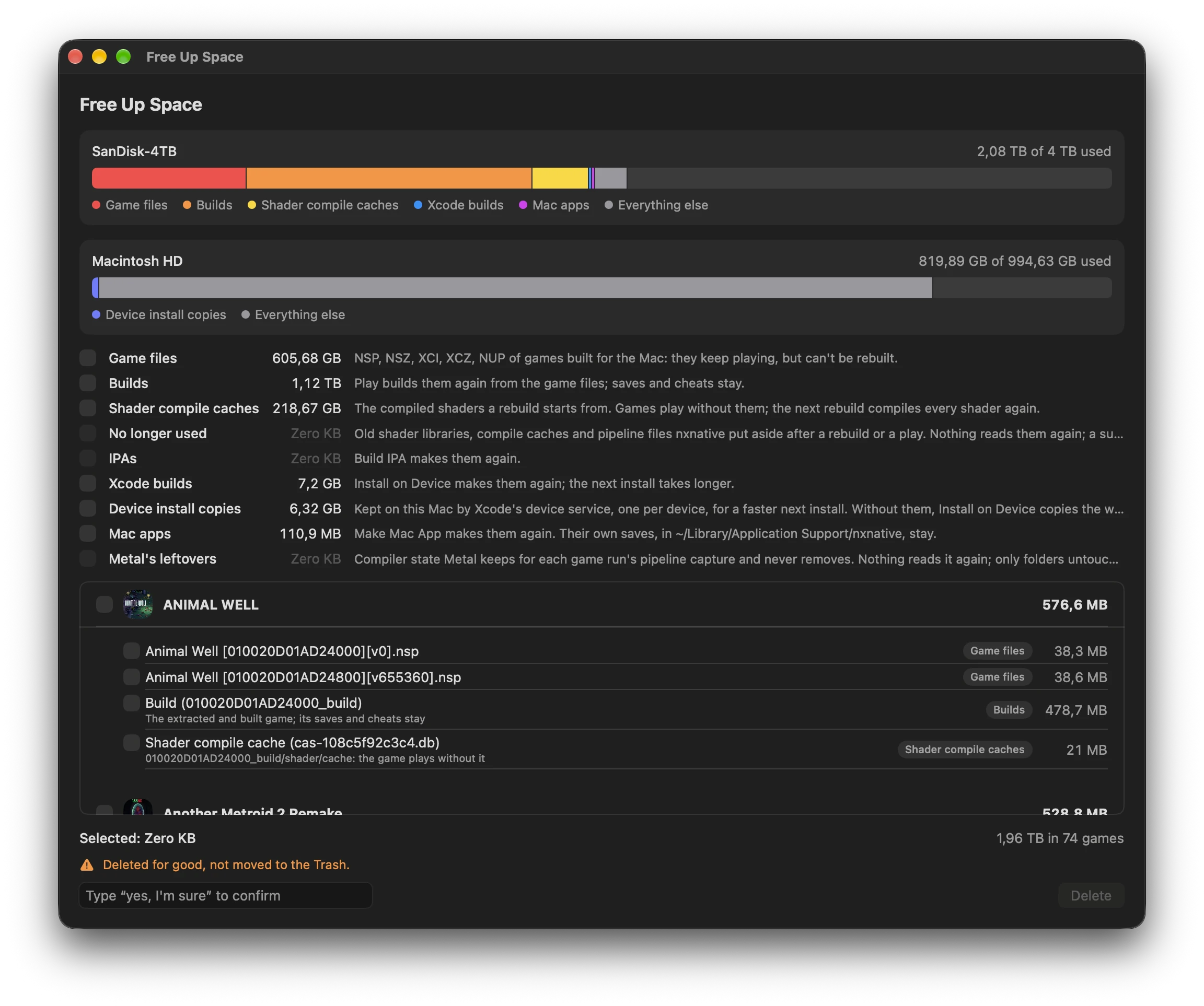
Free Up Space shows a storage bar for each drive its files are on, as System Settings › Storage does: how much each kind takes, the rest of what's used, and what's free. The bars fill in as the sizes are measured, the rest striped until then; hover a part for its size.
Changed
The library's first section is called Games instead of Extracted.
Fixed
The View menu no longer shows, at times, an empty line above as Grid.
Coming back to NX Play with Free Up Space open no longer refreshes the library twice and measures every game again, which made the app slow to respond.