
Leggi il post sul blog per la storia completa: perché l'ho costruito, come funziona e come installarlo.
Home Assistant custom component for Verisure Italy alarm systems.
Talks directly to customers.verisure.it/owa-api/graphql. Fully
replaces the Verisure mobile app for alarm control and camera monitoring.
Not affiliated with Verisure Group or Securitas Direct.
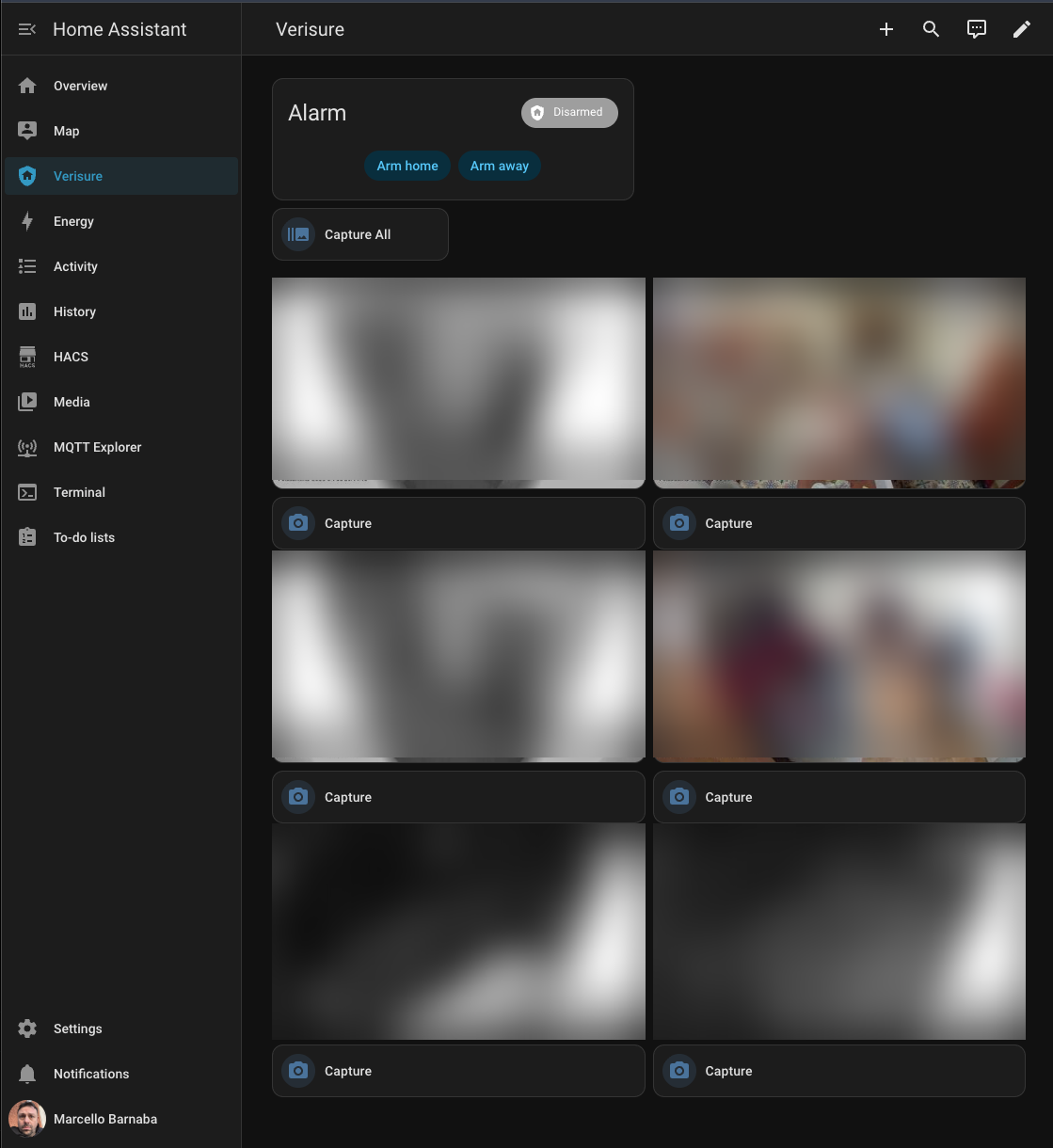
- Alarm control — arm home (partial+perimeter), arm away (total+perimeter), disarm
- Force arm — open zone detection with one-tap force-arm and cancel buttons on the dashboard
- Cameras — auto-discovered, parallel on-demand capture with per-camera and capture-all buttons
- Auto-managed dashboard — Lovelace dashboard auto-populated with alarm panel, camera grid, and capture buttons
- Passive polling via xSStatus — no panel ping, no timeline spam
- Configurable — poll interval, operation timeout, and poll delay tunable from the UI
- Config flow with 2FA/OTP support

Or manually:
- Open HACS in Home Assistant
- Click ... (top right) → Custom repositories
- Add
https://github.com/vjt/ha-verisure-italyas Integration - Search for "Verisure Italy" and install
- Restart Home Assistant
- Go to Settings → Devices & Services → Add Integration → Verisure Italy
The API client (verisure-italy) is installed automatically from
PyPI.
Step-by-step setup screenshots
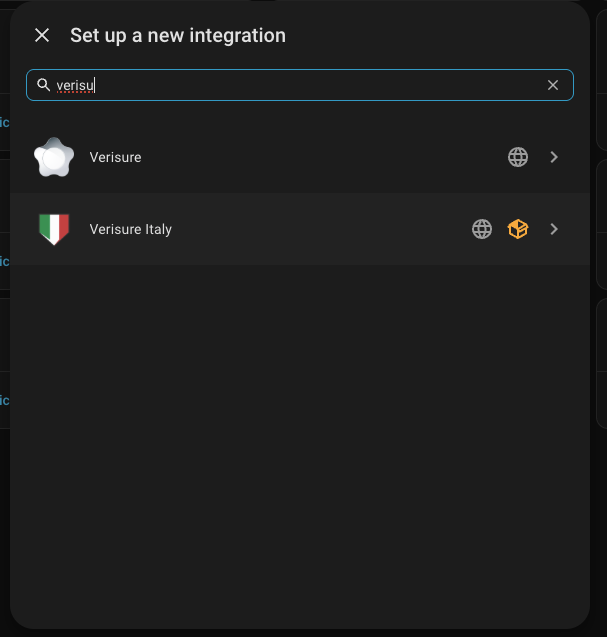
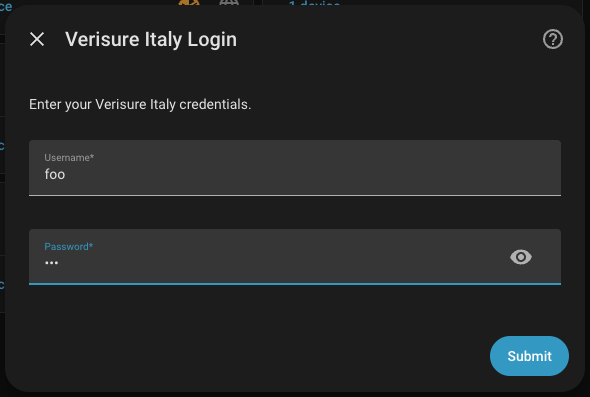
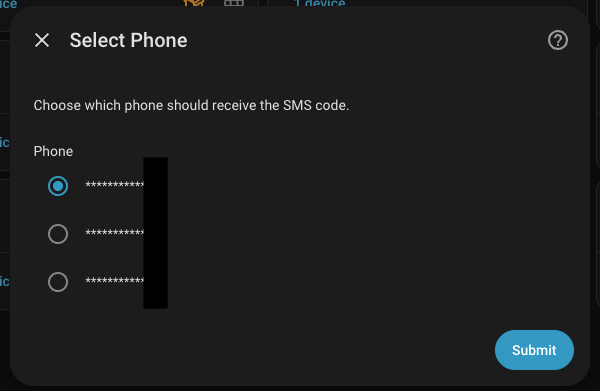
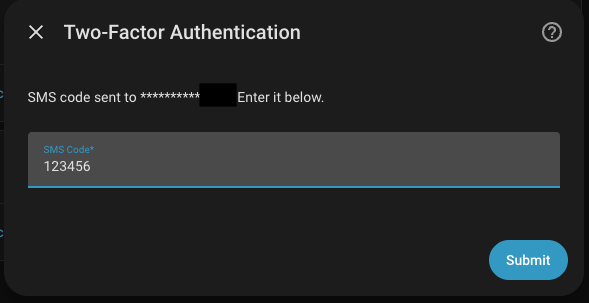
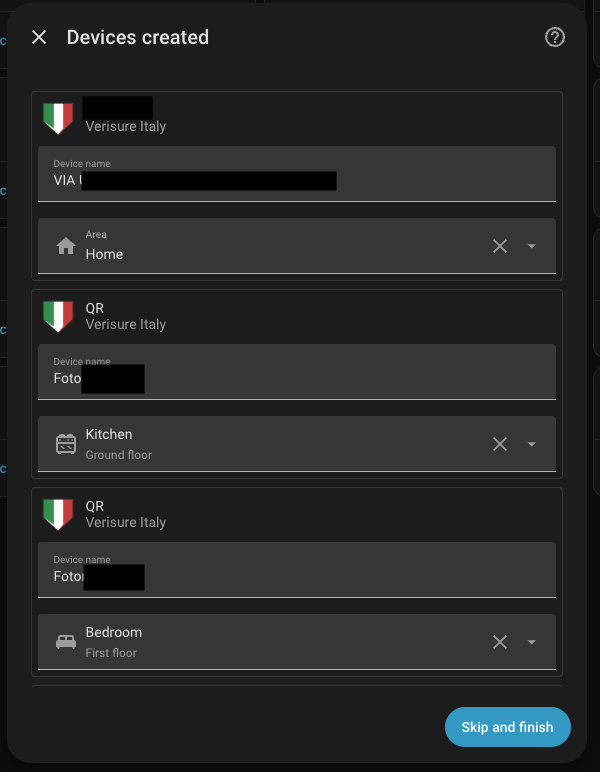
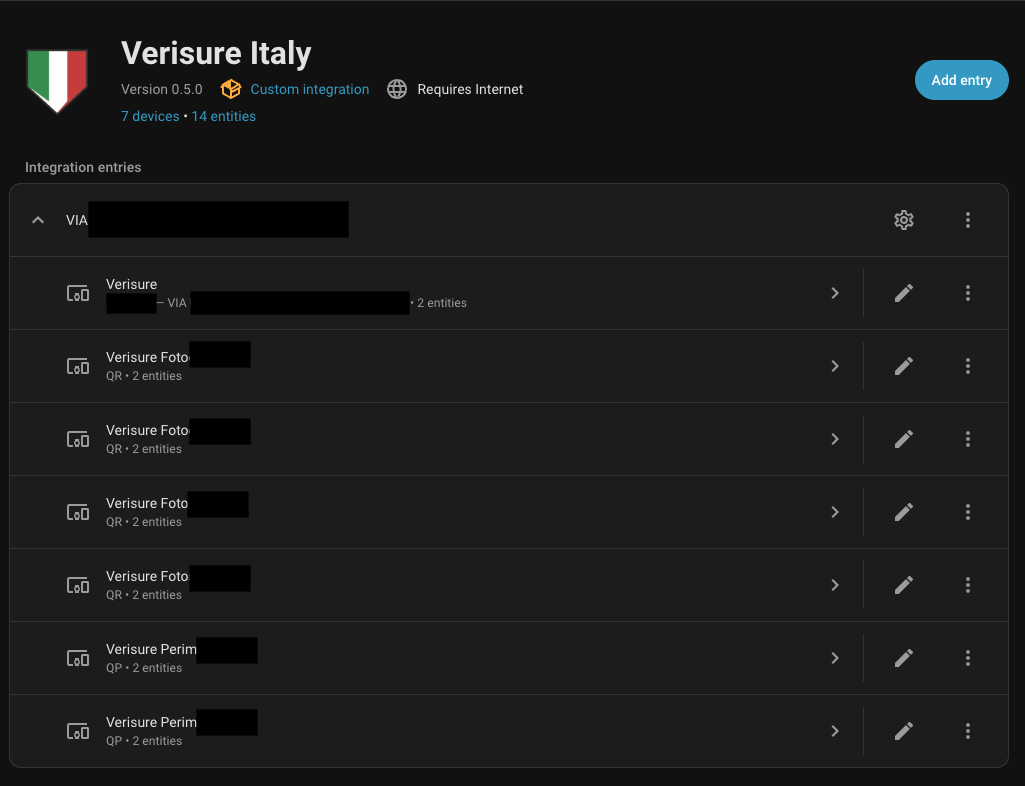
The integration automatically creates a Verisure dashboard in the sidebar on setup. It's populated with the alarm panel, camera grid, and capture buttons based on discovered entities. The dashboard updates itself on every integration reload and is removed when the integration is unloaded.
| Panel State | Proto | HA State | Action |
|---|---|---|---|
| Disarmed | D |
Disarmed | disarm |
| Partial + Perimeter | B |
Armed Home | arm_home |
| Total + Perimeter | A |
Armed Away | arm_away |
| Perimeter only | E |
Armed Custom Bypass | display only |
| Partial (no peri) | P |
Armed Custom Bypass | display only |
| Total (no peri) | T |
Armed Custom Bypass | display only |
| Entity | Example ID |
|---|---|
| Alarm panel | alarm_control_panel.verisure_alarm |
| Camera | camera.verisure_fotocucina |
| Capture button | button.verisure_fotocucina_capture |
| Capture all | button.verisure_capture_all_cameras |
| Force arm | button.verisure_force_arm |
| Cancel force arm | button.verisure_cancel_force_arm |
A forgotten open window shouldn't leave your house unprotected. Verisure panels refuse to arm when a zone is open — but an unarmed alarm is worse than an armed one with exceptions. This integration detects the blocked arming and lets you force-arm with one tap, or automate it entirely so leaving the house always arms the alarm.
When arming fails because a zone is open, the integration:
- Shows an alert banner on the dashboard listing the open zones
- Fires a
verisure_italy_arming_exceptionevent (for automations) - Makes the Force Arm and Cancel buttons available
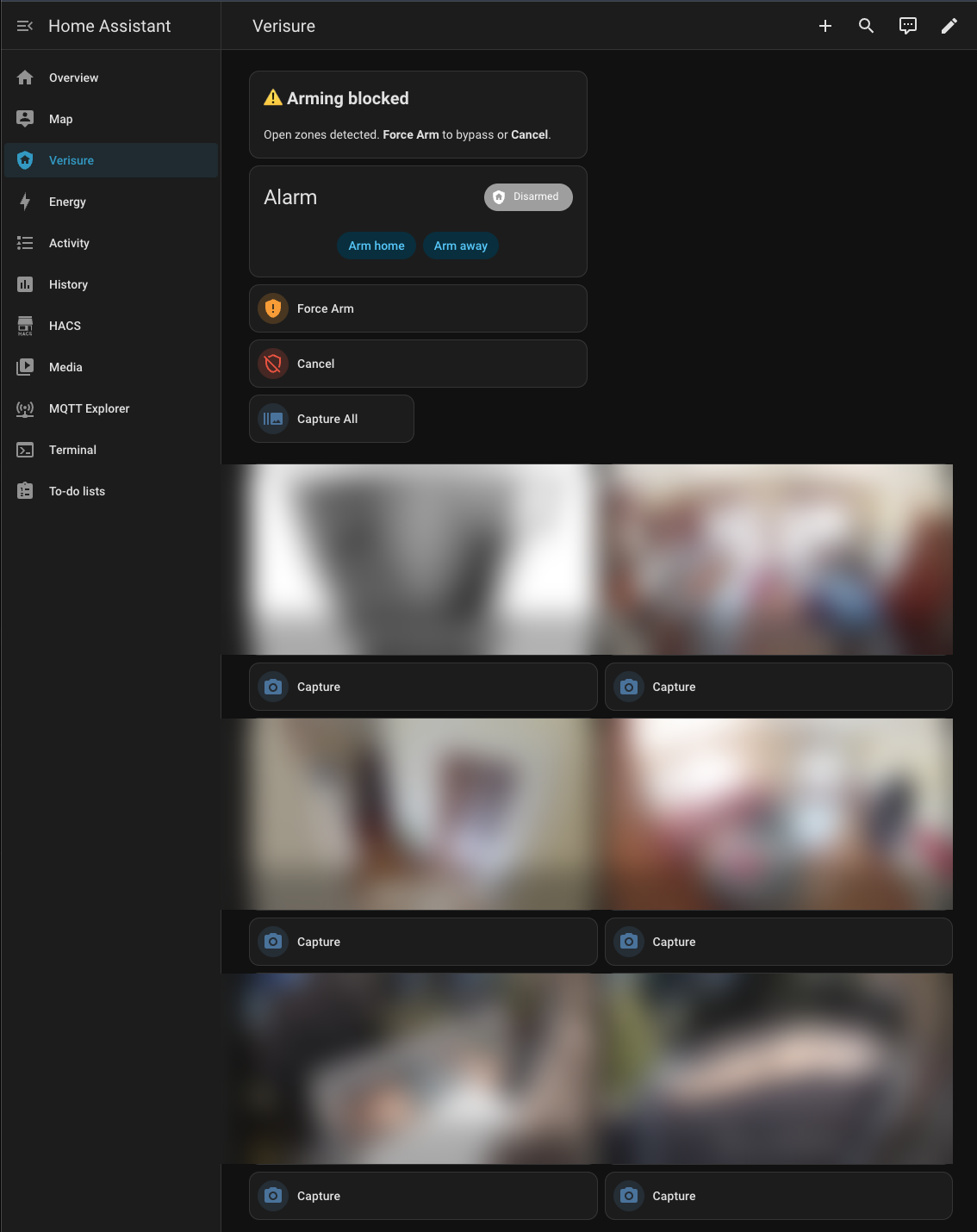
Tap Force Arm to arm anyway, bypassing the open zones. Tap Cancel to abort. The buttons disappear automatically once used or after 2 minutes.
For full automation, use the auto force-arm example to bypass open zones automatically when leaving home — no manual intervention needed.
Note: Force arm requires an administrator API user. A restricted user will arm regardless of open zones without raising exceptions — and sensors will trip.
After a Home Assistant update, run the smoke test to verify everything still works:
./scripts/smoke_test.shChecks all entities, services, and the dashboard panel are registered and responding. Takes about 3 seconds, does not arm or disarm.
The integration uses stable HA public APIs for entities
(CoordinatorEntity, ButtonEntity, AlarmControlPanelEntity)
and is expected to survive HA updates without changes.
The auto-managed dashboard uses LovelaceStorage internals
and frontend.async_register_built_in_panel. If a HA update
breaks the dashboard, the alarm, cameras, and buttons still work
— you just won't get the auto-generated sidebar panel. Build a
manual dashboard as a fallback.
The Verisure API (customers.verisure.it) is the real risk
factor — GraphQL schema or auth flow changes are outside our
control. The API client is a separate package
(verisure-italy)
to isolate those changes.
- Client library architecture — API client internals, auth flow, state model, exception hierarchy
- Integration architecture — HA entities, coordinator, force-arm state machine, security model
- Hacking guide — dev setup, deploy workflow, engineering rules, API gotchas, releasing
- Example automations — arm on leave, safety net, force-arm, night arm, morning disarm, actionable disarm notification, unknown state alert
python3 -m venv .venv
source .venv/bin/activate
pip install -e ".[dev]"

pytest tests/ -x -q
pyright verisure_italy/ custom_components/
ruff check verisure_italy/ tests/ custom_components/MIT. See LICENSE.