Repository navigation
v4.1: Display snapshots, NTP status and profile fixes

This release adds a display preview to Home and NTP controls to Service Settings. It also fixes the ON AIR badge showing the wrong profile after a restart.
Display snapshot
You can now see what your display is showing without walking over to it. Open Home to get a snapshot of the display, including clocks, text, icons and progress bars. Click Refresh whenever you want a new image. The preview is a still frame, so animations are captured at the moment of the request.
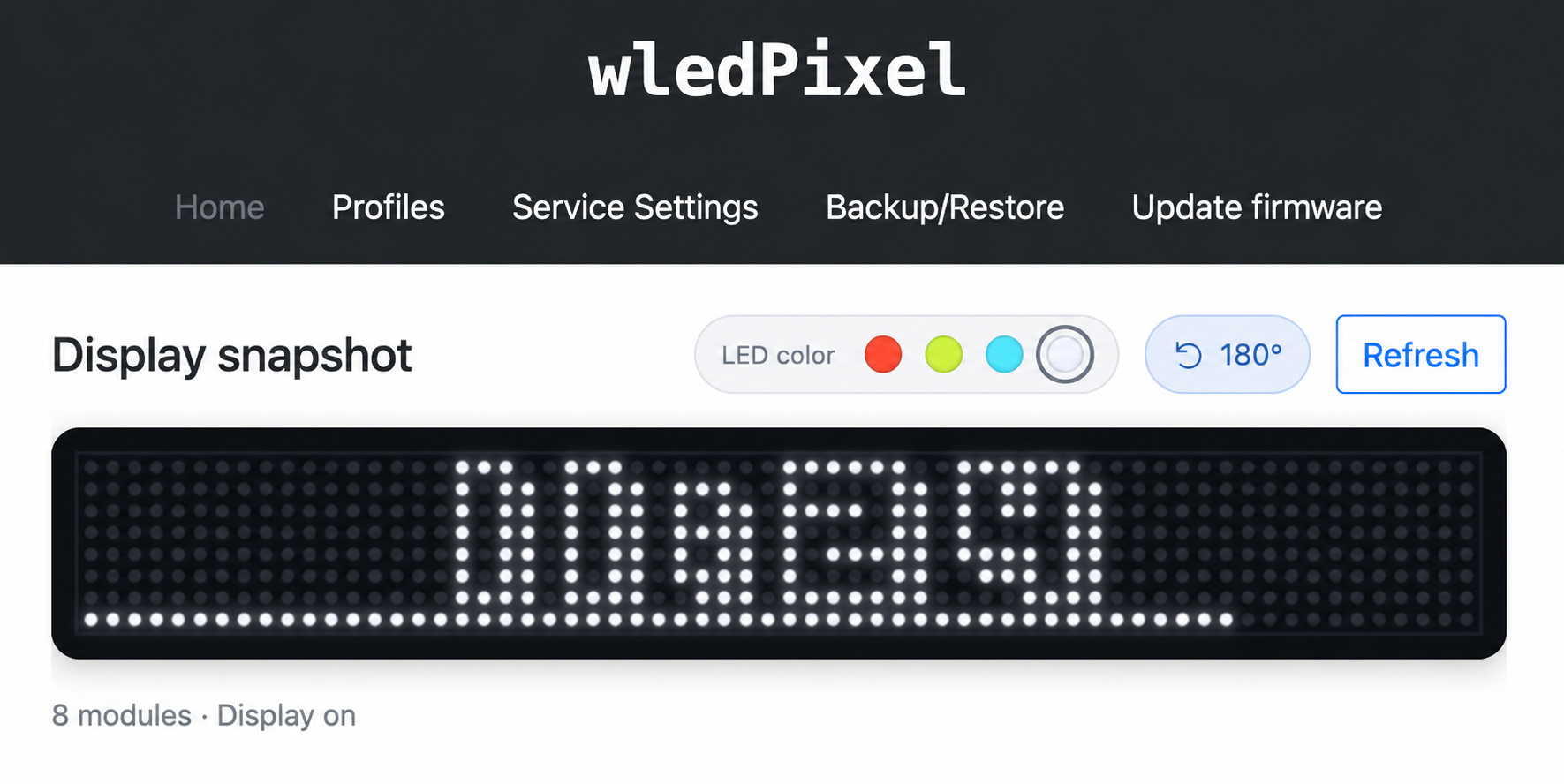
- The preview shows the number of modules you have configured, with even pixel spacing across module boundaries. When the display is off, all pixels appear unlit.
- The line below the image shows the module count, power state and active profile number and name. These are captured with the image and updated together when you click Refresh.
- Choose red, yellow-green, neon blue or white LEDs. The 180° button rotates the preview without changing the display itself.
- Your browser remembers the color and rotation for each device address. Changing them redraws the existing image without taking another snapshot or saving settings to the device.
- If the device is busy or a request fails, the previous image stays visible with a message explaining what happened.
- Fixed snapshot requests getting stuck when several browser tabs request an image at the same time.
- Removed the extra Home title and Status subtitle to leave more room for the preview.
NTP status and synchronization
The NTP section in Service Settings now shows the device's current date and time, UTC offset, sync status and the last successful sync since restart. The time follows the device's applied time zone, including offsets such as UTC+05:45, even if your browser uses a different time zone.
- Click Sync now to request a sync. An indicator shows that it is in progress, and the button stays disabled until the result is available.
- A failed attempt shows an error and lets you retry. The last successful sync time remains visible, and a previously synchronized clock keeps running.
- Automatic and manual syncs use the same status display. Repeated requests share the sync already waiting or running.
- Periodic syncs now run even when no zone is showing a clock. Force NTP Sync on Profiles also waits for the result before showing success.
Apply any changes to the NTP settings before using Sync now.
Active profile fixes
Fixed ON AIR jumping back to Profile 1 after a restart while the display was still using another profile's settings. The device now remembers which profile was last applied.
- The profile number survives normal reboots and restarts caused by changes to the zone layout.
- Turning off scheduling leaves the last applied profile active and keeps its ON AIR badge.
- Restoring a settings backup clears the previously saved profile number, so it does not carry over from the old configuration.
If you are upgrading from firmware that did not save the profile number, use Apply Now once on the profile you want to keep active.
Documentation
- Added a Display snapshot section and screenshot to README.
- Removed standalone
RELEASE_NOTES_*.mdfiles from the repository. README links to GitHub Releases, and unpublished drafts stay outside version control.