Repository navigation
Status Lights
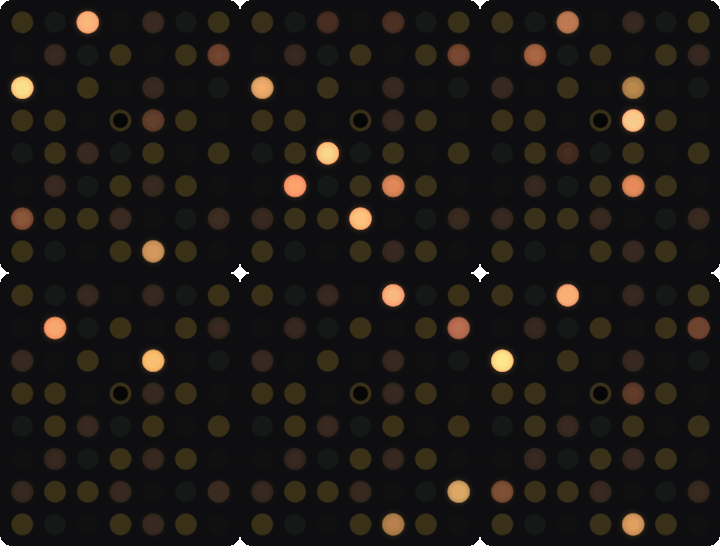
The dots on the front of AirWriter light up to show its state. Most patterns spread out from the test button in the middle. The lights are dim on purpose, so they can be hard to see in bright daylight.
| Pattern | Meaning | Action | |
|---|---|---|---|
 |
Rainbow wave sweeping from the top-left corner to the bottom-right | Starting up, for a few seconds | None |
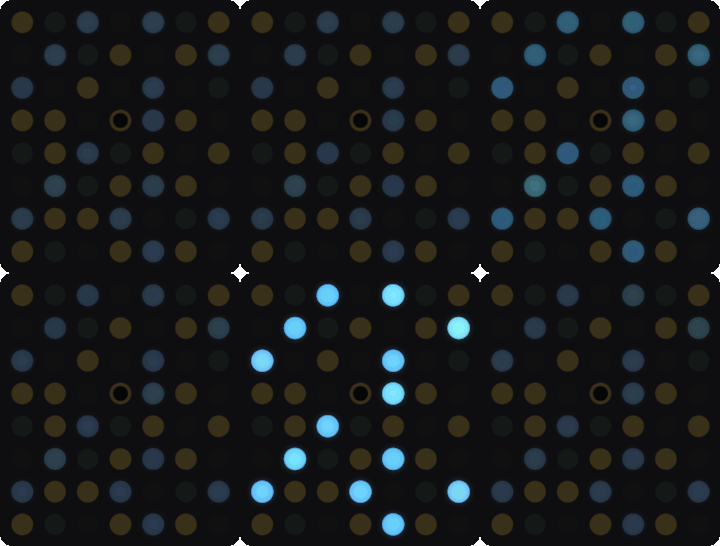 |
Blue double blink: a dim blue glow, with every dot flashing twice every couple of seconds | Setup | Join the AirWriter-xxxx network on your phone. See Setup. |
 |
Steady blue shimmer | Setup, with a phone connected | Finish setup on your phone |
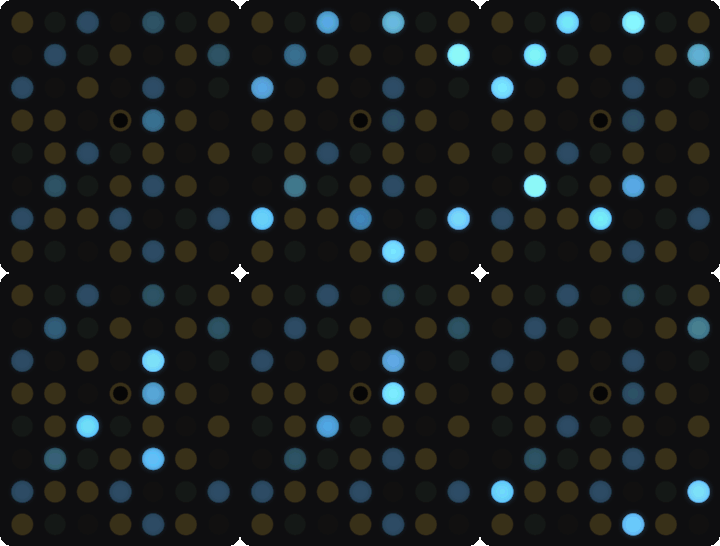 |
Blue rings pulsing out from the test button | Joining Wi-Fi | Wait. After about a minute without Wi-Fi at startup, setup starts again. |
 |
Green ripple fading into white | Connected to Wi-Fi, after setup or a dropout | None |
 |
Soft white breathing | Ready | Print! |
 |
Dim orange embers | Offline: off, unplugged, deselected or out of paper | Check the printer. See Troubleshooting. |
 |
Print head: a white dot sweeping row by row, trailing orange | Printing | Wait. The ImageWriter is slow. |
 |
Print head in stripes, in the old Apple logo's green, yellow, orange and blue | Printing from a vintage Mac | Wait |
 |
Amber double ripple, brighter than the rest | Needs attention: a page is waiting on the printer | Fix the printer and press SELECT. The page carries on. |
 |
Three red flashes, then a slow red pulse | The last job failed | Check the printer and print again |
 |
Green sweep along the bottom, then a glow | Cable test: crossover | Plug the cable back into the printer |
 |
Red sweep along the bottom, then two blinks | Cable test: not a crossover | See Test a cable |
 |
Two red blinks by the AppleTalk port | Cable test: no LocalTalk chip, or no TashTalk on it | See Without the LocalTalk chip |
 |
One dot breathing, a different dot each time | Asleep after five quiet minutes | None. Printing wakes it. |
Short patterns that play over the current state.
| Pattern | Meaning | |
|---|---|---|
 |
White drains away to the bottom left | Printer switched off, unplugged or deselected |
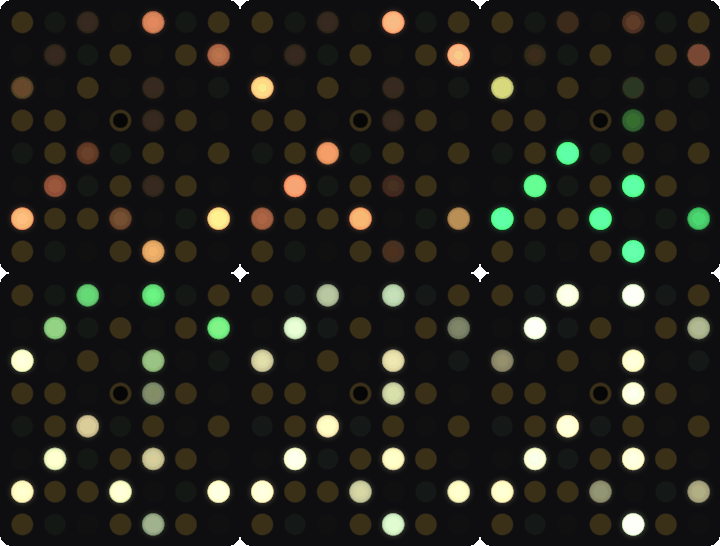 |
Green wave from the bottom left | Printer back on. A paused page carries on. |
 |
Page slides up off the top | Job finished |
 |
Print head stops and fades | Job canceled |
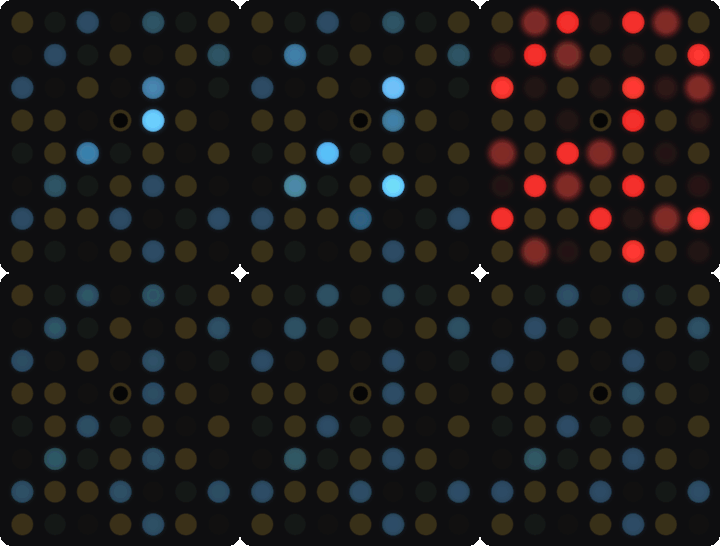 |
Two red pulses, then the blue double blink | Couldn't join Wi-Fi at startup, back to setup |
 |
Pink fills up from the bottom | Installing a firmware update |
 |
Green rises through the pink | Update installed, restarting |
 |
Rainbow stripes rising from the bottom middle | AppleTalk port on |
 |
Rainbow arc from the bottom middle | A vintage Mac's Chooser is open |
 |
White bar over rainbow stripes, then green | TashTalk flashed. See LocalTalk Chip (TashTalk). |
 |
White bar over rainbow stripes, then red | TashTalk flash failed |
 |
Two orange rings around the test button | Test button pressed during a job |
 |
White ring closing into the test button | Settings saved |
The panel shows one state for all your printers. It stays white while any shared printer is ready, and turns orange only when no shared printer is ready. While the ImageWriter prints, the panel follows the ImageWriter.
| Pattern | Meaning | |
|---|---|---|
 |
Orange sweep turning red | Test dot held. Let go to cancel. |
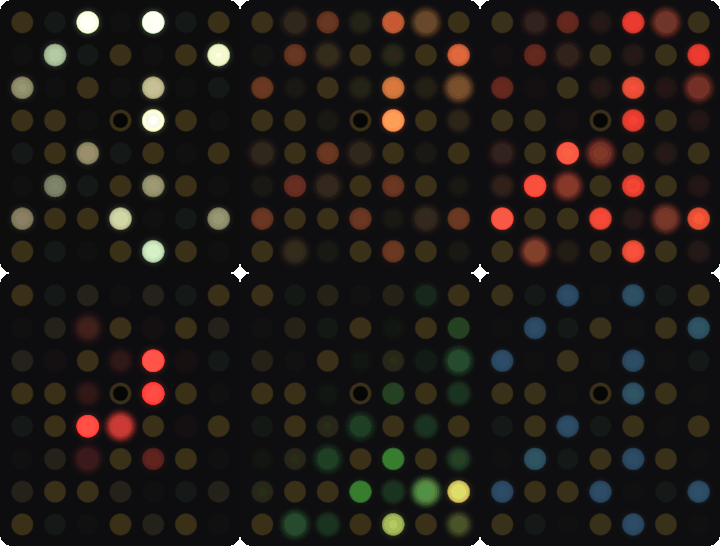 |
White and red flash, then two white blinks | Settings erased, restarting into setup. See Factory reset. |
After five quiet minutes, Ready and Offline fade to one dot breathing like a PowerBook's sleep light, in a new spot each breath. The panel wakes when you print, press the test button, change a DIP switch, or the printer changes state.

Turn on DIP switch 7 for a slow rainbow drift in place of white. Just for fun.

This documentation is licensed under CC-BY-SA-4.0.