English | 简体中文

Today's Large Audio Language Models (LALMs) are stuck in an offline paradigm: you hand them a complete audio clip, wait, and get a reply. Streaming audio models exist, but each one only handles a single, isolated task. There has never been a general streaming audio language model. We formalize that missing capability as a new concept the Audio Interaction Model and build the first one. AudioInteraction is a unified Audio Interaction Model that:
✅ Runs conventional offline audio tasks (ASR, S2TT, AQA...)
✅ Runs streaming audio tasks in real time (Voice chatting...)
✅ Achieves general streaming audio instruction following on a live stream
✅ Does all of the above inside a single, all-in-one model, and be always-on and proactive
Technical Report 📖 / StreamAudio-2M 🤗 / AudioInteraction Model 🤗 / Streaming-Audio-Bench 🏆



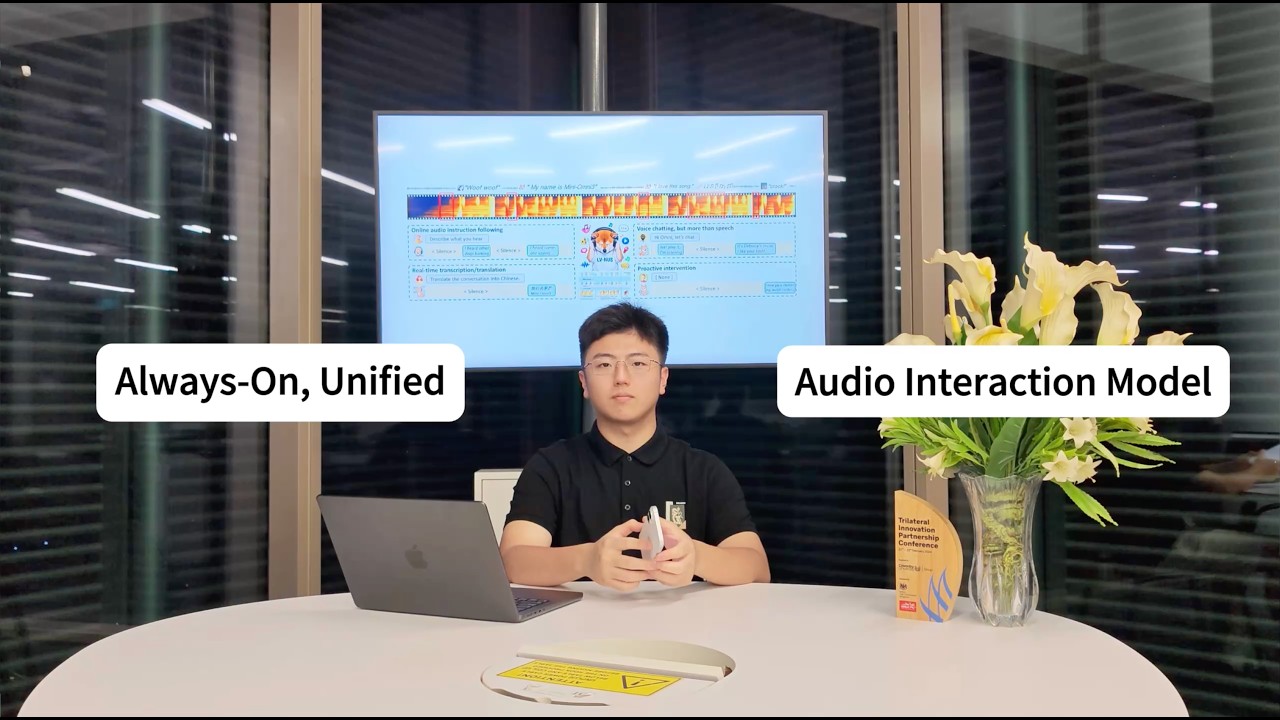
▶ Click to watch AudioInteraction listen, decide, and speak — live (YouTube)
-
[Coming]: We will release the full dataset and data curation pipeline.
-
[Coming]: The full training configs and pipeline.
-
May 20, 2026: 🔥 We release StreamAudio-2M.
-
May 20, 2026: 🔥 We release the AudioInteraction Inference and Training Codebase.
-
May 19, 2026: 🔥 AudioInteraction model weights are now available on Hugging Face.
-
May 19, 2026: 🔥 We release the AudioInteraction Technical Report.
- Quick Start
- Demos
- SoundFlow: Train your own Audio Interaction Model
- StreamAudio-2M dataset
- Evaluation results
- License, Citation & Stars
AudioInteraction is an always-on model: it keeps listening to incoming audio frames and decides for itself when to speak. By default it stays in a ⟨Silent⟩ state and only emits output when the task or the acoustic context warrants it — so you can open a single session, stream audio into it continuously, and watch every capability take turns on its own.
Installation
git clone https://github.com/AudioInteraction/AudioInteraction.git
cd AudioInteraction

conda create -n AudioInteraction python=3.12 -y
conda activate AudioInteraction
# please check if you are using torch-cuda
pip install -r requirements.txt
# install ffmpeg
conda install -c conda-forge ffmpeg
Download Weights
# download model weights from huggingface
export PYTHONPATH=./
python download.pyRun inference first, then start the WebUI demo.
# Add project root to PYTHONPATH
export PYTHONPATH=./

# 1. Offline inference
python infer_offline.py

# To test bundled samples, set input_path in infer_offline.py to one of:
# sample/01_count_bark/sequence.json
# sample/02_translate/sequence.json
# sample/03_cough_music/sequence.json

# 2. Real-time inference
python infer_online.py# Download model weights from Hugging Face first
python web/server.py
# Open in browser:
# http://localhost:5001Most audio models do one job and wait to be asked. AudioInteraction's defining trait is that all of its abilities live in the same continuous stream, and the model itself decides which one is needed at each moment. The demo below is one unbroken session, one model, no mode switches, no prompts — transcription, understanding, conversation, and proactive intervention simply happen as the soundscape changes.
| Input (streaming) | gpt-audio | doubao-voicechat | gemini-omni | AudioInteraction (Ours) |
|---|---|---|---|---|
| Continuous ambient audio: footsteps, a door opening, distant traffic. | ❌ Record-then-infer: waits for the clip to end, then returns one summary — no incremental narration. | ✅ Detects each event incrementally and narrates the scene in real time, without waiting for the clip to end. |
Capabilities 2 – 4 (transcription & translation · full-spectrum chat · proactive intervention)
| Input (streaming) | gpt-audio | doubao-voicechat | gemini-omni | AudioInteraction (Ours) |
|---|---|---|---|---|
| A speaker talking continuously while the model listens. | ✅ Emits partial transcripts and translations chunk by chunk with low latency, correcting incrementally as context arrives. |
| Input (streaming) | gpt-audio | doubao-voicechat | gemini-omni | AudioInteraction (Ours) |
|---|---|---|---|---|
| A user asks about a song playing in the background while talking. | ❌ Treats the music as noise to suppress; can't reason about it. | ✅ Jointly perceives speech, music, and general audio, and responds in a context-aware, full-spectrum conversation. |
| Input (streaming) | gpt-audio | doubao-voicechat | gemini-omni | AudioInteraction (Ours) |
|---|---|---|---|---|
| A smoke alarm starts beeping while the user is silent. | ❌ Stays silent — only responds when prompted; no self-initiated speech. | ❌ Waits for a wake word / user turn; never volunteers a warning. | ❌ No notion of when to speak; requires an explicit query. | ✅ Holds ⟨Silent⟩ until the acoustic cue appears, then switches to ⟨Speak⟩ and warns the user — no prompt required. |
Offline audio models answer a finished clip, but real audio needs a model that listens continuously and decides, moment to moment, whether to speak. SoundFlow trains a single model that at every chunk chooses between ⟨Speak⟩ and ⟨Silent⟩, so recognition, translation, and dialogue become instructions inside one always-on perceive–decide–respond loop — a Large Audio Interaction Model (LAIM) — instead of separate per-task models. The framework covers the whole pipeline: stitching short clips into long interactions for data, chunk-level decision training with history review and comprehension-aware silence, and asynchronous FIFO inference that cuts first-frame latency by 4.5×.

You can fine-tune AudioInteraction on your own streaming data, and you can also use this repository to train standard offline audio language models. There are two steps: build the training data, then train.
Edit the path constants at the top of each script first:
| File | Constants to fill in |
|---|---|
src/audiointeraction/dataset/get_feat.py |
QWEN_OMNI_CKPT, AUDIO_TOWER_CKPT |
src/audiointeraction/dataset/get_dataset_online.py |
QWEN_OMNI_CKPT |
src/audiointeraction/dataset/get_dataset_offline.py |
QWEN_OMNI_CKPT, AUDIO_TOWER_CKPT |
Online (streaming, multi-turn audio). One JSON object per line:
{"conversation": [
    {"audio_path": "/path/to/turn1.wav", "assistant": "reply 1", "emotion": "normal"},
    {"audio_path": "/path/to/turn2.wav", "assistant": "reply 2", "emotion": "happy"}
]}audio_pathandassistantare required on every turn.emotionis optional and defaults to"normal". Allowed values:happy,sad,angry,surprise,normal,urgent.- To make the model stay silent on a turn, set
assistantto"<no need to response>".
A single-turn shorthand is also accepted:
{"merge_path": "/path/to/audio.wav", "assistant": "reply", "emotion": "normal"}Offline (single-turn). One JSON object per line, either the flat form:
{"user": "user text", "assistant": "reply", "audio_path": "/path/to/audio.wav"}or the online-style multi-turn shape, in which case only the first turn is used:
{"conversation": [{"user": "...", "assistant": "...", "audio_path": "..."}, ...]}assistant is always required. The task variant is decided by which other fields are present:
Has audio_path? |
Has user? |
Task |
|---|---|---|
| ✓ | ✓ | A_T_T — audio + user text → assistant |
| ✓ | A_T — audio → assistant |
|
| ✓ | T_T — user text → assistant |
# Online: <input.jsonl> <output.jsonl> <error.log> <feature_dir>
python src/audiointeraction/dataset/get_dataset_online.py \
    <input.jsonl> <output.jsonl> <error.log> <feature_dir>
# Example:
# python src/audiointeraction/dataset/get_dataset_online.py \
#     data/online_raw.jsonl data/online.jsonl logs/online.err features/online

# Offline: <input.jsonl> <output.jsonl> <error.log> <feature_dir>
python src/audiointeraction/dataset/get_dataset_offline.py \
    <input.jsonl> <output.jsonl> <error.log> <feature_dir>
# Example:
python src/audiointeraction/dataset/get_dataset_offline.py \
#     data/offline_raw.jsonl data/offline.jsonl logs/offline.err features/offline
Both scripts are resumable: re-running picks up where the previous run stopped, skipping any idx that was already written. For a parallel multi-GPU template, see src/audiointeraction/dataset/process_get_feature.sh.
# 1. Set the two data roots referenced by config.yaml
export DATA_ROOT=/path/to/your/jsonl/data
export CHECKPOINT_ROOT=/path/to/your/checkpoints
# Example:
# export DATA_ROOT=/data/audiointeraction/jsonl
# export CHECKPOINT_ROOT=/data/audiointeraction/ckpts

# 2. Edit hyperparameters / data sources in src/audiointeraction/finetune/config.yaml

# 3. Launch
python src/audiointeraction/finetune/full.py --config src/audiointeraction/finetune/config.yaml
# Example:
# python src/audiointeraction/finetune/full.py --config src/audiointeraction/finetune/config.yaml

StreamAudio-2M is a ~2.6M-item streaming instruction-following corpus (7.4M rounds, 66.7K hours) covering seven capabilities — audio understanding, real-time ASR, speech translation, voice chatting, proactive response, and environment-aware agent — built by collecting clips from real-world datasets (AudioSet, CommonVoice, CoVoST2, MOSS, …), synthesizing text into speech with CosyVoice, then concatenating them into streaming sequences with environmental noise and token-level annotation.
Each line is one streaming sequence made of multiple turns:
{
  "id": "voice_chatting_000123",
  "stream_scene_type": "Home Smart",
  "num_turns": 2,
  "turns": [
    {
      "user": "Turn the living room lights down a bit.",
      "assistant": "Sure, dimming them to 40%.",
      "emotion": "normal",
      "scene_type": "Home Smart",
      "audio_path": "voice_chatting/000123/turn_0.wav"
    },
    {
      "user": "Thanks. What's the temperature in here?",
      "assistant": "It's 22.5 degrees in the living room.",
      "emotion": "normal",
      "scene_type": "Home Smart",
      "audio_path": "voice_chatting/000123/turn_1.wav"
    }
  ]
}
Set assistant to "<no need to response>" for a turn where the model should stay silent.
| Model | Size | Stream. | Multi-turn | Text Sound | Text Music | Text Speech | Text Avg. | Audio Sound | Audio Music | Audio Speech | Audio Avg. |
|---|---|---|---|---|---|---|---|---|---|---|---|
| Large Audio Language Models | |||||||||||
| Audio Flamingo 2 | 3B | ✗ | ✗ | 71.47 | 70.96 | 44.74 | 62.40 | 1.50 | 1.49 | 0.35 | 1.16 |
| Qwen2-Audio-Instruct | 8.4B | ✗ | ✓ | 54.95 | 50.98 | 42.04 | 49.20 | 22.32 | 19.16 | 16.31 | 19.41 |
| Voxtral-Mini | 3B | ✗ | ✓ | 58.56 | 49.70 | 43.53 | 50.60 | 46.08 | 34.13 | 30.50 | 37.24 |
| Audio-Reasoner | 8.4B | ✗ | ✗ | 60.06 | 64.30 | 60.70 | 61.71 | 20.48 | 26.65 | 13.48 | 20.57 |
| Omni Language Models | |||||||||||
| Qwen2.5-Omni | 3B | ✗ | ✓ | 65.36 | 48.94 | 57.78 | 57.81 | 51.81 | 44.01 | 29.79 | 42.51 |
| Qwen2.5-Omni | 7B | ✗ | ✓ | 67.87 | 69.16 | 59.76 | 65.60 | 60.54 | 50.90 | 35.11 | 49.58 |
| Phi-4-multimodal | 7B | ✗ | ✓ | 60.97 | 52.87 | 52.83 | 55.56 | 44.65 | 27.84 | 21.99 | 31.75 |
| Baichuan-Omni-1.5 | 11B | ✗ | ✓ | 65.47 | 58.98 | 55.26 | 59.90 | 57.53 | 36.53 | 24.82 | 40.40 |
| Streaming Audio Language Models | |||||||||||
| Audio-Interaction | 3B | ✓ | ✓ | 64.12 | 47.80 | 55.13 | 55.68 | 65.63 | 57.93 | 39.68 | 58.15 |
| Model | Size | SpokenQA LLa. Q. | SpokenQA Web Q. | Voicebench Alpa. | Voicebench SD-QA |
|---|---|---|---|---|---|
| Specialized Models | |||||
| Moshi | 7B | 62.20 | 26.30 | 2.01 | 15.01 |
| Freeze-Omni | 7B | 72.00 | 44.73 | 4.14 | 50.16 |
| Omni & Audio Language Models | |||||
| Baichuan-Omni-1.5 | 7B | 78.50 | 59.10 | 4.50 | 43.40 |
| Qwen2-Audio | 7B | 69.67 | 45.20 | 3.74 | 35.71 |
| Qwen2.5-Omni | 3B | 66.00 | 27.95 | 4.32 | 49.37 |
| Qwen2.5-Omni | 7B | 75.33 | 62.80 | 4.49 | 55.71 |
| Phi-4-multimodal | 7B | 60.2 | 26.6 | 3.81 | 39.78 |
| Streaming Audio Language Models | |||||
| Audio-Interaction | 3B | 67.31 | 54.34 | 4.28 | 52.14 |
| Model | Size | ASR Clean ↓ | ASR Other ↓ | S2TT en-zh ↑ | S2TT zh-en ↑ |
|---|---|---|---|---|---|
| Specialized Models | |||||
| Canary | 1B | 1.48 | 2.93 | - | - |
| Canary-Qwen | 2.5B | 1.49 | 3.10 | - | - |
| Omni & Audio Language Models | |||||
| Baichuan-Omni-1.5 | 7B | 5.71 | 10.09 | - | - |
| Qwen2-Audio | 7B | 1.60 | 3.60 | 45.20 | 24.40 |
| Qwen2.5-Omni | 3B | 2.87 | 5.90 | 39.50 | 18.17 |
| Qwen2.5-Omni | 7B | 1.80 | 3.40 | 41.40 | 29.40 |
| Phi-4-multimodal | 5.6B | 1.69 | 3.82 | 46.30 | 22.39 |
| Streaming Audio Language Models | |||||
| Audio-Interaction | 3B | 3.17 | 6.04 | 55.22 | 35.21 |
We sincerely thank the creators, maintainers, and contributors of the public datasets and resources used in this work. We also thank the broader large audio language model community for laying the groundwork that made streaming audio modeling possible.
In particular, this project builds on the following open-source repositories:
- Qwen2.5-Omni — the audio encoder and language model backbone behind AudioInteraction.
- LitGPT — the training framework our finetuning code is built on.
- CosyVoice — the text-to-speech model used to synthesize speech during data construction.
This project will be released under the Apache-2.0 License. You can do everything with AudioInteraction 🎉
Citation: You can cite AudioInteraction using the following BibTeX entry. Thank you for your kindness 🙂
@misc{xie2026audiointeractionmodel,
      title={Audio Interaction Model},
      author={Zhifei Xie and Zihang Liu and Ze An and Xiaobin Hu and Yue Liao and Ziyang Ma and Dongchao Yang and Mingbao Lin and Deheng Ye and Shuicheng Yan and Chunyan Miao},
      year={2026},
      eprint={2606.05121},
      archivePrefix={arXiv},
      primaryClass={cs.SD},
      url={https://arxiv.org/abs/2606.05121},
}