
Back up iPhone photos and videos to storage you control.
NAS, self-hosted servers, S3-compatible storage, WebDAV, SFTP, SMB, and external drives.
Download on the App Store · 简体中文
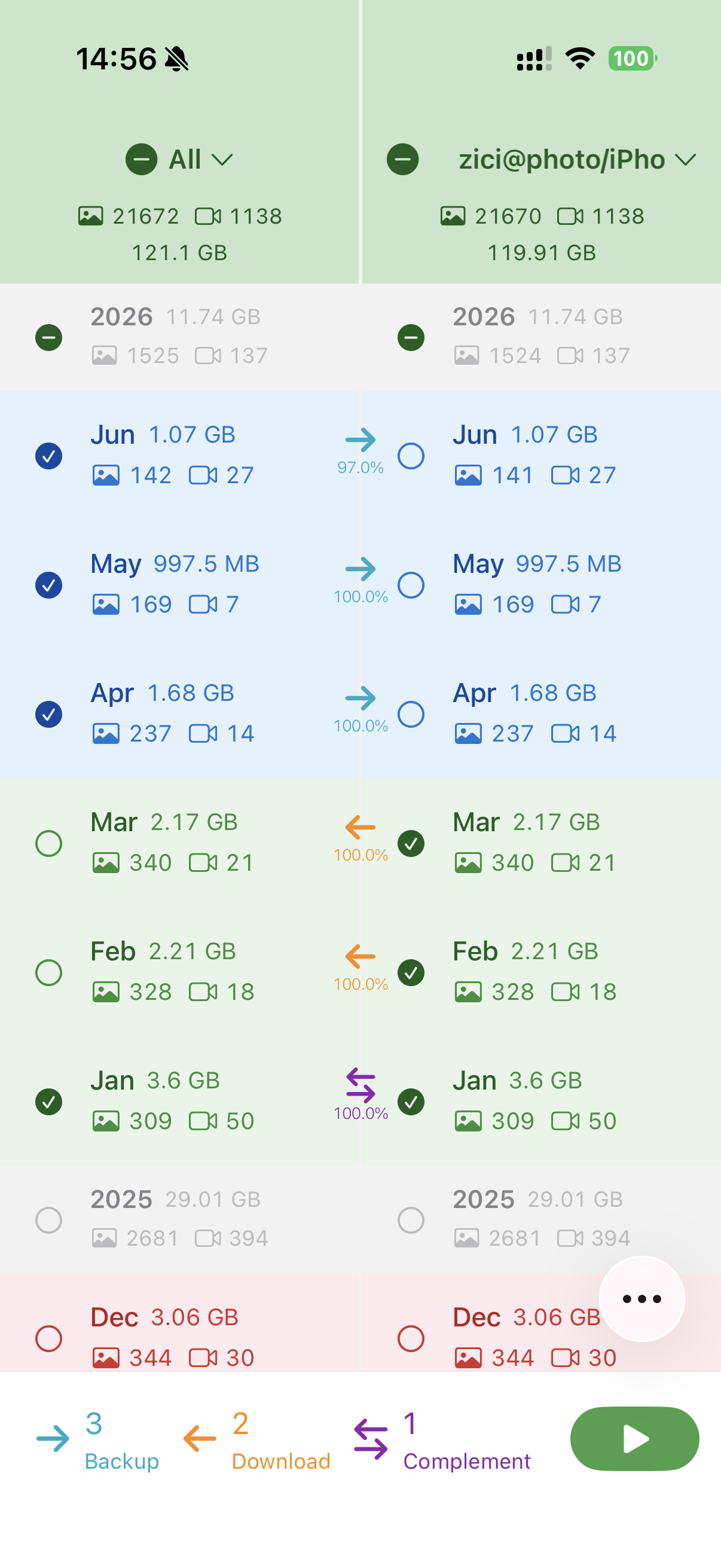
Watermelon Backup helps you keep an independent copy of your iPhone photo library outside someone else's cloud. Point it at storage you already trust, choose the months you want to protect, and let it copy photos and videos directly from your device.
Download Watermelon Backup on the App Store
- Back up by month, so large libraries stay understandable.
- See local and remote status clearly before deciding what to upload, download, or sync.
- Use your own NAS, server, object storage bucket, SFTP folder, WebDAV directory, or external drive.
- Pause and resume long jobs without starting over.
- Restore backed-up photos and videos back into the Photos app.
- Handle iCloud Photos originals when a full backup needs the original file.
- Keep backup progress visible, with Picture in Picture progress available for Pro users.
- Enable background backup per storage profile with Pro.
| Destination | Examples |
|---|---|
| SMB / NAS | Synology, QNAP, TrueNAS, Windows shares |
| WebDAV | Self-hosted WebDAV, compatible file servers |
| S3-compatible storage | S3-style object storage and private buckets |
| SFTP | Linux servers, VPS storage, SSH-based archives |
| External volume | Local disks and attached storage available to iOS |
- Install Watermelon Backup from the App Store.
- Allow Photos access.
- Add your storage destination.
- Select the months you want to protect.
- Start upload, download, or sync.
Watermelon Backup uses a local index and remote manifests to avoid unnecessary repeat transfers whenever possible.
Watermelon Backup writes directly from your iPhone or iPad to the storage profile you configure. Credentials are stored through the system Keychain. There is no Watermelon-hosted cloud service in this repository.
- App Store: https://apps.apple.com/app/id6762260596
- App name: Watermelon Backup
- Category: Photo & Video
For developers
The iOS app is the primary product target in this repository.
WatermelonMac is a separate macOS target for legacy-data migration only. It has not been released as an App Store, TestFlight, or signed distribution build. Do not point it at irreplaceable photo libraries or production storage.
- Open
Watermelon.xcodeprojin Xcode. - Select the
Watermelonscheme for the iOS app. - Run on a simulator or a real device.
- Run the
WatermelonTeststarget for the included unit tests.
| Path | Purpose |
|---|---|
Watermelon/ |
iOS app source: Home, onboarding, settings, backup orchestration, PhotoKit integration |
Shared/ |
Shared storage clients, database, Keychain, domain models, manifests, repo services |
WatermelonMac/ |
macOS legacy migration target; not the iOS backup pipeline |
WatermelonTests/ |
XCTest coverage for pure logic, storage signing, credentials, write-lock, and cleanup behavior |
docs/ |
Architecture, backup pipeline, data model, UI flow, and known technical issues |
AGENTS.md- concise project guide for coding agentsdocs/01-Architecture.md- module layering and dependenciesdocs/02-BackupCoreV2.md- upload, sync, download, preflight, and retry detailsdocs/03-DataModel.md- SQLite schemas and snapshot modelsdocs/04-UIFlow.md- Home, connection, onboarding, More page, and execution statesdocs/05-OpenIssues.md- current risks and technical debt