






"Free as in use-after."
Zed Highlight is a Language Server Protocol (LSP) extension for the Zed editor, designed to provide word highlighting. It is useful for quickly identifying all occurrences of selected words in the code, enhancing readability and navigation when tracing the program flow from input sources to potential vulnerability sinks.
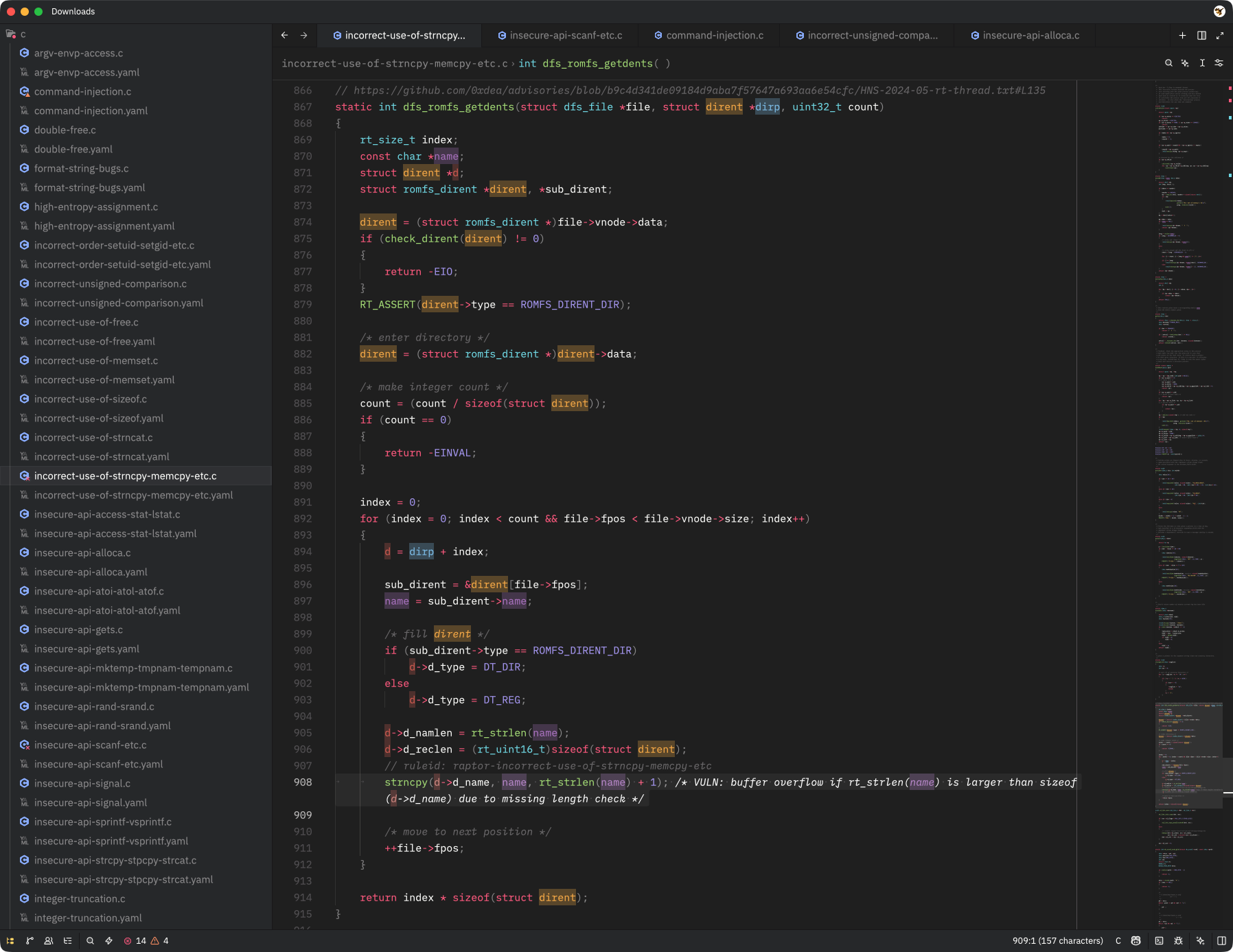
The following features are currently supported by the extension and the bundled LSP server:
- Easy access to the following code actions via the
editor: toggle code actionsmenu (⌘.shortcut or lightning bolt icon in the gutter):HighlightorRemove highlight- Toggle highlighting on and off for the current selection.Clear all highlights- Remove all highlights with a single command.
- Configurable highlight colors (via
settings.json).
- https://zed.dev/extensions
- https://marketplace.visualstudio.com/items?itemName=debugpig.highlight
- https://github.com/debugpig/vscode-extension-highlight
- https://github.com/huacnlee/color-lsp
- TODO - add instructions for installing via Zed's extension marketplace once it's published there.
- TODO - add instructions for installing the LSP server manually via
cargo install zed-highlight-lsp+ dev extension
Use the Zed Highlight extension as follows:
- TODO - add detailed instructions for using the extension, including custom keymap entries and configuration options.
- TODO - add instructions for configuring colors (e.g., via
settings.json).
The latest release was tested with Zed 1.1.7 on:
- Apple macOS Tahoe 26.4.1
- @debugpig for their useful vscode-extension-highlight, which served as a major inspiration for this project.
- Test with both light and dark themes. Then, release to the Zed marketplace and crates.io.
- Try another approach to implementing colors via LSP (e.g., the
textDocument/documentColorcapability). - Add a command-line interface for manual use of the LSP server outside of Zed.
- Add customizable settings (e.g.,
whole_wordandignore_caseflags that are already suppported by the LSP). - Add highlighting based on regular expressions.
- Add a sidebar for navigation between currently highlighted words.