The SCDF Emergency QR Web App aims to save lives through the fastest means. The solution is viable as no app installation is required. Therefore, no concern for app user retention. This app will prepare us to be an emergency ready nation.
We face the issue of responder having difficulties in identifying the location they were at and could delay the efforts from SCDF from reaching out to victims in time. Through the use of technology, we will be able to make effective use of our smartphone to do an incident report at ease. There are millions of application out in the market, and user retention is one of the issues that developers faced. With this web application in place, we do not need to worry about having users have an app installed on their phone.
On top of that, we do not need responder to register for an account to verify their identity. We make use of a unique identity of a user through phone number, and they can only make a report once they confirm their phone number. To tackle unnecessary abuse of the reporting procedure. The QR code is also placed at a specific residential area where sticker of QR code can be pasted by Grassroot leaders / Social Worker /PA staff / SCDF staff where detailed information of residents is placed in the database of the SCDF. The residents do not need to fear the misuse of their personal data as this information can only be reflected on SCDF side of the portal. We also made a portal to allow SCDF to view the case reported through this web app.
There are still many potentials that we see in this web app where we can implement more useful services such as reputable providers such as IBM and the services that they can provide.
Team Members
- Daniel Kwang [Team Leader]
- Joshua Lim
- Henry J.
- Charles Goh
- Ernest Oh
We have created the pitch video for the SCDF EMERGENCY QR Web App
https://youtu.be/uVDpByaDroU
You may also refer to our slides for better understanding of the SCDF EMERGENCY QR Web App
https://docs.google.com/presentation/d/1jbMbdSd1Yxq1plnPIA-BjZSrsXm0-pTwoAU3lKTLWTA/edit?usp=sharing
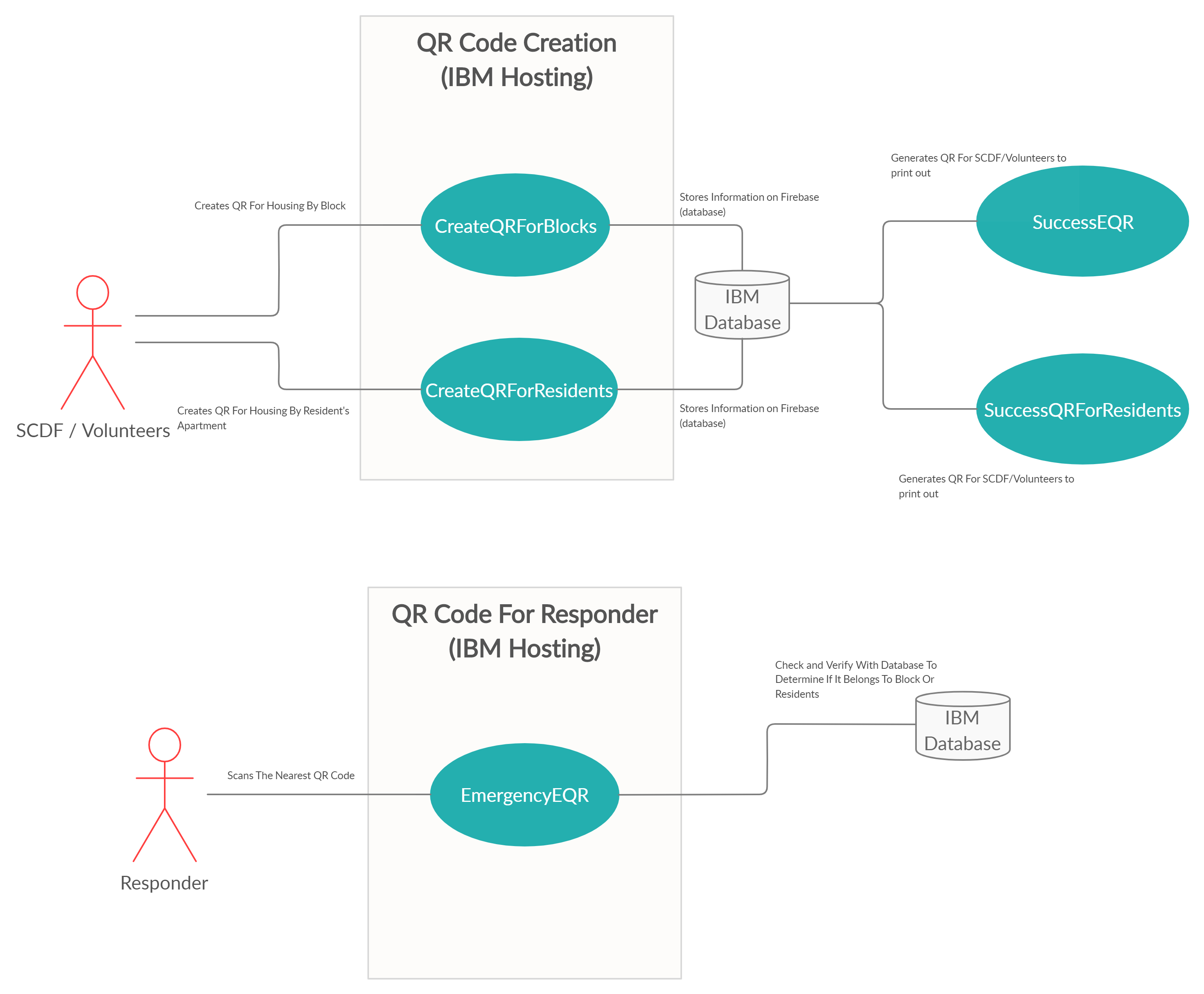
Current Architecture

Projected Future Architecture
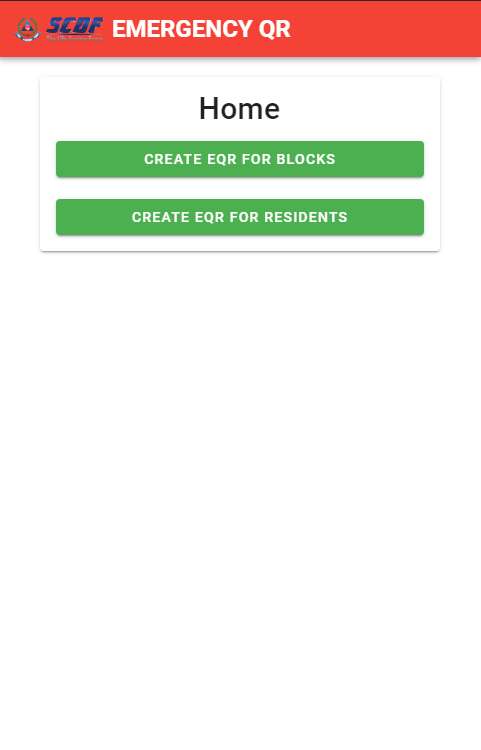
SCDF EMERGENCY QR WEB APP
FOR SCDF STAFF / Grassroot Leaders / Volunteers
Admin Page For Creation (After Authentication)
[Due to time constraint, no authentication was added yet]
http://scdf-eqr.web.app/
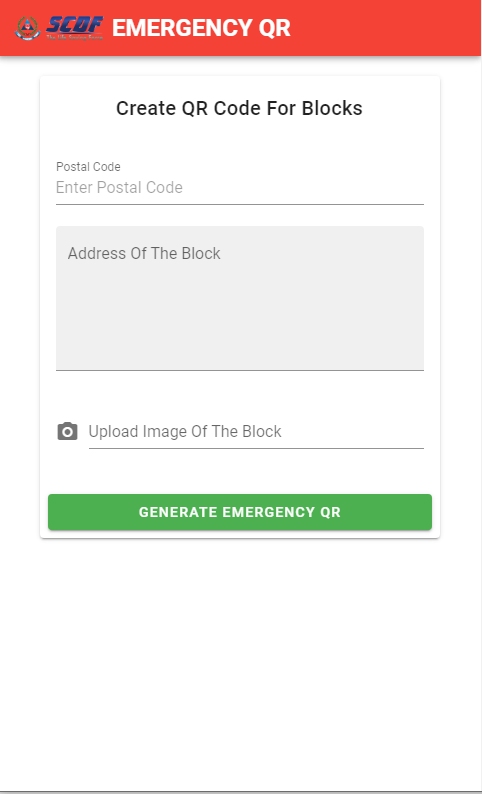
Page For Authorised User To Create QR Code For Blocks (Location Based)
https://scdf-eqr.web.app/createqrforblocks
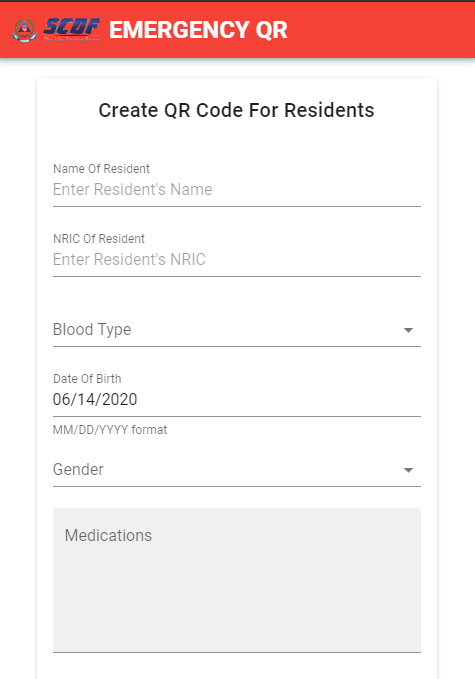
Page For Authorised User To Create QR Code For Specific Resident(Unit Based)
https://scdf-eqr.web.app/createqrforresidents
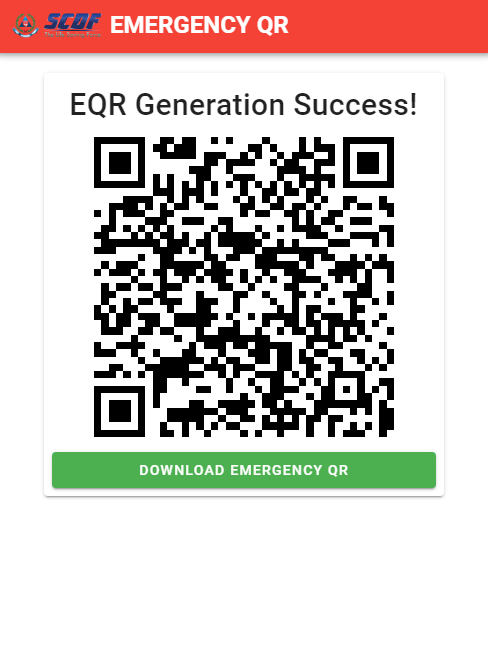
Sample QR Code Generated
This QR Code can be pasted on wall of the blocks or units
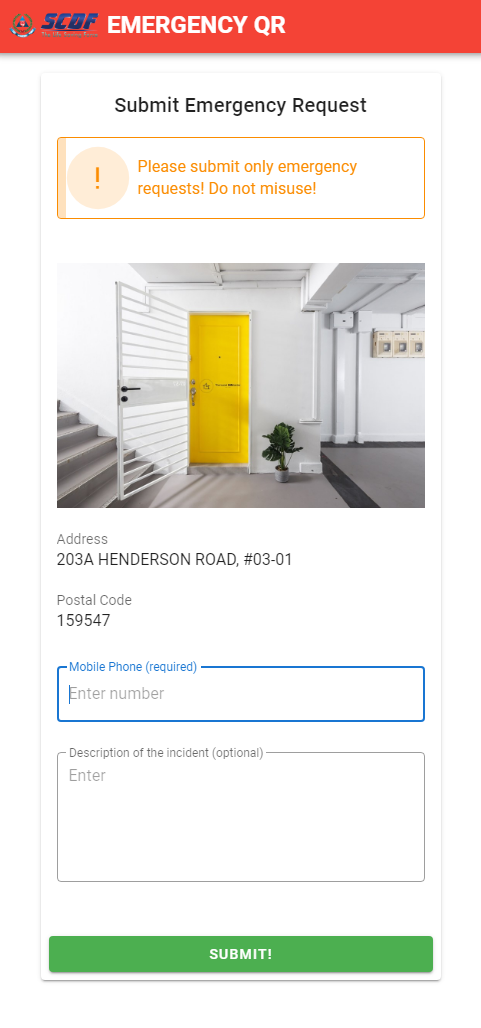
Sample Interface After Reporter Scan The QR Code
The information is to allow reporter to confirm the location as well as fast verification
of identity of reporter so there will be no fake or prank calls.
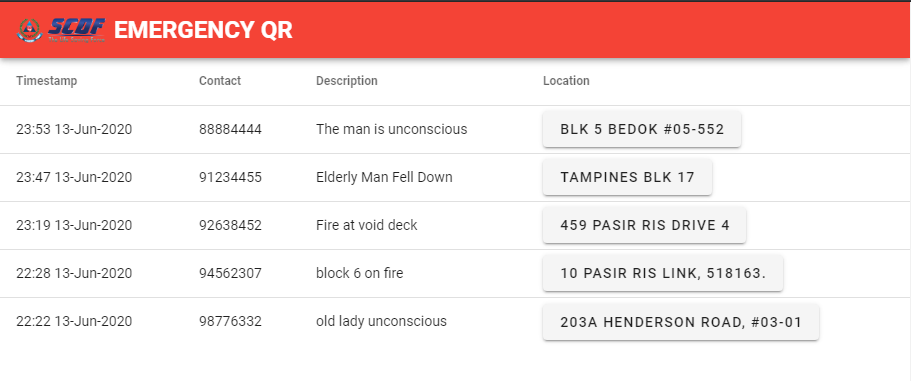
Admin Portal For SCDF To View On Cases
https://scdf-eqr.web.app/admin
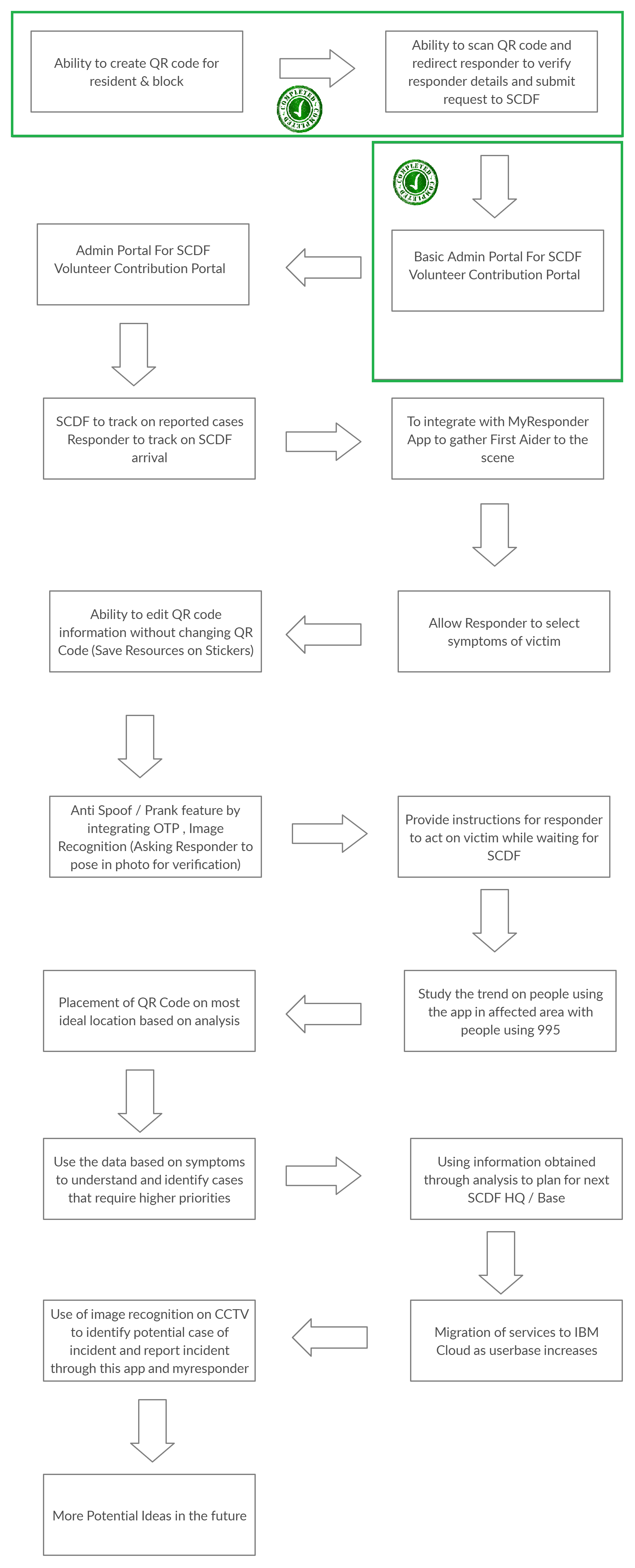
This is our current project roadmap and future projection
npm install
npm run serve
npm run build
(Admins/Community first responders: steps 1-4)
-
At the homepage, click on either "Create EQR for Blocks" or "Create EQR for residents".
-
Fill up the form with all the neccessary details. Make sure to upload an img which describes the location.
-
Click on "Generate Emergency QR"
-
A unique Emergency QR Code will be generate, you can also download and save a PDF version on your pc.
(Everyone: steps 5-6)
-
Scan the QR code using your phone (To be done during an emergency)
-
Enter your phone number and description
-
Click submit and enter a random 6 digit pin for the OTP
-
Request has been sent to SCDF!
(Everyone: steps 5-6)
- SCDF admin can view all incoming emergency requests from: http://scdf-eqr.web.app/admin
We have an in depth video demonstration for our SCDF EMERGENCY QR https://youtu.be/slB5LItcD6c
You may also click on the link below to refer to the guide to using our web app link
We used VUE.JS
 Firebase
 We are also exploring into IBM Cloud Storage solution & Hosting in the future