Hi Minecraft starters! In this website I'm going to tell you how to play Minecraft!
1.Select your character!
Before you hit play and start playing, you have to choose you character! Click on the clothes hagner and you will see two character desighs.The one with brown skin is Steve and the one with white skin is Alex!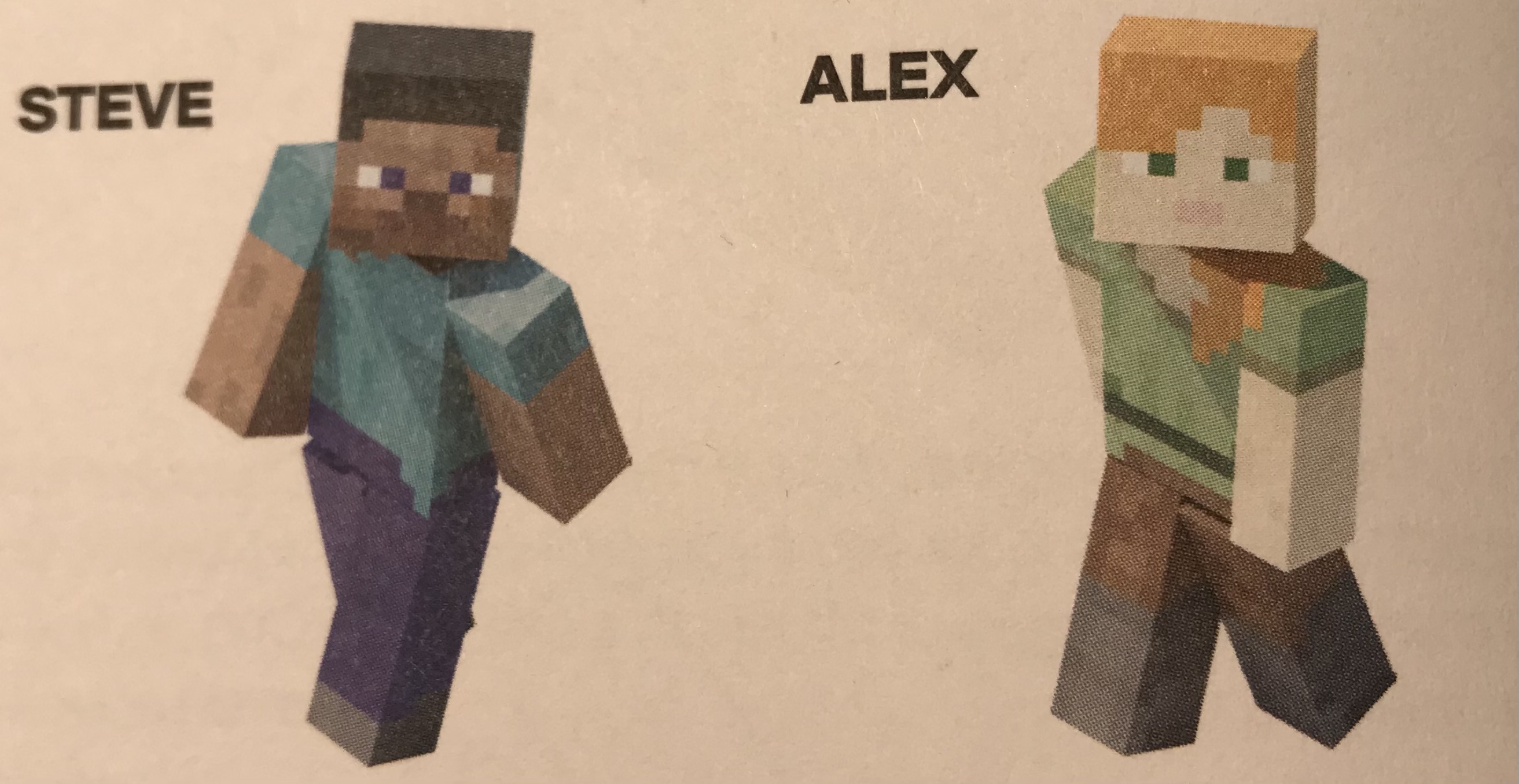
2.Your first day.
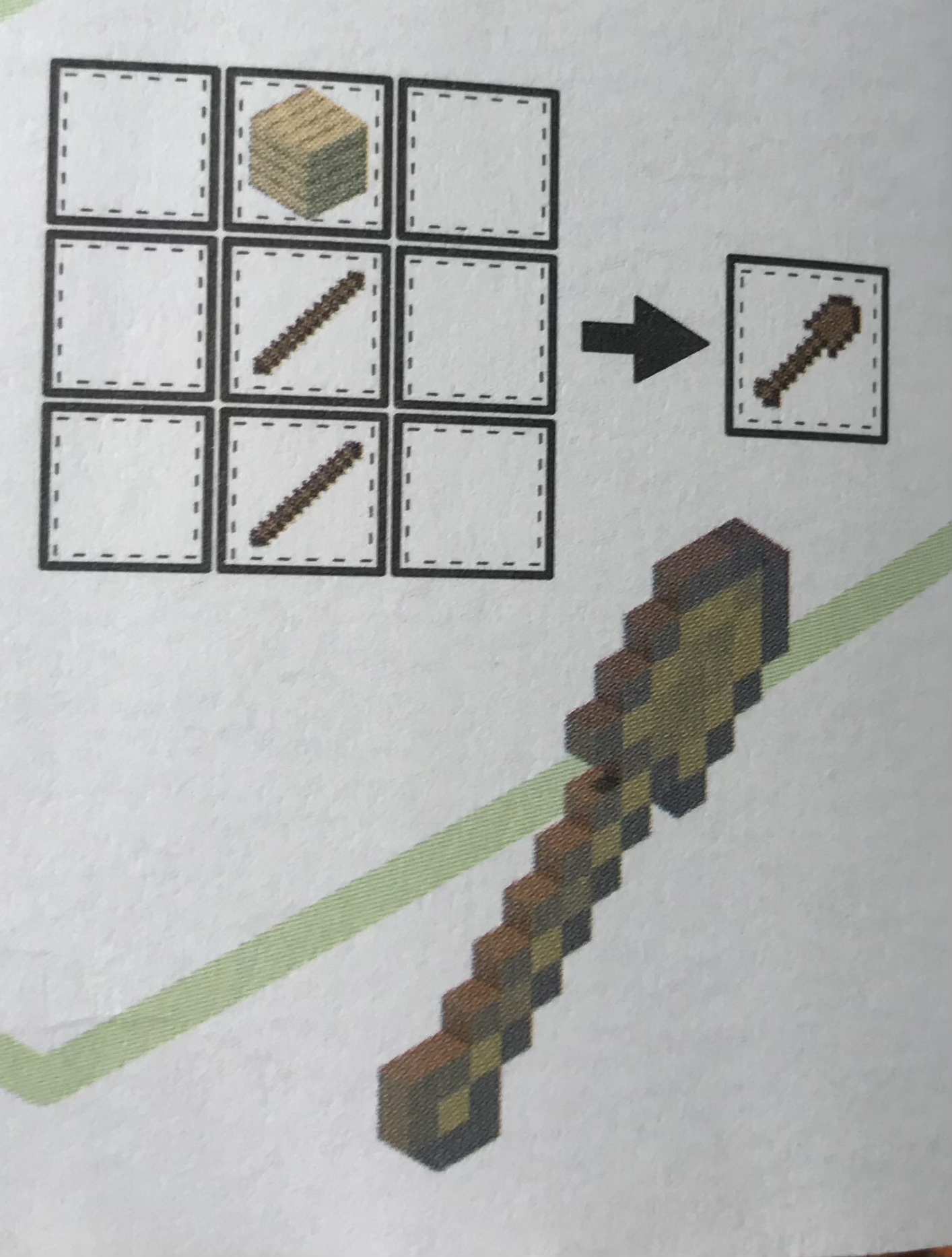
After you have choosed you character, you can hit"play" and start your first game! First, make a pile of dirt at your spawning point.Next, find some trees and punch them to get blocks af wood. Then, put one block of wood in your crafting place and then you will get four wooden planks! Use the four wooden planks to put them all in your crafting and you will get a crafting table! Now put the crafting table somewhere you want it to be! Then, continue to get wood planks and then intertract with your crafting table to craft wooden sticks! To craft a wooden stick, you have to put a wood plank at the last row second space (couting from the left) and one at top of it and it will be crafted into four wooden sticks! Now use your wooden sticks to craft wooden tools! Here's a list of how to craft wooden tools for your first day: Wooden pickaxe: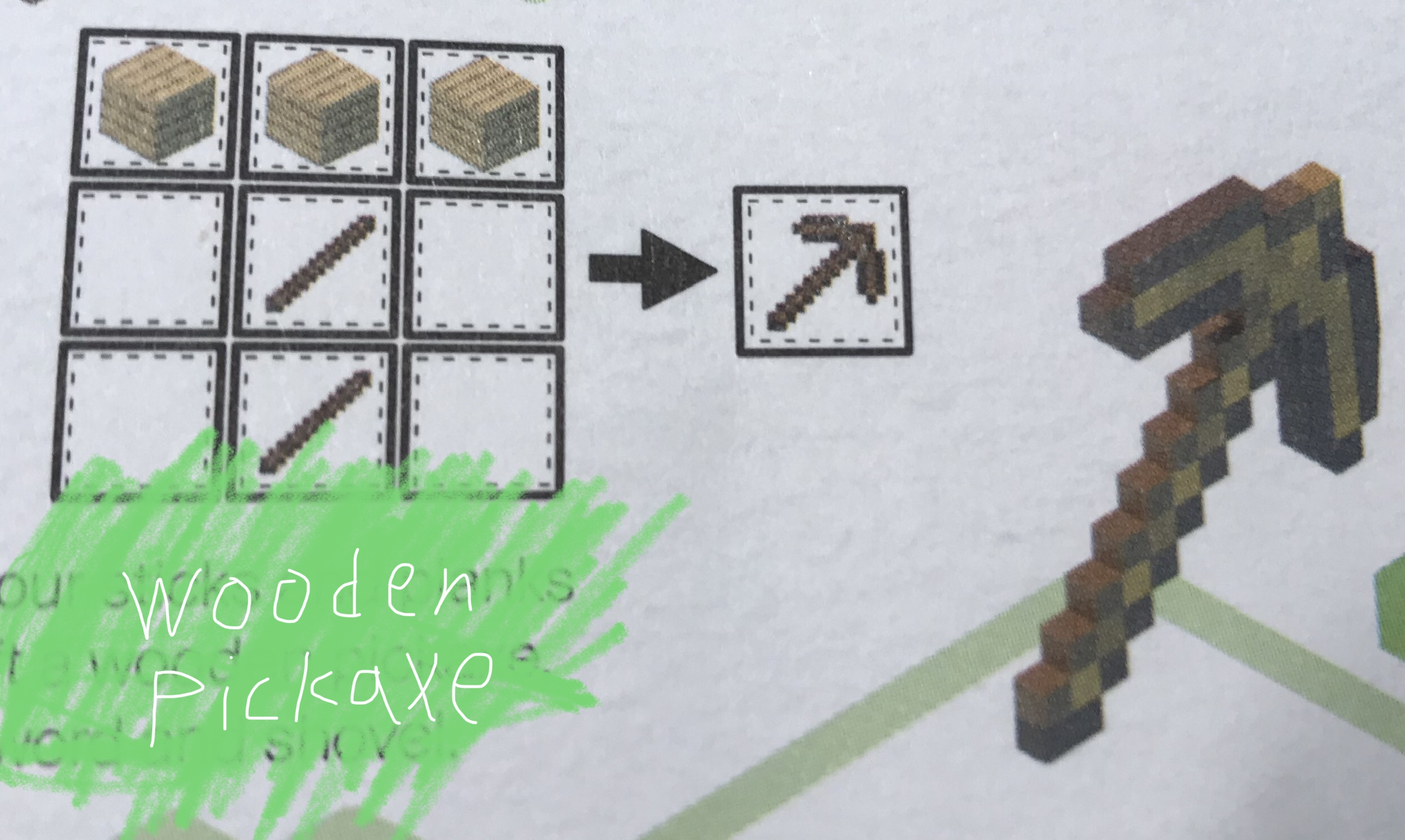 Wooden axe:
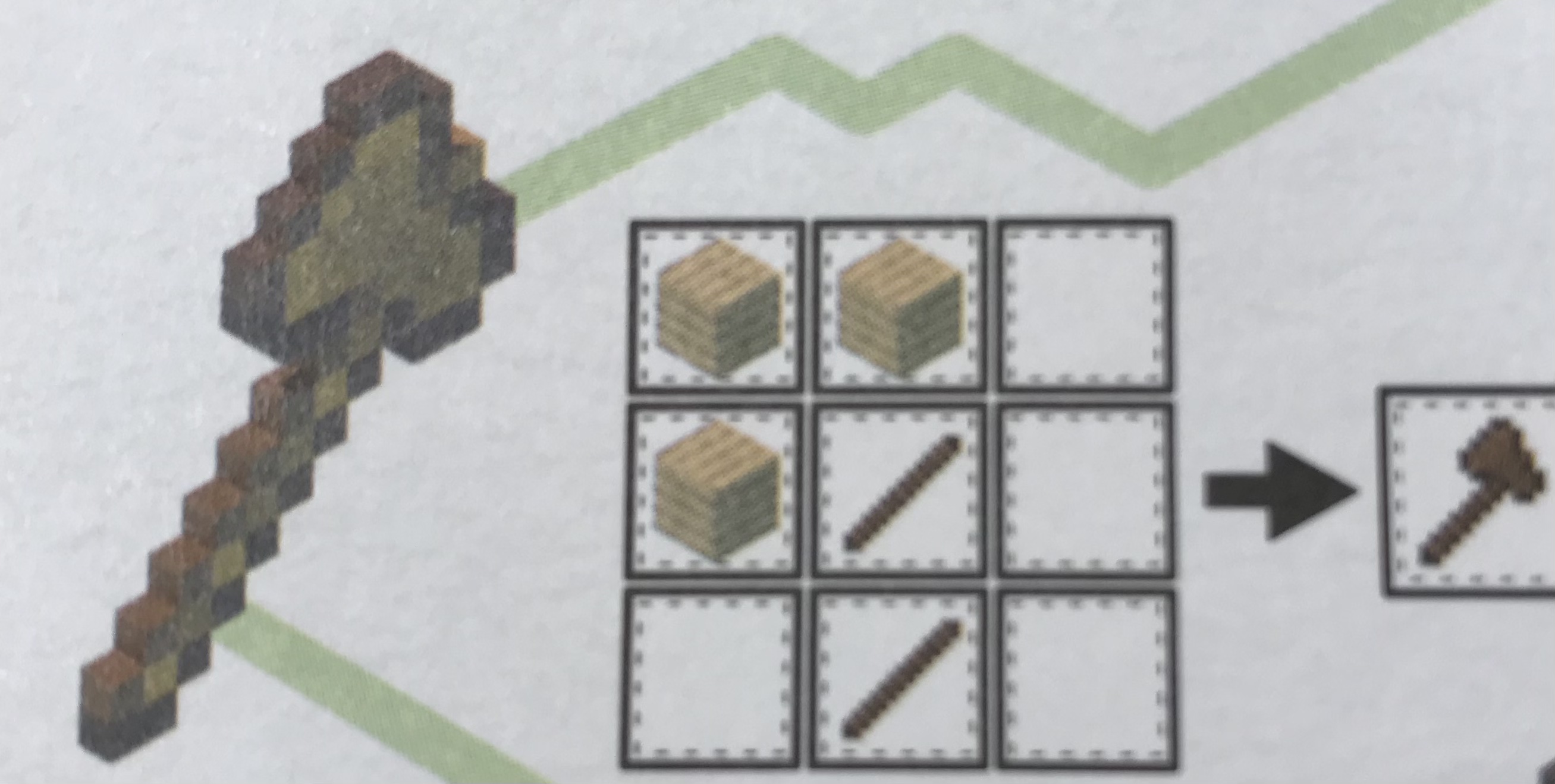 Wooden sword:
 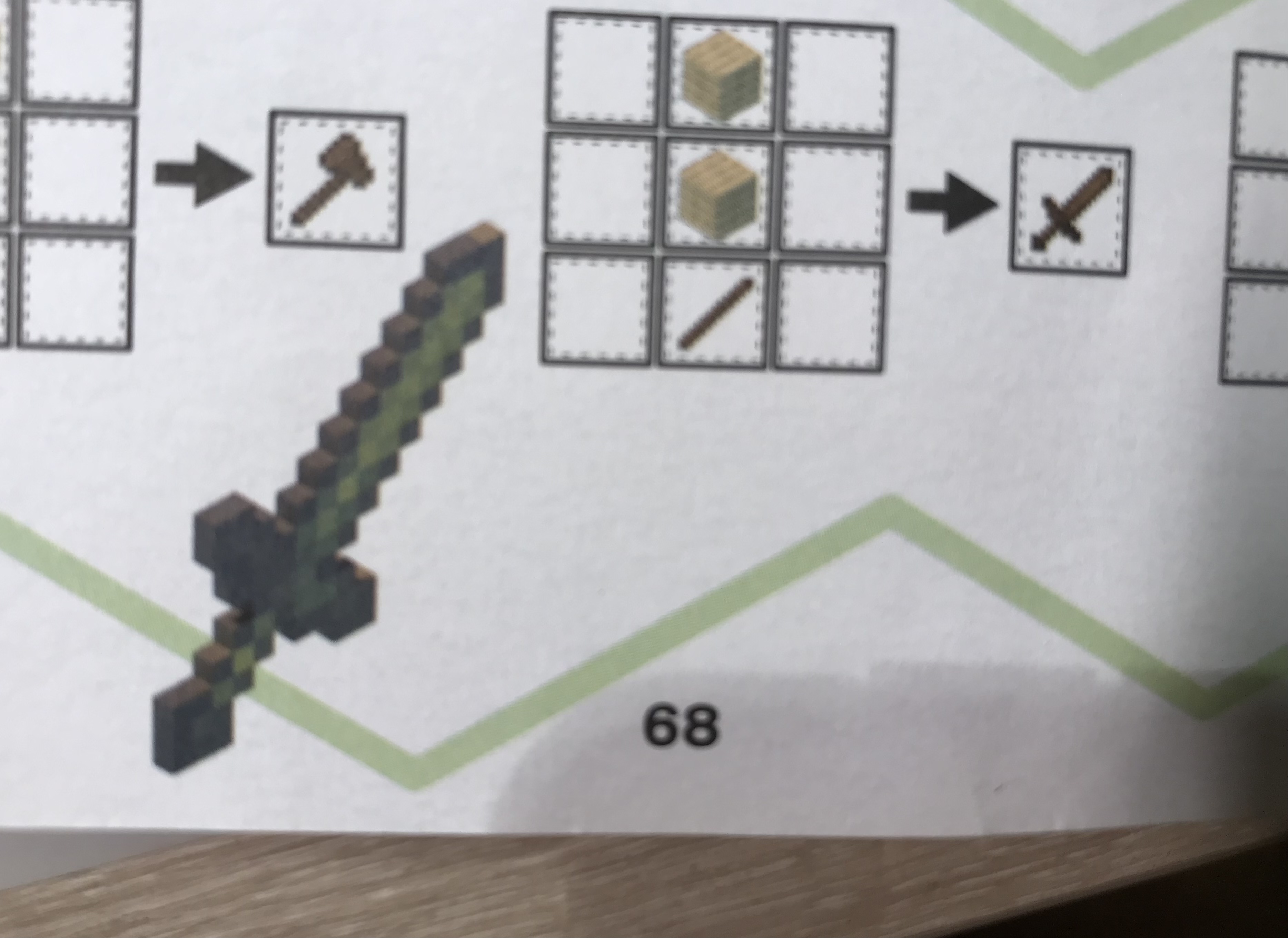 Wooden shovel:
 3.Buiding a home.
Now that you have created tools, quickly find a hill and dig an "L" shape with your pickaxe and then cover the outside with the dirt that you have colected while digging and find a place that you would like to place your door. There
3.Buiding a home.
Now that you have created tools, quickly find a hill and dig an "L" shape with your pickaxe and then cover the outside with the dirt that you have colected while digging and find a place that you would like to place your door. There